May 2025 Product Release Notes
AI Assistant Analytics: New Interactions Table
The new raw interactions table comes with enhanced data quality, new accessibility and extensibility features.
Enhanced Data Quality
We have enhanced data quality of three important entities across MW analytics. Plugins, Domains & Topics. This is done via implementing a semantic data layer that translates raw data in conceptual formats for user to consume.
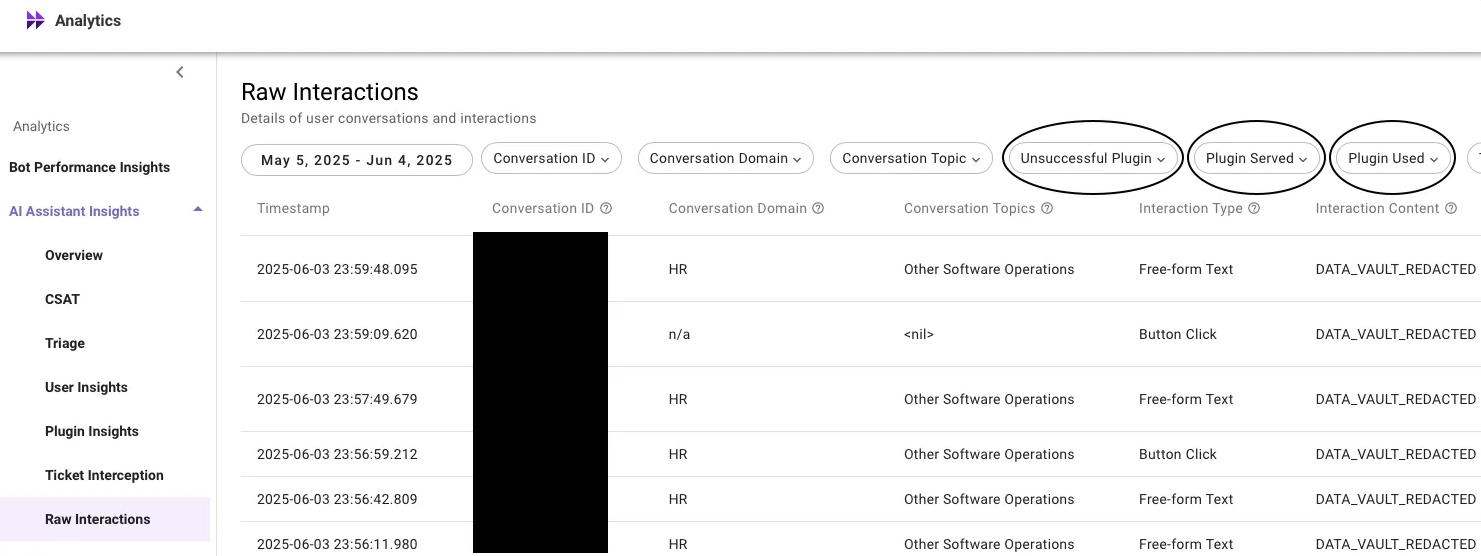
The new semantic layer data provides us with new plugin statuses, that helps in understanding what happened in a conversation, was a user successful or end up filing a case. What are scenarios where your AI assistant falls short & scenarios where it’s performing great.
👉 New Plugin Statuses introduced : Unsuccessful, Served, and Used plugins.
Enhanced conversation domains
A single domain per conversation powered by new domain detection model that comes with better prediction and configurability.
- New Model: Moveworks is moving from offline, utterance-level domain prediction to an online model that attributes domains at the conversation level.
- Improved Accuracy: This shift significantly enhances domain coverage and precision, with expected coverage increasing up to ~85%.
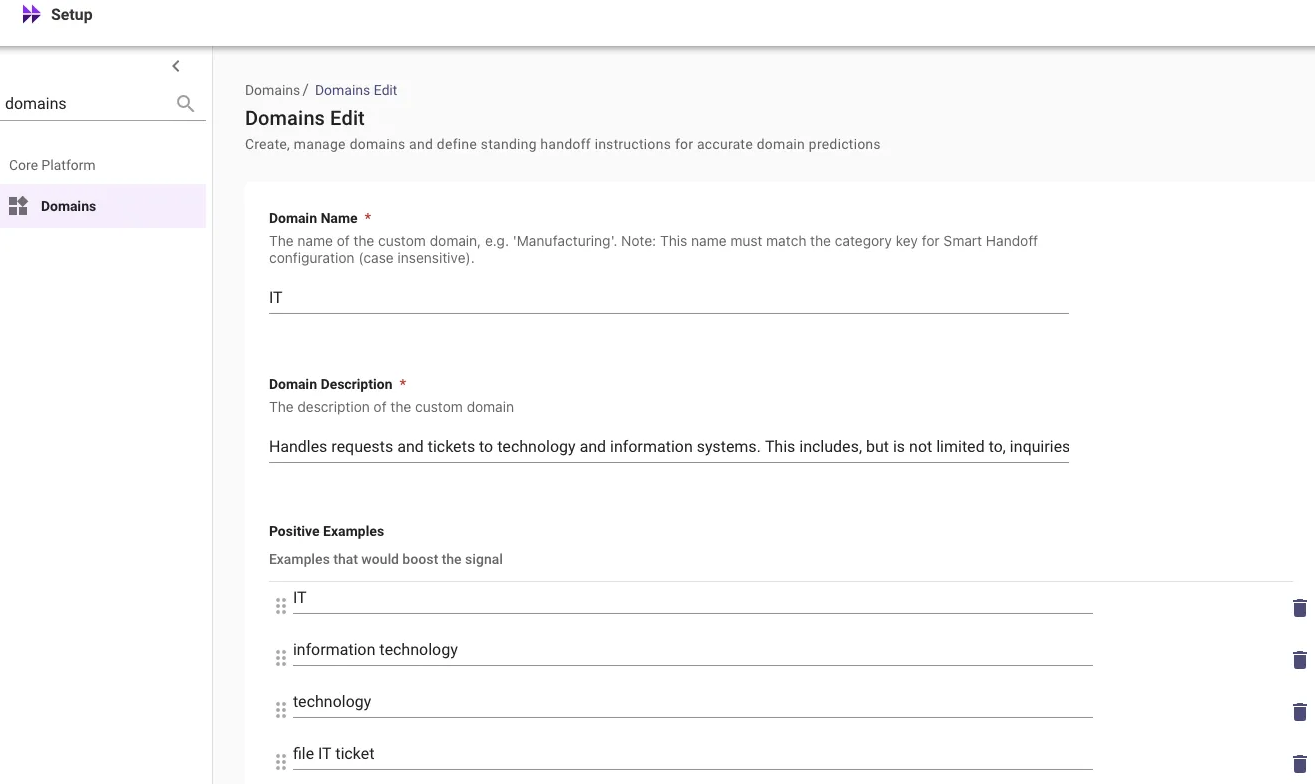
- Customization: Customers can further improve domain prediction accuracy by adding positive trigger examples via Moveworks Setup.
All interactions in the new raw interactions table will be tagged with a primary conversation domain, representing the overall domain of the entire conversation, which may include multiple interactions. All interactions within the same conversation share this domain.
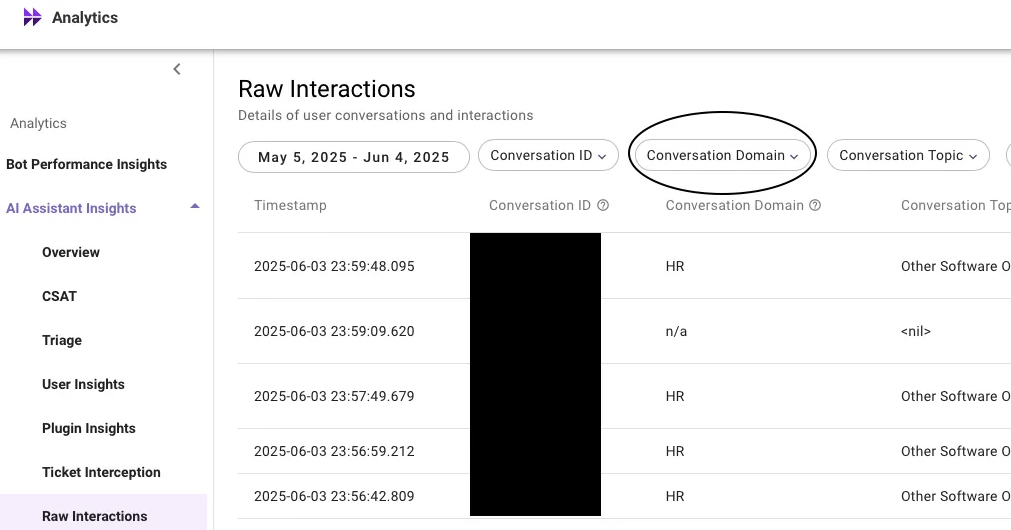
Enhanced conversation topics
We now predict topics by considering the entire conversation.
To enhance topic classification accuracy and overall coverage, we have started attributing topics at the conversation level. This approach boosts topic coverage to approximately 86%, with precision around 97% (based on manual annotation).
We’ve also added 6 new topics to cover previously unpredicted scenarios:
- Greeting
- Live Agent
- Lookup - Other
- Software - Other
- Knowledge Query - Other
Additionally, a new Conversation Topics column provides a comma-separated list of topics representing the entire conversation, rather than individual interactions.
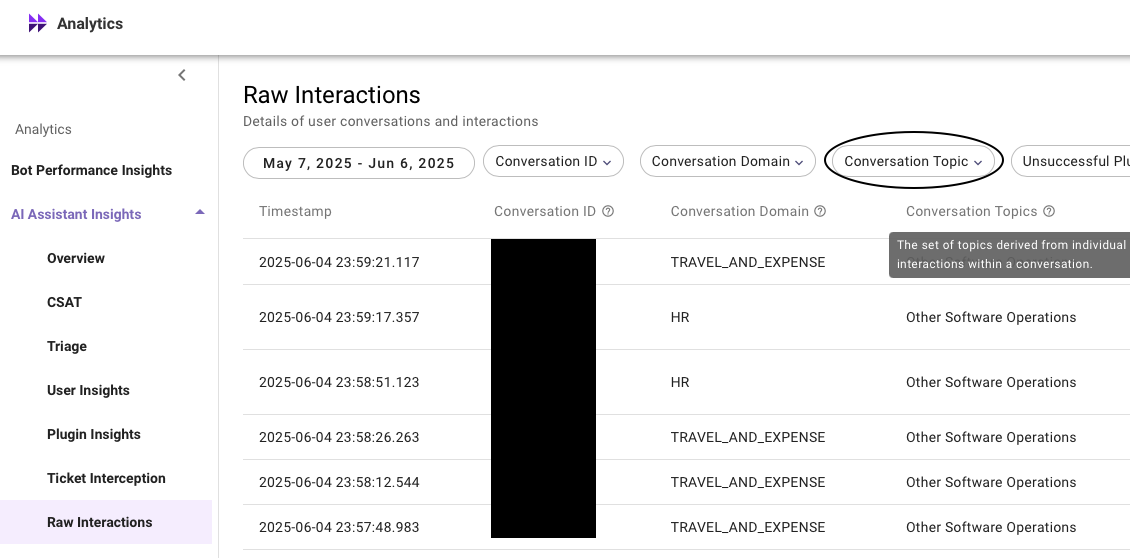
New filtering experience
There are no longer any restrictions on filterable entities. With the new filtering feature, users can search through any data seamlessly. Whether a data column has 100 unique items or thousands, users can easily filter interactions to pinpoint the exact data point they need.
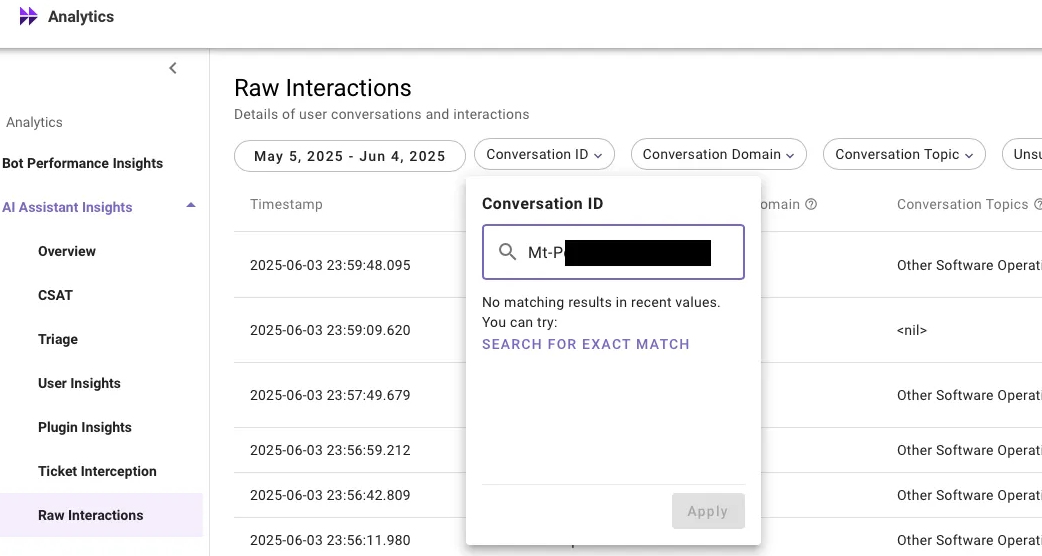
Enhanced export limit
Users can now export the raw interactions data for upto 200K rows. A 10X increase from the existing limit.
For more information on this feature, please read our help documentation on Raw Interactions Table. For global availability, read the Introducing new interactions table post in Moveworks Community.
Moveworks Setup: New Features
Entity Catalog
Moveworks entities help AI assistant in detecting key elements of a user utterance (E.g. software apps, hardware devices, locations, events & more), thereby powering downstream skills like software provisioning, topics in EXI & Analytics, and more.
Entity Catalog serves as the repository of custom entities within MW Setup. It is designed to empower admins to independently create and manage custom entities within Moveworks Setup.
At the moment, we only support Software Entities within Entity Catalog. More entity types will be available in the future.
👉 Login to Moveworks Setup → Entity Catalog → Create New Entity (or) Edit existing Entities.
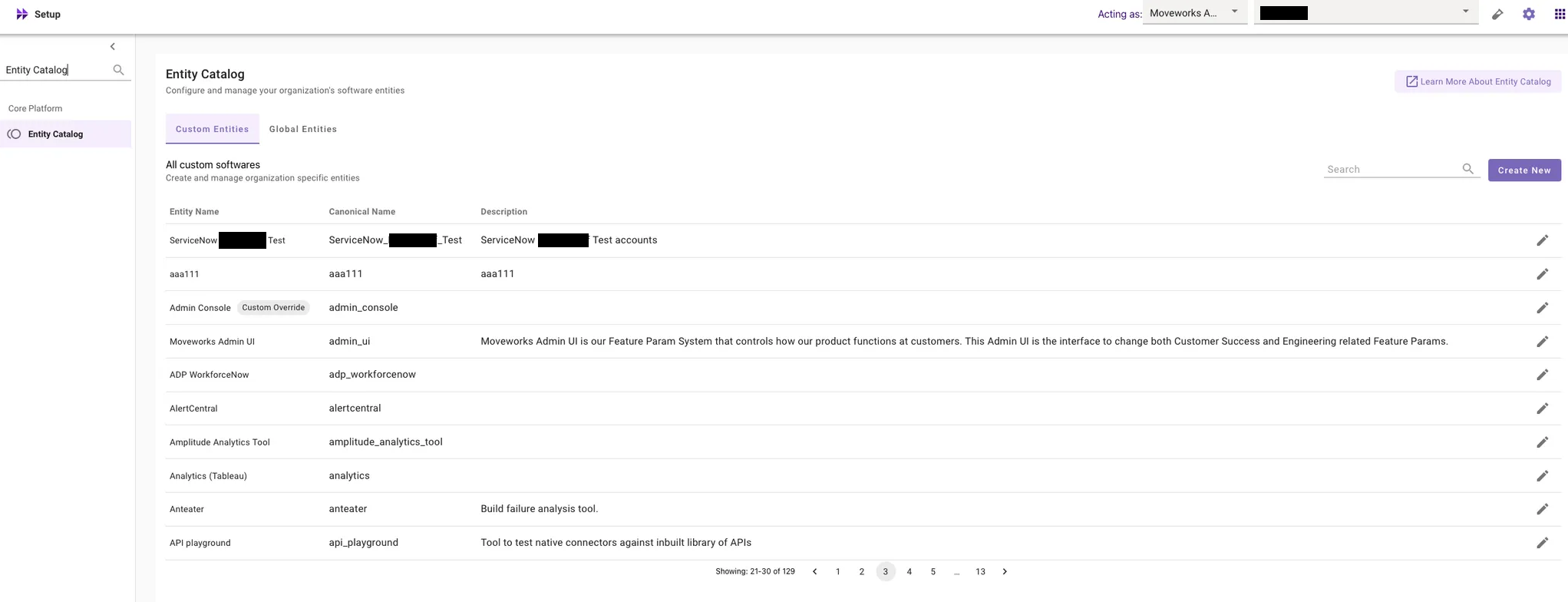
For more info, please read our help documentation on:
- Entity Catalog Overview
- Configuring Custom Entities within Moveworks Setup
- How to guide for Custom Entities within Moveworks Setup
For more details on the global availability, please read the Entity Catalog Release post in Moveworks Community.
Identify Duplicate Users
To improve user experience with the Moveworks bot, we have introduced a new feature within the Ingested Users screen in Moveworks Setup that identifies duplicate users in your organization.
What are duplicate users?
Duplicate users occur when key attributes such as Email Address, ITSM Identifier, or Chat Identifier are not unique across your source systems (e.g., ITSM, Chat, IDAM). This causes Moveworks to import conflicting user identities.
Why is this important?
Unique user attributes are essential for accurate user import and management. When duplicates exist, Moveworks cannot properly import these users, leading to inconsistent bot interactions and potential loss of access.
How does it work?
When Moveworks detects duplicate attributes, it halts the user import process until the duplicates are resolved, ensuring data integrity.
How to fix duplicates? What if duplicates are not fixed?
You can resolve duplicates by either deleting one of the conflicting user identities in your source system or filtering out the duplicate user within Moveworks. For detailed guidance on duplicate users filtering, please refer to our help documentation on How to filter out duplicate users in Moveworks Setup.
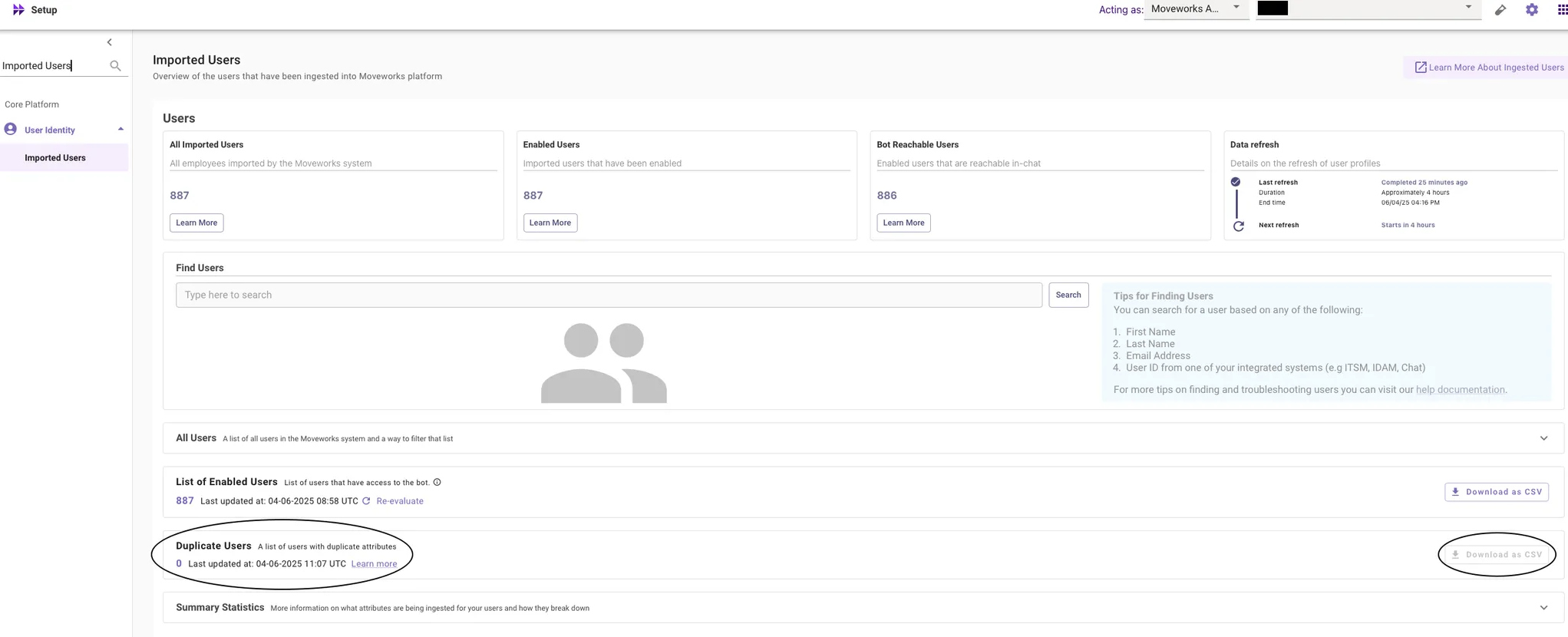
If duplicates remain unresolved, Moveworks will not import identity information for users with conflicting attributes. This results in those users experiencing inconsistent bot behavior and eventually losing access. This feature enhances visibility into user identity issues and helps maintain a seamless experience with the Moveworks bot.
For more details on the global availability, please read the Duplicate Users Release post in Moveworks Community.
Form Fillability Issues in Imported Forms CSV Downloads
CSV downloads from Imported Forms now include detailed insights into form fillability issues, helping you troubleshoot and resolve errors more efficiently.
👉 Login to Moveworks Setup → Ticketing → Forms → Imported Forms → CSV Download

Details Included:
- Type: Specifies whether the error is at the form level or the form field level
- Description: Provides a detailed explanation of the error
How does this improve your experience?
This optimizes the troubleshooting experience of fixing fillability issues by allowing bulk review of errors impacting form fillability – no longer need to click into each form individually to view them. This is especially valuable when managing a large volume of forms, saving time and reducing manual effort.
For more information on the feature, please read our help documentation on Imported Forms. For more information on the global availability, please read the Form Fillability Issues in Imported Forms post in Moveworks Community.
Control Roles and Permissions for Ecomms in Moveworks Setup
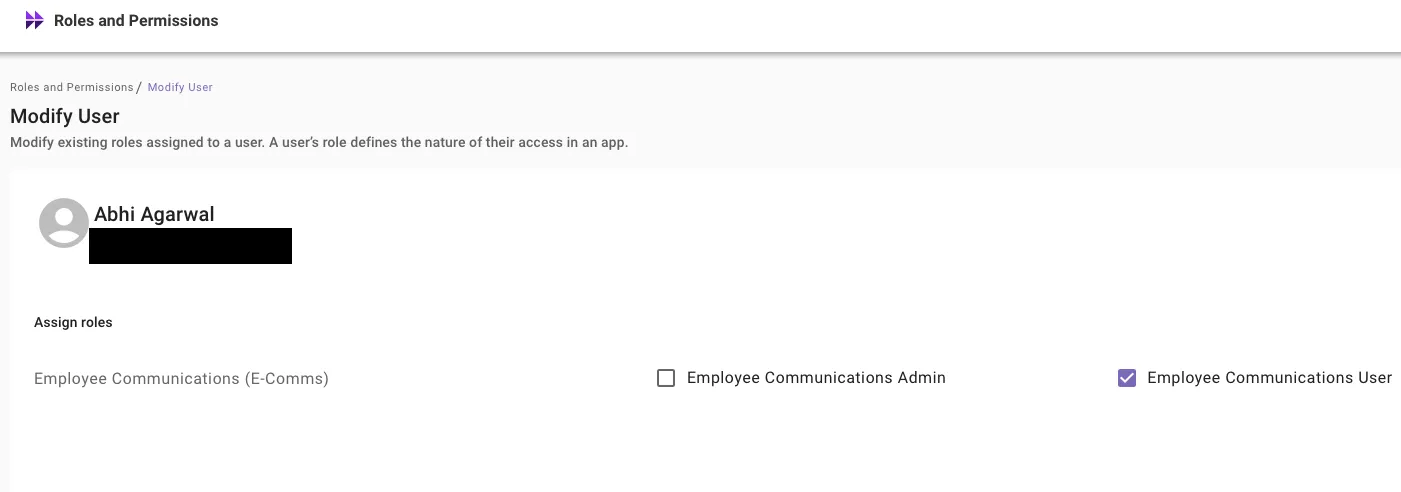
To streamline access to the Employee Communications tool within Moveworks, we have implemented a system that relies only on the Roles and Permissions that are granted to users.
👉 Login to MW Setup → Roles and Permissions App, verify who has access to Employee Communications User and Employee Communications Admin roles and make any changes necessary.
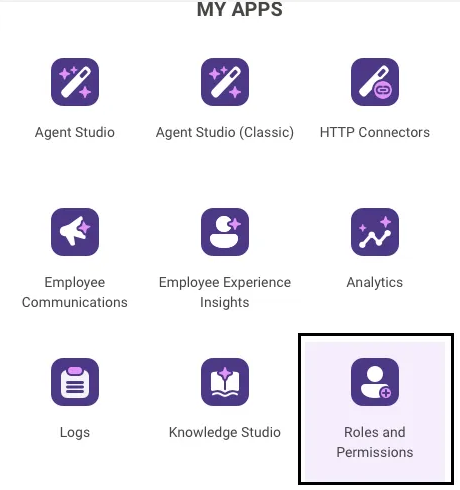
For more information on the global availability, please read the Simplifying access to Ecomms tool within Moveworks Setup post in Moveworks Community.
Moveworks Setup: UX Changes
Restructuring of AI Assistant Plugin Management Configs
A new AI Assistant section has been added to the left navigation bar under Core Platform within MW Setup.
The AI Assistant Plugin Management (formerly Copilot Plugin Management) has been relocated to AI Assistant → Plugin Management for centralized access, allowing admins to manage MW AI Assistant capabilities more efficiently.
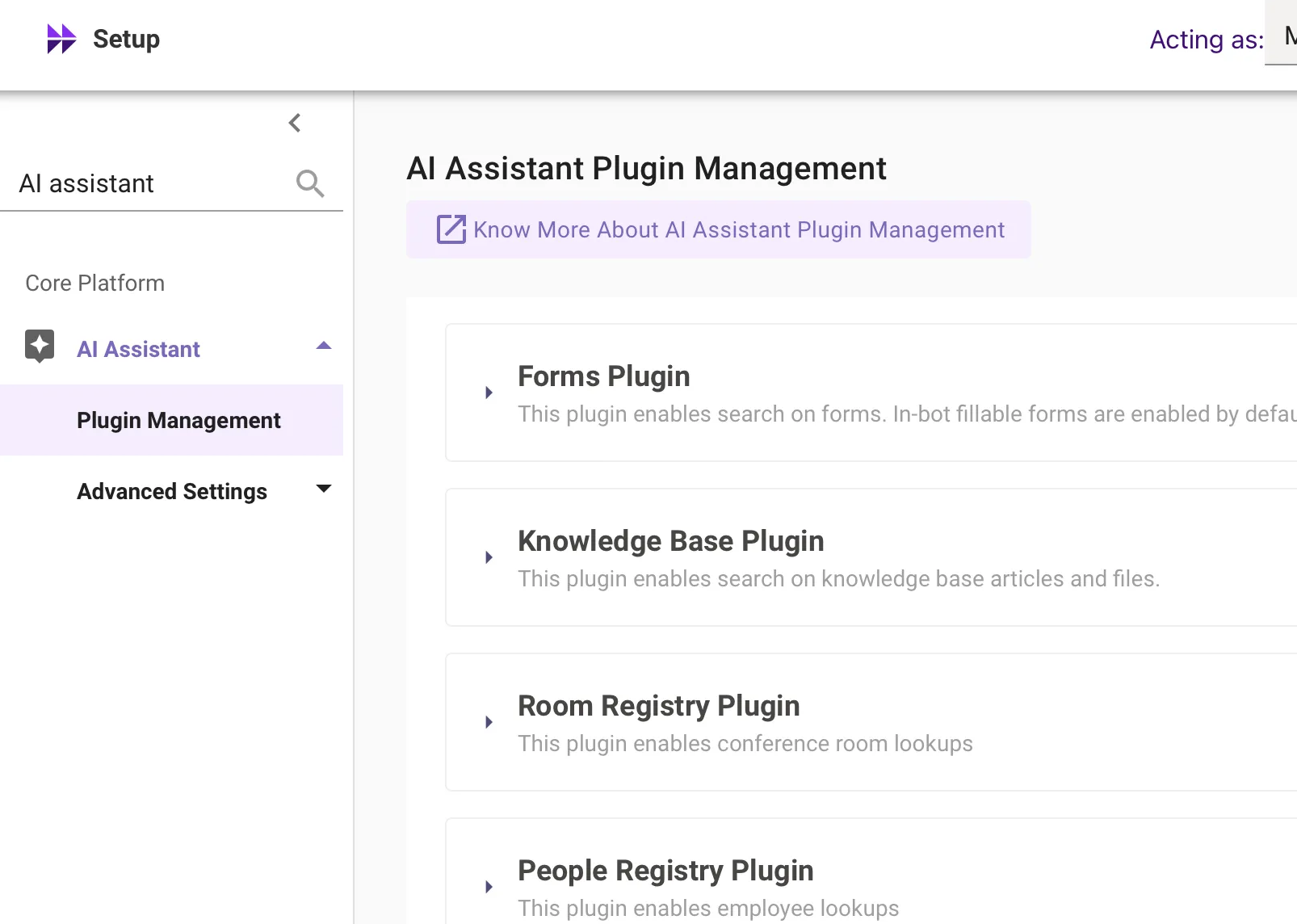
A new Conversation Settings configuration has been introduced under AI Assistant → Advanced Settings, enabling control over conversation history look-back for the AI Assistant.
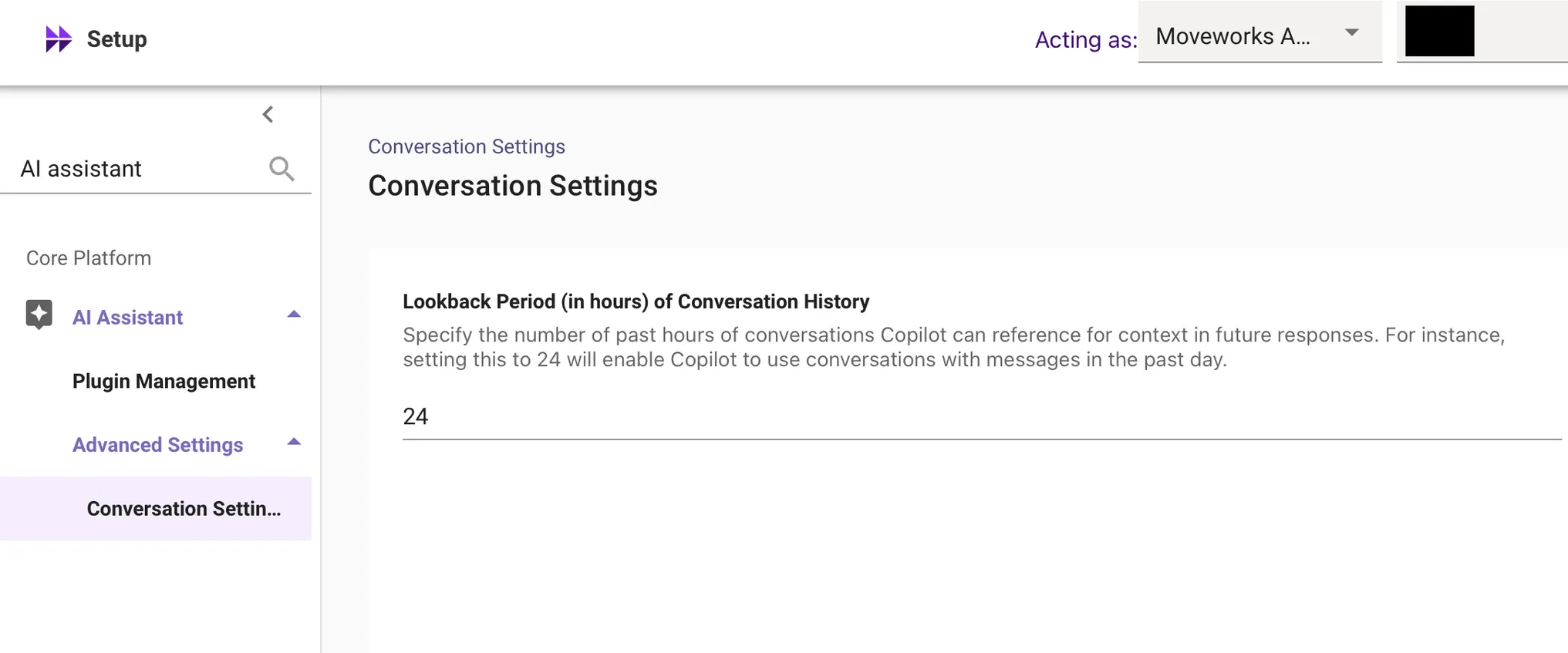
This restructuring consolidates all AI Assistant-related configurations in one place, improving navigation and usability within the Core Platform.
For more info regarding Plugin Management, please read our help documentation on AI Assistant Plugin Controls.
Changes in Slack Experience (Classic Customers Only) - RTF & Add Comments changes
Why was it built/what problem did it solve?
When a user takes a screenshot of an error message, they want to immediately paste the image into the file a ticket flow (without the need to save the image / file).
This is important for Slack customers in the classic version of the AI Assistant - Clicking on "File a ticket with RTF" or "adding a comment" will take them out to web instead of keeping the user in-modal.
Domain Removal from Ingested Knowledge within MW Setup
We have deprecated the domain label previously attached to knowledge base (KB) articles ingested by Moveworks under Setup → Answers → Ingested Knowledge → Internal Knowledge, Files.
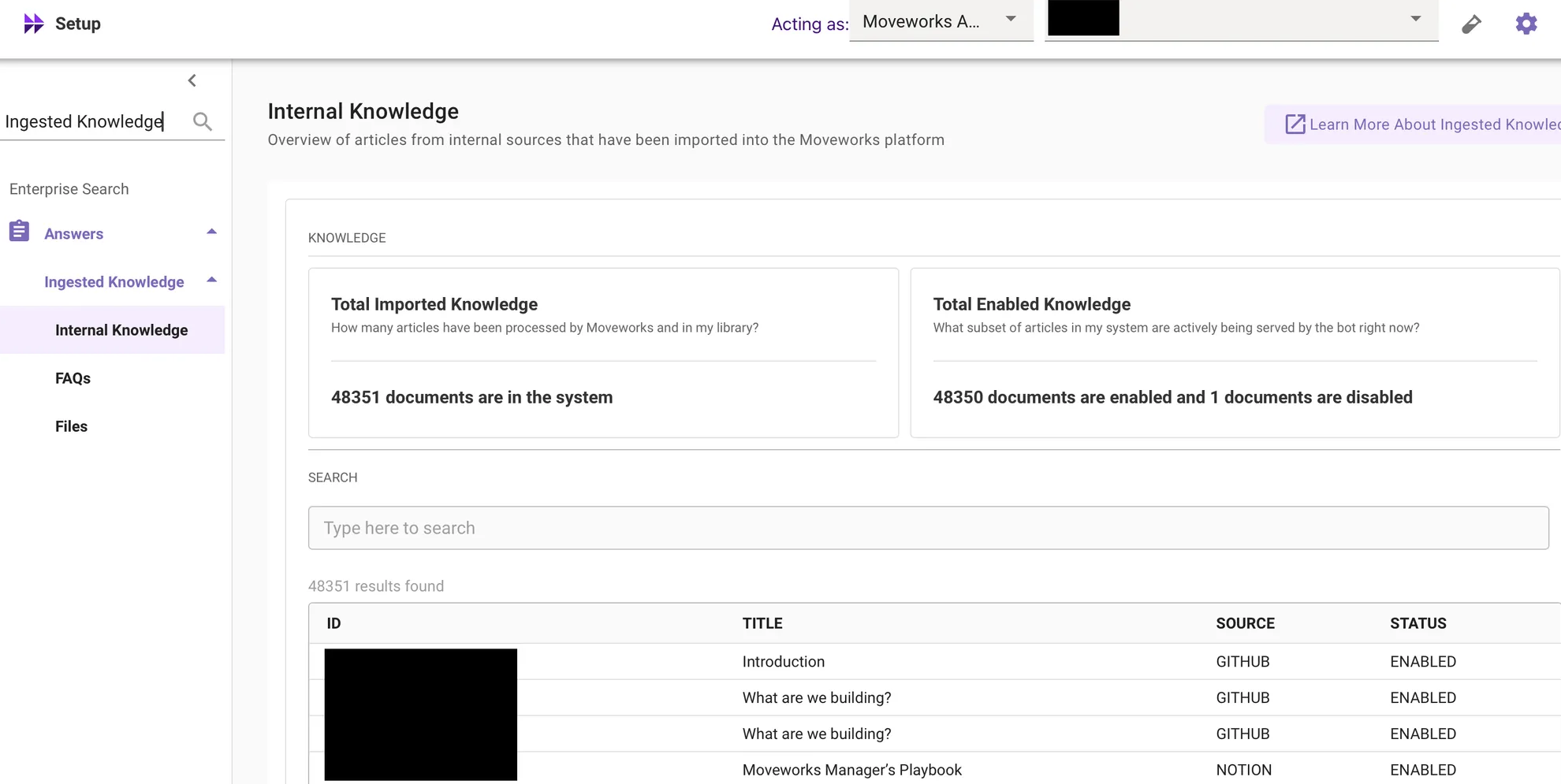
Key reasons for this change:
- Moveworks predicts domain based on the user query, not the document’s historical domain label.
- Specifying a single domain during ingestion often caused inaccuracies, especially when content connectors ingest knowledge spanning multiple domains.
- Domain requirement has already been removed for file ingestion configurations; PDFs, Word documents, and PowerPoint files no longer carry domain labels.
For more info about the UX Change, please read the Domain Removal from Ingested Knowledge post in Moveworks Community.
Splitting of Internal Knowledge and FAQs into into different pages
Internal Knowledge and FAQs have been split into two separate pages within the Answers module for improved usability and clearer differentiation:
- Setup → Answers → Ingested Knowledge → Internal Knowledge
- Setup → Answers → Ingested Knowledge → FAQs (newly introduced page)
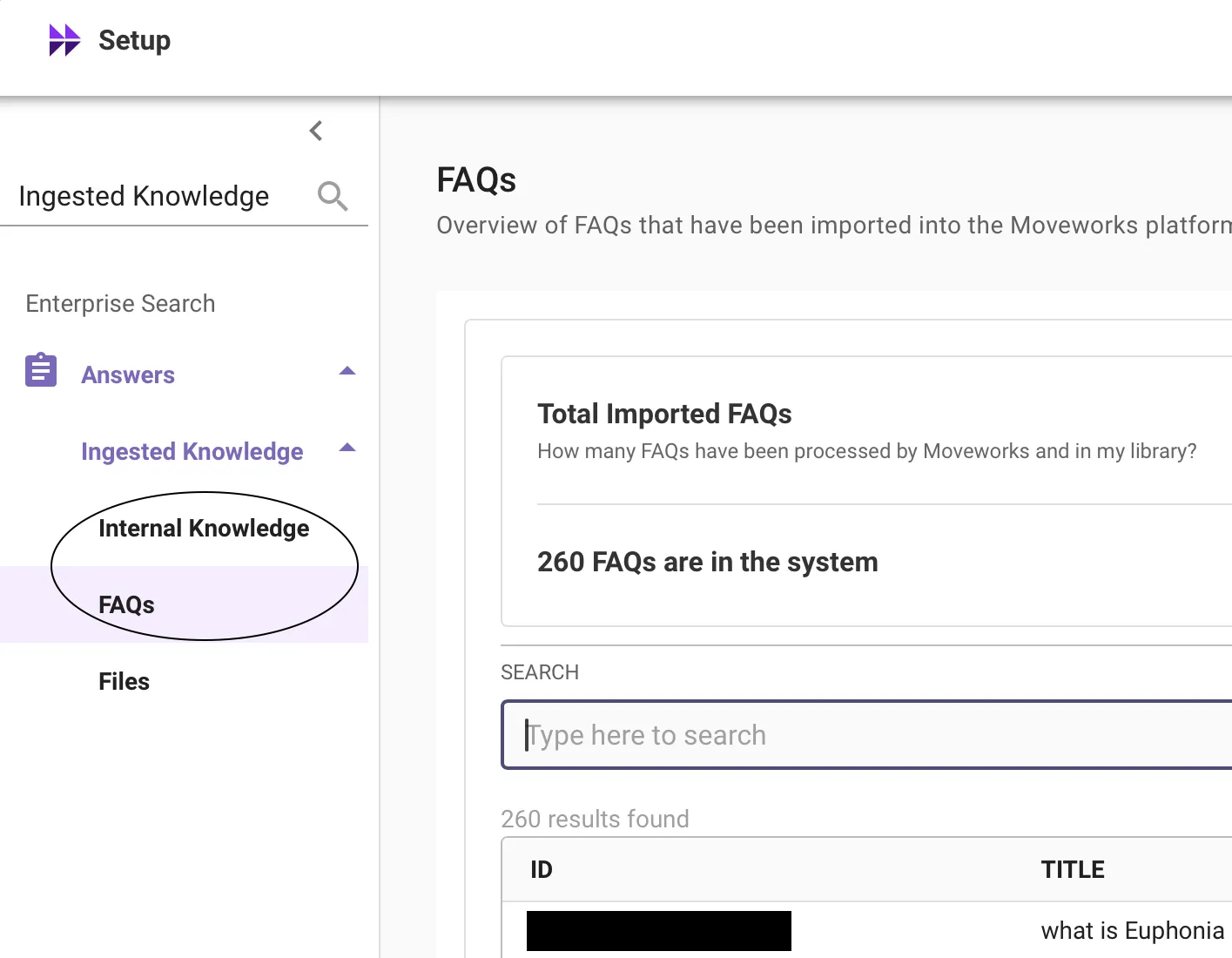
There are no changes to the core functionality or behavior of these modules.
Employee Experience Insights - Reducing Number of "Top Topics" in Issue Heat-Map
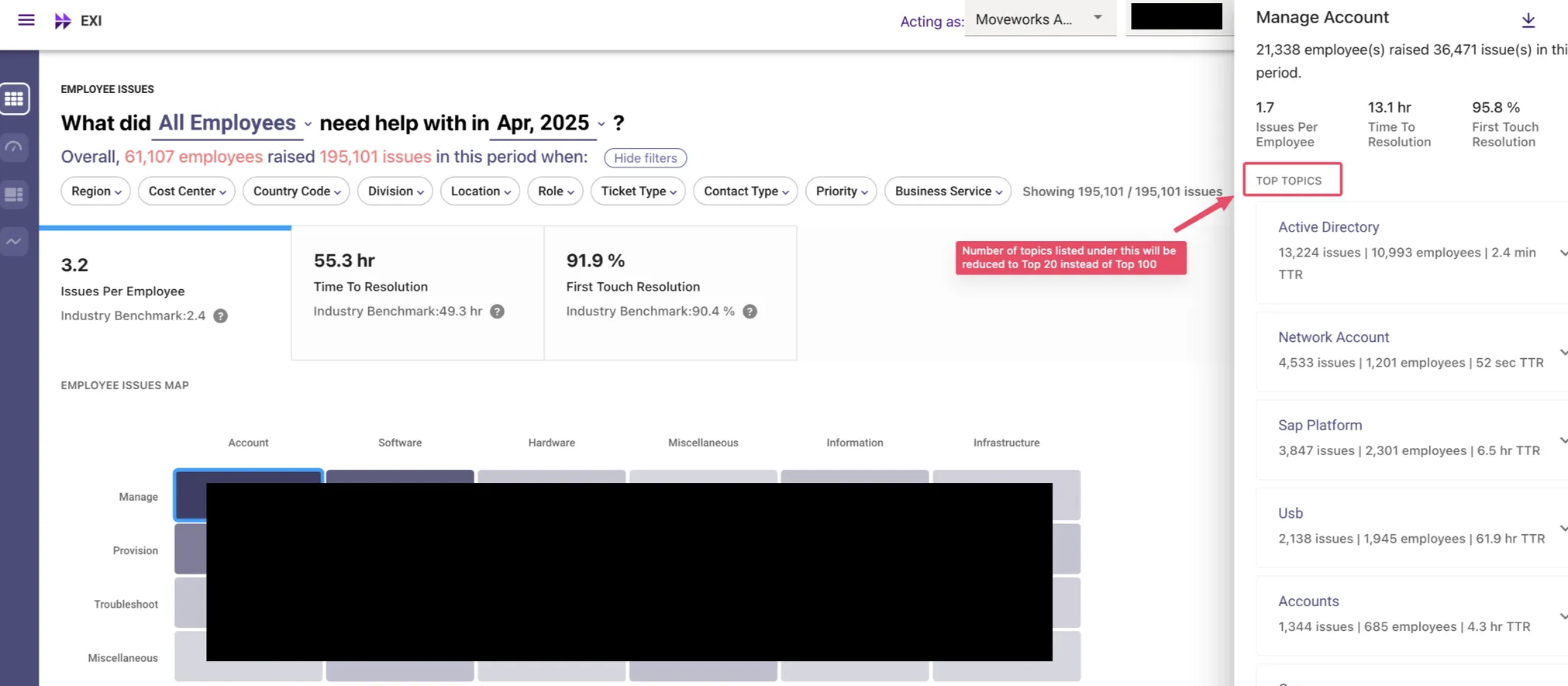
The number of top topics displayed in the third pane has been reduced from 100 to 20.
This change has been implemented to reduce wait times and improve performance following the recent migration of EXI to a new database. The top 20 topics cover 80% of the issues, and customers can still access all topics via the "Download All" option.
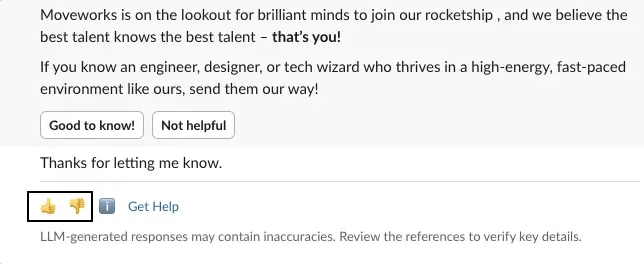
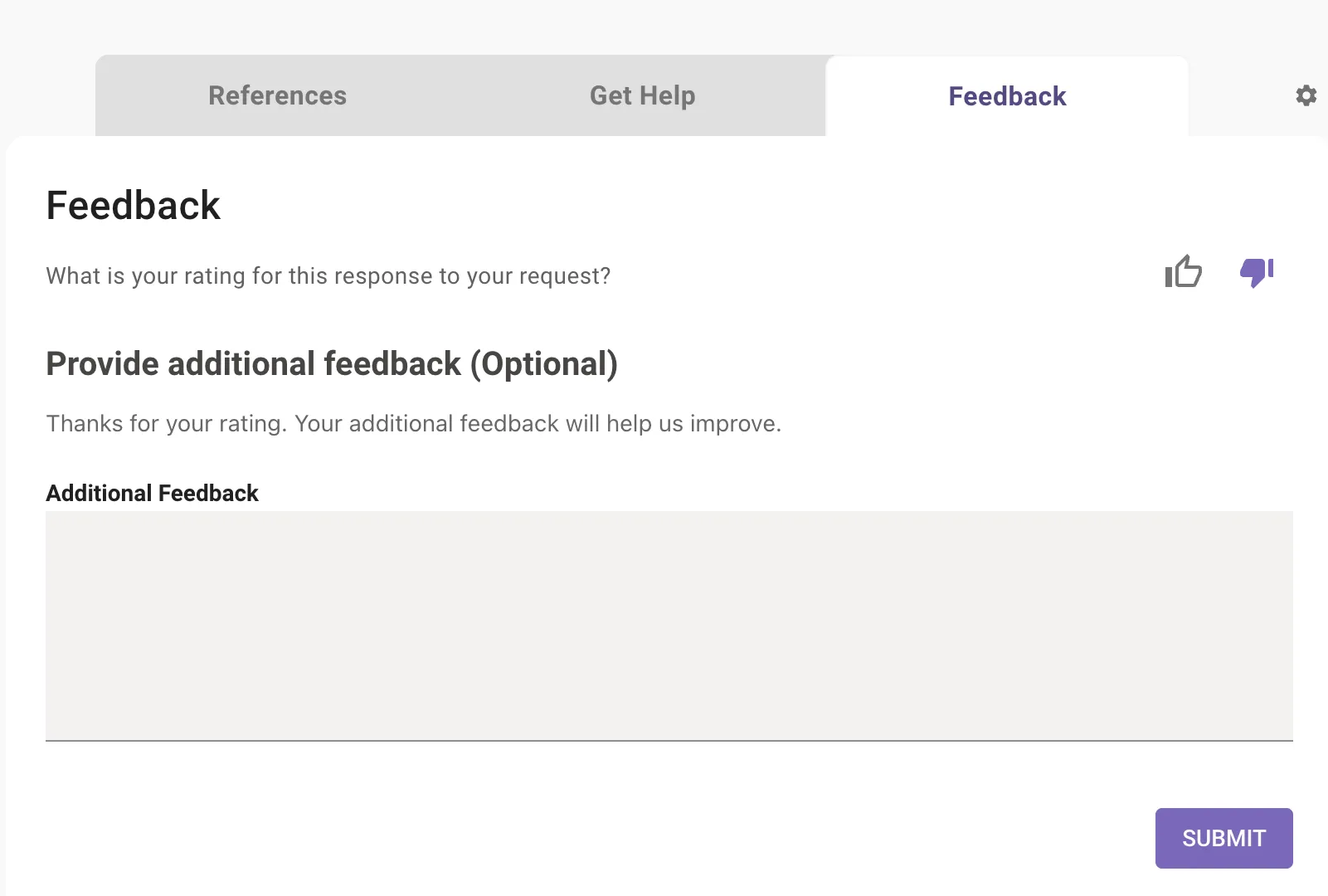
Employee Communications: New Feedback Mechanism
New Feedback Mechanism within Employee Communications
The new feedback mechanism in Employee Comms ensures capturing of all user feedback with 100% guarantee.
The current mechanism of users sharing feedback in chat is fraught with the risk of AI assistant assuming the text to be a start of a new conversation.
To mitigate this, when an user clicks on a button meant to capture feedback, we will display a follow up message with a "Submit Feedback" button which will open an in-chat modal within which users can type their feedback.