

New AI Assistant Customization: Customize Where Employees View Ticket Details
We’ve introduced a new customization as part of our Concierge offering that gives you more control over where employees can view their ticket details.
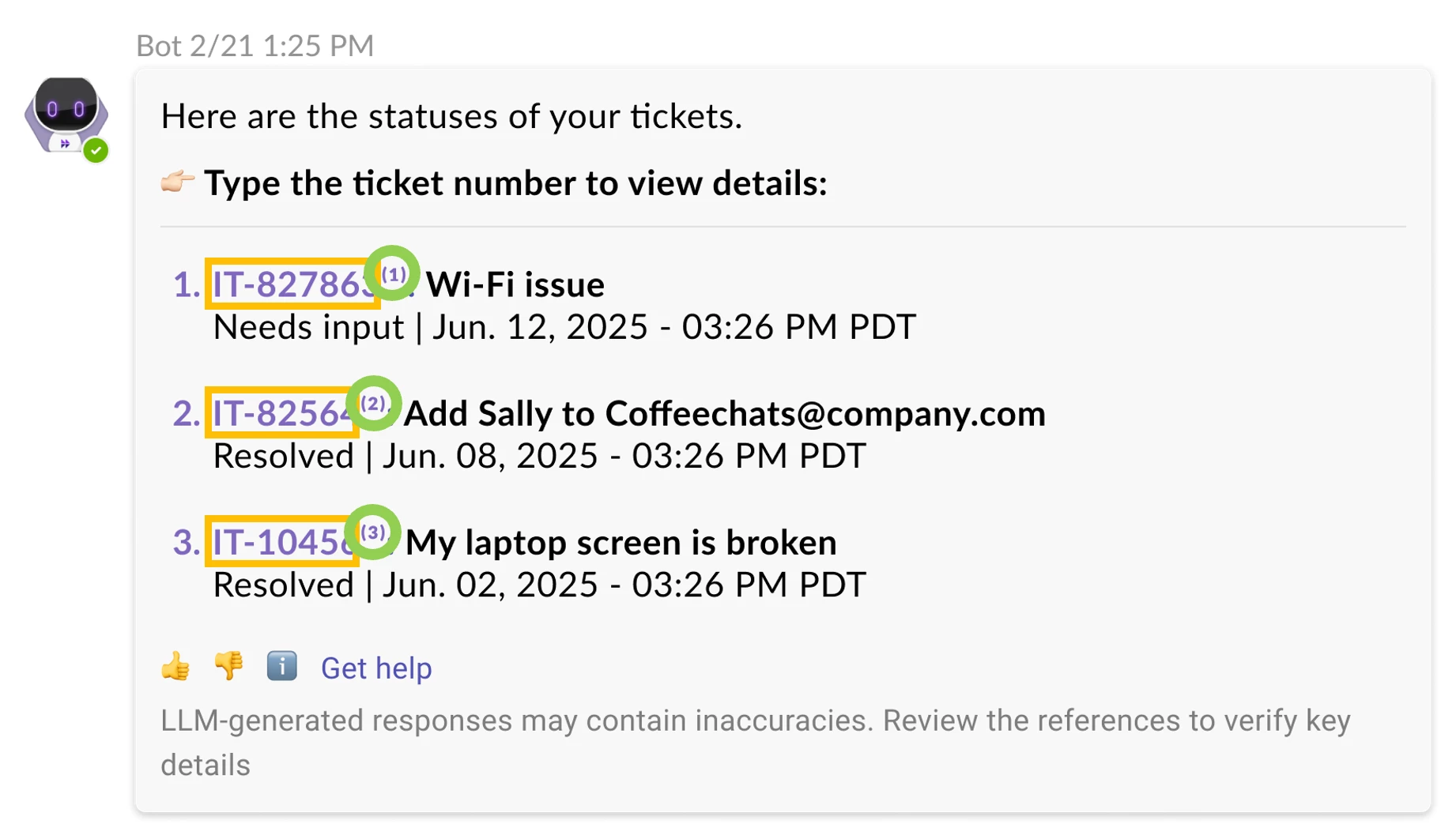
Today when users “view all tickets”, by default:
-
Clicking on the the ticket ID (yellow boxes) will navigate users over to your ITSM portal to view ticket details.
-
Clicking on the citation number (green circles) will navigate users over to our Moveworks Assistant experience (Reference Page).
This experience will remain as the default unless you opt into the new customization.
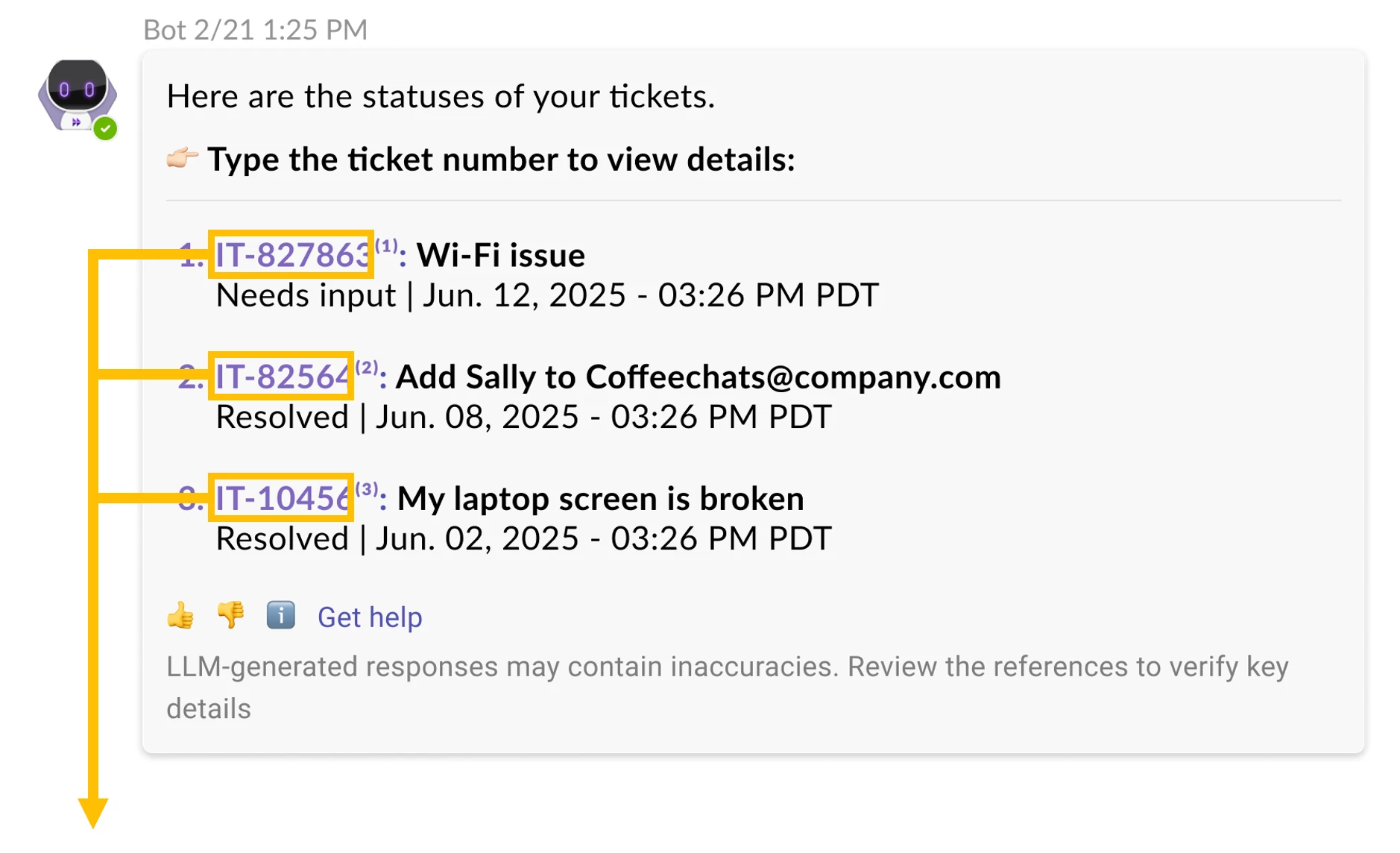
Now, you can choose to keep both user actions to view tickets within your Moveworks Assistant (Reference Page), see screenshot below.
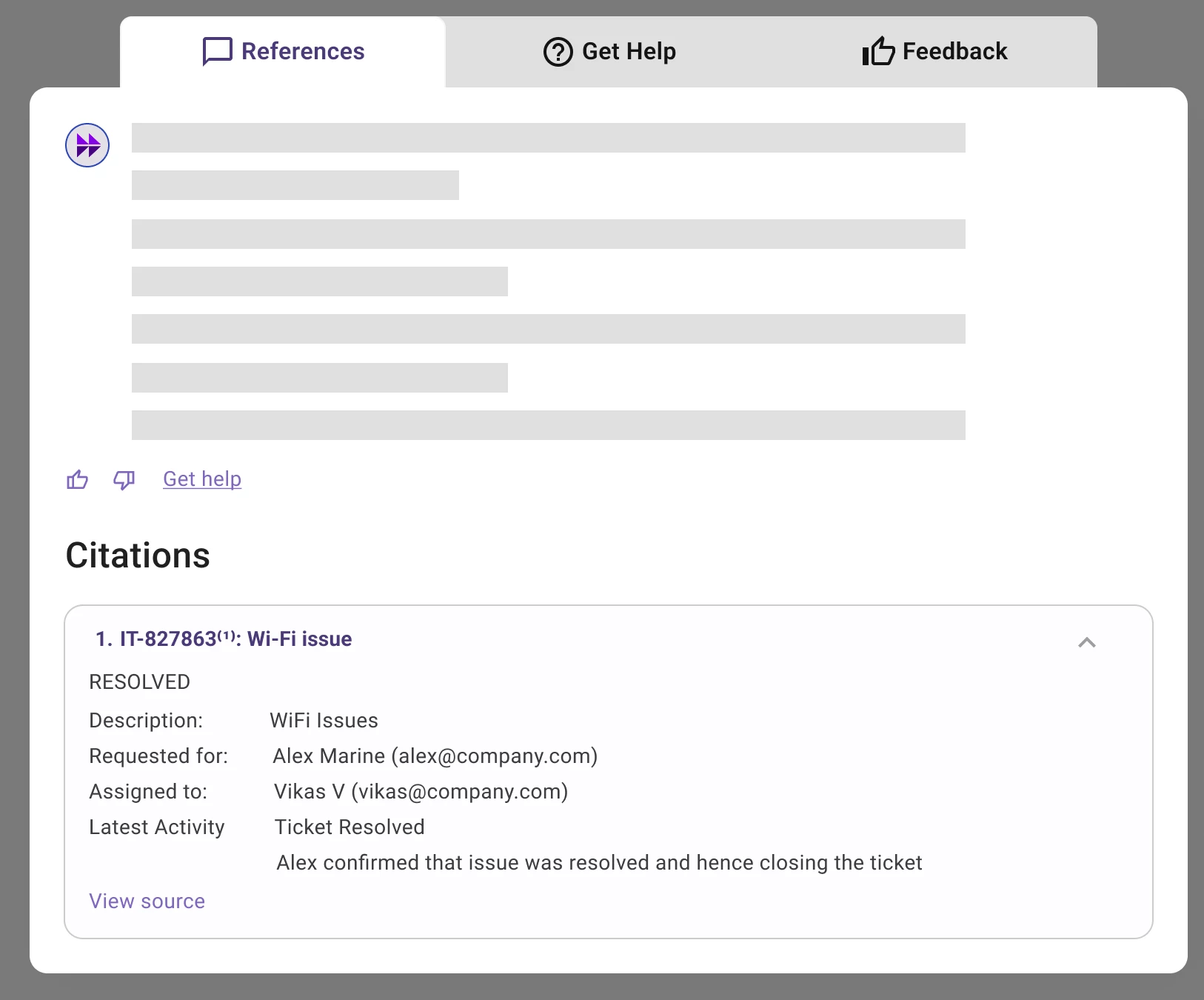
To enable this setting (clicking on ticket # shows ticket details within our Moveworks Assistant experience), follow these steps within Moveworks Setup to make this selection.
🔗https://help.moveworks.com/docs/concierge-assistant#customize-the-view-all-tickets-experience