

July 2025 Product Release Notes
AI Assistant: Smarter, Clearer Messages
We’re updating how the AI Assistant formats its messages to make them easier to read. Instead of dense blocks of plain text, responses will soon include structure like section headers, bullet points, code lines, code blocks, and bolded key details. These improvements make it easier for employees to scan information quickly, understand what matters, and act with confidence.
Before / After Examples:
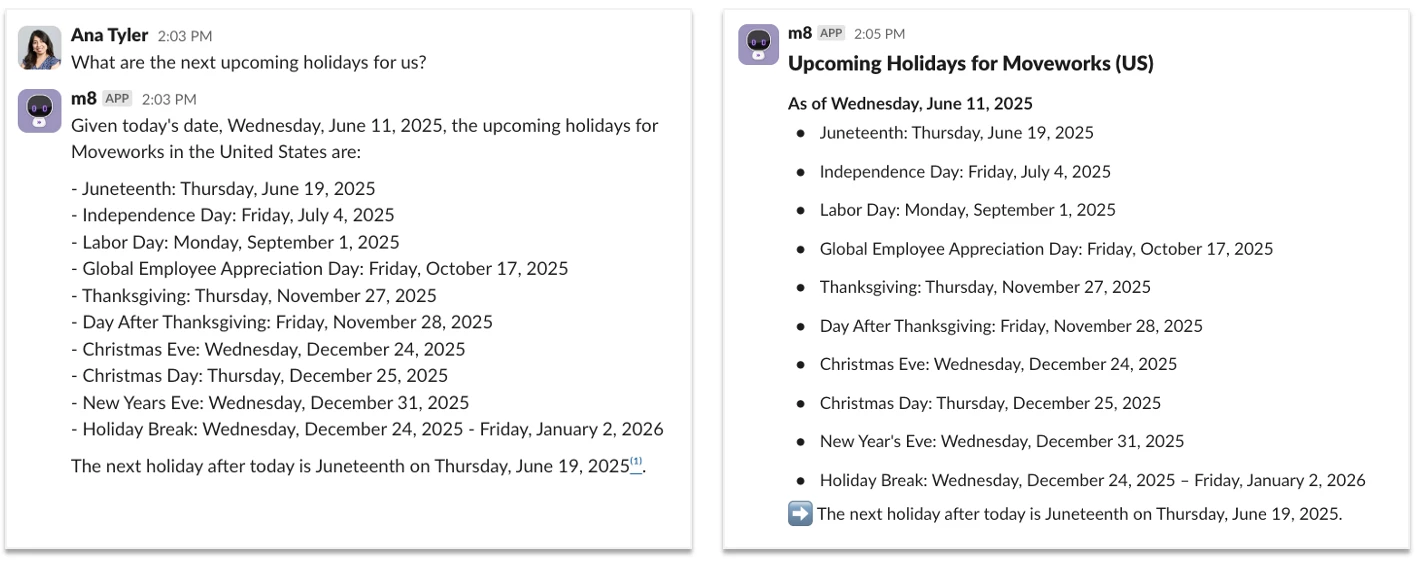
Headers make it easier for employees to read responses.
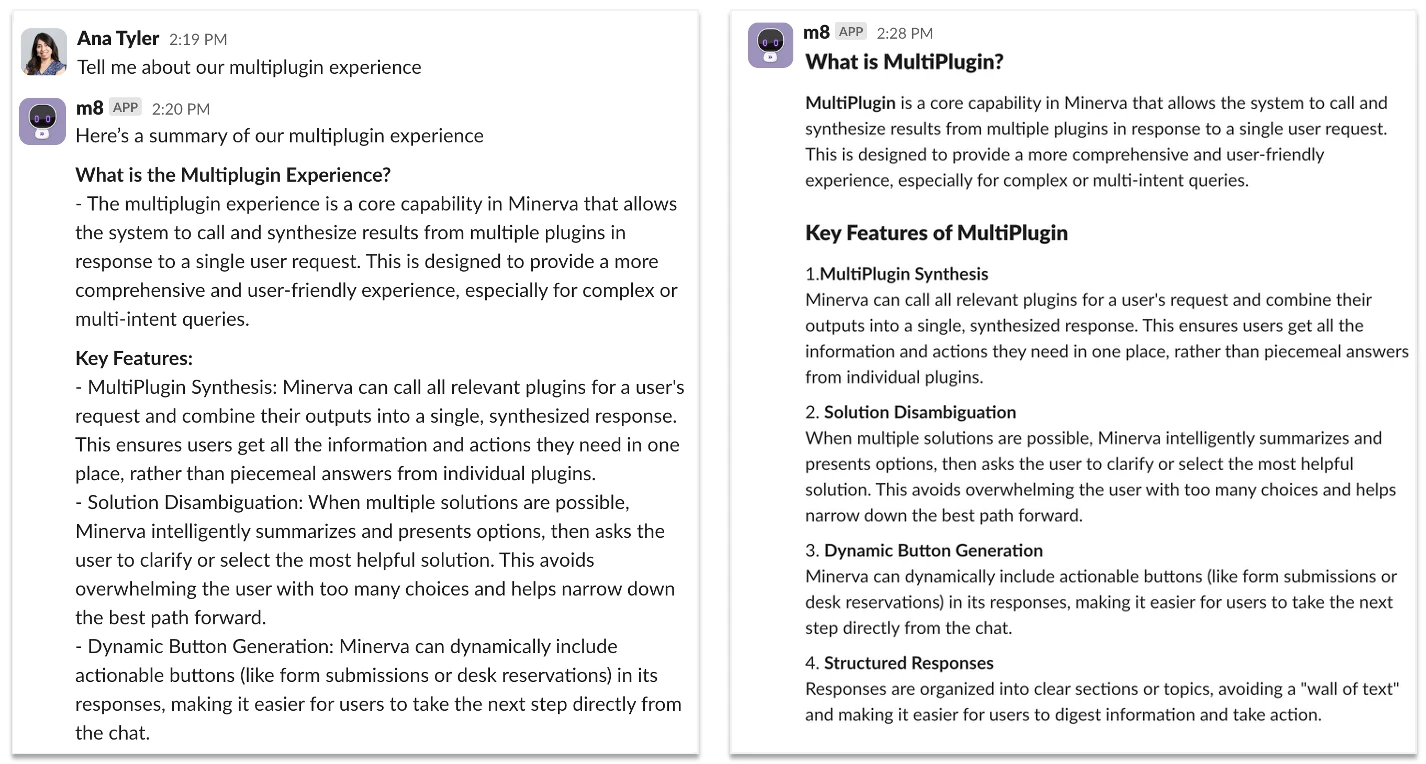
Bullets help format responses.
AI Assistant: Added Transparency in Reasoning Steps
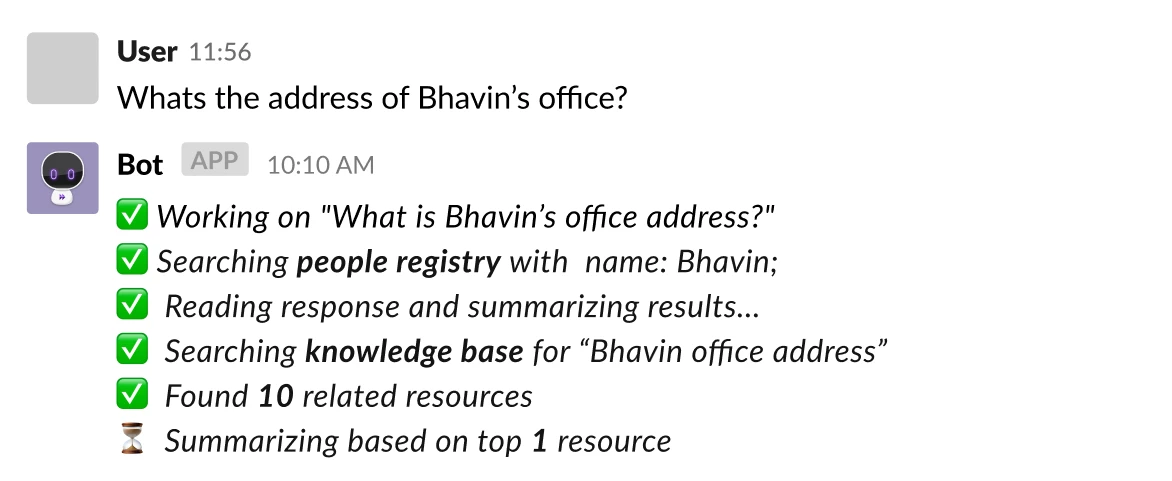
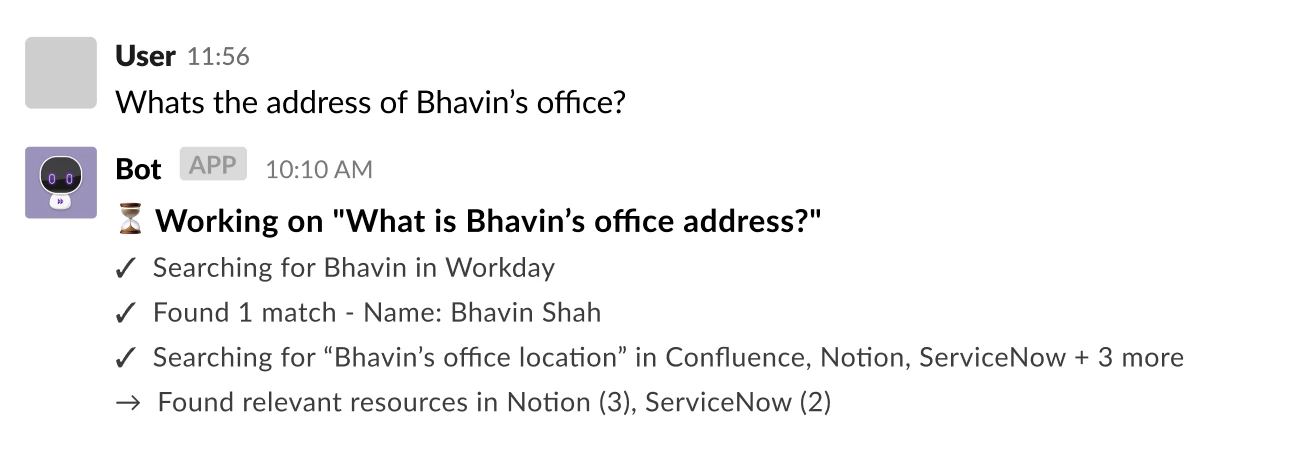
Employees will now see which systems the Assistant is searching in (ex. Confluence, ServiceNow, or SharePoint) and what steps it’s taking to generate a response. You’ll also see improved copy and wording in these progress messages, with additional visual polish coming soon.
What’s changing:
- Transparent knowledge sources, instead of seeing “Searching knowledge base” now you’ll see system names “Searching across Confluence, Jira, Notion + 5 more”. Assistant will continue to only search through the system a user has access to.
- A visual design refresh is also underway, so these progress updates are easier to scan and take up less space.
Additional improvements will roll out incrementally over the next few months so stay tunned for additional updates in this area.
Before:
After:
AI Assistant: Smart Handoff via Channel Resolver
Moveworks AI Assistant intelligently interprets user messages in public Slack channels and responds based on relevant knowledge and configured workflows. However, there are instances where a software is not yet integrated, or no helpful articles or workflows are available. In such cases, the AI Assistant now offers smart handoff to continue the conversation in a direct message (DM), giving end users a clear path forward—without waiting for a human agent to join the original thread.
With this feature, users can choose to either:
- File a ticket, or
- Chat with a live agent based on the issue they originally posted in a public Slack channel.
Key Behaviours:
- The AI Assistant will only initiate a DM handoff when no relevant knowledge or workflow match is found.
- It will not respond to messages associated with disabled domains.
- The original thread will be marked with a “no resolution” emoji and will not be updated if the user chooses to file a ticket or contact a live agent from the DM.
Important Notes:
This feature is not compatible with automatic ticketing configurations. In such setups, the system directly files a ticket without attempting handoff.
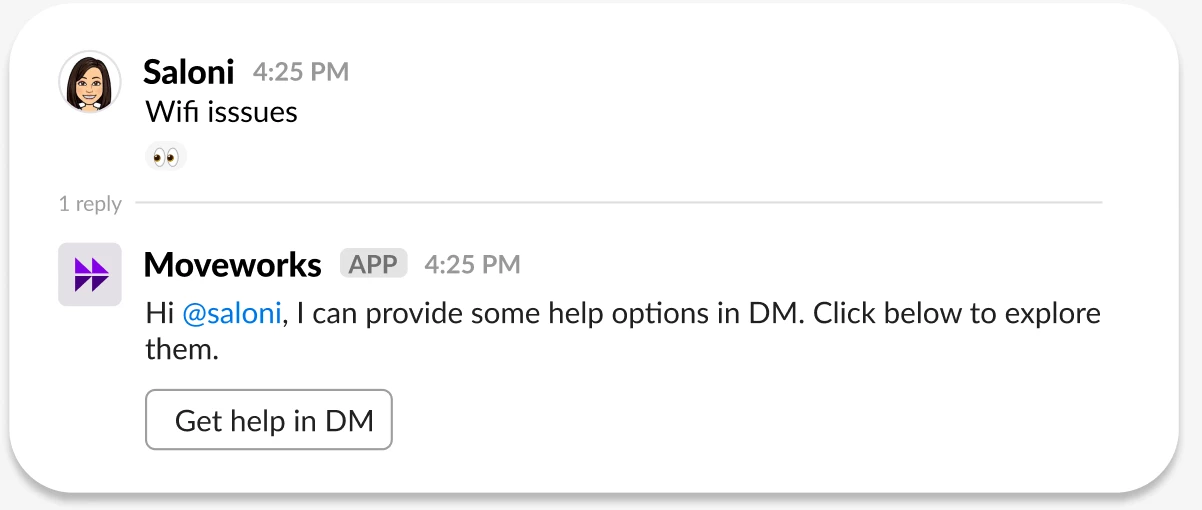
Smart Handoff triggered in Channel thread
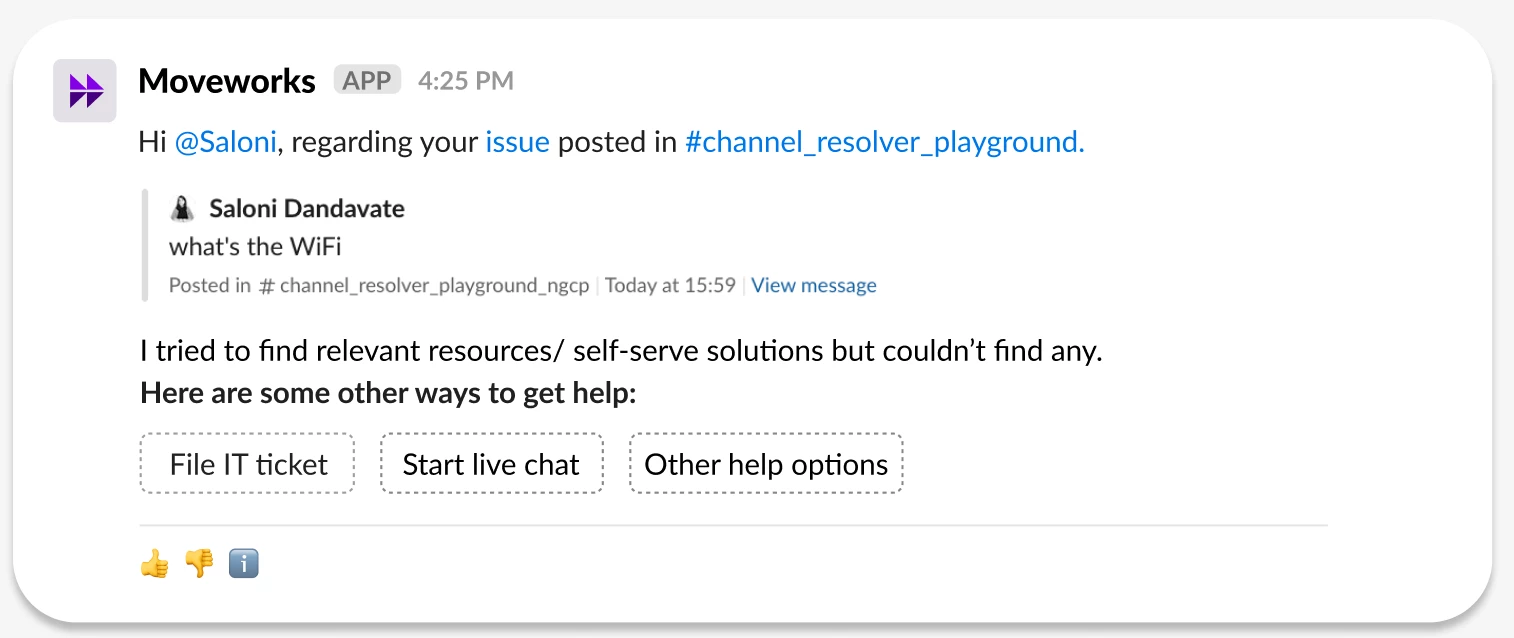
Handoff options shared in DM
Moveworks Setup: Module How-To Guides Are Live!
We’re excited to introduce a brand-new resource designed to make your life easier:
Moveworks Setup: Module How-To Guides — your go-to collection for step-by-step implementation guides across Moveworks’ OOTB modules! 🛠️✨
Whether you're just getting started or diving deep into complex use cases, these new and updated guides are here to empower self-service configuration like never before.
Check them out here 👉 Moveworks Setup: Module How-To Guides
These guides are designed to give customers the confidence to configure modules independently by offering clear, step-by-step instructions. With less reliance on Moveworks teams, you can move faster and smarter. Here’s what makes these how-to guides special:
- 💯 Fully self-service and simple to follow
- 🧩 Updated to reflect the latest product capabilities
- 🔍 Embedded Guides into the respective Setup Module page for seamless discoverability
- 🤖 The Guides have also been added to the External Knowledge for Moveworks, This empowers your personal AI Assistant to answer any Configuration related queries for Moveworks associated with these guides in a summarized format.
Moveworks Setup: UX entry point update
We've made some UX changes to help streamline the user experience by providing a consistent entry path into MW Setup across all access points.
- The MW Setup entry point has been moved from the gear icon to the app dropdown on the login page (
org_name.moveworks.com/manage). Users will now be automatically redirected to theSystem Connectorspage in Setup via the login page app drawer. Additionally, the gear icon has been removed from the login page.
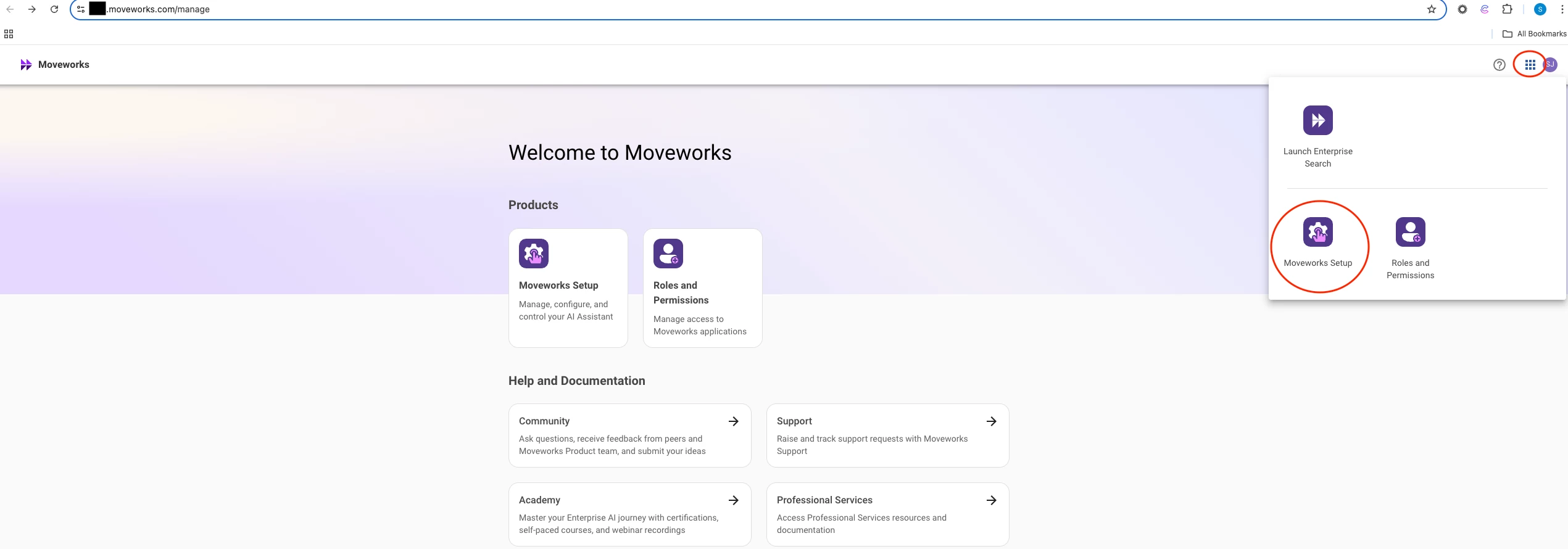
- MW Setup can also be directly accessed from Assistant and Search routes (
org_name.moveworks.com/assistant,org_name.moveworks.com/search)
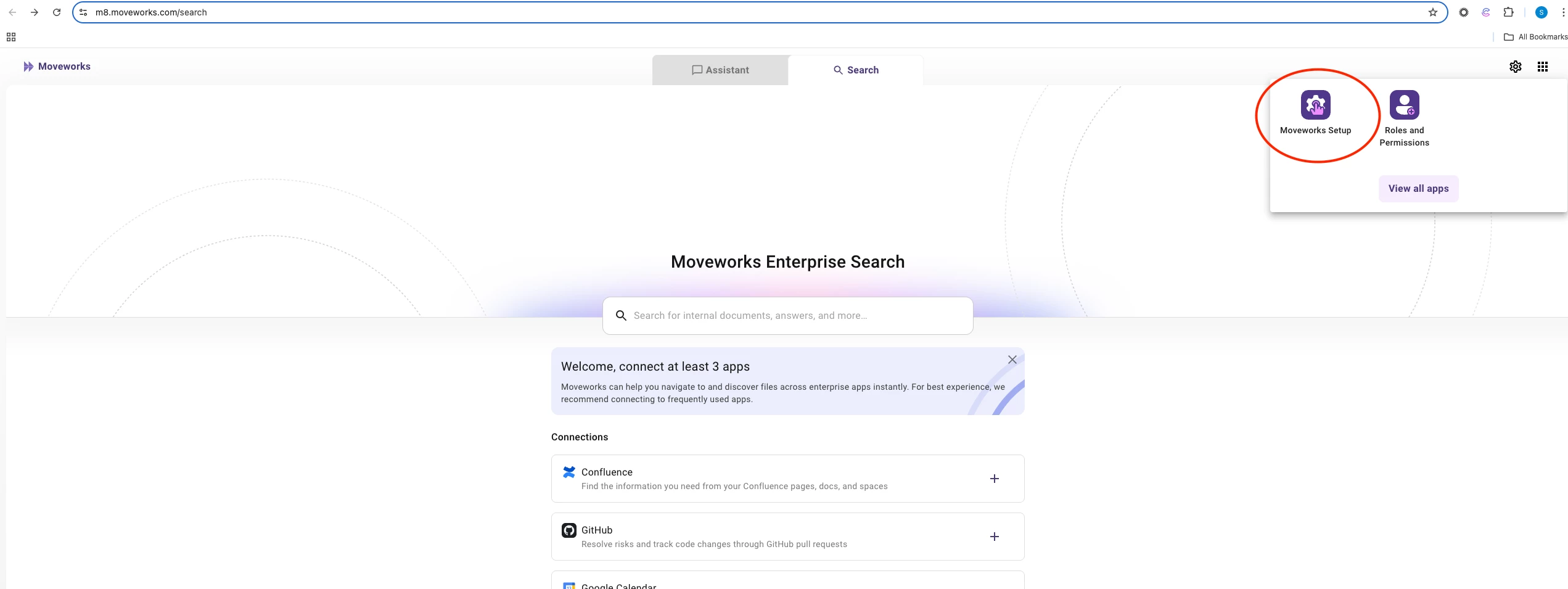
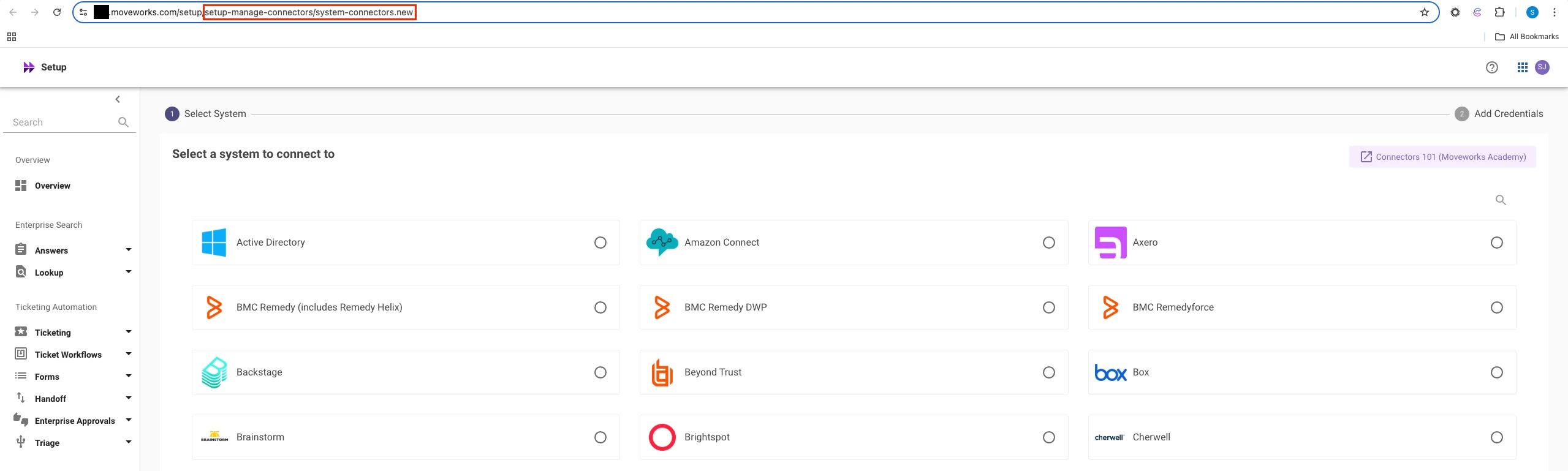
- Customers can also bookmark the MW Setup page for quick access:
https://org_name.moveworks.com/setup
Agent Studio: Announcing the Agent Studio Developer Level 1 Certification Course
We're thrilled to introduce our brand-new Moveworks Agent Studio Developer: Level 1 Certification course, designed to empower you to build powerful, production-ready Plugins using Agent Studio. Whether you're a developer just starting out or looking to elevate your automation skills, this beginner-friendly course is your gateway to creating AI agents that drive real business value.
What's the Course About?
This hands-on, guided learning experience covers the essentials of building Plugins in Agent Studio. You'll dive into:
✅ Core Concepts: Understand important terms, including triggers, launch rules, conversation processes, and activities.
✅ Practical Skills: Configure slots, resolvers, and user attributes to personalize experiences.
✅ Automation Power: Leverage HTTP and built-in actions to streamline workflows.
✅ Best Practices: Learn syntax, debugging, and deployment tips to ensure success.
✅ Marketplace Mastery: Install and deploy pre-built plugin templates from the AI Agent Marketplace.
By the end, you'll build and deploy your own agent, interact with it through your AI Assistant, and submit a screenshot to earn your Level 1 Certification! 🎓
Why Get Certified?
This course isn't just about learning—it's about doing. You'll walk away with:
- The ability to create plugins that solve real-world business challenges
- Confidence in using Agent Studio's low-code tools and installable templates to transform business processes
- A shiny certification to showcase your skills to your team and beyond!
Plus, you'll join a growing community of certified developers who are transforming how work gets done with Moveworks. 🌟
How to Get Started?
- Agent Studio Developer Certification I - The curriculum includes several modules, from Agent Studio Fundamentals to troubleshooting, with clear documentation and hands-on exercises.
- Agent Studio Overview - A standalone intro course intended for both technical and non-technical stakeholders.