


🚀 Introducing Ticket Viewer in Moveworks Setup!
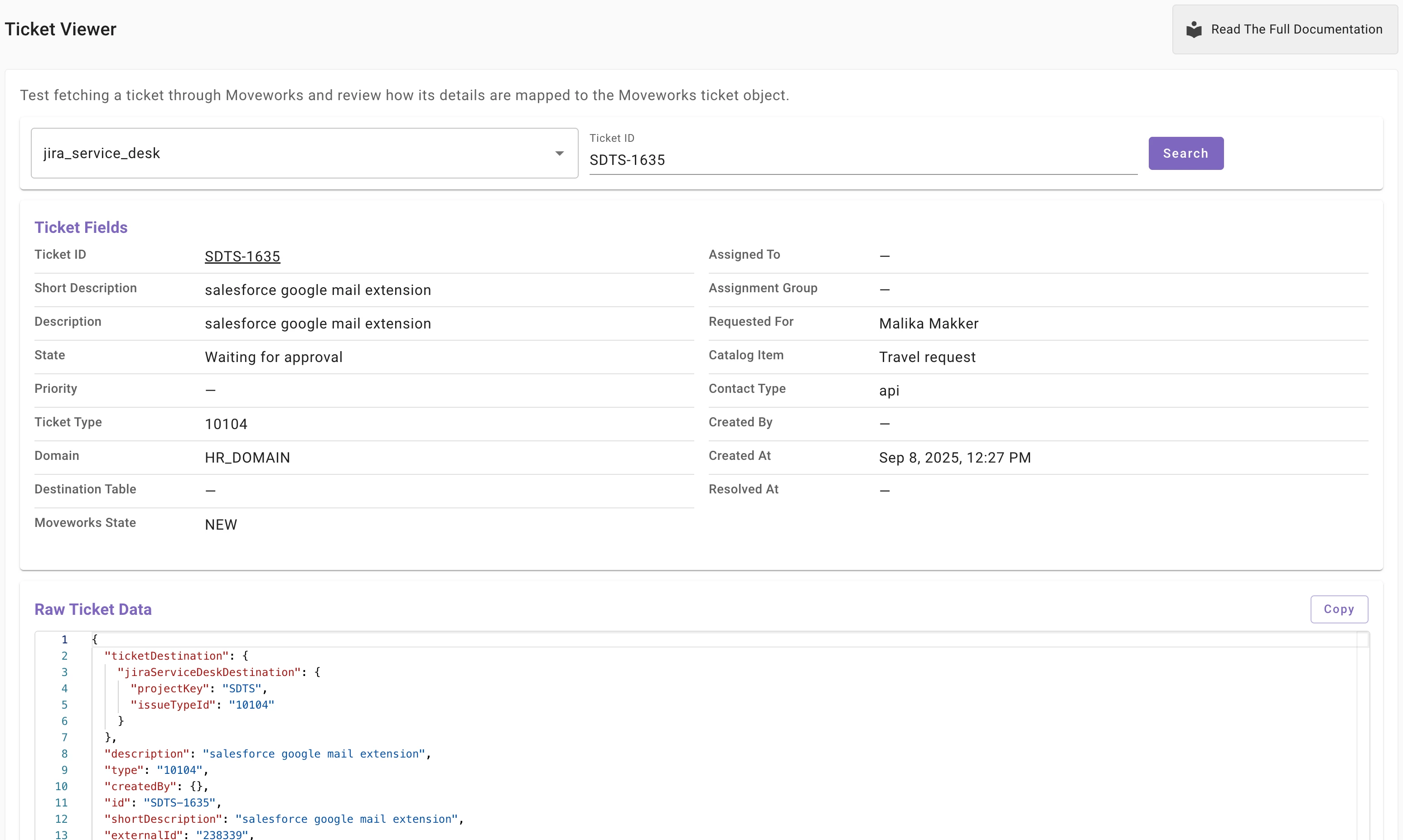
We’re introducing Ticket Viewer, the first troubleshooting tool available in Moveworks Setup. Ticket Viewer helps admins and implementation partners debug ticketing workflows faster by letting you look up a ticket and review the data Moveworks is using for ticket processing.
What you can do with Ticket Viewer
Use Ticket Viewer to troubleshoot common scenarios like:
-
Confirm the latest ticket status to ensure state mappings are working as expected
-
Verify the “requested for” user to ensure notifications go to the right person
-
Review work notes or comment logs to determine whether a customer-facing comment was added by an agent through activity logs
-
Identify the internal destination mapped to a specific ticket
-
Review user details (such as user tags) to determine whether any DSL rules affect the ticket workflow
🔐 Access and RBAC (New role introduced)
Because Ticket Viewer may display sensitive ticket and user information, access is governed by role-based access control (RBAC).
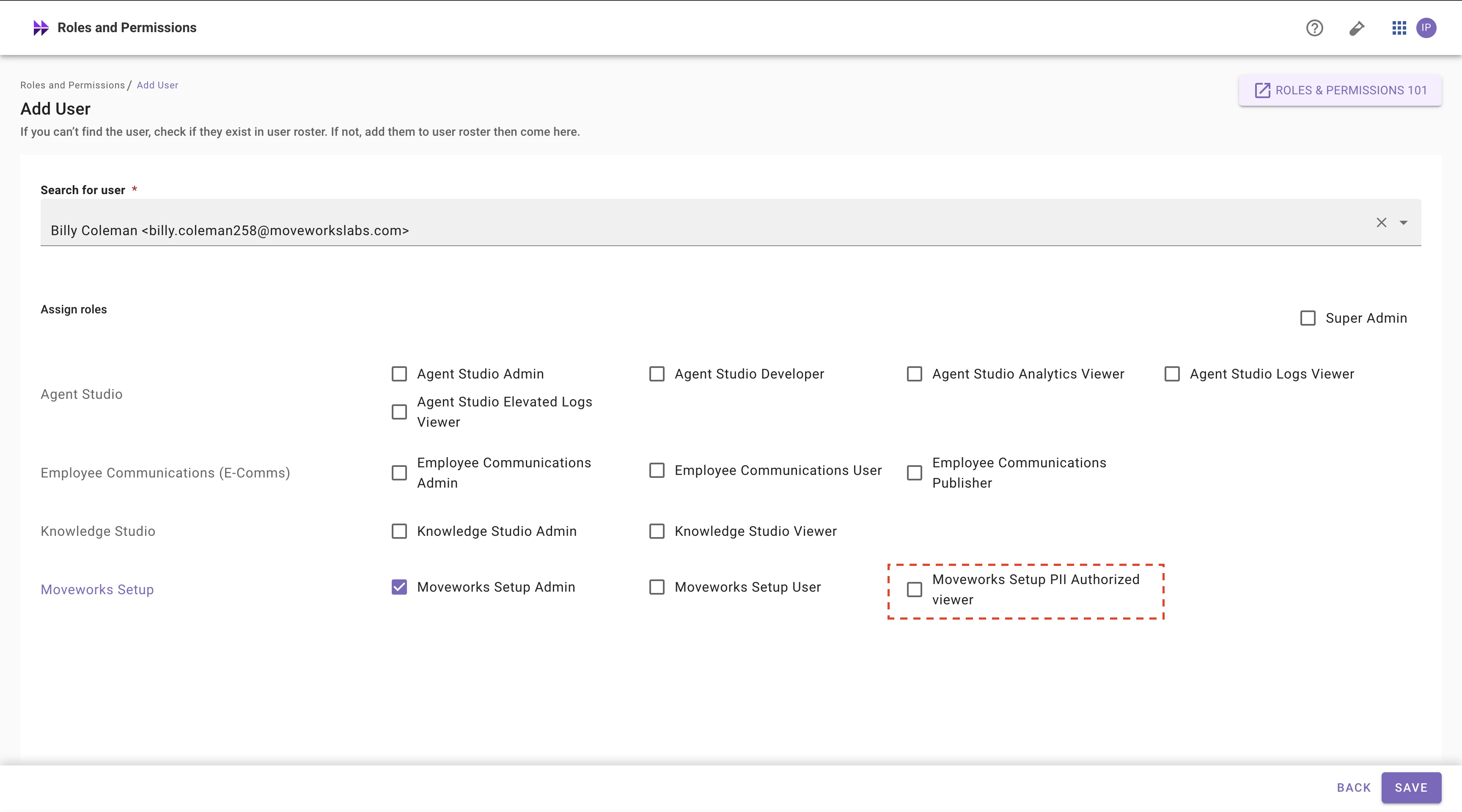
To support this, we’ve introduced a new role: Moveworks Setup PII Authorized Viewer. This role controls who can view sensitive data within Moveworks Setup, including Ticket Viewer.
Ticket Viewer access is granted to:
-
Super Admins, or
-
Users with Moveworks Setup Admin/Moveworks Setup User plus Moveworks Setup PII Authorized Viewer
Provisioning note: Only Super Admins can assign the Moveworks Setup PII Authorized Viewer role. If you need access, contact your organization’s Super Admin to provision it via Roles & Permissions in Moveworks Setup.
Learn more
-
Documentation: https://help.moveworks.com/docs/ticket-viewer