


Launched Feature
🚀 Introducing Content Troubleshooting Enhancements in Moveworks Setup!
We’re excited to announce major upgrades to content troubleshooting in Moveworks Setup, available starting April 15, 2026. This release enhances visibility, accuracy, and usability across the Data Crawling Viewer and Control Center, making troubleshooting faster and more effective.
🧭 What’s New in the Content Troubleshooting Enhancements?
- Data Crawling Viewer Enhancements
- More accurate crawl statuses: Improved logic to better reflect crawl outcomes, eliminating misleading success/failure states.
- Crawled Records view: Records successfully fetched during a crawl run, shown with record ID, title, and timestamp.
- Failed Calls view: API calls that encountered errors during the crawl, including:
- Error code (e.g., 401, 403, 429, 500)
- Error message explaining the cause
- API endpoint that was called when the failure occurred
- Redesigned UX: New Healthy/Unhealthy resource statuses, a dedicated View Logs page, cleaner UI, and consolidated content resources in one section.
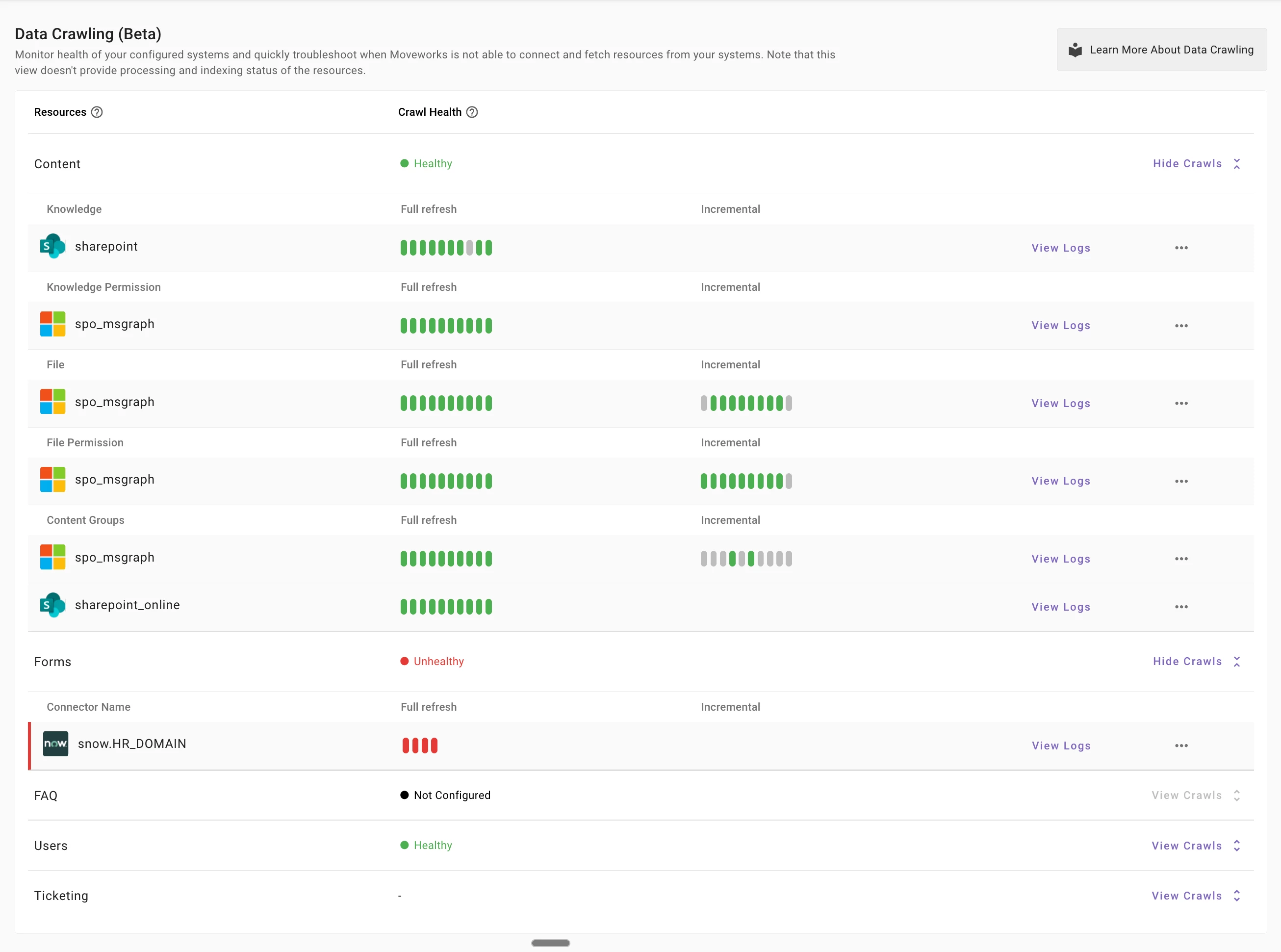
Redesigned UI/UX and New Healthy/Unhealthy Crawl Health 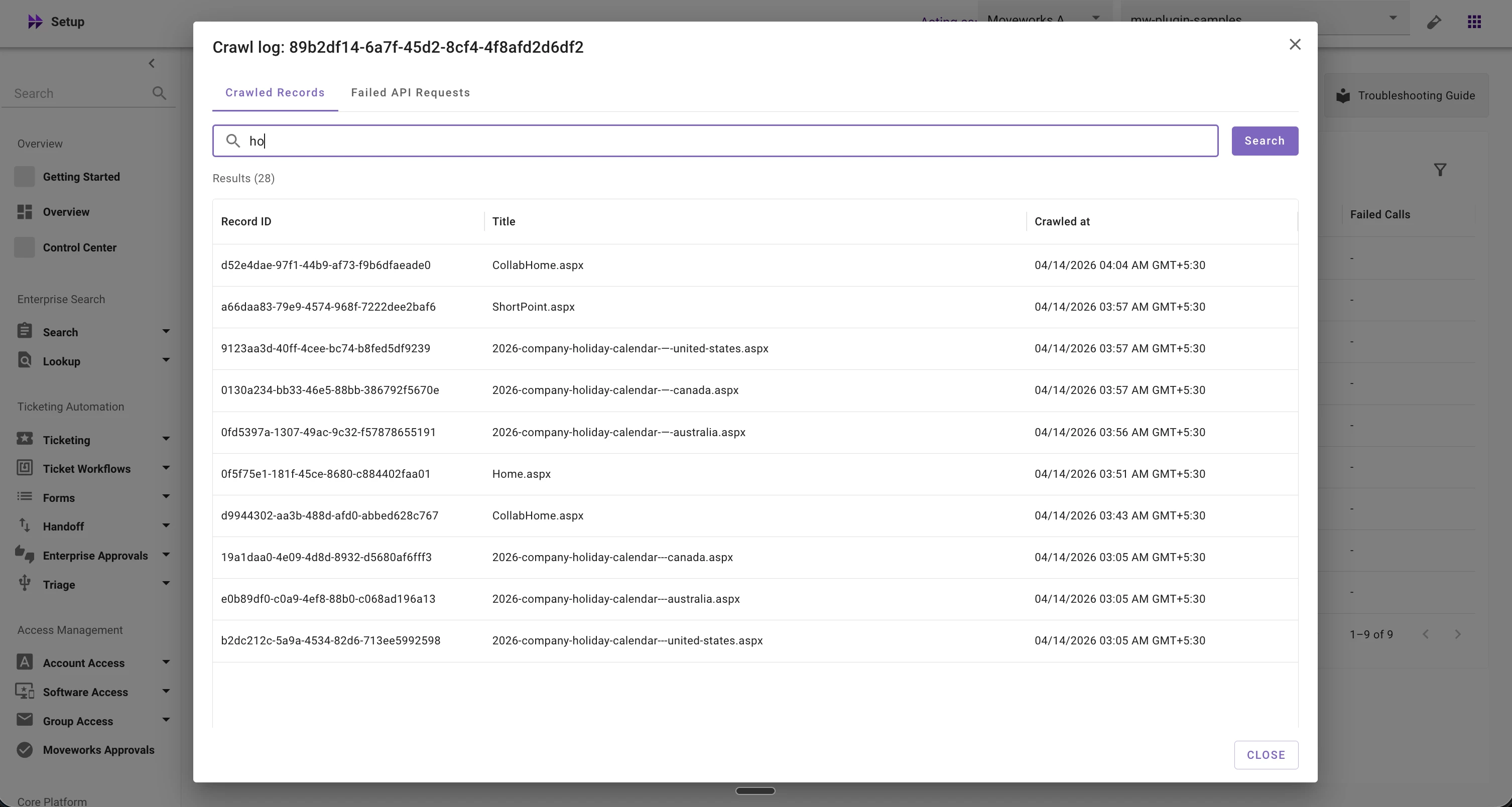
Crawled Records 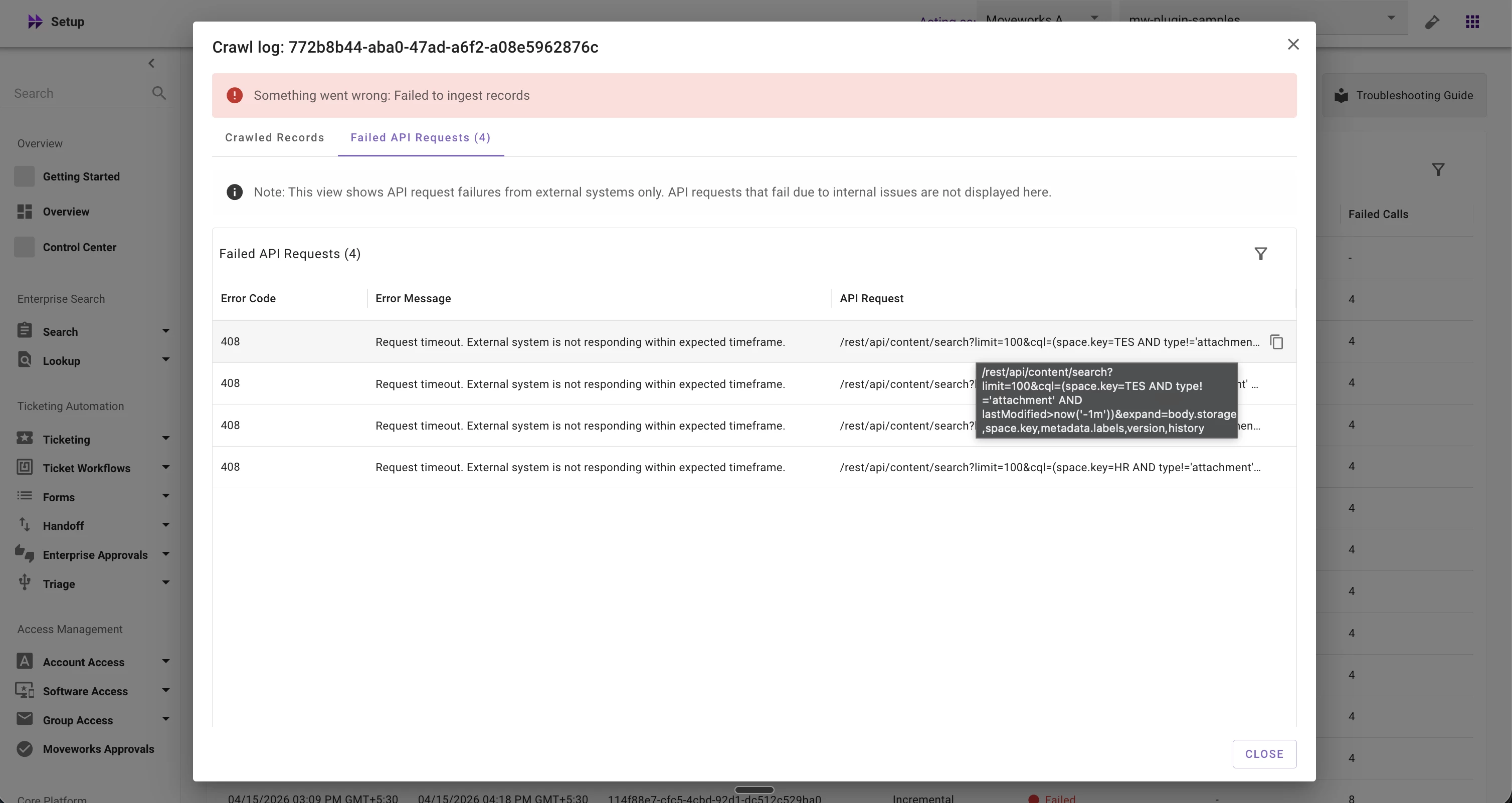
Failed API Requests
- Control Center Enhancements
- Record Activity Logs (New): Record-level visibility into processing and enrichment events and errors.
-
Terminology update: "Serving / Not Serving" is now "Indexed / Not Indexed" across all labels, widgets, and tables to accurately reflect the status of content.
- Crawled Table Improvements
- Content Status → Indexed / Not Indexed (previously: Serving / Not Serving)
- Permission Status → Indexed / Not Indexed (previously: Permission Crawled = true/false, which did not indicate indexing status)
- ServiceNow User Criteria support: ServiceNow user criteria (KB permissions) now show Indexed / Not Indexed (previously: Not Applicable)
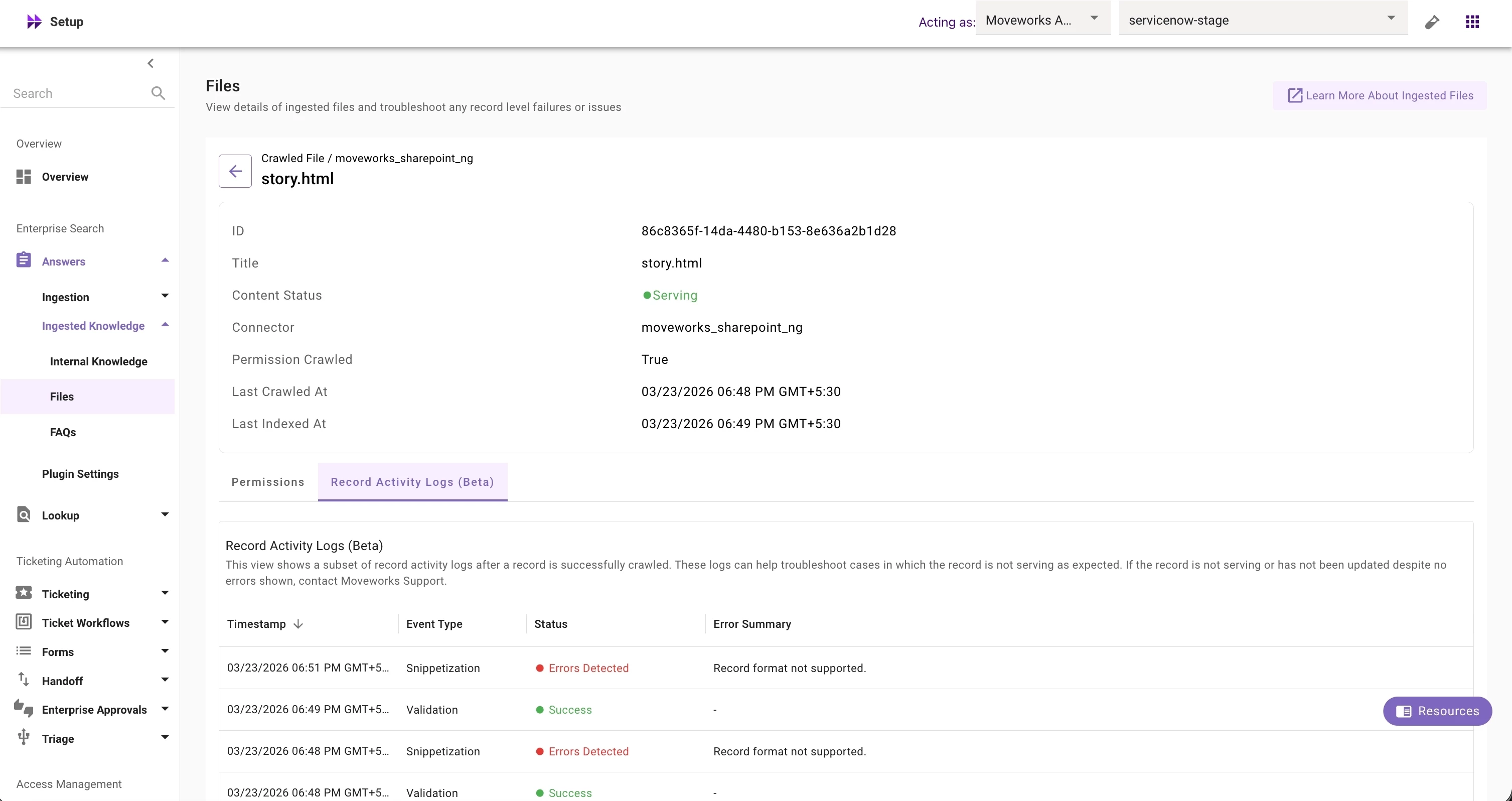
Record Activity Logs 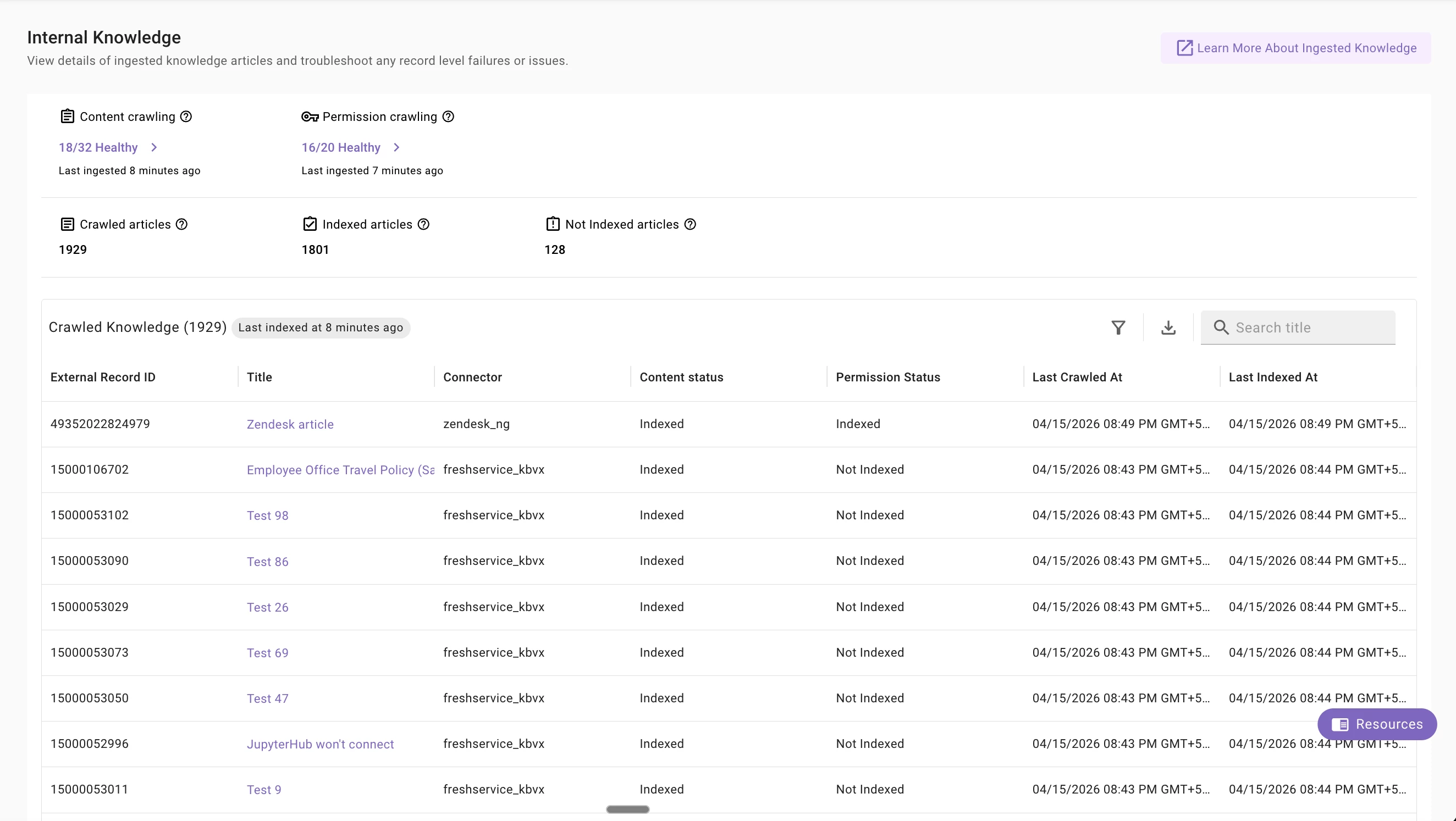
Control Center Enhancements
⭐️ Key Benefits
With these enhancements, Moveworks admins can effectively troubleshoot content-related issues directly inside MW Setup:
- More accurate crawl statuses — eliminates misleading success/failure states for more accurate assessment of crawl runs.
- Crawled Records view — confirms which records were fetched from the source system during a crawl run.
- Failed Calls view — surfaces the exact API call that failed with the error code and message, helping identify issues such as permissions, authentication, rate limits, or source system errors. Admins can investigate further by copying the API request and executing it in API Playground
- Record processing logs — provide visibility into record-level processing and enrichment steps to help diagnose why records fail to index.
- Indexed/Not Indexed terminology — shows whether a record is in the index and available to be served to users, making it easier to troubleshoot content availability.
✋🏻Callouts
- Data Crawling View
- Failed call counts are not available for Forms, FAQs, and Users
- API request details may not be available for all systems. However, they are supported for Enterprise Search systems
- Failed call count ≠ records not fetched — a single failed call (e.g., at a folder level) can affect multiple records.
- Some Moveworks-imposed errors may show an empty error code. Common causes: record exceeds size limit, download timeout, missing/invalid attributes, or empty content body
- After this change, data prior to March 15 will no longer be available
- Control Center Enhancements
- Record Activity Logs show only a subset of processing and enrichment steps. In some cases, all visible steps may show success, but the record may still fail due to issues in other enrichment steps that are not currently surfaced – contact the Moveworks Support team with the record details for further investigation
- Errors in Record Activity Logs are only surfaced for data from April 1 onward