


Week 1 Moveworks Community Tips

You’ve joined the Moveworks Community 🎉! But now, what should you actually do to start engaging?
This article will feature a few things you should do in your first week to set yourself up for staying in the know and contributing to this awesome community of likeminded peers.
Introduce yourself!
We’d love to know who you are! Please introduce yourself in our Introduction area and tell us a bit about yourself. A Moveworks tradition for all new Movesters is telling the company a fun fact about yourself, so we encourage you to do the same in the Moveworks Community! Share as much or as little about yourself as you’d like.
Check out the Community Guidelines
We know, nobody likes reading about rules, but they are important! So, please take 5 minutes to read through the Community Guidelines to see the do’s and don’ts to make your time in the Moveworks Community really valuable and impactful.
Subscribe to a topic area!
If you enjoy topics in areas such as the Program Owner Forum or Product Forums, be sure to subscribe to that area to get email updates about new topics posted to that area of the community.
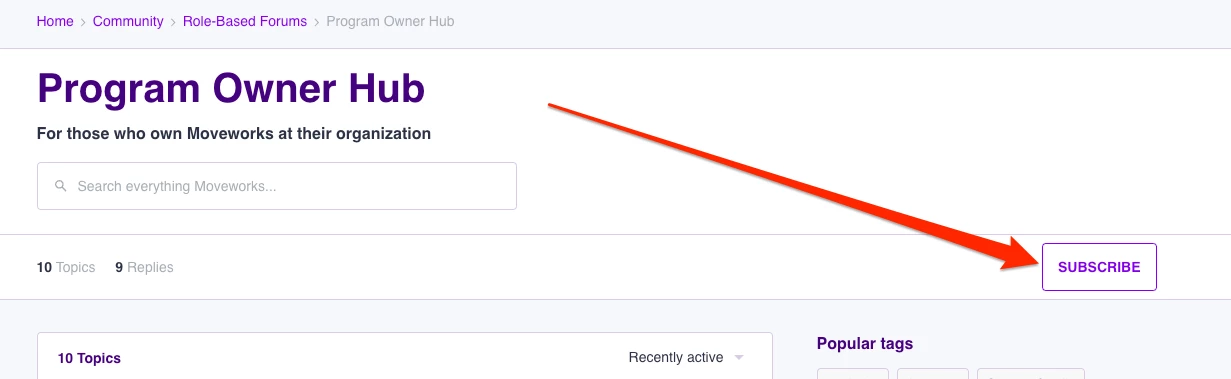
Simply click on “Subscribe” in each topic area you would like to get updates on!
Subscribe to a topic or thread!
If you don’t want to subscribe to the whole topic area, you can simply subscribe to the specific topic or thread that you want to get emailed updates on. Doing so is super simple:
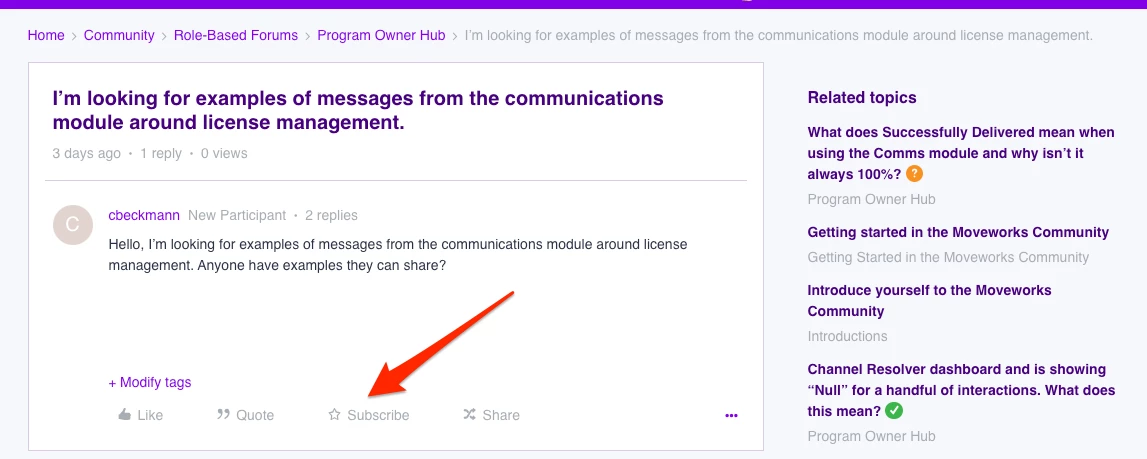
You just have to click on “Subscribe” on the first post of each topic or thread and you’ll get email updates when replies are posted to this thread.
Like a topic or thread!
If you like the content or topic, simply click “Like” on the first post of that thread. It will give your fellow community members some love, plus give others good signal on what kinds of topics the community is interested in!
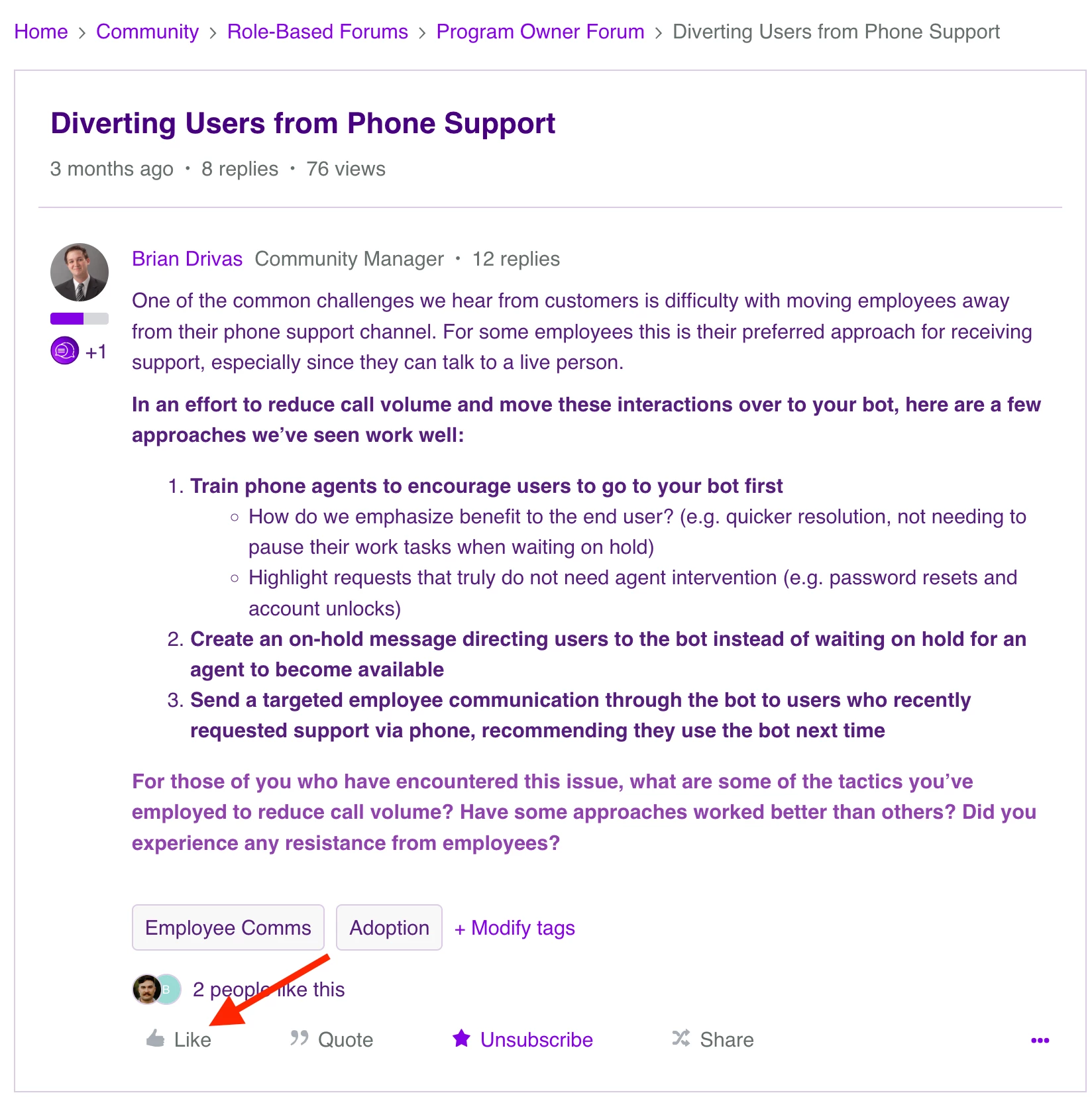
Last but not least: Create a topic!
Your fellow community members want to hear from you! In your first week, create a topic in whatever community area you feel comfortable:
- Share your amazing ideas and solutions that you’ve implemented in the Moveworks Inspiration area!
- Submit a Product Idea to help influence the direction of our product roadmap
- Crowdsource ideas for your next Creator Studio use case or employee communication campaign in our dedicated Product Forums
Doing so is easy! Simply click on “Create Topic” in the upper right hand corner and complete 3 simple areas:
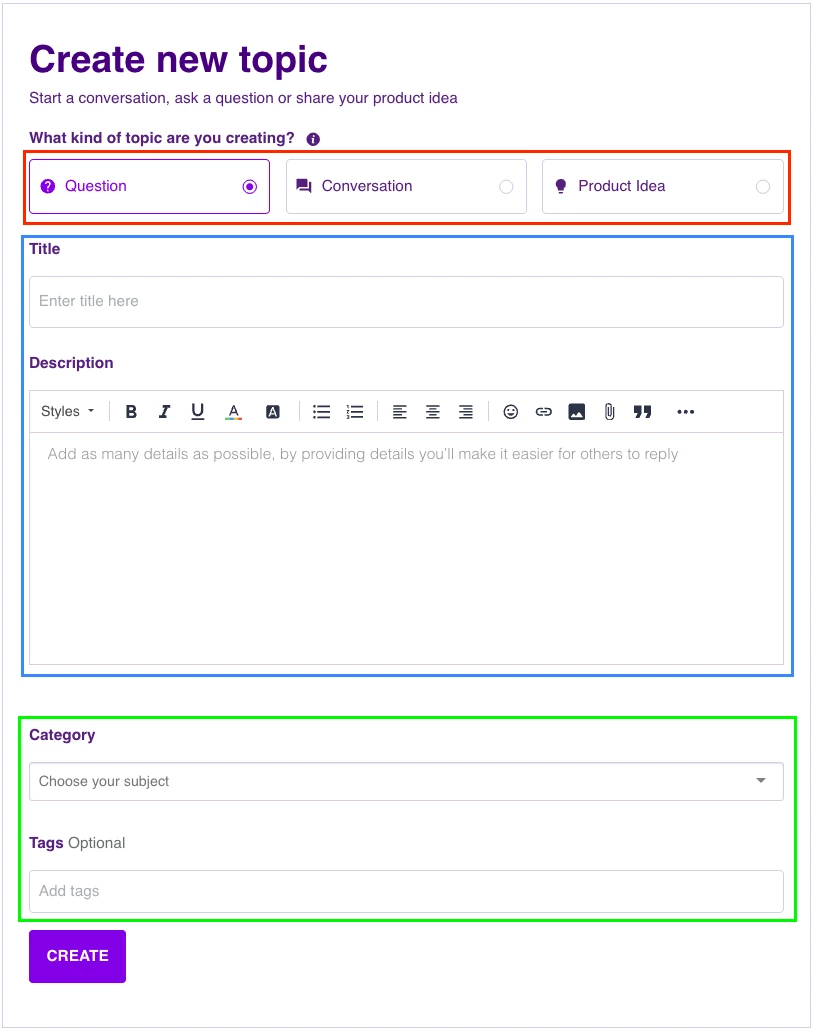
- Choose Question (to ask a question to the community), Discussion (to start a conversation and get ideas from peers) or Product Idea (to submit a feature request)
- Add a title and description of your topic or question. If you have screenshots, simply paste the images into the description section to get them to load.
- Choose where in the community you’d like your message to go by using the Category drop down. And add any optional tags to help community members search for topics. Don’t worry if you don’t add any - community managers can also add them for you!
Easy, right? Doing all of these simple tasks in your first week will not only make the Moveworks Community a super engaging place, but also set you up to get important topic updates as your fellow members add to the community. Enjoy!