

Simplify Access Configuration for Employee Communication Feature in Moveworks
Currently, even when a user has admin access in My Moveworks, they are unable to send Employee Communications without completing additional configuration steps.
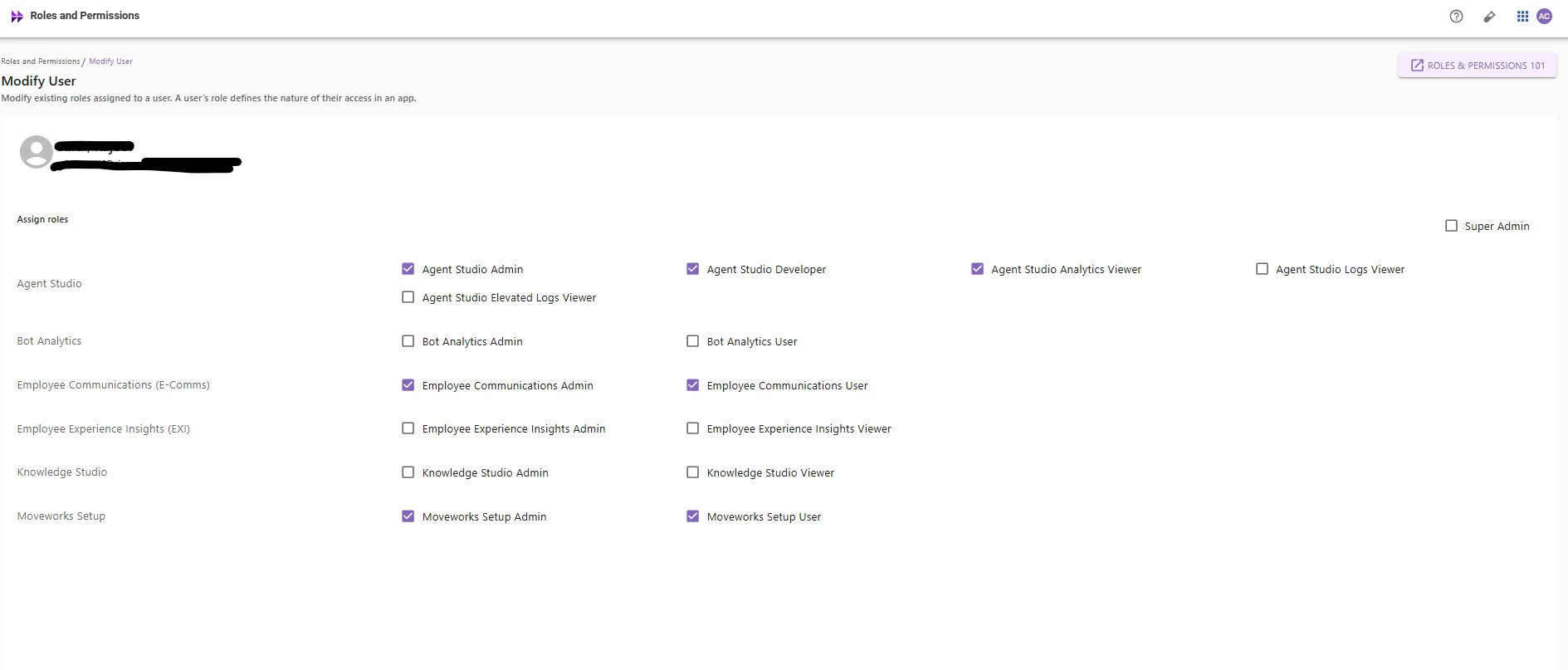
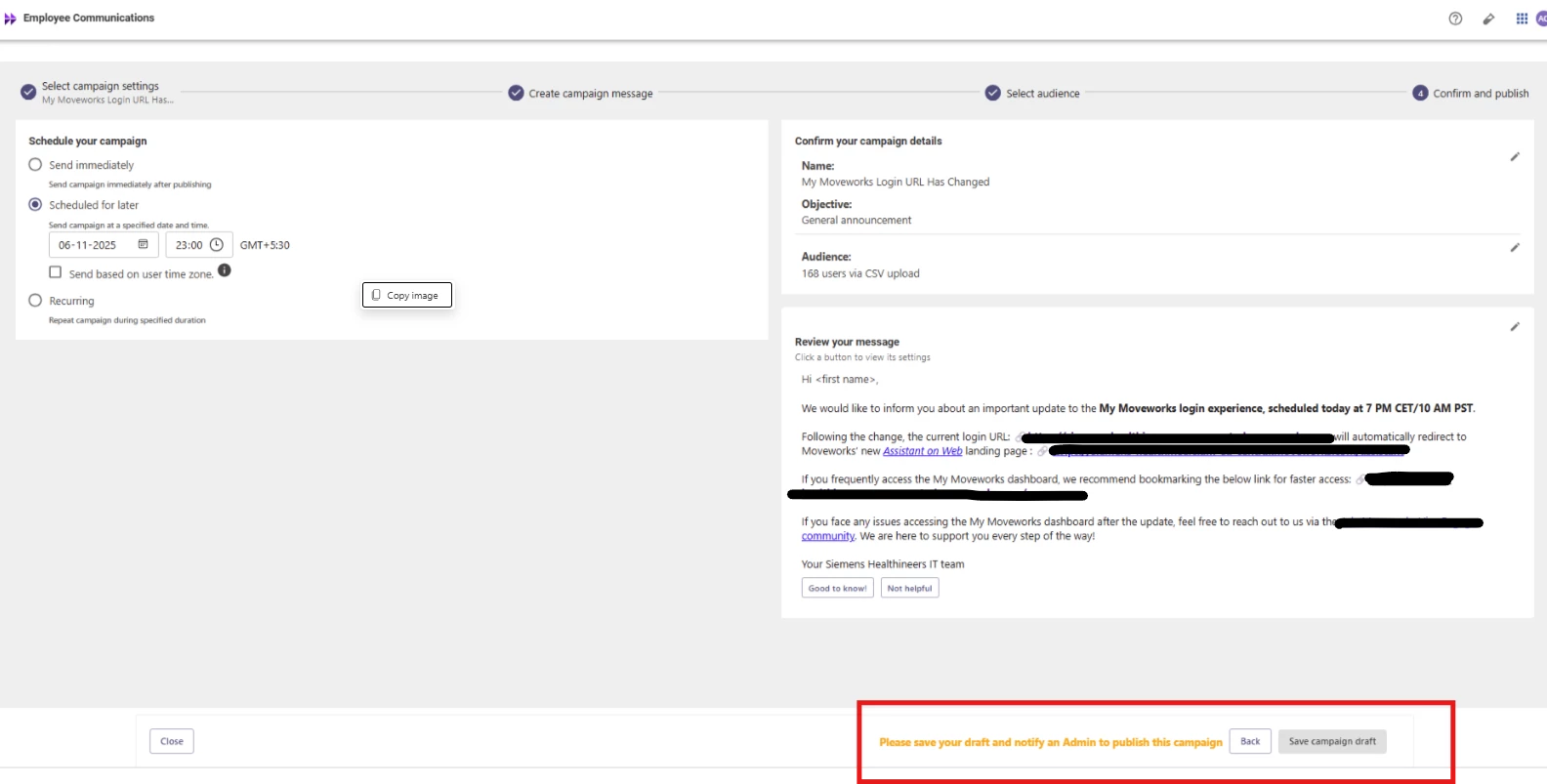
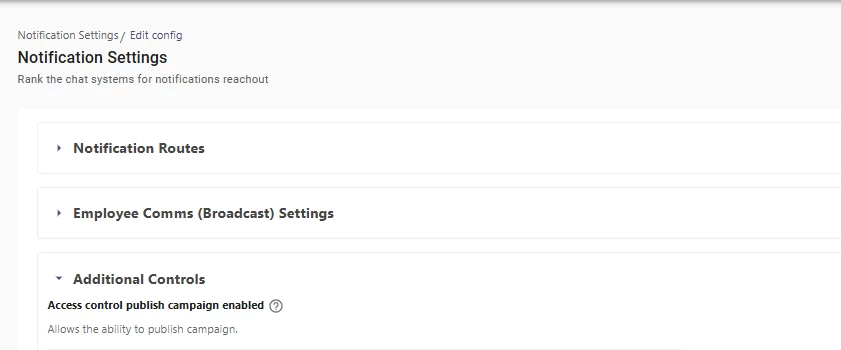
To send employee communications, users must manually configure the following:
-
Navigate to Moveworks Setup → Notification Setup → Additional Controls
-
Enable permissions for the Employee Communication feature
This process adds unnecessary complexity for admins who already have access to both environments.
We request an enhancement to automatically enable Employee Communication permissions for users with the Employee Communications (E-Comms) role, eliminating the need for additional manual configuration.
Expected:
-
Users with the Employee Communications (E-Comms) role can send communications without additional setup.
-
The system automatically grants necessary permissions under “Notification Setup → Additional Controls.”