Solved

Ability to edit slots for decision policies

  • July 2, 2025
  • 3 replies
  • 69 views

Forum|alt.badge.img+1

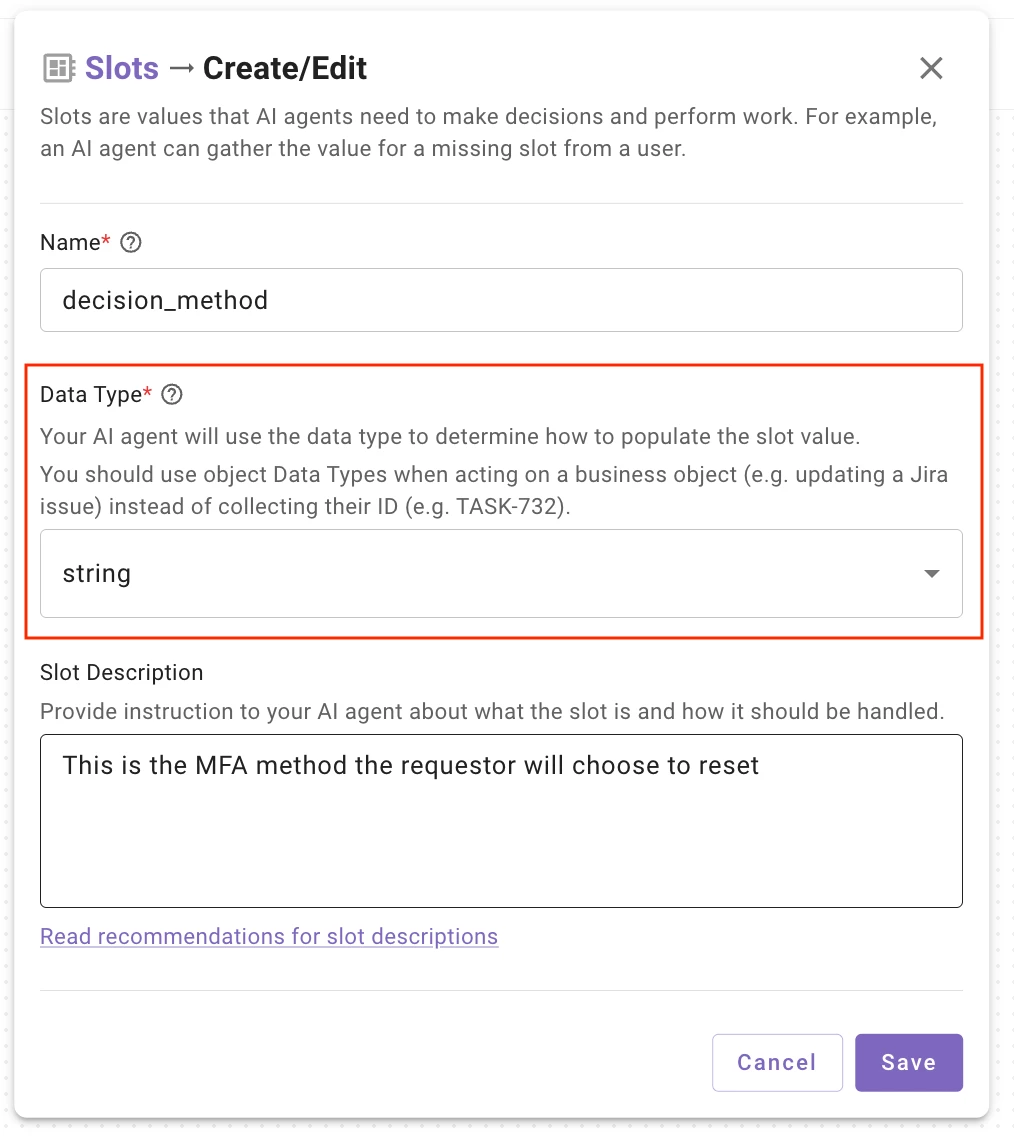
When working with the Agent Studio 2.0 and I find that I am unable to edit slots after they are created when building decision policies. I am not sure if I am missing something or this is just a limitation of the new Agent Studio. I find that once the slot has been created, I cannot go back and adjust the data type, slot retrieval details, etc. This would be a hinderance when building plugins as a new slot would have to be created any time a necessary change is needed. 


Best answer by chaney.zimmerman

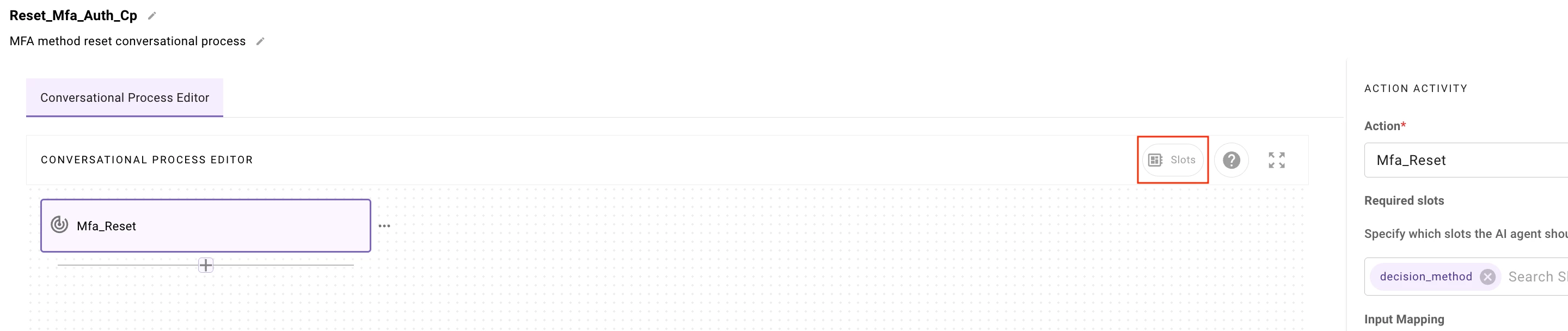
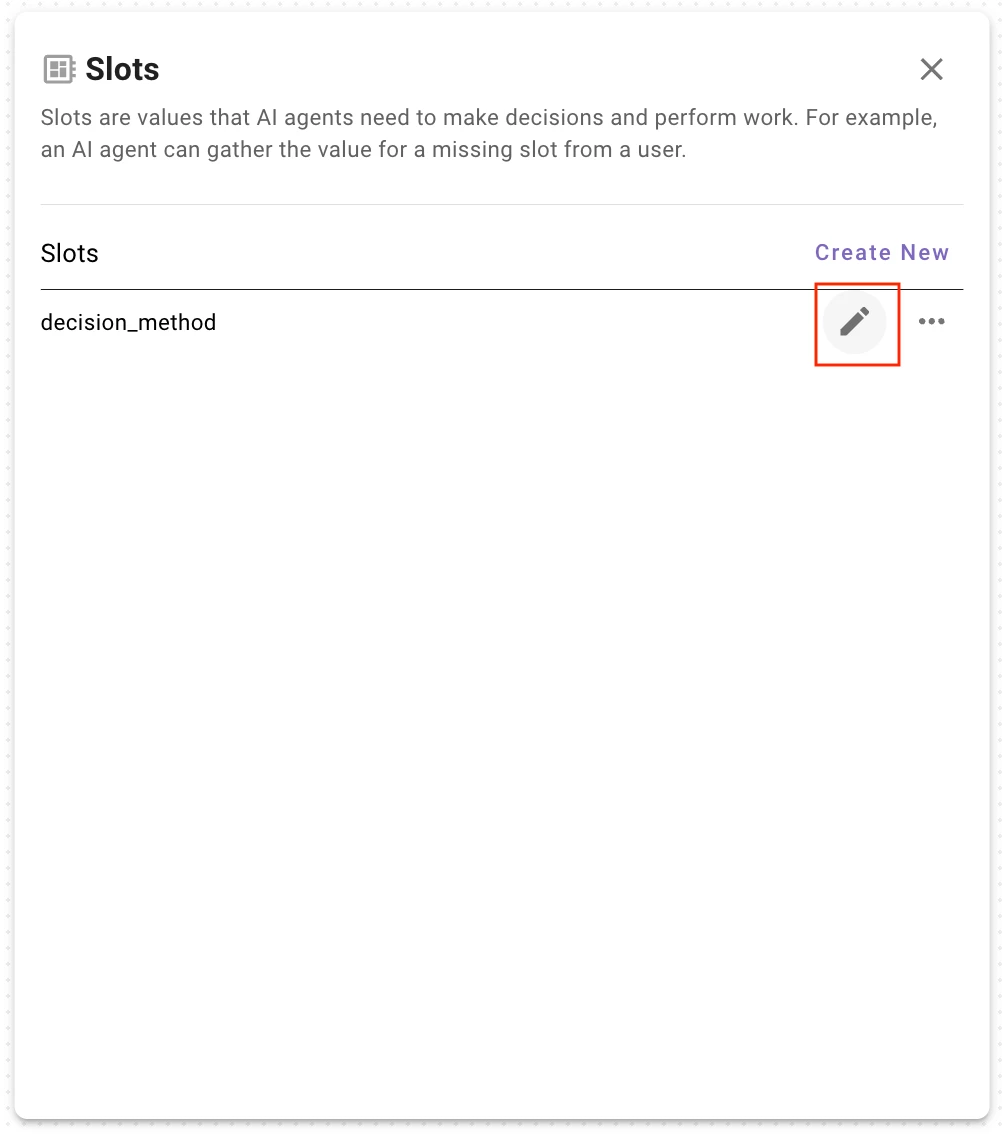
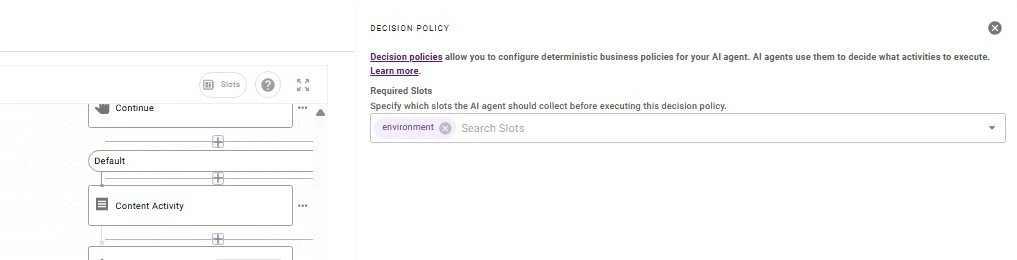
hey ​@justinrous ! have you tried clicking the “Slots” button near the top right of the Conversational Process interface? i attached some screenshots that hopefully help lead to the right place, i’ve been able to edit Slots i’ve previously created using this interface…


3 replies

Forum|alt.badge.img+2

hey ​@justinrous ! have you tried clicking the “Slots” button near the top right of the Conversational Process interface? i attached some screenshots that hopefully help lead to the right place, i’ve been able to edit Slots i’ve previously created using this interface…


Forum|alt.badge.img+2

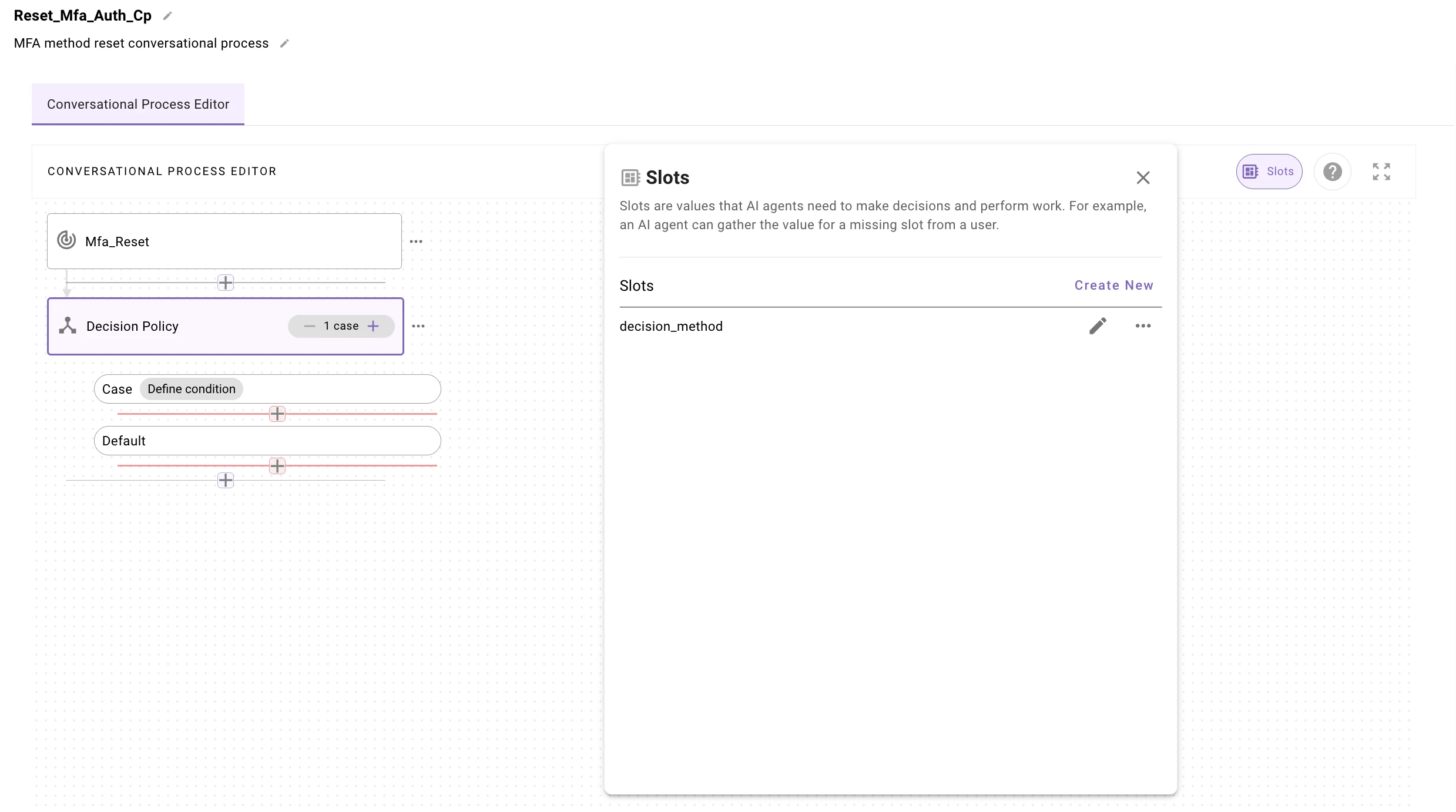
the same is true for me if you have added a Decision Policy and select that module in the CP, then click the “Slots” button 


Forum|alt.badge.img+1
  • Author
  • Known Participant
  • July 2, 2025

Ahh okay, I was able to find the slots button. Thank you ​@chaney.zimmerman