Assistant on Teams UI colors changed

  • January 28, 2026
  • 3 replies
  • 48 views

DIANA.TWC
Forum|alt.badge.img+5

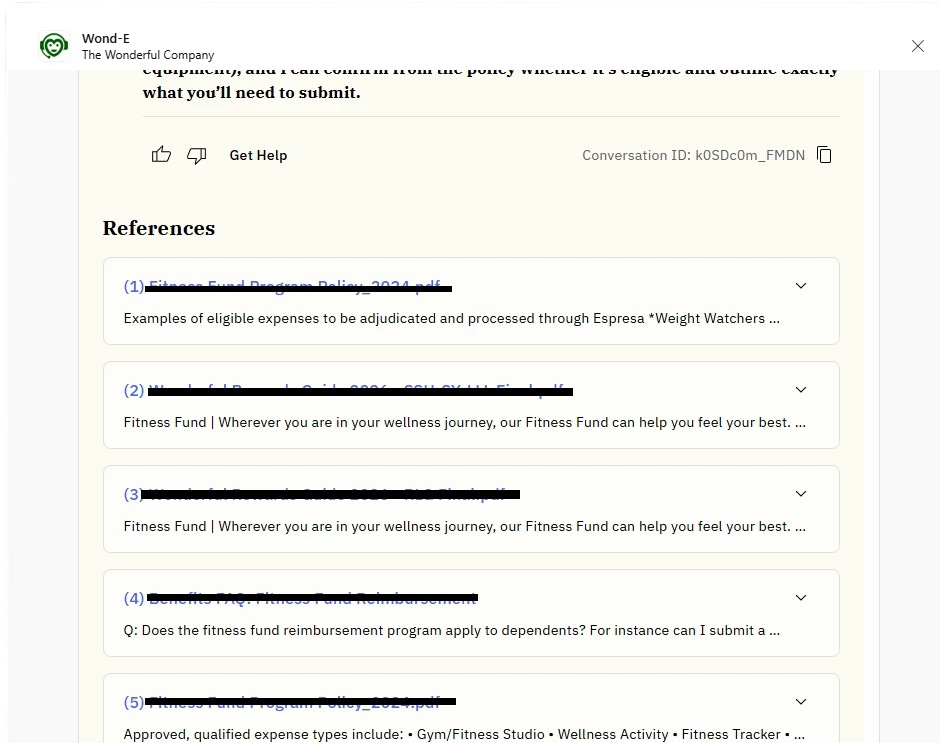
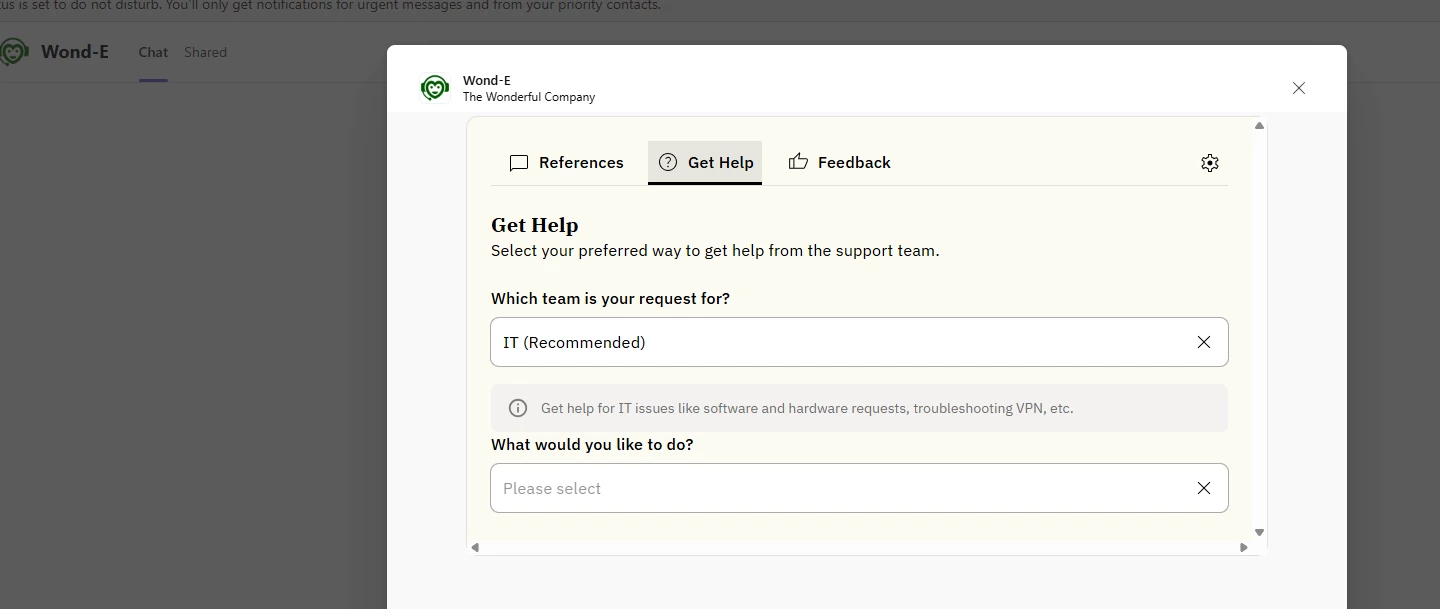
We’re seeing unexpected color changes in Microsoft Teams that are causing usability problems.

  • Link colors are not rendering as selected. Links show blue/black even when green is configured

  • The Teams UI has shifted to a yellow palette, which has poor contrast and looks unpolished in Teams

There was no prior communication about this change. This will negatively impact user interactions and trust if not fixed quickly.

Can this be reviewed and reverted or corrected ASAP?
 

3 replies

JenHanley
Forum|alt.badge.img+1
  • Community Manager
  • January 28, 2026

Thanks for flagging this ​@DIANA.TWC! I’ve raised this internally in an effort to get you a response as soon as possible. 


Forum|alt.badge.img+1
  • Community Manager
  • January 28, 2026

Hi ​@DIANA.TWC , this is part of the UX branding update we made this week. You can refer to this announcement post: 


DIANA.TWC
Forum|alt.badge.img+5
  • Author
  • Inspiring
  • January 29, 2026

Hi ​@anaTyler - 

Our CSM shared the announcement with me, but I do not see any mention of MS Teams or Slack being impacted. The color palette and typography in Teams, both light and dark mode, are significantly different from what Moveworks has changed it to. From an end user perspective, this feels visually inconsistent and off-putting, especially when aligned against our brand standards.

Because of this customization challenge, we have delayed deployment for AI Assistant on Web. A core requirement for us is that the assistant feels like an extension of our company, not a third party tool. This change makes that more difficult rather than easier.