Questions about implementing MFA reset with Microsoft Graph APIs and SSO
Hi everyone,
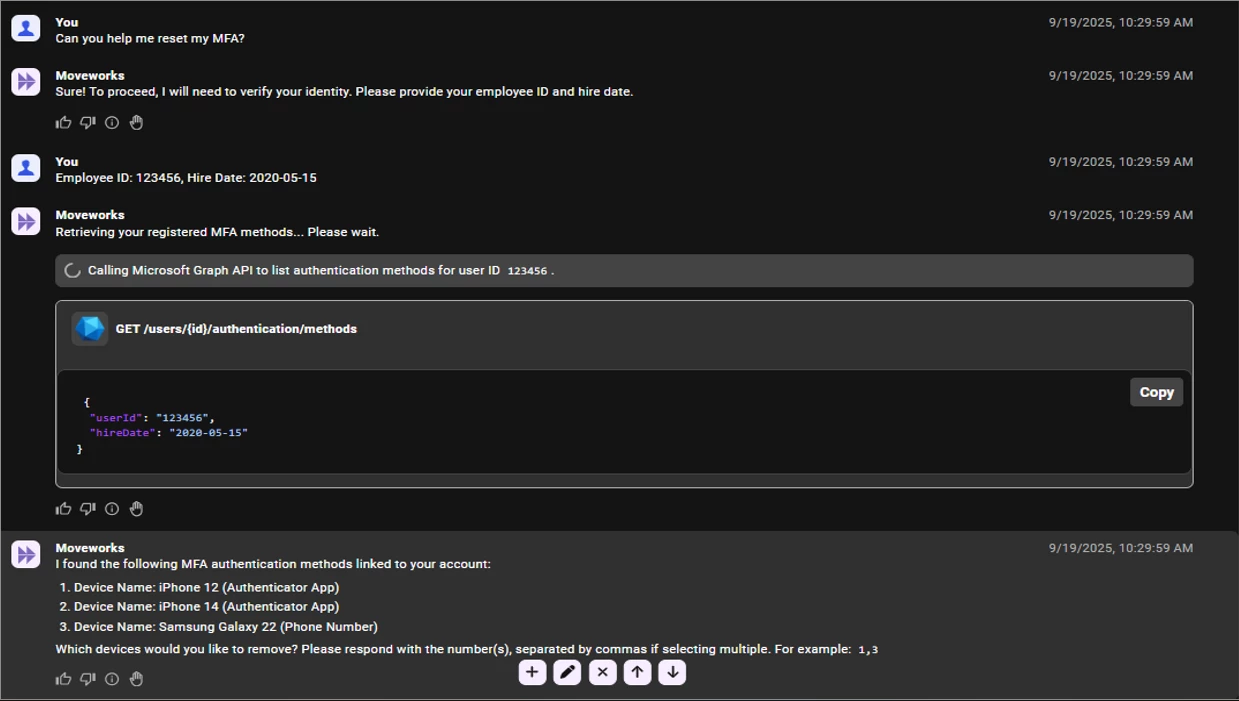
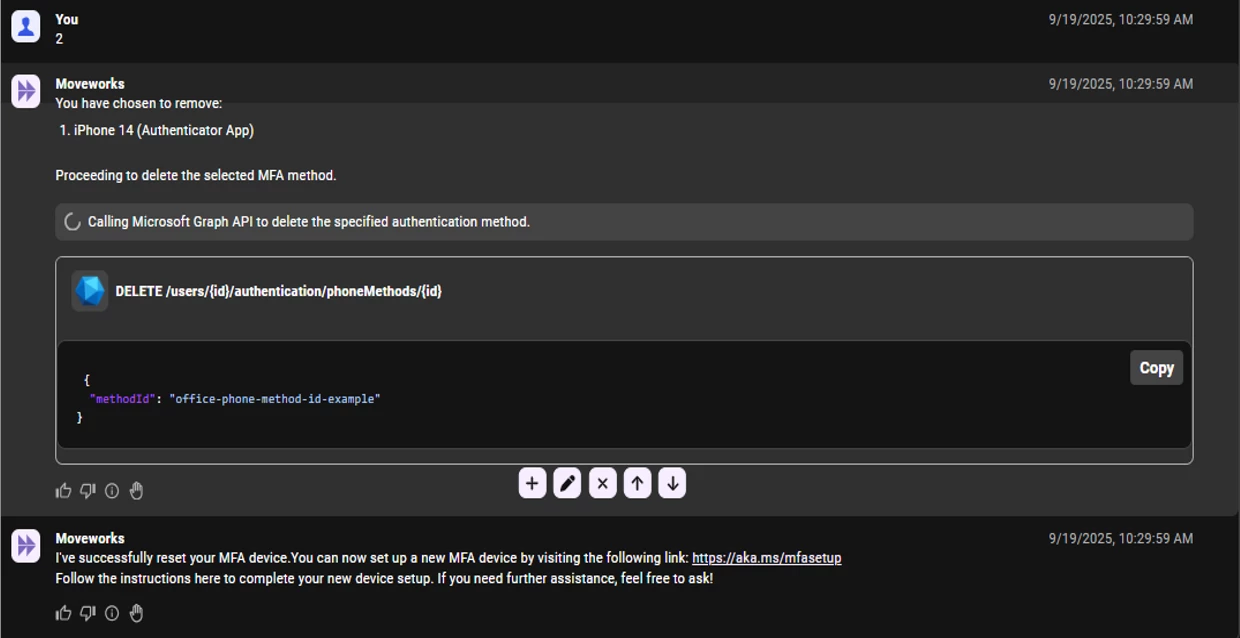
We’re exploring how to implement MFA reset functionality using Microsoft Graph APIs. The process involves two main API endpoints:
- List Authentication Methods API: To retrieve all MFA methods registered for a user. This gives visibility into their current devices.
- Delete Microsoft Authenticator Method API: To reset specific MFA methods. This is important because users may have multiple devices (like Device A, B, C, D). We want to allow resetting individual devices rather than removing all MFA factors. Users can choose which devices to reset or reset all if needed.
Permissions and User Identity Verification:
We plan to use delegated permissions with User Consent Authentication (OAuth 2.0 Authorization Code flow). This ensures the user explicitly consents, adding security. We will also prompt users for additional information like:
- Employee ID
- Hire date
This helps us verify their identity against their profile. Once confirmed, the user’s email will be sent to an Azure Function that will handle the API calls on their behalf.
Final Step:
After the reset, we will send the user a link, guiding them through setting up a new MFA device with instructions.
Integration with Microsoft Teams & SSO:
Our bot is built to work seamlessly with Microsoft Teams and supports Single Sign-On (SSO). The bot inherits our existing SSO setup, meaning authentication is managed by us.
- Microsoft Teams handles the SSO authentication.
- The bot functions smoothly within Teams thanks to this setup.
It’s important to note that our MFA setup is tied to our Microsoft 365 (M365) environment, including:
- Teams
- Outlook
- Word
- Excel
- and more
My Questions for the Community:
- Has anyone set up a similar MFA reset process?
- How do you handle MFA resets when a user cannot log into their M365 apps—like Teams
- If users are locked out and cannot authenticate, what alternative workaround or flow do you use to allow them to reset MFA via your bot?
- Does this purple chat mockup below reflect the process I’ve outlined above?
- Is there anything I’m missing?
Thanks in advance for your insights!