🎉 Triage 2.0 is now General Available (in Moveworks Setup)
🎉 Triage 2.0 is now General Available (GA), available in Moveworks Setup
What is Triage?
For issues that cannot be resolved instantly, Moveworks Triage can categorize and route these tickets to ensure that they reach the service desk team best equipped to resolve the issue. Triage intercepts newly created tickets that passes a filter, configured by the customer. Then, Triage will attempt to classify the configured ticket fields, e.g. such as assignment group, category, subcategory, cmdb_ci, etc by retrieving the top 10 most similar tickets and select the most common field value (assignment group = WW Manufacturing). If the prediction confidence level passes the threshold, Triage will automatically update the ticket - all within 1 minute of the ticket being created.
What changed from Triage 1.0?
Triage 2.0 is a dramatic improvement from its predecessor (Triage 1.0) as its architecture is completely different. You can read more about how Triage works here: https://help.moveworks.com/docs/triage-2-pt-0-technology-overview.
What's included in GA?
- Support for multilingual tickets via 500M snowflake arctic v2 embeddings model as the base model
- Support for all Data Centers, e.g. US, EU, AU, CA, and GovCloud
- GovCloud will be available by Wed, Dec 17th
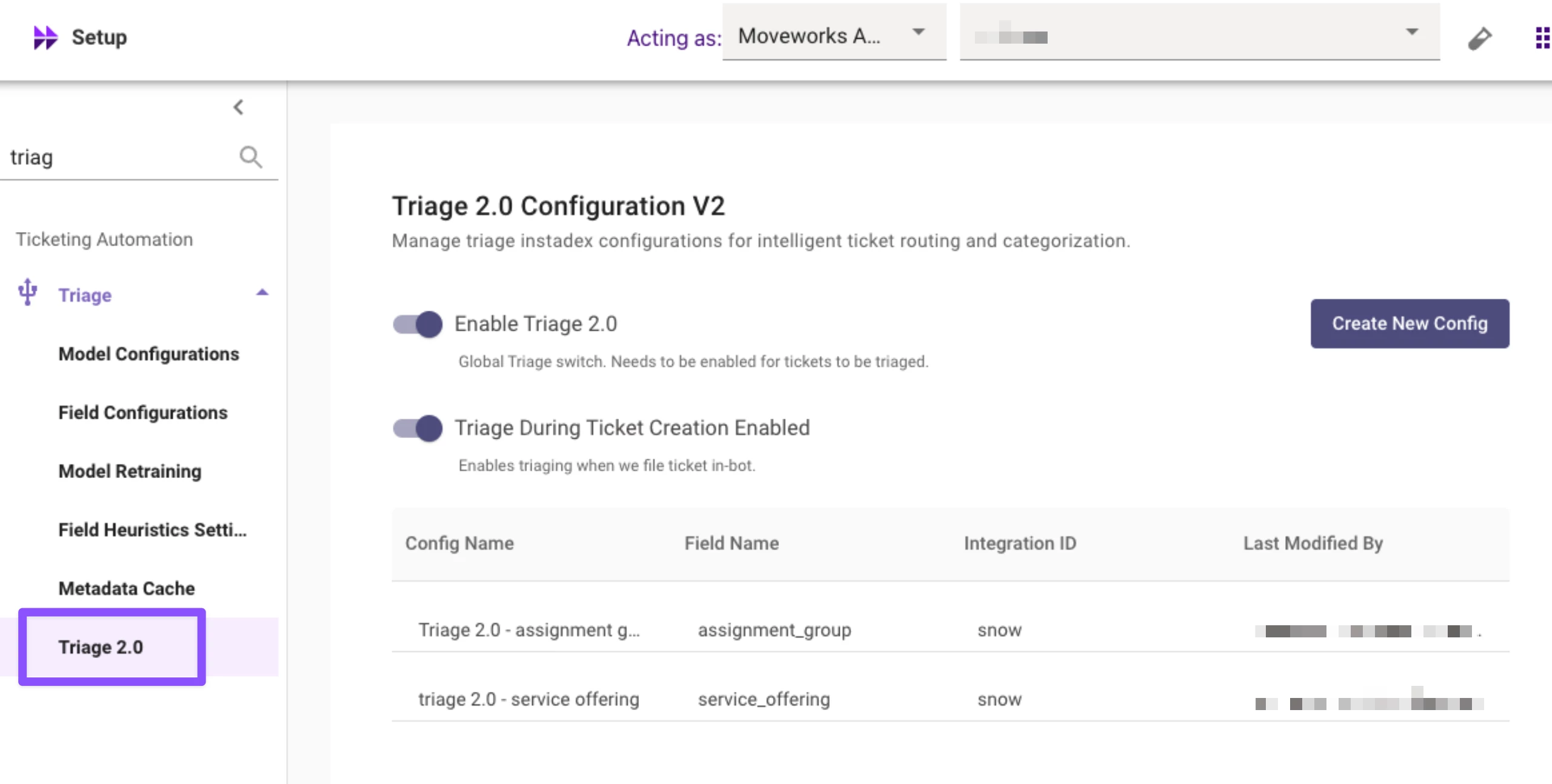
- Self-Service experience in Moveworks Setup (see snapshot)
- Published Documentation on the Helpsite - https://help.moveworks.com/docs/triage-20-configuration