

🚀 Introducing User Identity Ingestion Failure Alert in Moveworks Setup!
Hello Moveworks Admins,
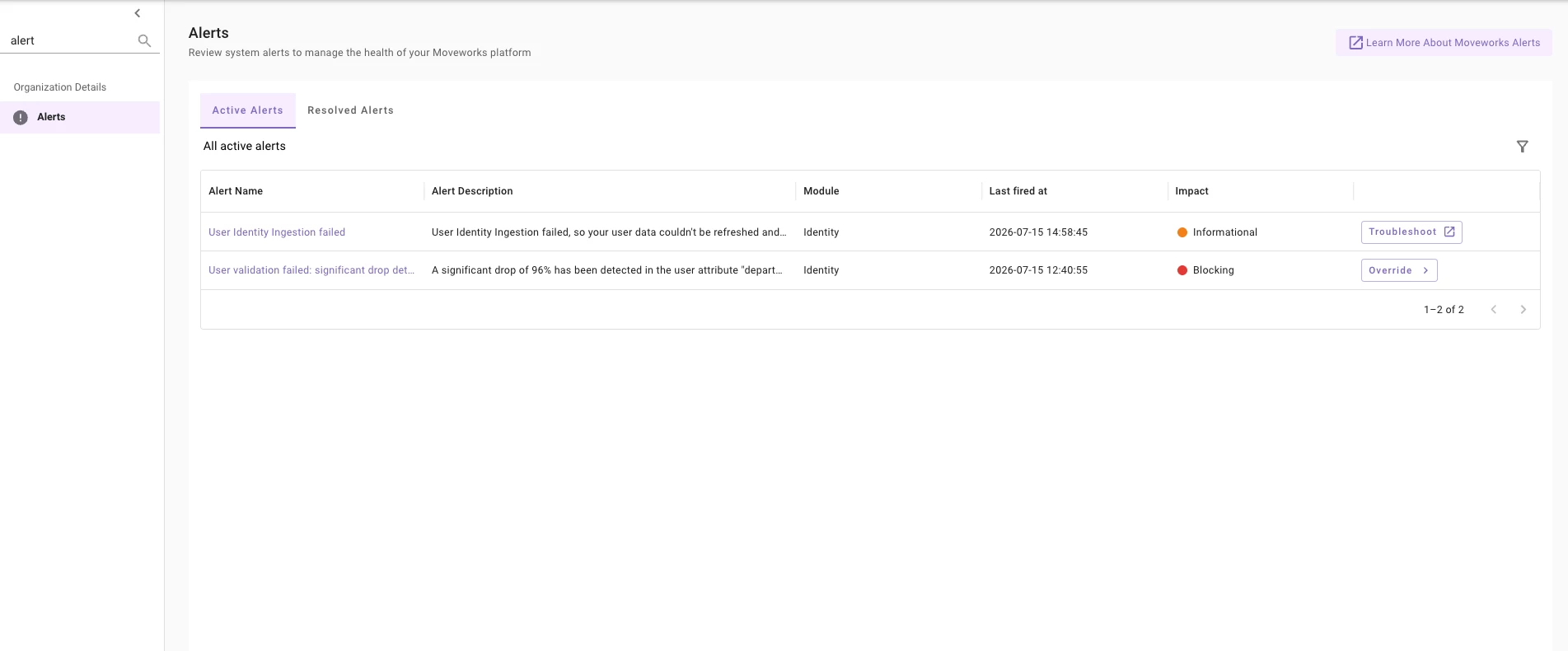
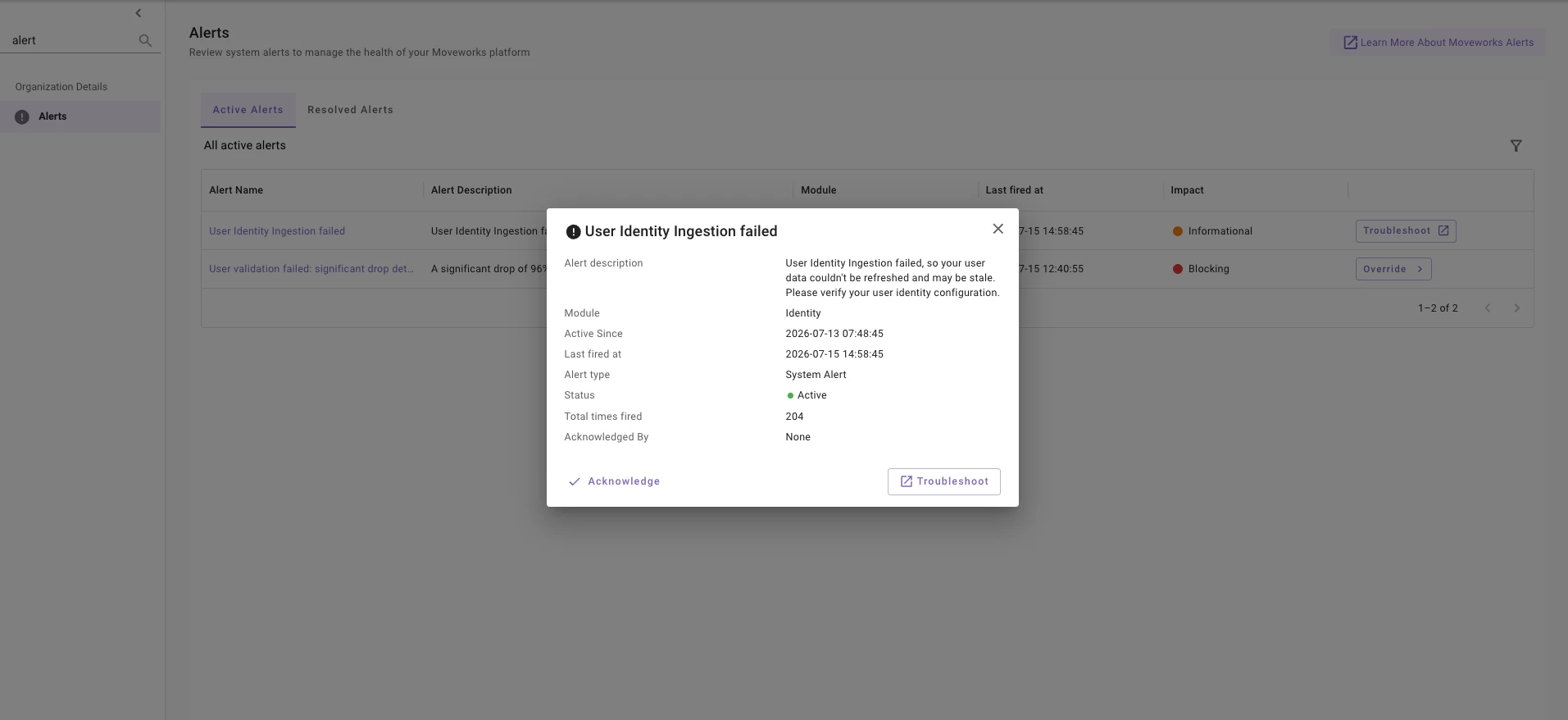
As of July 13th, we've introduced a new alert in Moveworks Setup: User Identity Ingestion failed. This alert gives admins direct visibility when user identity ingestion doesn't complete successfully, helping you catch and resolve errors early before they impact downstream services like ticketing, knowledge search, and file search.
🌟 What it does
Moveworks continuously ingests your user identity data from external systems to keep the Assistant up to date. This data powers downstream skills across the platform—bot access, Forms, Ticketing, and more—so when identity ingestion fails, those experiences are directly impacted. This uber-level alert fires when anything goes wrong with user identity—whether that's fetching, mapping, processing, merging users, or validation. When triggered, the alert appears in Moveworks Setup → Alerts.
🧭 Common causes
- Connector connection issues (invalid credentials, authentication failures, network timeouts)
- Schema mismatches or field mapping errors
- Missing or null required user fields
- Recent configuration changes (e.g., new filters or a change to the primary source)
✋🏻 Important Callout
When the failure originates from a validation step, you'll see this alert alongside the corresponding validation alert. Resolve or address the validation alert first—once that's handled, this alert will be taken care of and resolve automatically. See the Validation Alerts Troubleshooting Guide for details. Link to community post here.
▶️ Learn more
See the full troubleshooting guide here: User Identity Ingestion Failure
Have questions or feedback? Please post them on our Community Forum—our team will be happy to help.
Thank you,
Moveworks Setup Team