


UX improvements to Max Capacity setup
Max Capacity now makes it easier to understand connector validation results and identify when user identity ingestion needs manual setup.
Clearer Connector Validation results
Select View details in the connector setup step to review validation results for areas such as Content, User, Permission, and Group. The checks shown depend on the connector.
- Expand an error or warning to understand the issue.
- Inspect request and response details where available to help troubleshoot it.
- After correcting the issue, select Re-Validate to run the checks again.
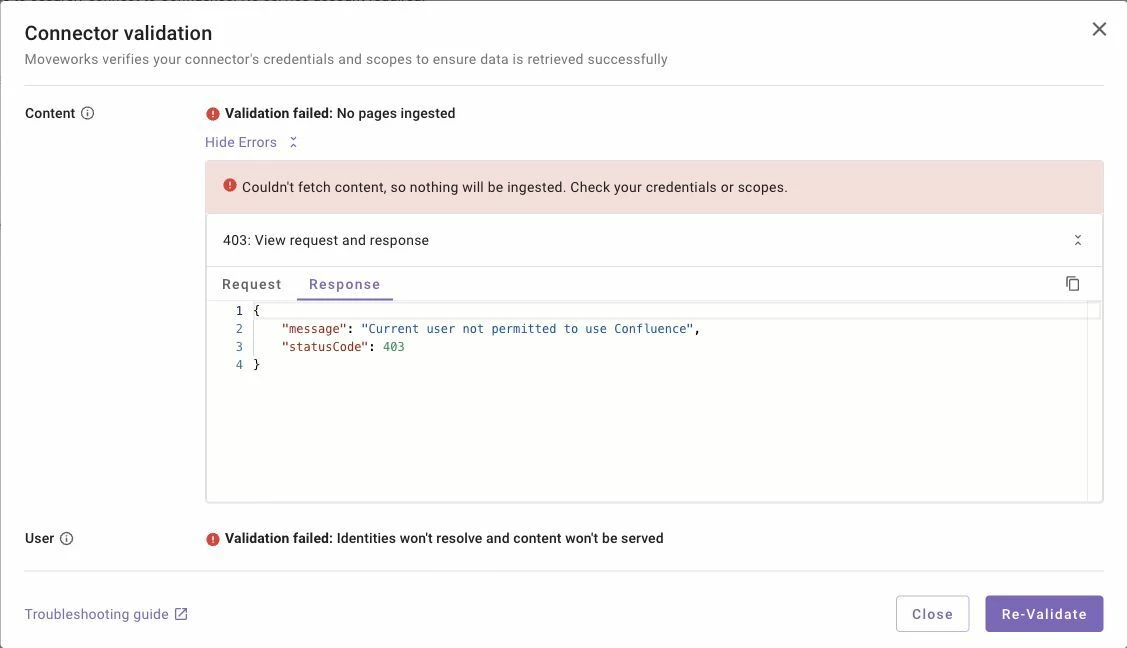
Save behavior is unchanged. Required validation failures still block Save. Optional warnings alone do not block Save; all other required checks and setup requirements must still be satisfied. Successful validation does not mean ingestion has completed or content is ready to search.
Identity setup guidance before ingestion
The Start ingestion dialog now warns you when user identity ingestion needs manual configuration for the connector. This can happen when your organization has a joining key that does not resolve to an email address.
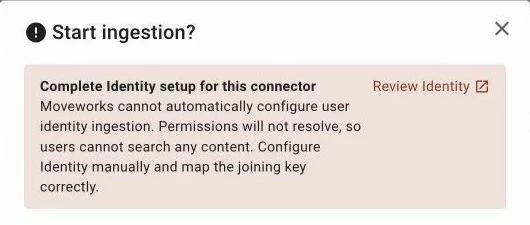
If you see the warning, select Review Identity, configure user identity ingestion manually, and map the joining key correctly for this connector.
The warning does not block starting ingestion. However, starting ingestion does not resolve the Identity setup issue. Until Identity is configured correctly and permissions resolve, users cannot search content from that connector.
Find these updates in Moveworks Setup > Search > Configure Search > Max Capacity. No action is required because of this update.