

Structured Data Analysis (SDA) Will Default to On as of October 14
Your Moveworks AI Assistant can turn structured data into trusted answers in seconds. Many teams are already using Structured Data Analysis (SDA) today. Now we're putting the control directly in your hands: a setting to enable or disable SDA now appears in your Moveworks Setup.
To make sure every team can take advantage of it, SDA will be enabled for your organization on October the 14th unless you choose to turn it off.
Why you will love it
With SDA, employees just ask in plain English and get a real answer back in seconds, because the Assistant writes and runs actual code against the data, then shows exactly what it did.
- Faster insights. Ask in everyday language and get a ranked, calculated answer instead of a guess.
- Real analysis, not truncation. The Assistant works across the full dataset, aggregating, filtering, and ranking, instead of losing accuracy to token limits.
- Answers you can trust. Every response includes a plain-English summary plus an expandable code citation showing the exact code, variables, and outputs. No black boxes.
- Safe by design. All code runs in an isolated, resource-capped sandbox that's wiped after each run.
What this means for you
-
The choice is now yours. The SDA setting lives in your Moveworks Setup, under AI Assistant > Plugin Management > Code Interpreter Plugin > User filter for enabling plugin, so you can turn it on or off whenever you like.
- Already using SDA? Nothing changes. It stays on.
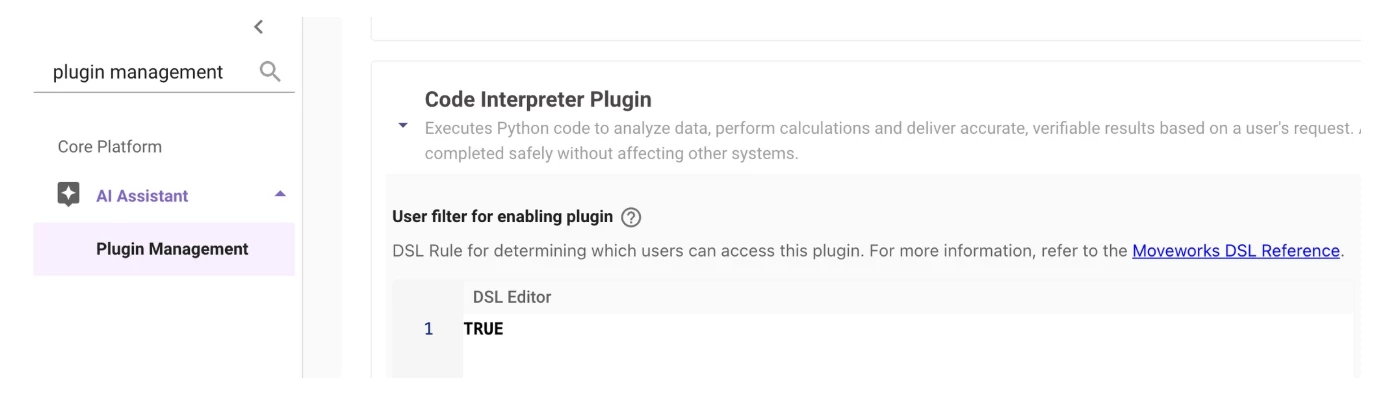
- Already have SDA turned off? Nothing changes. It stays off.
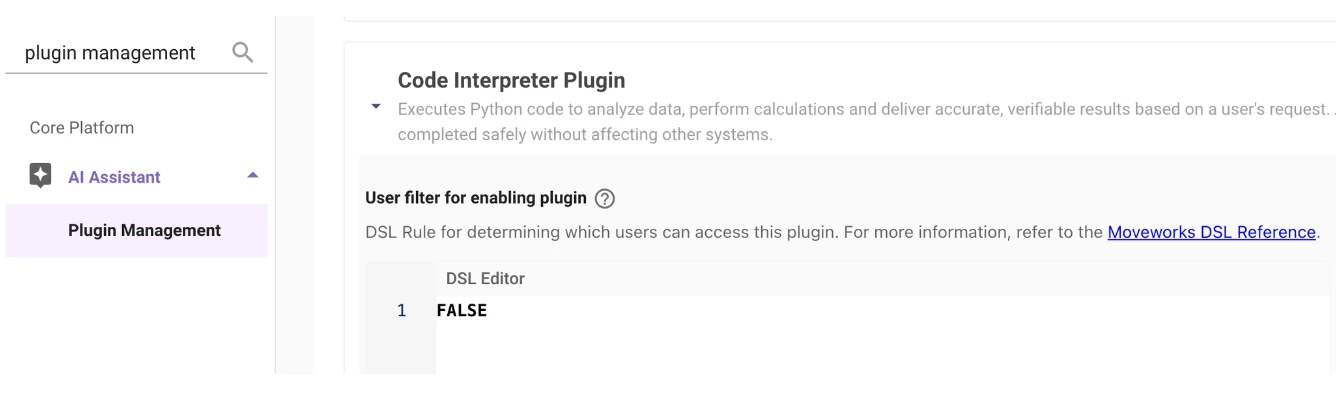
- Haven't set a preference yet? SDA will be turned on for your organization on 10/14 so your team doesn't miss out.
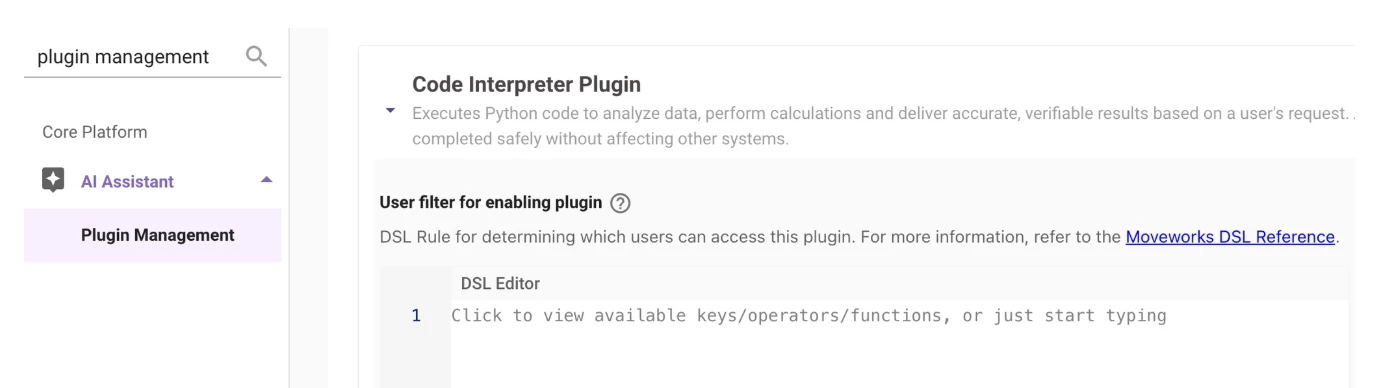
If your filter is unset, it will be changed to
TRUEon 10/14.
What you need to do
Make sure your setting matches your wishes.
- Is it turned on in the settings and you want to keep it on? Nothing at all. It'll be active for your team on 10/14.
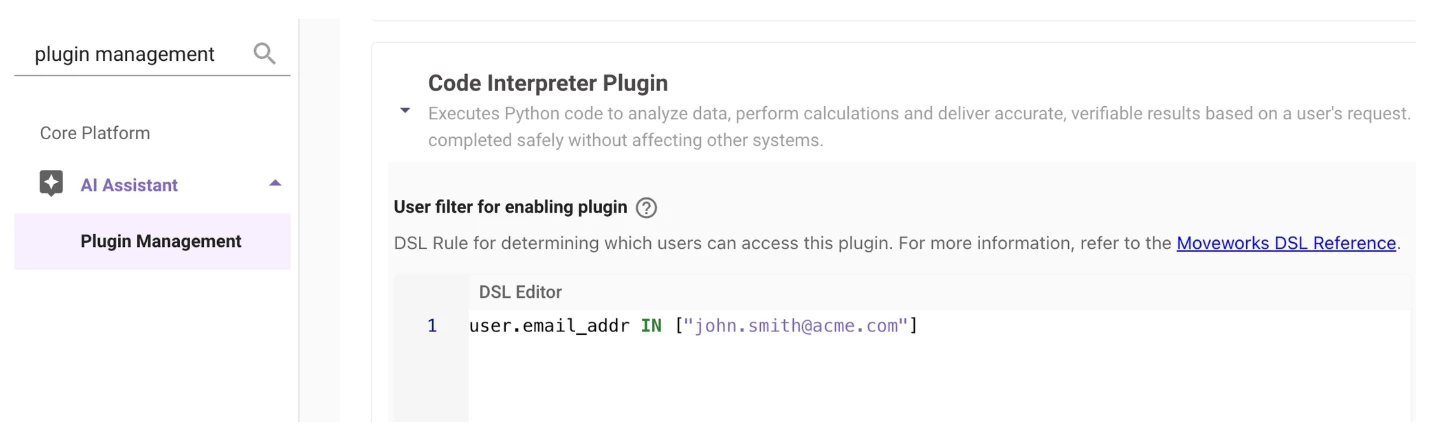
- Prefer to hold off? Just set the user filter for Code Interpreter Plugin to FALSE on your Plugin Management administration page, or use
user.email_addr IN [...]to gate it to one or more testers, and you can turn it back on anytime.
Read more about SDA here and here.