


Slack UX Updates are now Live for All Regions!
The Moveworks Assistant in Slack now shows its work, formats answers more clearly, and allows administrators greater control over aspects like threading, Slack Work Objects, and native modal control. Most changes are on for everyone today. A few are optional settings your admins can turn on in Moveworks Setup.
What has been enabled for all Moveworks instances
- Reasoning steps: while the Assistant works on a request, employees see a short, collapsible plan of what it's doing.
- Tables: tabular answers display as native Slack tables.
- Cleaner long answers: long answers display in full, without a Show more link.
- Channel Resolver messages: the message the Assistant sends when it responds to a channel post is written for that post, rather than templated
- Brief Me in threads: Brief Me stays focused on the thread you're in.
You don't need to do anything to get these changes.
Optional settings for admins
In Moveworks Setup, under Chat Platforms > Manage Chatbots > your Slack bot:
- Allow Multiple Threads (Chats): employees can run more than one conversation at a time, each in its own thread.
- Enable Native Slack Modals: references, feedback and Get Help open as native Slack pop-ups. This allows users to
- Enable Work Objects: ticket previews display in Slack. Update your Slack app before you turn this on.
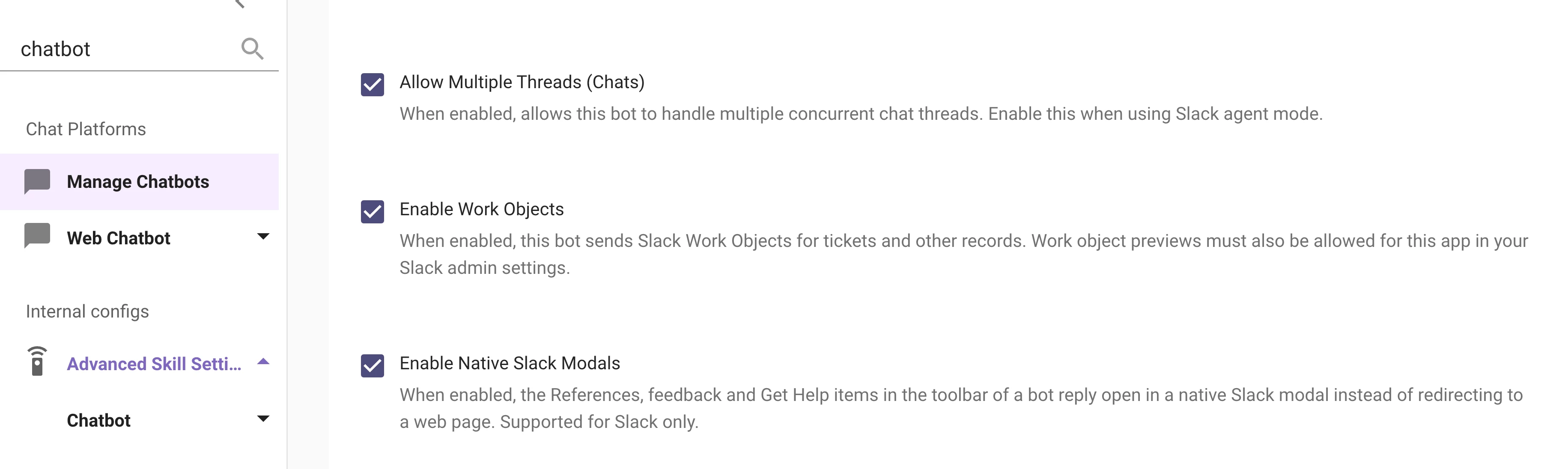
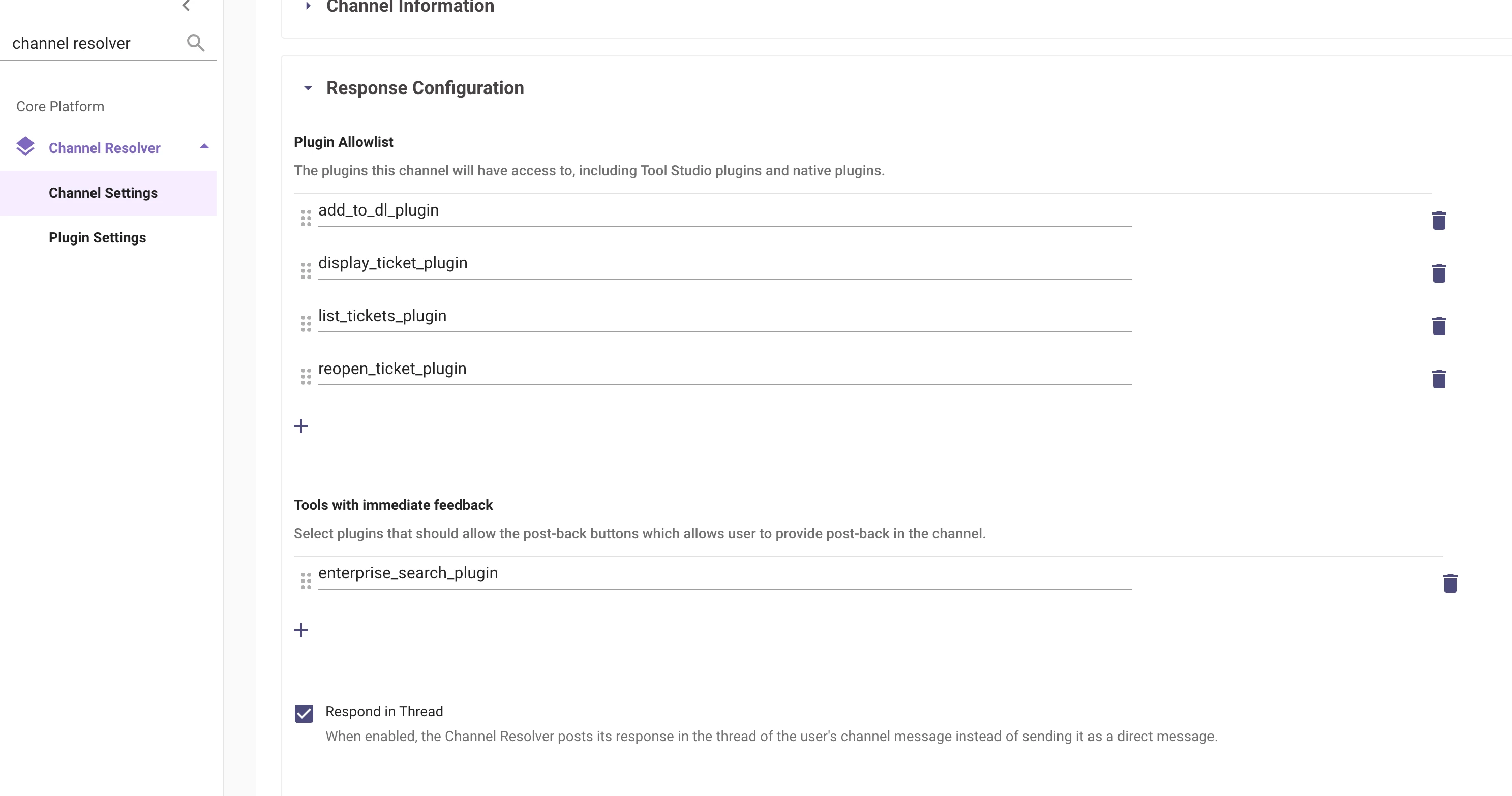
Under Channel Settings, edit the channel:
- Respond in Thread: Channel Resolver replies in the thread of the original post.
- Plugin Allowlist: choose which plugins Channel Resolver can use in that channel.
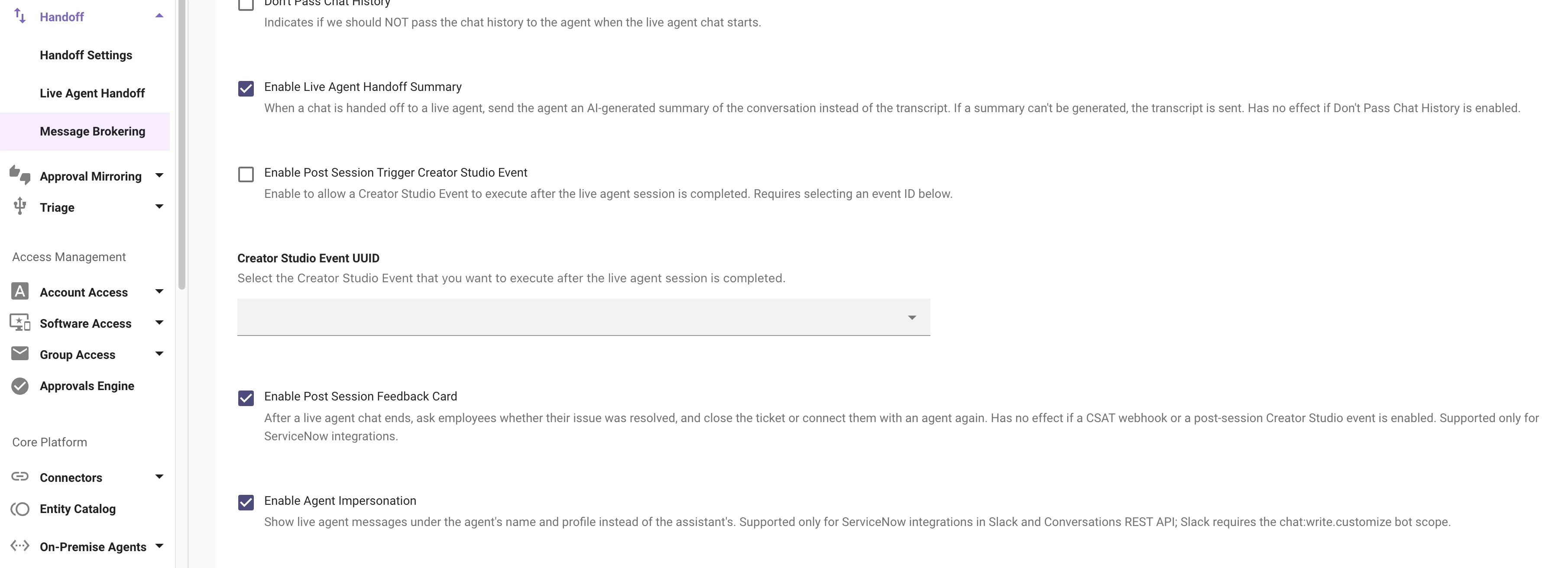
Under Ticketing Automation > Handoff > Message Brokering:
- Enable Live Agent Handoff Summary: the live agent gets a summary of the conversation at handoff.
- Enable Post Session Feedback Card: employees can rate the live agent chat when it ends.
- Enable Agent Impersonation: live agent messages show the agent's name and photo. Add the chat:write.customize scope to your Slack app and reinstall it before you turn this on.
Setup steps are in Configure Slack Features and Configure Channel Resolver.
Good to know
- Available in every Moveworks data center at no extra cost. Microsoft Teams is unchanged.
- Turn on Enable Agent Impersonation only after the Slack app has the chat:write.customize scope. Without it, agent messages show no name.
Questions? Comment below or reach out to your Customer Success Manager.