

Now Available: Smarter, Clearer AI Assistant Responses For All Customers
Hello Moveworks customers,
As of today across all of our customers will now see newly formatted messages that include headers, bullet points, code lines, code blocks, and bold text (previously posted about this update here). This visual update is designed to help you improve clarity, scanability, and overall user AI Assistant experience. I also wanted to take a moment to acknowledge the feedback you all have shared with this UX update within our AI Assistant. We’re listening and continuing to improve the experience based on your feedback.
🔄 Update on Approvals & Ticket Update Messages
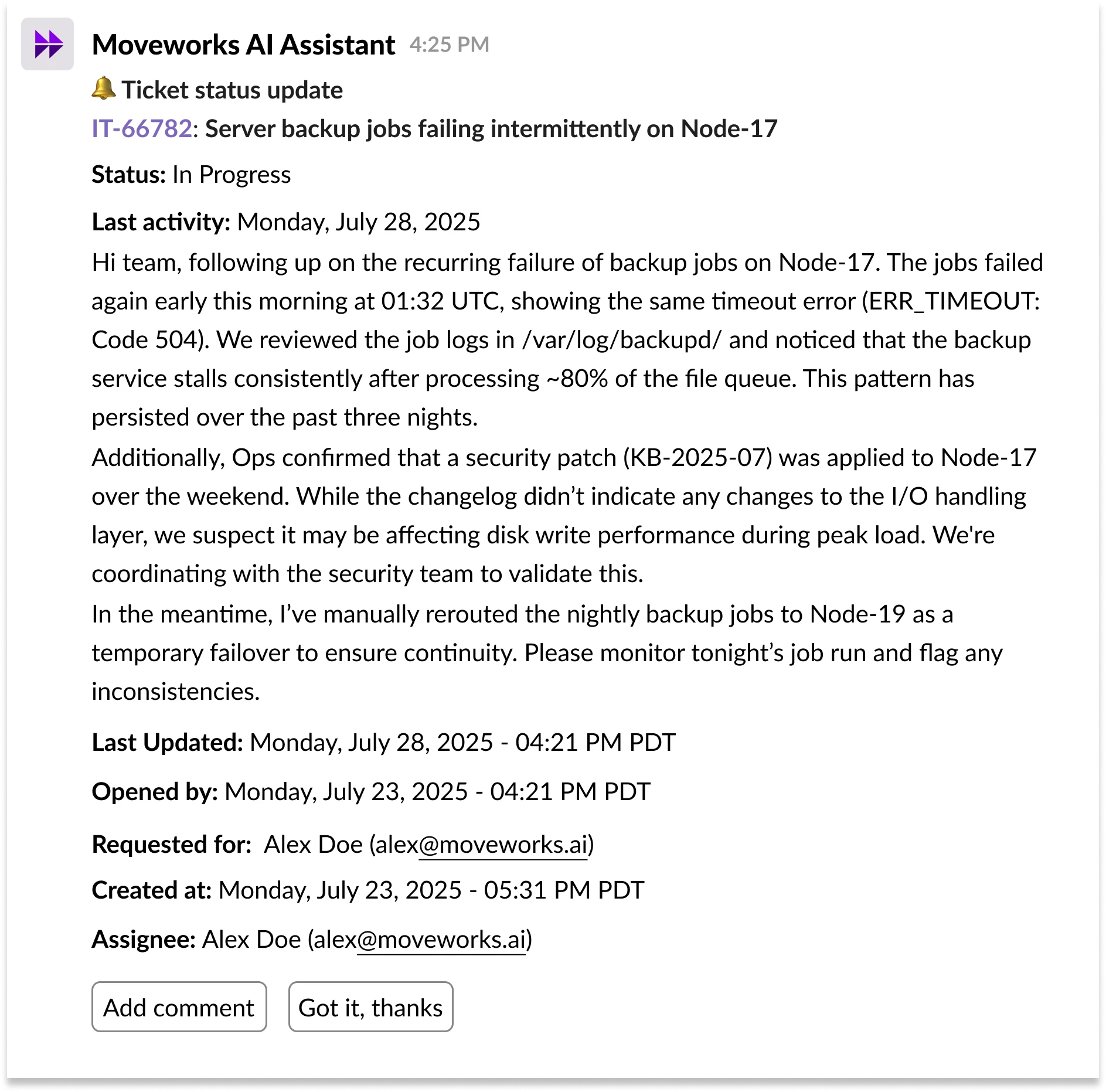
We made a formatting adjustment to these types of messages, specifically ticket updates and approval flows. We made a deliberate decision to keep the previous rendering experience we had in place for these messages. The experience shown below is show these messages will be displayed on desktop and mobile. The content and structure remain the same, but the visual presentation will continue to appear as follows:
⚠️ Prior Microsoft Teams Issues
We previously had 2 minor issues that were impacting Microsoft Teams customers. These issues have been fixed.
- [FIXED] ### appearing within Microsoft Teams notifications:
Some Teams users are seeing “###” at the start of responses.

The “###” text will typically appear at the beginning of the Microsoft Teams notification - [FIXED] Emojis are not rendering properly within Microsoft Teams notifications:
Emojis like“:bell:” are displaying as raw text instead of proper icons.

The “:bell:” text is being displayed instead of a notification within the Microsoft Teams notification
💜 We’d Love Your Feedback
If you have additional feedback regarding this experience update, please share it with us here. if you have examples where the update has improved the readability of your AI Assistant responses, feel free to share. We’d love to see them!