


🚀 New in Moveworks Setup: A Guided Setup Journey for Moveworks Admins
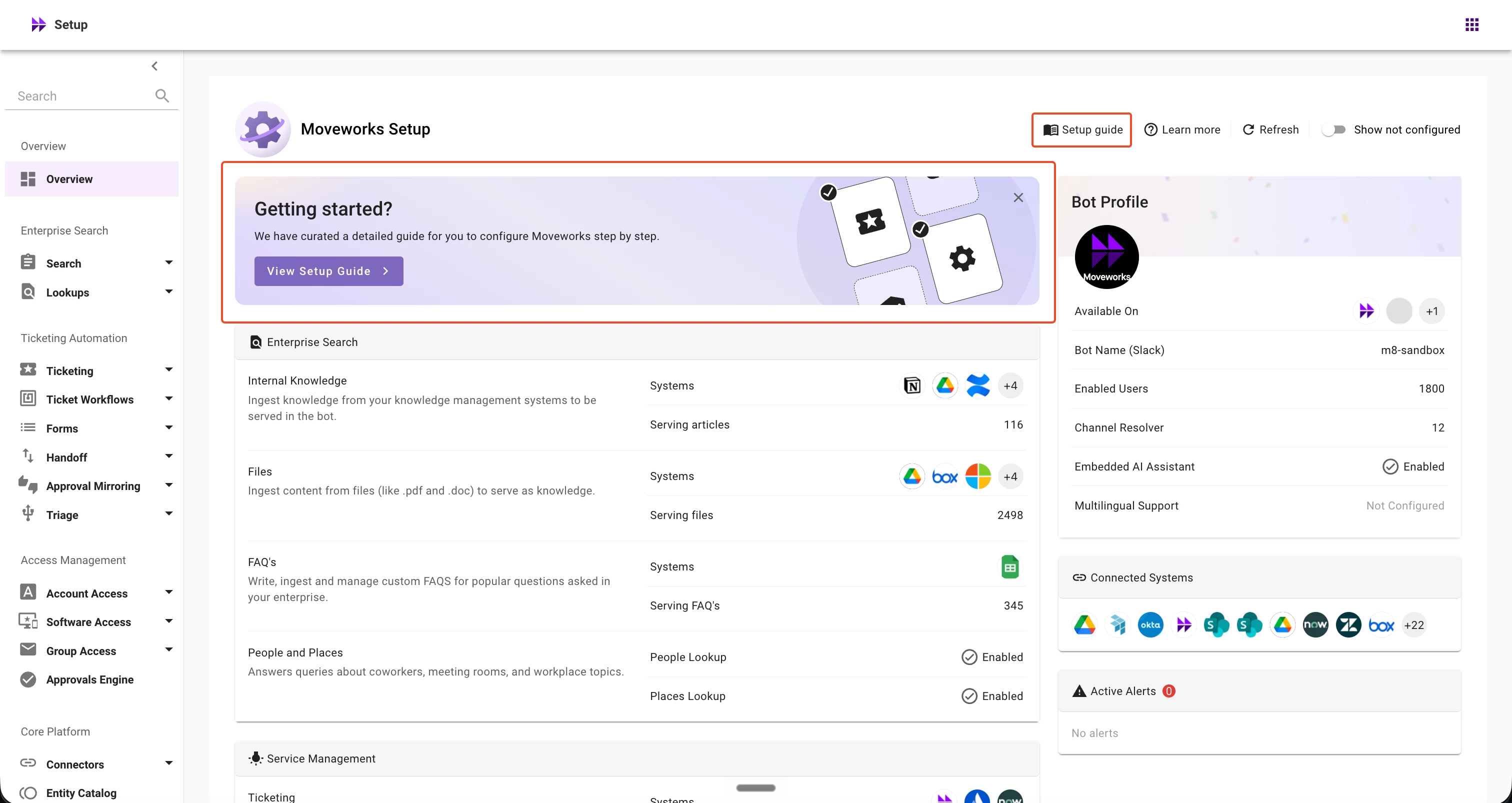
We’re introducing a new Setup guide directly within Moveworks Setup Overview page to guide admins through the recommended sequence of configurations during onboarding. Instead of relying solely on help documentation to understand the recommended setup sequence, admins can now see the full journey and navigate directly to each configuration step from within the product.
🧭 What’s new?
For organizations currently onboarding to Moveworks, the Setup Overview now includes a 'Getting started?' banner that provides a direct entry point into the Setup guide. The guide brings the complete onboarding journey together in one place, with each step providing:
- A description of what needs to be configured
- An estimated time to complete the step
- A link to detailed documentation
- A Start action that takes you directly to the relevant configuration page
The guide also includes a Jump to section navigation, making it easy to quickly understand the full setup journey and move between different stages of onboarding.
⭐️ Why this matters
Setting up Moveworks spans multiple configuration areas, and understanding the recommended sequence can be difficult when guidance is spread across documentation and different Setup surfaces. The new Setup guide helps admins:
- Understand the complete setup journey and the recommended order of configuration
- Know where to start and what to do next during onboarding
- Navigate directly to each configuration page from the relevant setup step
- Access setup guidance without leaving Moveworks Setup
📍How to access the Setup guide
For organizations currently in onboarding stages,
- Navigate to the Setup Overview page in Moveworks Setup.
- Select View setup guide from the Getting started? banner.
- Review the setup journey and select a section to see the recommended configuration steps.
- Select Start next to any step to navigate directly to the relevant configuration page and begin configuring.
✋🏻 What to know
- The banner is shown only when an organization is in onboarding stages.
- A permanent Setup guide link is always available from the Setup Overview header, so admins can return to the guide whenever needed.
- The guide provides recommended setup guidance and navigation but does not currently track completion of individual configuration steps.
📚 Learn more
For additional details, see:
Have questions or feedback? Please post them on the Moveworks Community, where our team will be happy to assist.
Thank you,
Moveworks Setup Team