


🚀 Introducing Permission Checker in Ingested Knowledge and Files.
Hello Moveworks Admins,
We're excited to announce that Permission Checker will be available in the Ingested Knowledge and Files screen on 21th January 2026.
🔍 What is Permission Checker?
The Permission Checker tool allows Moveworks admins to verify whether a specific user has access to specific knowledge base articles or files by selecting or providing a user’s email address.
🌟 When to use Permission Checker?
- A user complains that they cannot find information from specific KB articles or files in their search results, even though they should have access
- Admins have changed permissions, group memberships, or ACL rules in source system and want to confirm they are reflected in Moveworks
- After updating permission rules in Moveworks, admins need to validate that content permissions are reflected correctly
- Need to verify that new employees/UAT users can access expected content records
- Admins want to audit that sensitive HR, legal, or financial documents are only accessible to authorized personnel and not exposed to unauthorized users
👉🏻 How to access Permission Checker in Moveworks Setup?
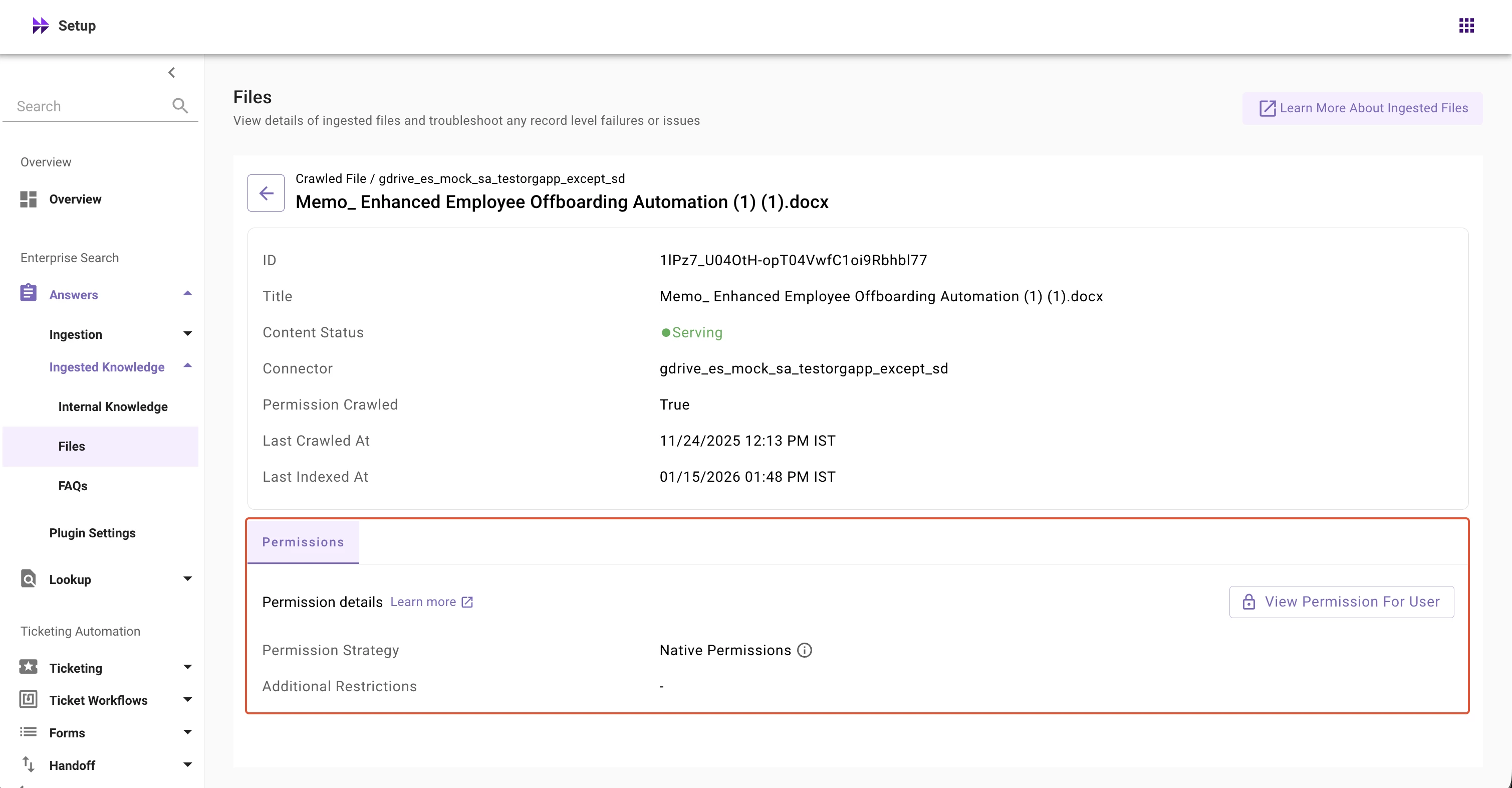
To access Permission Checker in Moveworks Setup:
- Navigate to Moveworks Setup
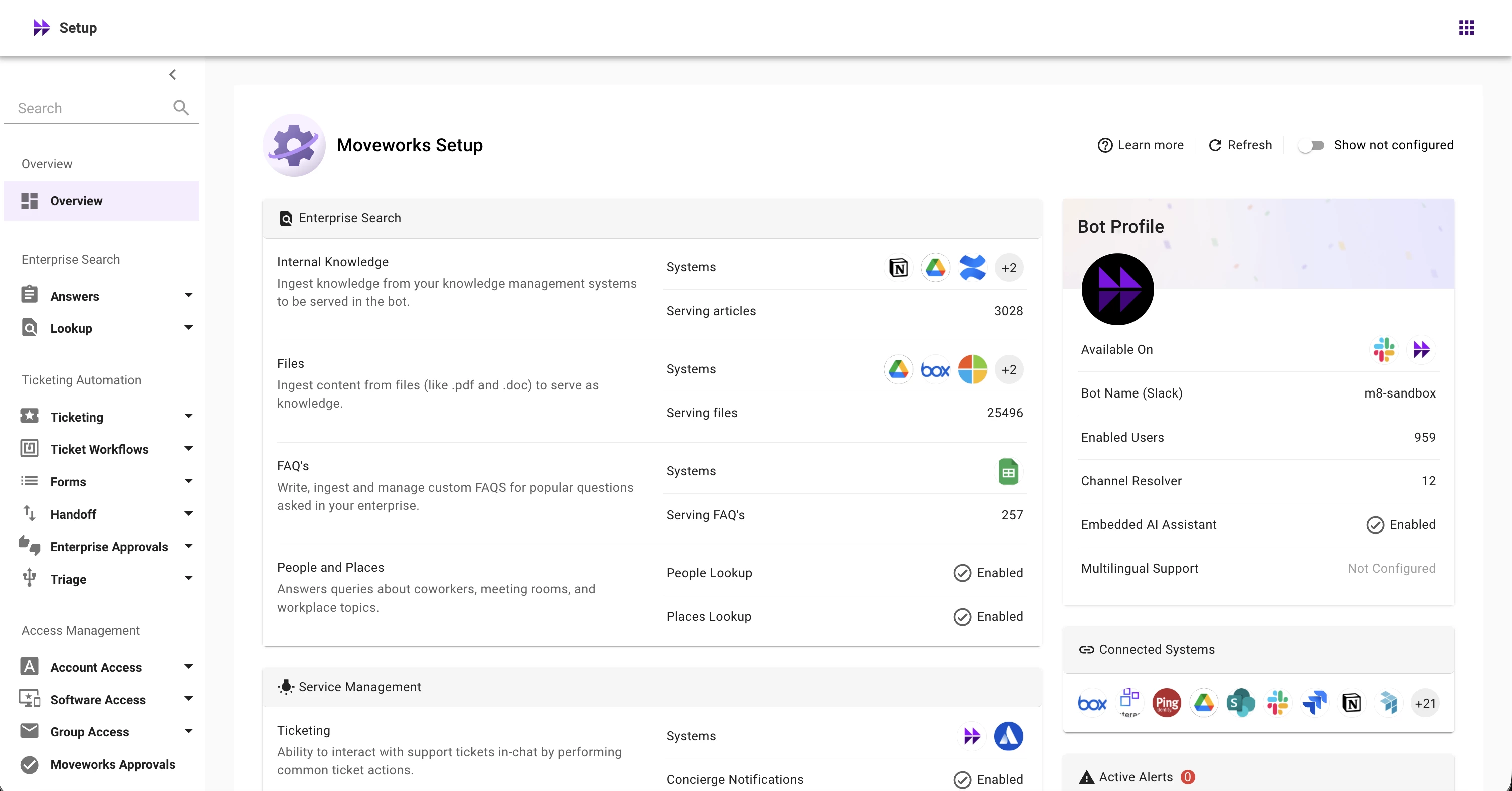
- In Enterprise Search left nav section, expand Enterprise Search → Answers → Ingested Knowledge
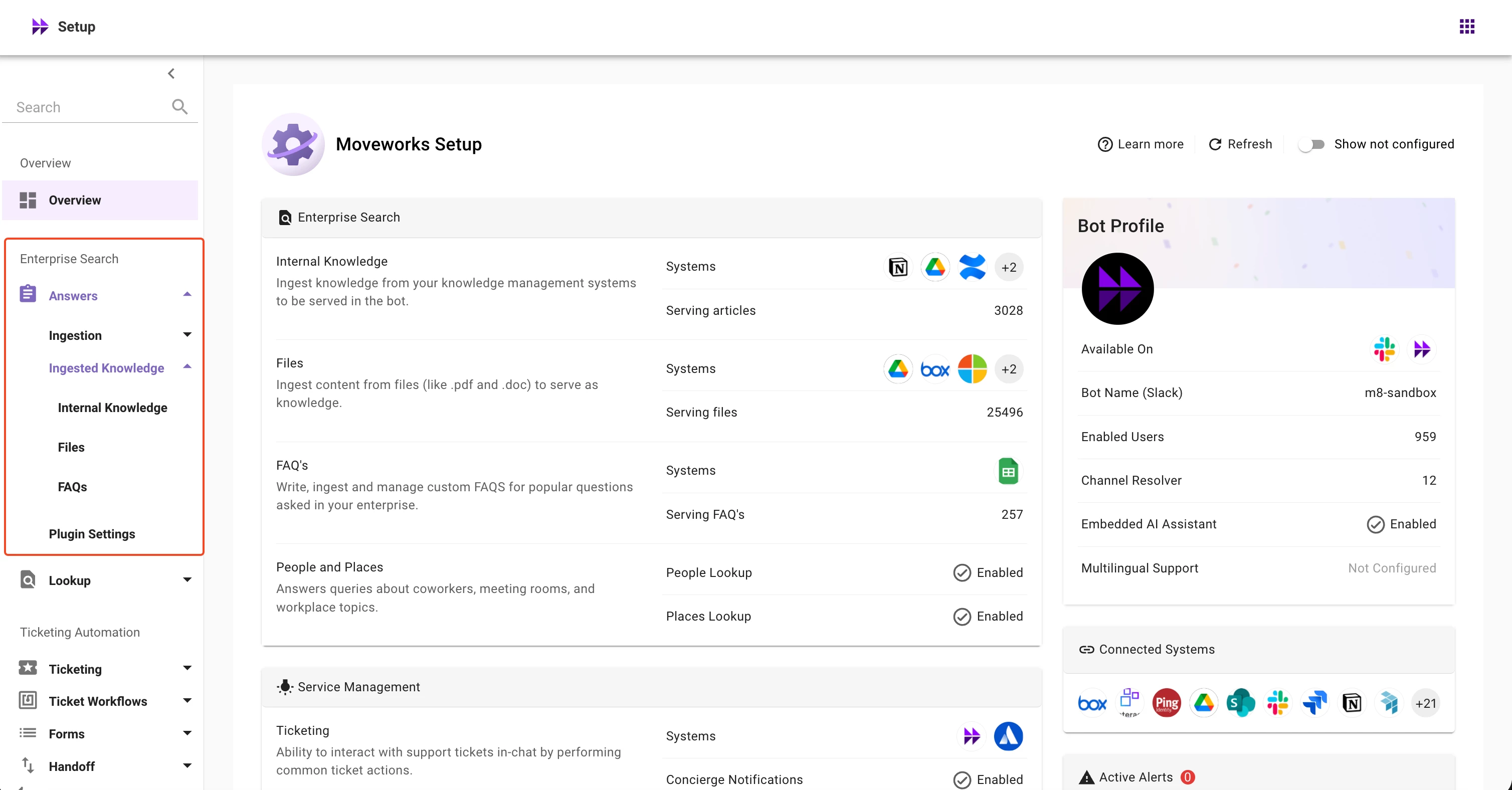
- Select Internal Knowledge or Files screen
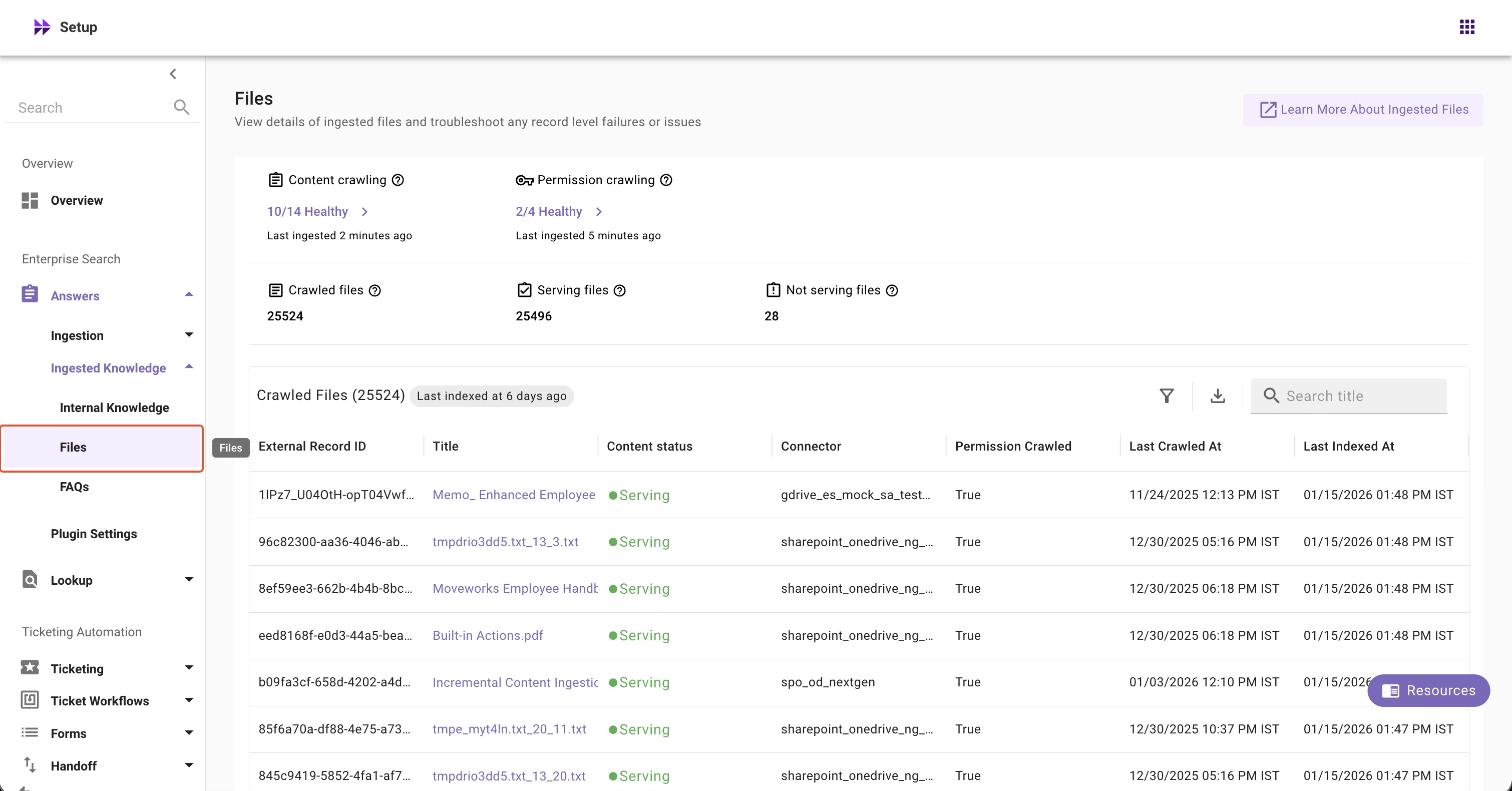
- Click on any record in the table
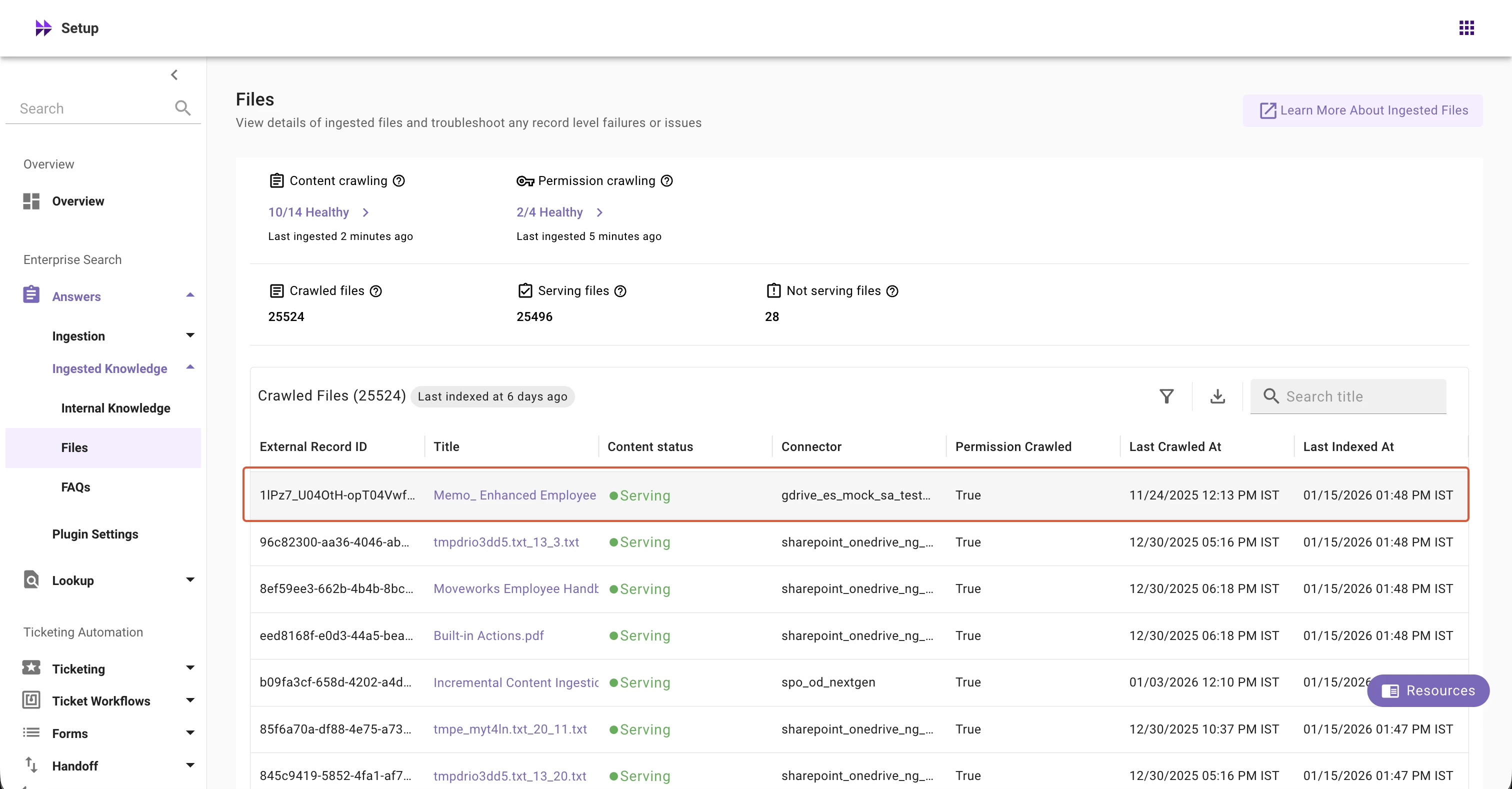
- View Permission Checker Tool
📘 Learn More
For detailed guidance on using Permission Checker, refer to our help documentation sections:
- Ingested Knowledge: https://help.moveworks.com/docs/ingested-knowledge-new#permission-checker
- Ingested Files: https://help.moveworks.com/docs/ingested-files-new#permission-checker
We encourage you to explore the Permission Checker tool and share your feedback on the community forum so we can continue to improve it!
Thank you,
Moveworks Setup Team