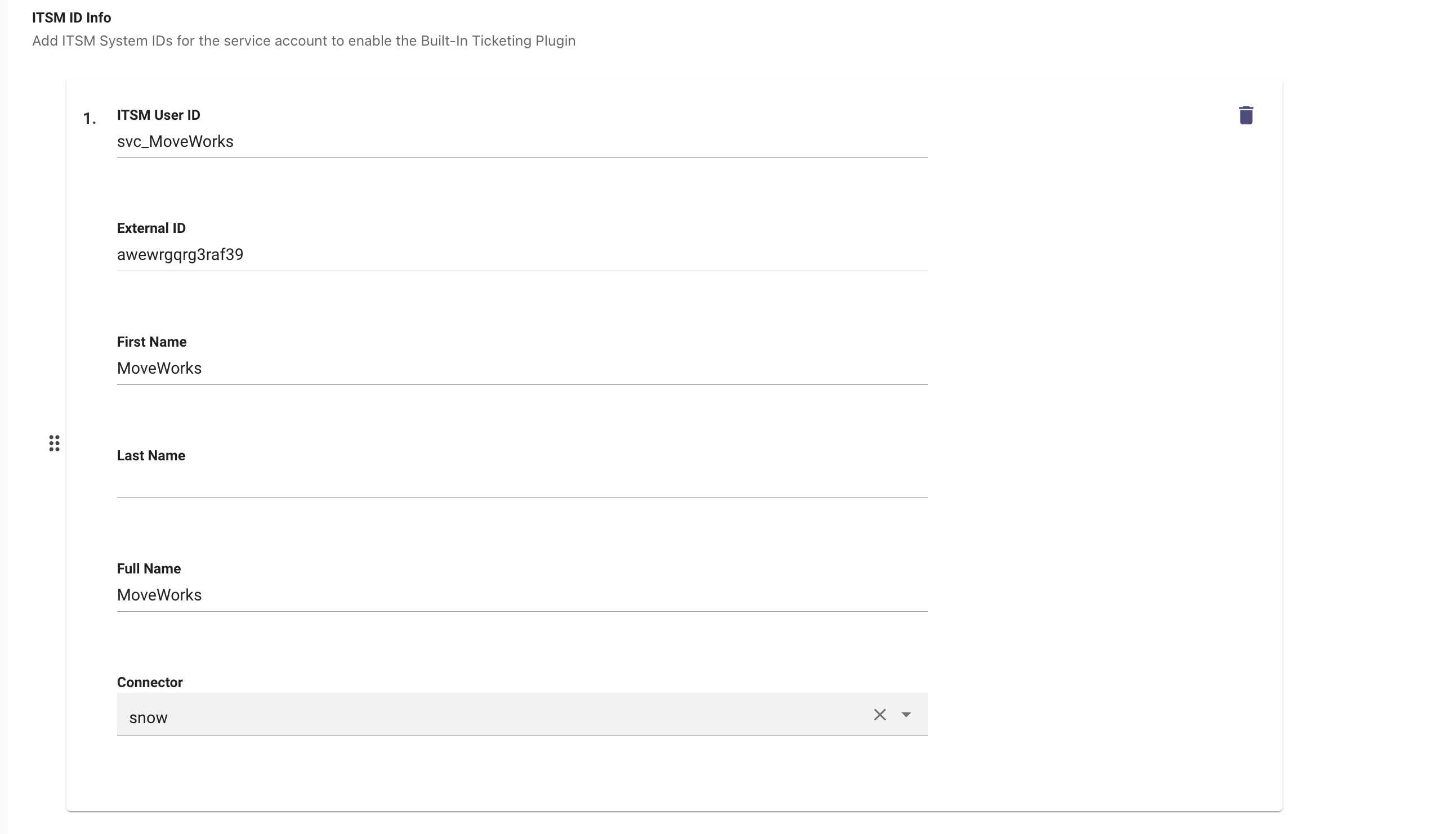
Connector selection standardization in Moveworks Setup
Hello Moveworks community,
Any Setup configuration that reads from or writes to an external system needs to point at a registered connector. Until now, most configurations let you pick that connector from a dropdown of your registered connectors — but a handful still asked you to type the connector name in as free text.
That inconsistency was more than cosmetic. Free-text entries weren't validated until runtime, so a small casing difference, a typo, or a connector that had since been renamed would pass silently at save time and then fail later — causing ingestion failures and, in some cases, bot outages that were hard to trace back to the source.
What's changed
We've standardized connector selection on the dropdown pattern everywhere. The following four configurations now use the same validated connector dropdown as the rest of Setup:
- User Identity → Advanced settings → Bot account
- User Identity → Advanced settings → Manual user management
- Triage → Model retraining
- Triage → Metadata cache
You now select from your registered connectors instead of typing a name.
What this means for you
- No more silent failures — the connector is validated when you save, not at runtime. Typos and casing mismatches are eliminated.
- Rename-safe — because configurations reference the registered connector itself, renaming a connector no longer breaks these configs.
- A consistent experience — connector selection now looks and behaves the same across every Setup surface.
Do I need to do anything?
No. Your existing values were automatically migrated to the new dropdown — there's no action required and no interruption to your current configurations. Next time you open one of these pages, you'll simply see the connector dropdown in place of the free-text field.
New connector selection