

BriefMe Upgrade: MultiModal/Image Understanding for PDFs
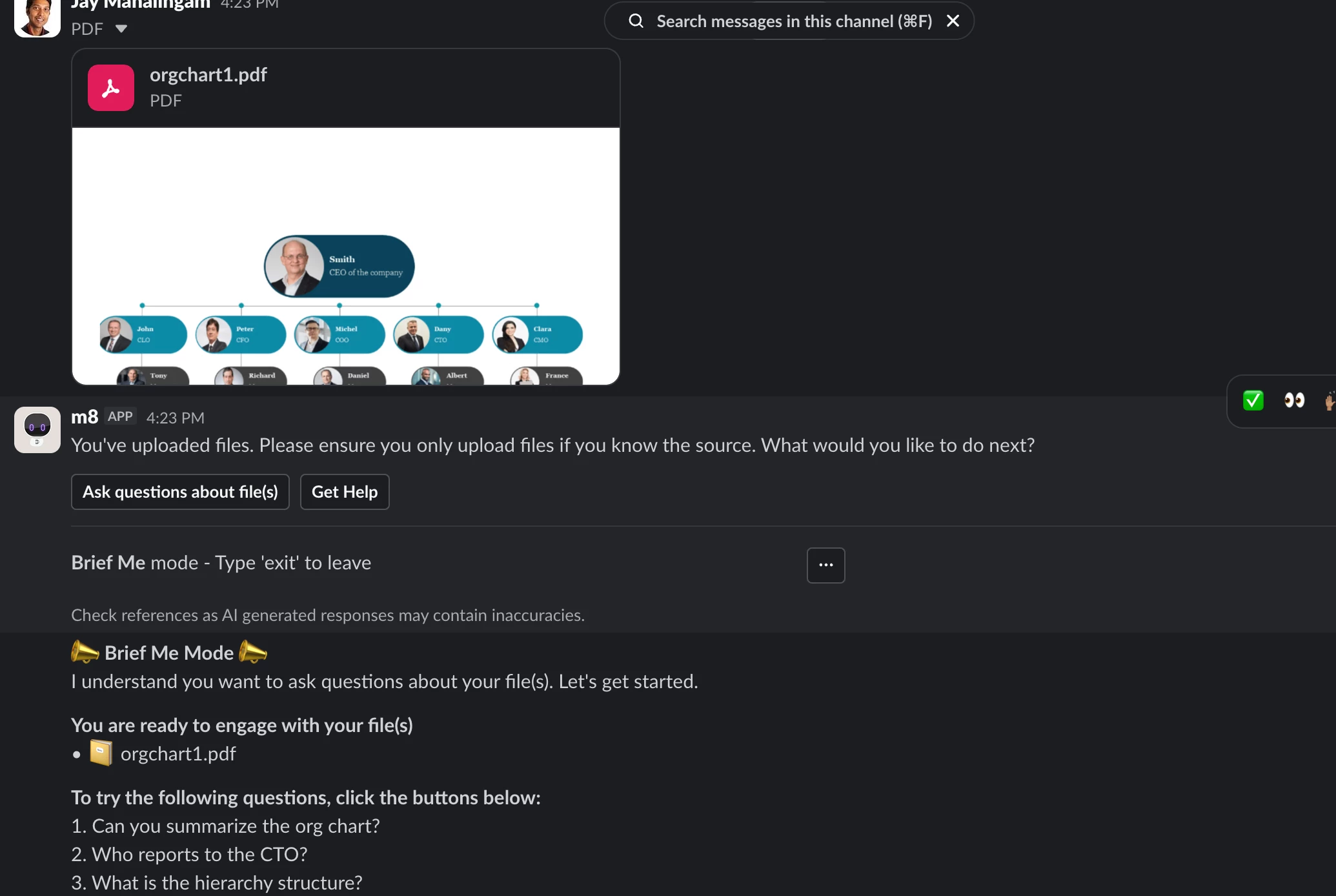
🎉Coming Soon: BriefMe Multimodal Understanding for PDFs. 🎉
We're excited to share that an important upgrade to BriefMe will be available early-mid August!
What is BriefMe Multimodal Understanding for PDFs?
BriefMe can now "see" and interpret the image elements inside uploaded PDFs. Instead of just reading the raw text, your assistant can now contextually understand these types of images - pictures, charts, tables, and complex diagrams. This means you can upload visually enriched files and have a seamless, more accurate conversation with the assistant about the document.
Who it’s for: Initially, this feature will be available to BriefMe (Slack/Teams) users in US, CA, and EU regions. In the coming months, we plan to make it available in all other regions. Also, we plan to extend Multimodal Understanding to DOCs and PPTs in the coming weeks.
What this unlocks:
- Process Visual Data: Effortlessly extract answers from trend lines, stock curves, and complex tabular images. BriefMe can perform cell value lookups and accurately interpret X/Y plots.
- Complex Diagram Interpretation: Process flowcharts, IT architecture diagrams, and org charts are now fully readable. BriefMe understands blocks, directional arrows (top-down, left-right), dotted lines, and color schemes.
- Cross-Image Analysis: Upload multiple visual PDF files at once—like a generic process flow PDF and a specific departmental org chart PDF — and ask questions that require connecting the dots between images across files.
- Multilingual Support for Images also: We currently support multilingual abilities for text. We are extending that ability for images as well. We will be able to analyze and summarize visual flows even if the embedded text is in a non-English language. (For example, uploading a Spanish chemical plant flowchart and asking for an English summary).
A few ways you can use this feature:
- HCM & HR: Upload a company org chart to instantly analyze reporting structures, or upload a complex holiday calendar PDF to filter mandatory vs. optional dates.
- IT & Engineering: Upload an IT support tier diagram to find the right escalation path, trace data paths in architecture diagrams, or even upload a PDF document with screenshots of code to get rewriting suggestions.
- Finance: Upload a chart from an annual report and ask BriefMe to calculate specific investment growth over time based on the trend line.
- Marketing: Upload a slide deck in PDF format and extract key insights from the entire deck.
Learn more here. Read how to get started here. Questions? Drop them in this thread! Our team and the broader community will jump in. Once you start using Multimodal Understanding for PDFs, we'd love to hear from you!