


Agent Studio: Reuse existing assets when installing plugins
Installing a plugin used to be messier than it needed to be.
If the target org already had a connector, HTTP action, compound action, or conversational action with the same name, Agent Studio created forced you to create another copy by renaming it. One install could leave you with Create Ticket, Create Ticket (1), Create Ticket (2), then a bunch of manual cleanup to figure out which one was the real thing.
That changes today. Reuse Existing Assets on Plugin Install is now GA for all customers.
When you install a plugin from Marketplace or import one from another environment, Agent Studio now checks for matching assets by name in the target org. For each match, you can choose:
Incoming asset         Choice
ServiceNow connector   Use existing or configure new
Create ticket action   Use existing or configure new
Notify user action     Use existing or configure new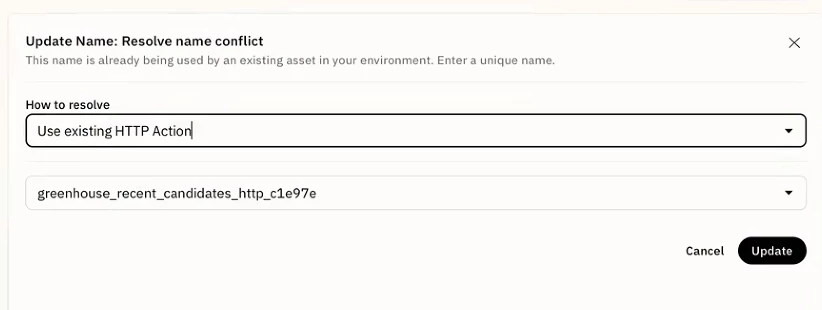
Pick Use existing and the plugin points at the asset already in that org. Anything new still gets created as new.
What this fixes:
→ Less asset sprawl after installs
→ Less manual rewiring after sandbox-to-prod promotion
→ Same install flow for Marketplace installs and environment imports
The important caveat: this is reuse, not overwrite. Agent Studio does not modify the asset you reuse, and this does not add version history or rollback. If you need a separate copy, choose Configure new.
You'll only see existing assets you're allowed to reuse.
If plugin installs have left your org with a trail of duplicate actions, try the new flow and tell me where it still feels rough.