


A major upgrade to content ingestion
We’re excited to roll out a major upgrade to how Moveworks ingests content from your connected systems. This upgrade helps us download large amounts of content faster and respond to changes in content filters without downloading everything again. It also lays the foundation for the upcoming Content Troubleshooting Hub.
Moveworks will manage the rollout internally. You do not need to migrate connectors or change your configuration.
What improves
- Download large amounts of content faster: Moveworks can download large amounts of content more quickly, reducing the time spent bringing it in from your connected systems.
- Change content filters without downloading everything again: When content filters change, Moveworks rechecks content it has already found against those filters every 15 minutes, without repeating the entire discovery and download process.
- Prioritize recently updated documents during full refreshes: Moveworks downloads recently updated documents first when performing a full refresh.
What to expect during the rollout
We are rolling out the upgrade connector by connector, with completion planned by October 31, 2026. For the connectors in this rollout, we ran the updated ingestion process alongside the existing process and verified that the ingested content and permission records matched.
What changes during the rollout
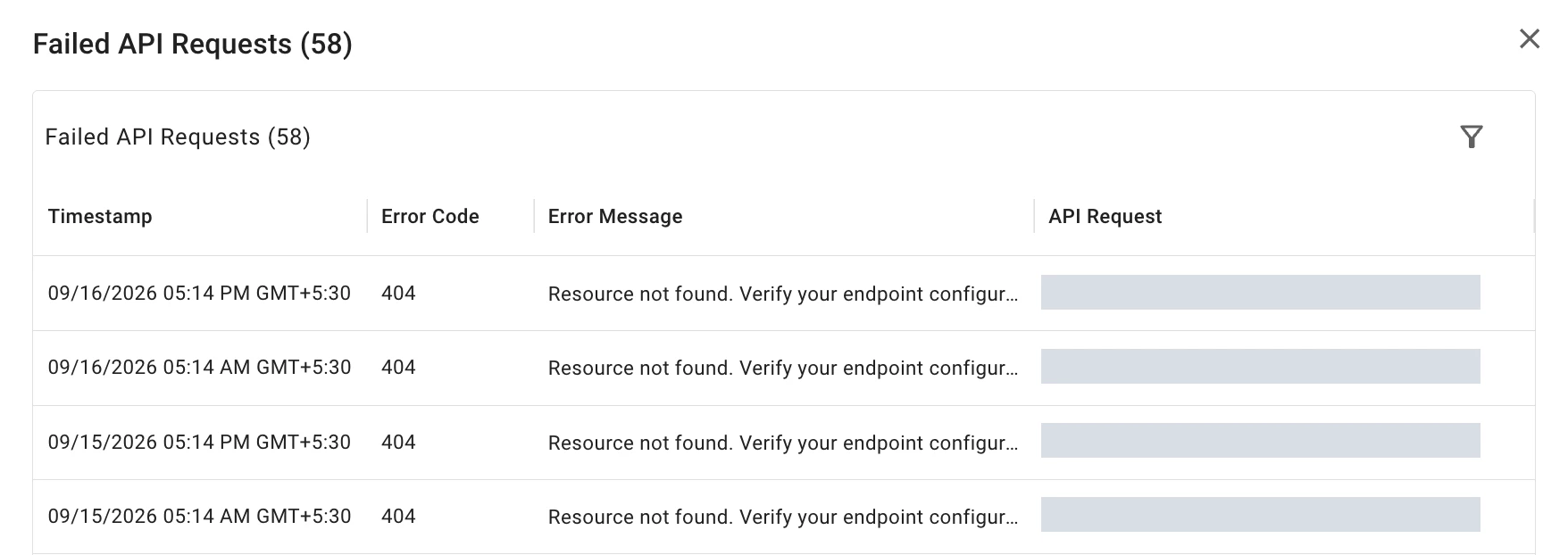
As each connector is upgraded, you’ll be able to investigate connector issues via failed API requests directly, instead of first opening an ingestion run.
Upgraded connectors appear under Content (new architecture) on the standalone Setup → Core Platform → Data Ingestion → Data Crawling page. Other connectors remain under Content until they are upgraded, so both sections can appear during the rollout.
The crawling dialogs inside Indexed Content do not show this new section. Open the standalone Data Crawling page for failed requests, and continue using Indexed Content for individual record details.
Crawl Health displays Not applicable because this section does not report an overall crawl-health status. The label itself does not indicate an ingestion failure.

Select View Failed Logs for the relevant connector and resource to see failed API requests from the last 30 days. You can filter the list by Error Code.
See the Data Crawling guide for failed-request troubleshooting and the Indexed Content guide for individual record details.
Coming next: Investigate content problems in one place
During this transition, you’ll use Data Crawling for failed requests and Indexed Content for individual record details. We’re developing Content Troubleshooting Hub, planned by November 30, 2026, to bring these details together with guidance on what to do to resolve these active issues.