Tool Approval Policy for MCP Servers
Control when MCP tools require employee approval
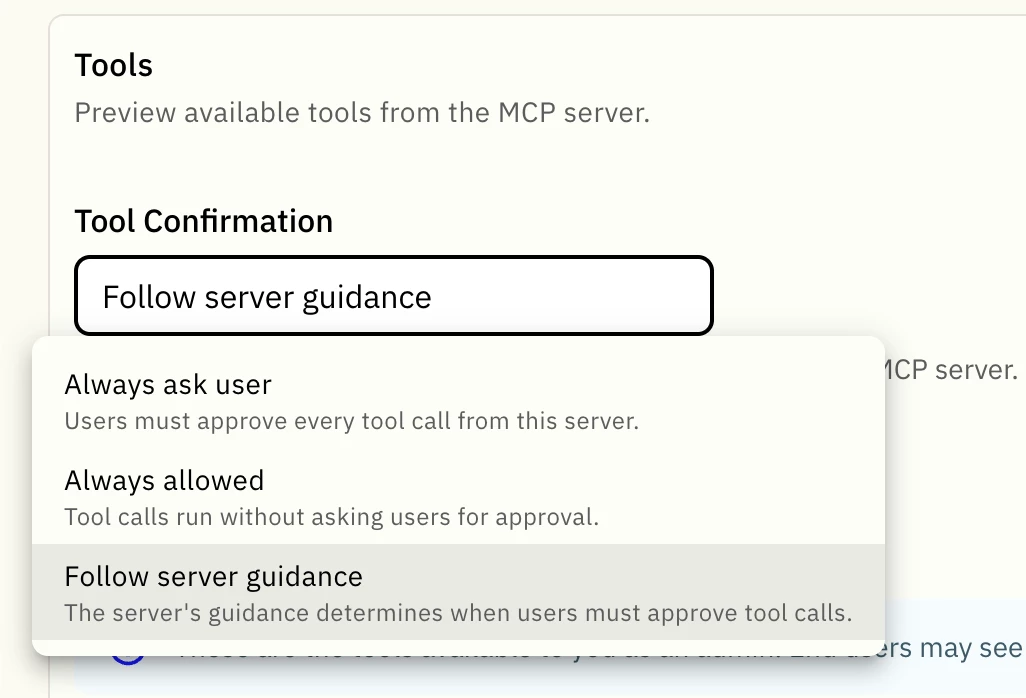
Every MCP server now has a tool approval policy that controls whether an employee must approve a tool before it runs. The policy applies to all tools on the server, can be selected when the server is connected, and can be changed later.
This gives admins a practical safety control for MCP tools while preserving a smooth experience for trusted, read-only actions.
Choose the right policy for each server
Follow server guidance — default
The MCP server's tool annotations determine whether approval is required for each tool. A tool runs without asking only when it is explicitly:
- Read-only
- Non-destructive
- Not open world
Every other tool asks the employee for approval before it runs. This is the recommended starting point for most servers.
Always ask user
Every tool call from the server requires employee approval. This is the most cautious option and is appropriate for servers that can update a system of record or have not yet been evaluated.
Always allowed
Tools from the server run without an approval prompt. This option is intended for read-only servers that the organization trusts completely, such as documentation and reference lookups.
How server guidance is evaluated
When Follow server guidance is selected, Moveworks evaluates three MCP tool annotations:
| Annotation | How it affects approval |
| --- | --- |
| Read-only | Must be explicitly true to run without approval. If omitted, it is treated as false. |
| Destructive | Must be explicitly false to run without approval. If omitted, it is treated as true. |
| Open world | Must be explicitly false to run without approval. If omitted, it is treated as true. |
The idempotent annotation is not used for this decision. It indicates whether a retry is safe, not whether the first action is safe.
Annotations are supplied by the MCP server's developer, not by Moveworks. If a server supplies no annotations, its tools require approval by default. When Moveworks cannot determine that a tool is safe, it asks the employee.
What employees see
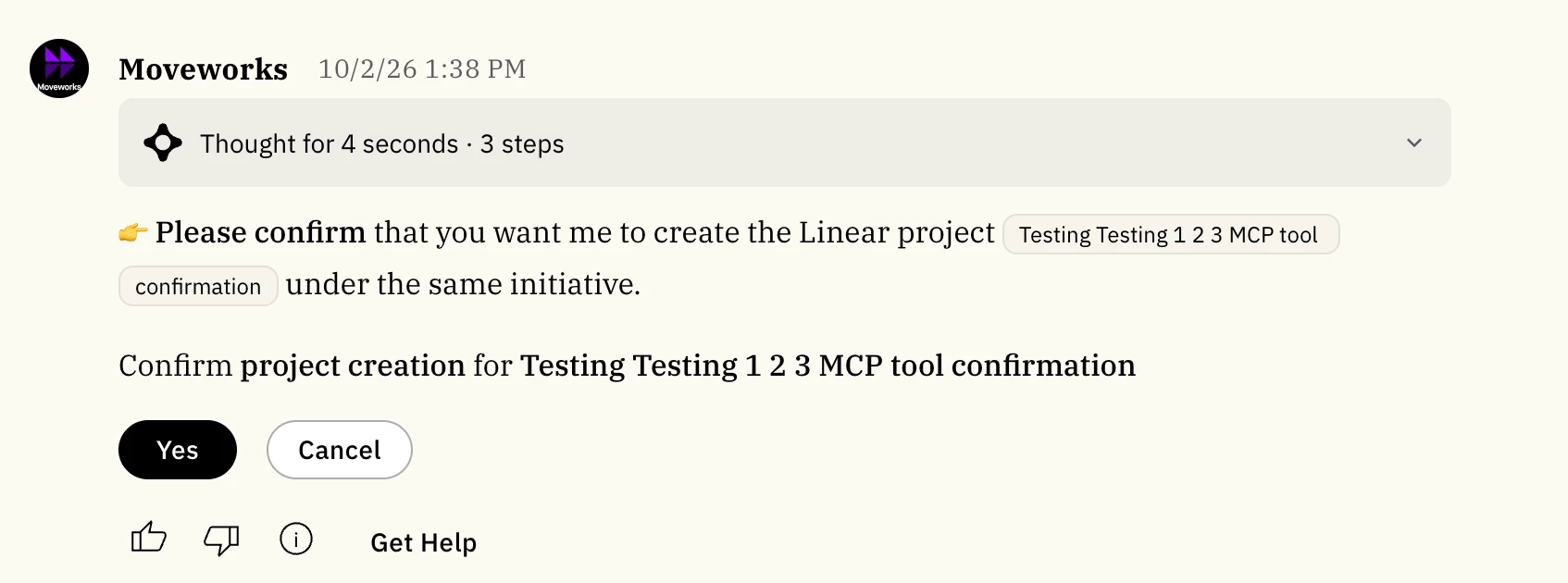
When approval is required, the assistant shows the employee what it is about to do and asks for permission before running the tool. If the employee declines, the tool does not run.
Configure the policy
- In Agent Studio, go to MCP Servers and open the server.
- Find Tool approval policy in the server configuration.
- Select Follow server guidance, Always ask user, or Always allowed.
- Confirm the change when prompted for Follow server guidance or Always allowed. Always ask user applies immediately because it is the most restrictive option.
- Save and publish.
Changes take effect on the next tool call. Employees do not need to authenticate again.
Existing MCP servers
Existing servers default to Follow server guidance. If a server publishes annotations, trusted read-only tools continue to run without interruption while tools that modify data or reach outside the connected system ask first. If a server does not publish annotations, every tool asks for approval.
Admins should review the policy for each connected server and select the option that matches its capabilities and risk profile.
Learn more
See Connect and Manage Servers for configuration guidance.