

Productivity Assistants
How are we improving the product?
Work does not stop at finding information, completing a standard workflow, or filing a ticket. Many of the most valuable tasks employees perform are contextual and nuanced: preparing for an important customer meeting, analyzing candidates, writing a performance review, researching a market, coordinating a complex project, or producing an executive-ready deliverable.
Productivity Assistants are purpose-built AI assistants designed to excel at work like this. An assistant can be tailored to a particular task, role, team, or business domain—with focused knowledge, tools, instructions, and access—so it understands the context of the work and helps drive it toward a useful outcome.
Employees and administrators will be able to create Productivity Assistants without code, start from approved templates, or adopt prebuilt assistants for common use cases. Examples may include calendar management, recruiting coordination, customer preparation, RFP responses, onboarding, performance reviews, research, and team operations.
What can Productivity Assistants do?
Depending on how they are configured, Productivity Assistants can:
- Long-Running Tasks: Complete complex work that requires multiple stages of research, analysis, planning, and execution—such as deep research, account preparation, or creating a comprehensive report.
- Contextual Behavior: Focus on selected enterprise or external sources, follow task-specific instructions, and apply the right context for a particular role, team, domain, or workflow.
- Skills: Use reusable skill packages—including
SKILL.mdinstructions and supporting resources—to consistently perform specialized tasks according to an organization’s preferred methods and standards. - Enterprise Knowledge and Web Research: Search, compare, and synthesize information across selected company sources and current public information, with citations back to the supporting material.
- Tools and Actions: Use approved plugins, integrations, and enterprise tools to retrieve information, update records, initiate workflows, and take authorized action across connected systems.
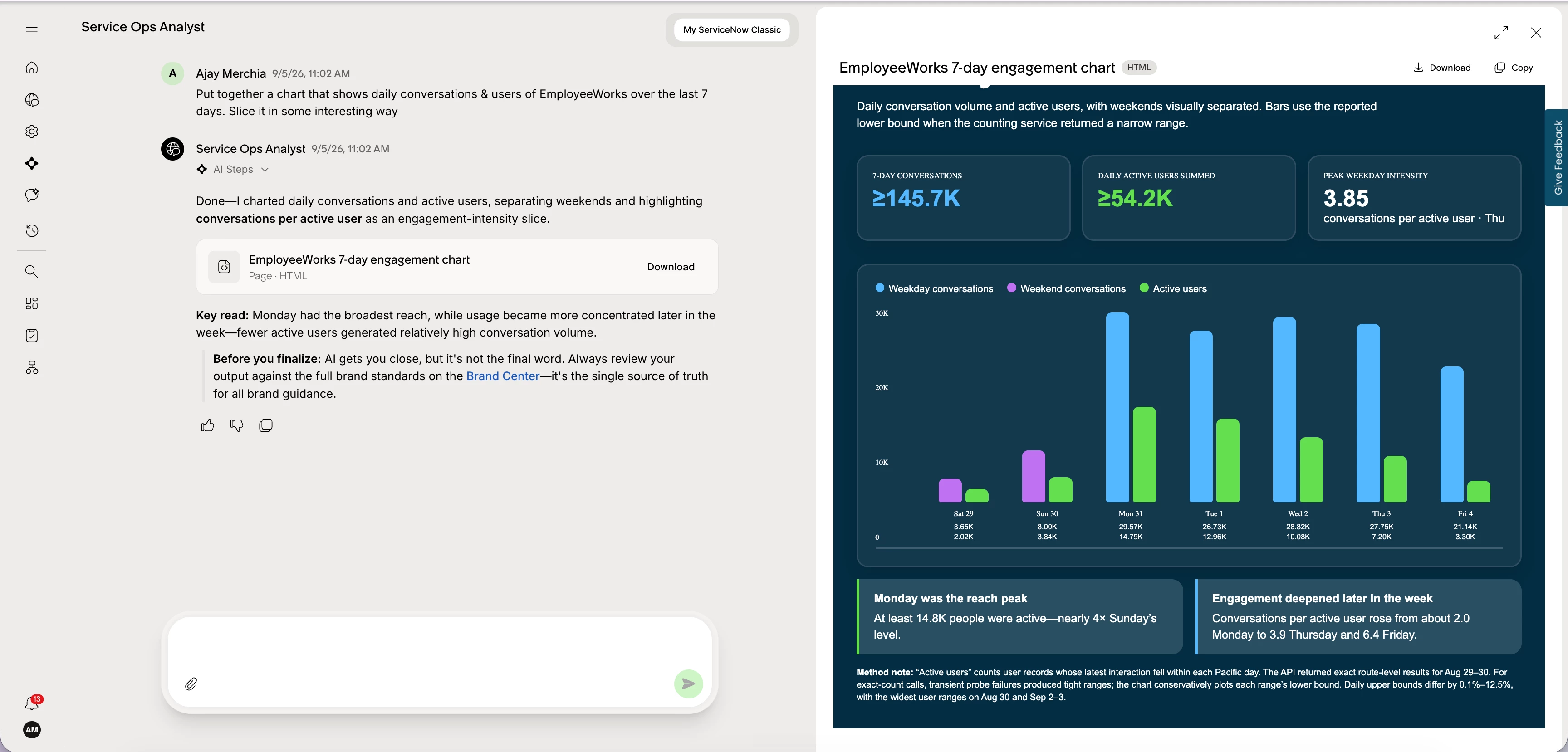
- Artifact Generation: Turn completed work into polished, shareable outputs—including interactive experiences, reports, presentations, documents, PDFs, tables, charts, dashboards, and prototypes.
- Conversational Refinement: Let employees review an answer or artifact, request changes, explore details, and continue iterating without restarting the work in another application.
- No-Code Creation: Create an assistant from scratch or customize a template by selecting its purpose, instructions, knowledge, tools, skills, conversation starters, and intended audience—without writing code.
- Prebuilt Assistants and Templates: Start quickly with vetted assistants and reusable templates designed for common roles and use cases, then tailor them to the organization’s needs.
- Governance and Sharing: Share assistants with the appropriate individuals, teams, roles, or groups while giving administrators control over who can create, configure, publish, and broadly distribute them.
- Permissions-Aware Operation: Respect existing enterprise permissions so employees only access information and perform actions they are already authorized to use.
- Cross-Channel Access: Use Productivity Assistants through EmployeeWorks web and supported enterprise messaging experiences, allowing employees to access focused assistance where they work.
Availability and rollout
Capabilities may be introduced in phases. The assistants, knowledge sources, tools, skills, artifact formats, channels, sharing options, and administrative controls available during controlled availability may differ from the complete planned experience.
Licensing and documentation
Licensing, packaging, configuration guidance, and getting-started documentation will be shared before broader availability.