Dedicated Notifications Tab for Moveworks in Microsoft Teams (and Slack)
The Problem
Today, the Moveworks bot in Microsoft Teams (and Slack) only has a Chat and Shared tab. All notifications — ticket updates, approval requests, pending actions, comms — land directly in the Chat conversation alongside regular bot interactions.
This creates a real problem:
- Notifications get buried. As soon as a user sends a new message to the bot, older notifications scroll out of view. There's no way to see a consolidated list of pending items without scrolling back through the chat history.
- Busy managers lose track of approvals. Managers with high approval volumes can't efficiently triage what needs attention. They're not going to have a back-and-forth conversation with a chatbot to filter down pending requests — they'll just open ServiceNow directly, which defeats the purpose of the bot.
- The problem gets worse at scale. The more notification types you enable (ticket concierge, approval reminders, comms, visitor alerts), the noisier the chat becomes, and the more likely critical notifications are missed.
As one of our store managers put it when testing Bolt visitor notifications:" it kind of got lost between two others, so not necessarily obvious."
What We Want
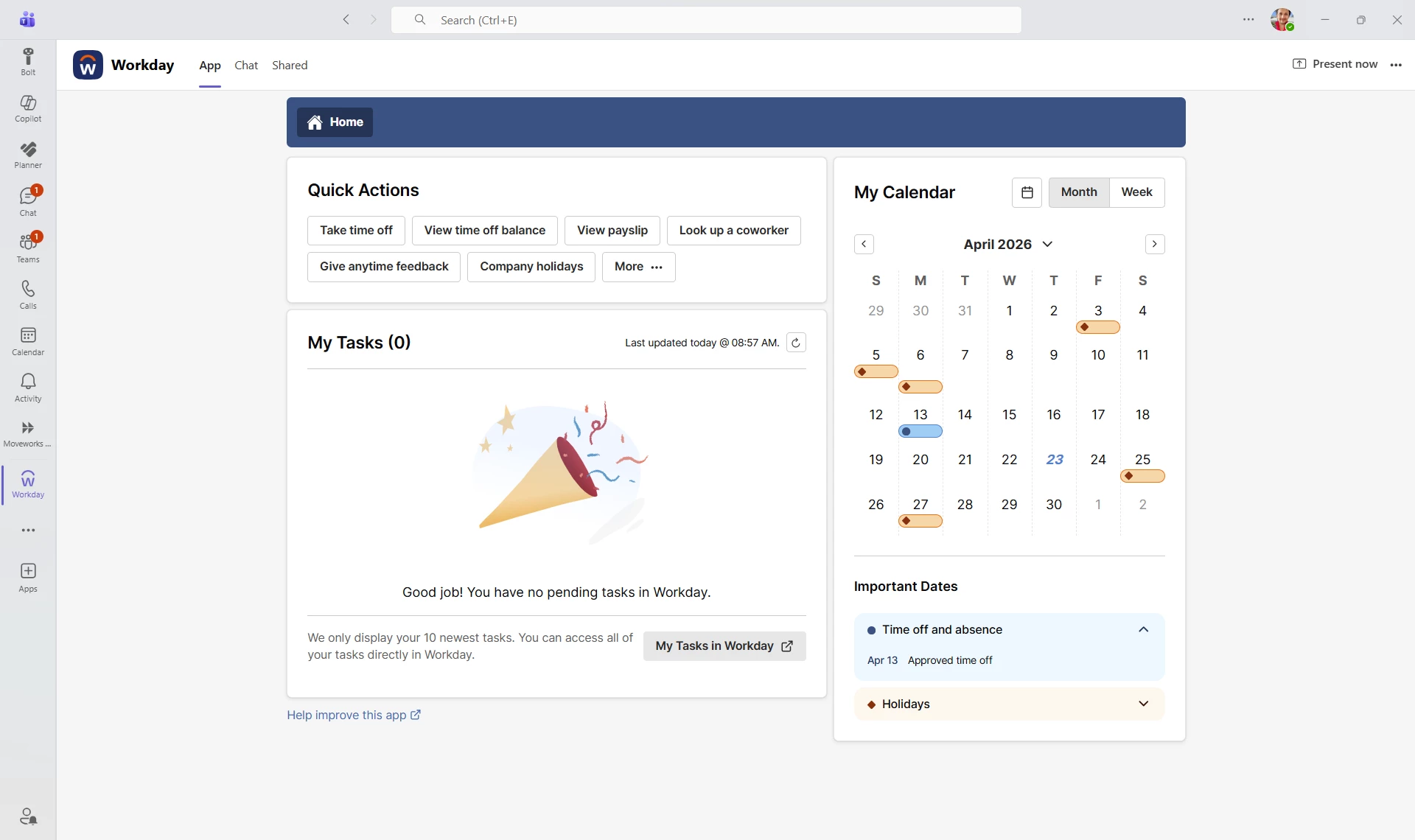
We'd love Moveworks to adopt the same tab structure that other Teams apps (like Workday) already use:
| Tab | Purpose |
|---|---|
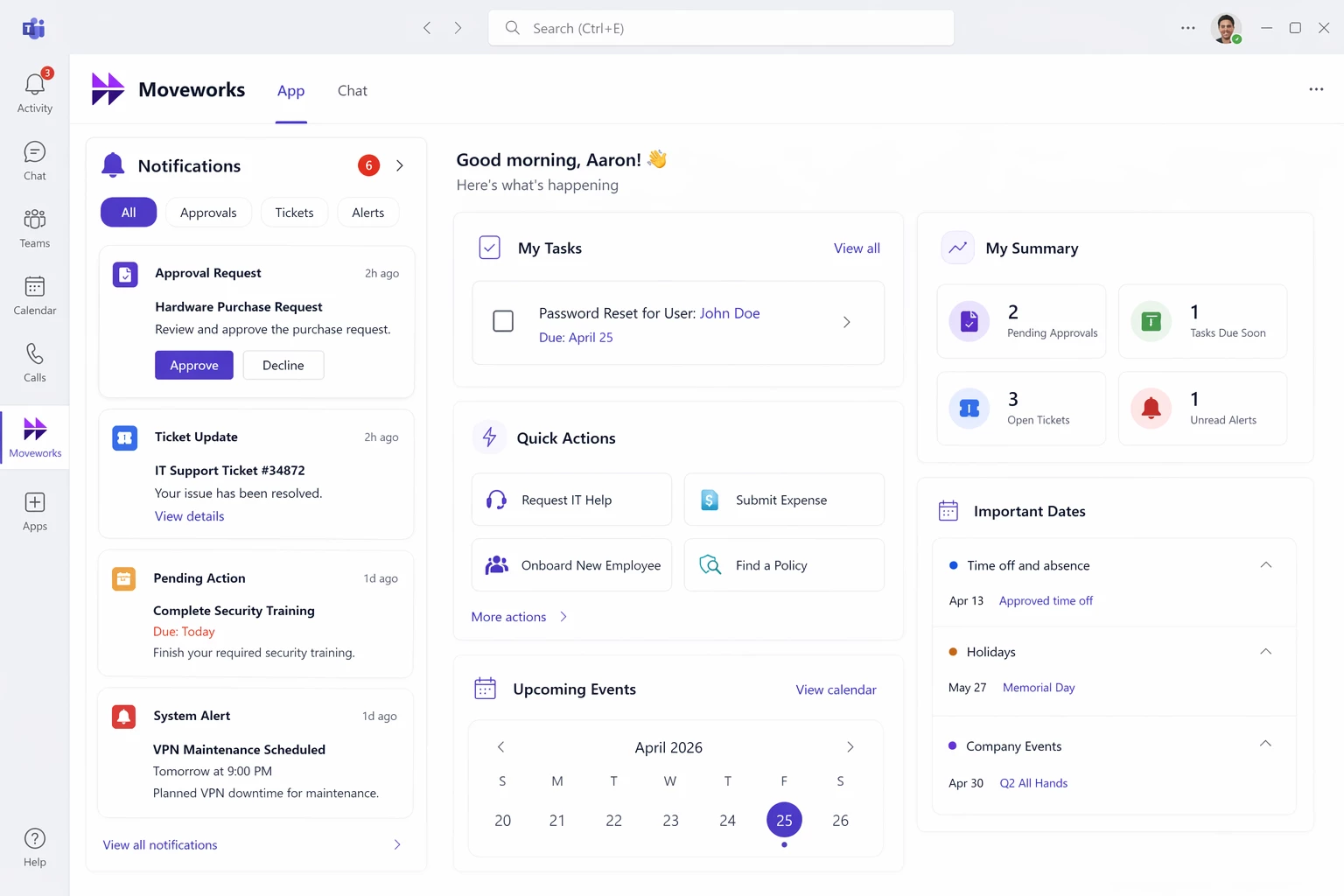
| App | Dedicated notification feed — ticket updates, approval requests, pending actions, comms. Structured, scannable, persistent. |
| Chat | Conversational interaction with the bot — questions, lookups, form submissions. |
| Shared | Shared files and links (already exists). |
The Workday Teams app is a great reference. Its "App" tab shows Quick Actions, tasks, and calendar events — completely separate from the "Chat" tab where users interact with the Workday bot. Notifications like time-off approvals appear in Chat, but the persistent task list lives in App. This separation keeps things clean and actionable.
Why This Matters
- You've already solved this on the web. The Moveworks Web Assistant (
/assistant) has a dedicated Notifications panel — separate from the chat. It works well. But it pulls users away from their primary collaboration platform (Teams/Slack) and requires additional SSO app assignment (e.g. Okta), which is more admin overhead. - Microsoft Teams supports this pattern natively. The Teams platform provides Activity Feed Notification APIs and supports custom tabs within bot apps. The technical capability exists.
- Meet users where they are. Moveworks' own mission is to "meet employees where they are." For most enterprises, that's Teams or Slack — not a separate web portal. The notification experience should live there too.
- Approval velocity. Managers need a glanceable, structured view of what's pending — not a chat transcript to scroll through. A dedicated tab would significantly reduce approval turnaround time and friction.
What This Could Look Like
- Notification feed in the "App" tab — filterable by type (approvals, ticket updates, comms, reminders).
- Badge count on the App tab showing unread/pending notifications.
- Actionable cards — approve/reject, acknowledge, or deep-link to ServiceNow directly from the notification.
- Persistent state — notifications remain visible and accessible until actioned, not buried by new chat messages.
Who This Impacts
This isn't a niche request. Every Moveworks customer on Teams or Slack that uses ticket notifications, approval workflows, or employee comms is affected. The challenge scales with org size — the more users and notification types you enable, the worse the chat-noise problem becomes.
TL;DR
| Current State | Desired State |
|---|---|
| All notifications land in the Chat tab | Notifications in a dedicated App tab |
| Notifications scroll away with new messages | Persistent, scannable notification feed |
| Managers must scroll or ask the bot to filter | Structured view with filters and badge counts |
| Web Assistant has this — Teams/Slack doesn't | Parity across all surfaces |
| Web Assistant requires separate SSO/Okta app | Keep the experience in Teams/Slack |
If you're dealing with this same challenge — please upvote and comment. The more visibility this gets, the more likely it makes it onto the roadmap. 🙏
Here’s what it could look like