


Angus Walker
Inspiring
May 8, 2025
4. Future Consideration

Add Preferred Language as a user attribute

Related products:Agent Studio
  • May 8, 2025
  • 9 replies
  • 85 views

The user can set their preferred language within the bot:
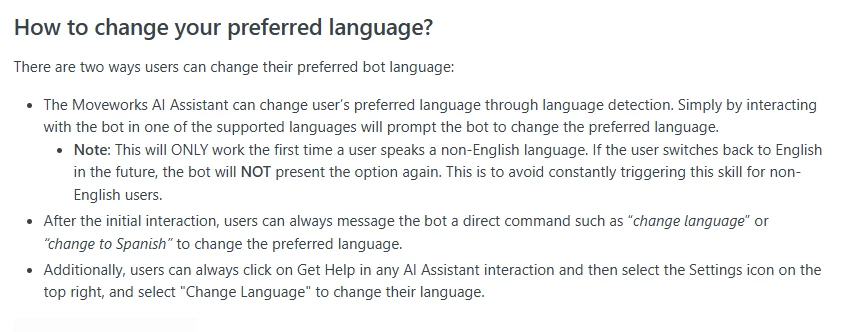
but there is no way to pass that knowledge to an HTTP Action (In my case, the action sends an email in the user’s language).

Can we add the preferred language (e.g. {{user.pref_lang}}) to the list of User Attributes

9 replies

Ajay Merchia
Community Manager
May 11, 2025

Hey ​@Angus Walker,

This makes sense given you want to email the user – but I’m curious, why not send a notification to the user via our Events API? It automatically translates to the user’s preferred language.

Angus Walker
Inspiring
May 12, 2025

Hi ​@Ajay Merchia 

I have a couple of uses for this:

  • The Action jumps out to a Microsoft Flow that triggers an approval process, so the email is sent by that.
  • I also have another Use Case where my Bot is asking too many questions so I want to jump out to a form. Since I can’t do custom forms in Moveworks yet (Re: this question), I would also like to breakout to a form in the users language.
Angus Walker
Angus Walker
Inspiring
May 12, 2025

I have a couple of uses for this:

  • The Action jumps out to a Microsoft Flow that triggers an approval process, so the email is sent by that.
  • I also have another Use Case where my Bot is asking too many questions so I want to jump out to a form. Since I can’t do custom forms in Moveworks yet (Re: this question), I would also like to breakout to a form in the users language.

Angus Walker
Angus Walker
Inspiring
May 12, 2025

I have a couple of uses for this:

  • The Action jumps out to a Microsoft Flow that triggers an approval process, so the email is sent by that.
  • I also have another Use Case where my Bot is asking too many questions so I want to jump out to a form. Since I can’t do custom forms in Moveworks yet (Re: my question titled “Forms”), I would also like to breakout to a form in the users language.

Angus Walker
Ajay Merchia
Community Manager
May 15, 2025

I see -- to be honest, we’d love to learn more about the use case where your Assistant is asking a lot of questions and think through how to make that a good conversational experience.

Could you share more on that form-style use case so we can think through the gaps you’re experiencing?

Angus Walker
Inspiring
May 15, 2025

Hi ​@Ajay Merchia 

Here was my first attempt that leads to too many questions:


My new conversation is as follows (bearing in mind that there maybe a form with different questions depending on the company selected):
 

The link then jumps out to a Microsoft Power Platform form to collect the extra details (with the name and company populated. The main reason for this feature request, is to auto select the language displayed):


After clicking “Send Request” the form will close with a message saying Sylvan will let you know when the contract has been approved!

This is much cleaner and allows additional verification, such as providing a dropdown/searchable list of all our thousands of project numbers, etc. 
Hopefully, at some point in the future, we could build this as a popup form within the bot itself.


Angus Walker
Ajay Merchia
Community Manager
May 21, 2025

Thank you Angus,

For power users, it makes sense to route them back out to the form – but there’s a number of advantages to keeping it conversational

  • The Assistant can fill out fields based on the expressed needs of the user – the user doesn’t have to figure out which of those thousands of project numbers matches theirs.
  • If there are follow-up questions – these automations can be combined with knowledge search to help them fill it out.
  • Users can fill out multiple NDA request forms in parallel.

In your case, you could imagine a user filling this out once, but then saying something like “fill it out again, but do it for Vendor XYZ – just grab their details from the internet” and then the Assistant can look up Vendor XYZ from the web, get their address, and fill out the form again with all the same configurations.


I actually do this internally – I use the dictation features on my Mac to just say what I want to our internal assistant, and have it update various Salesforce records for me in parallel. This way, you’re connecting your intelligent Assistant to more capabilities instead of just pointing to other capabilities.


You can still put a content activity at the top of your plugin to link out to the form for power users, but continue with the rest of the experience so your users have choice (to do it conversationally or via form).

Ajay Merchia
Community Manager
May 21, 2025

One more recommendation – when our Webhooks feature is out – consider integrating your MSFT Flow approval process with your assistant so we can handle the translation for you.


Angus Walker
Inspiring
May 22, 2025

Thank you Angus,

For power users, it makes sense to route them back out to the form – but there’s a number of advantages to keeping it conversational

  • The Assistant can fill out fields based on the expressed needs of the user – the user doesn’t have to figure out which of those thousands of project numbers matches theirs.
  • If there are follow-up questions – these automations can be combined with knowledge search to help them fill it out.
  • Users can fill out multiple NDA request forms in parallel.

In your case, you could imagine a user filling this out once, but then saying something like “fill it out again, but do it for Vendor XYZ – just grab their details from the internet” and then the Assistant can look up Vendor XYZ from the web, get their address, and fill out the form again with all the same configurations.


I actually do this internally – I use the dictation features on my Mac to just say what I want to our internal assistant, and have it update various Salesforce records for me in parallel. This way, you’re connecting your intelligent Assistant to more capabilities instead of just pointing to other capabilities.


You can still put a content activity at the top of your plugin to link out to the form for power users, but continue with the rest of the experience so your users have choice (to do it conversationally or via form).

Cheers ​@Ajay Merchia ,

While testing in the conversational method, I did indeed say “Fill it out again for Vendor XYZ”, which works great. I’m not sure users raise multiple NDA documents at one time but it may help in cases like “Please raise a Sub Contractors Agreement” then “Please Raise an NDA with the same data”

I also particularly like that last paragraph.  Give them the option to break out to a form or continue conversationally. 

Angus Walker