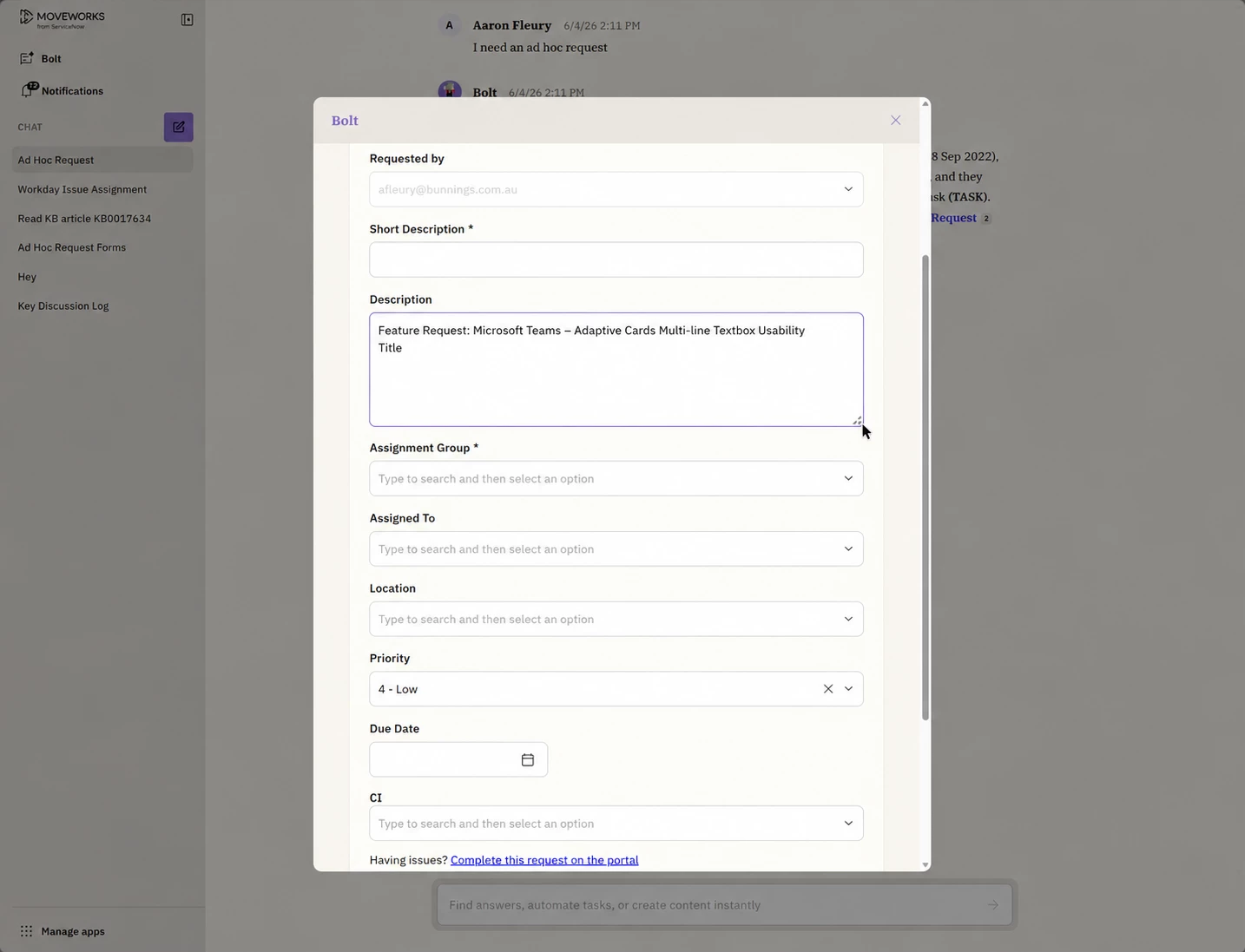
1. New
Adaptive Cards – Multi-line Textbox Usability (Web Assistant)
Summary
- Multi-line textbox (Description field) in Web Assistant adaptive cards cannot be resized.
- Impacts usability vs expected behaviour in modern web forms.
Problem Statement
- Users cannot expand the Description field.
- Limits visibility of typed content.
- Creates friction when entering longer responses.
- Behaviour differs from other experiences (e.g. Teams variant handled separately but has the same issue).
Current Behaviour
- Fixed-size textbox in Web Assistant adaptive cards.
- No drag-to-resize or auto-expand capability.
Expected Behaviour
- Textbox supports:
- Manual resize (drag handle)
- Auto-expand based on content length
- Scroll fallback only after max height reached
Impact
- Reduced user experience in Moveworks portal flows.
- Slower form completion for Service Desk requests.
- Increased risk of truncated or poorly formatted input.
Business Context
- Used in bot-fillable forms via Moveworks → ServiceNow integration.
- Affects high-volume request scenarios (e.g. Ad Hoc Request forms).
Proposed Solution
- Enhance adaptive card rendering in Web Assistant:
- Enable dynamic height for multi-line text inputs
- Add optional config flag for “resizable = true”
- Maintain parity with Teams or other supported channels where applicable
Alternatives Considered
- None viable currently (confirmed by Engineering as enhancement only).
Success Criteria
- Users can comfortably enter long-form text without UI constraints.
- Improved completion speed and quality of inputs.
- Reduced agent follow-up due to incomplete descriptions.
Current
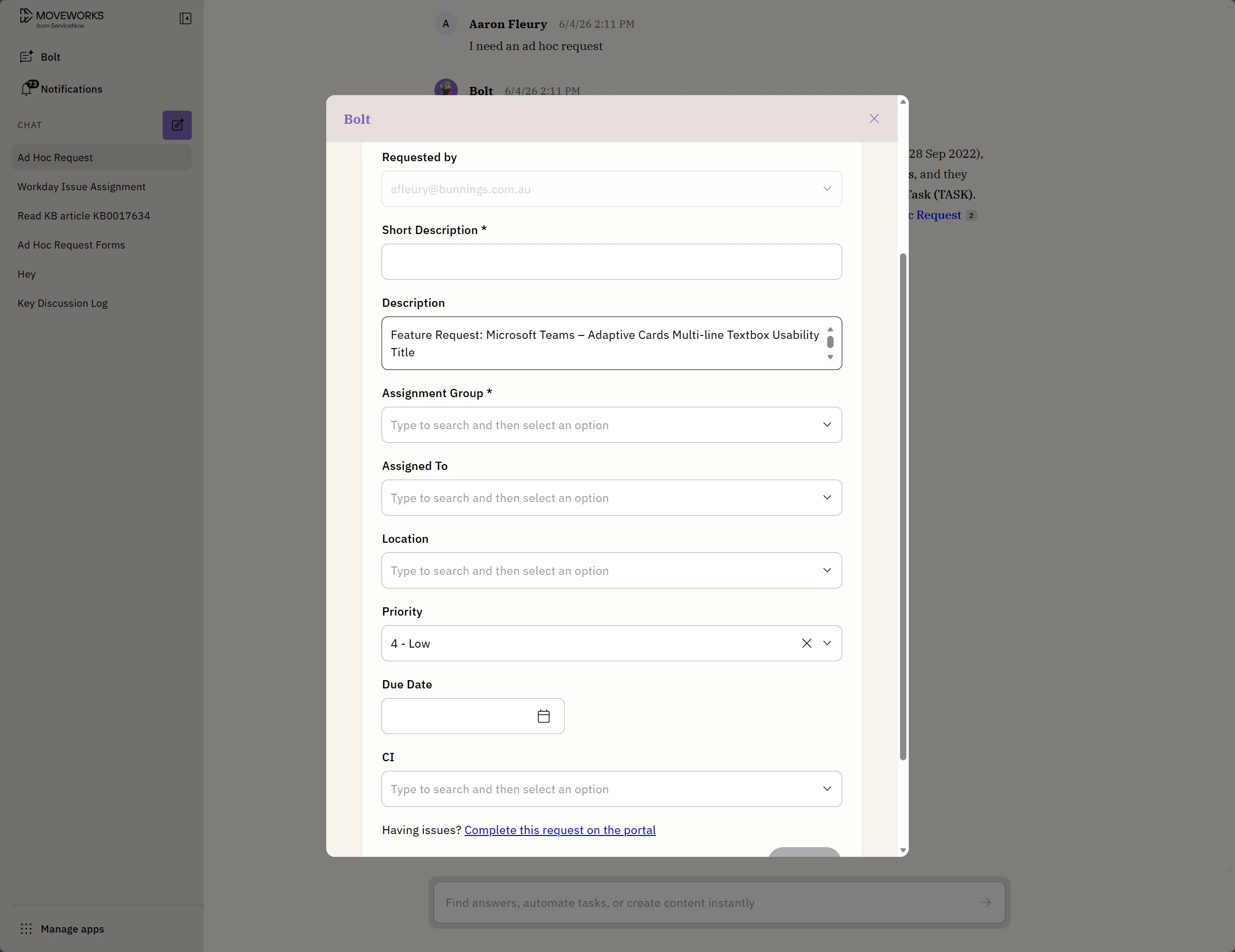
Future State - What it could look like