Solved

User Slot Default Properties

  • October 22, 2025
  • 5 replies
  • 62 views

halshing

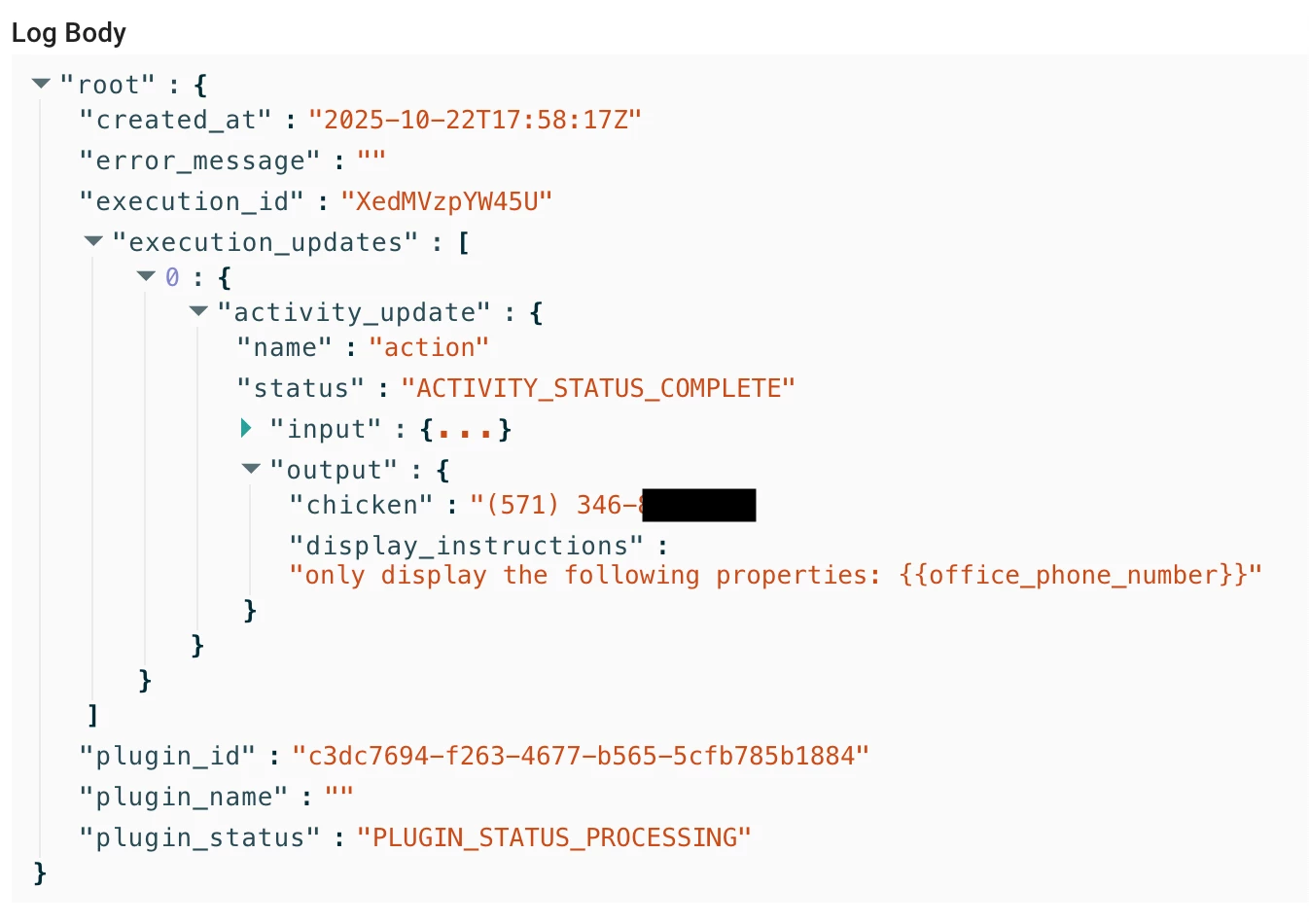
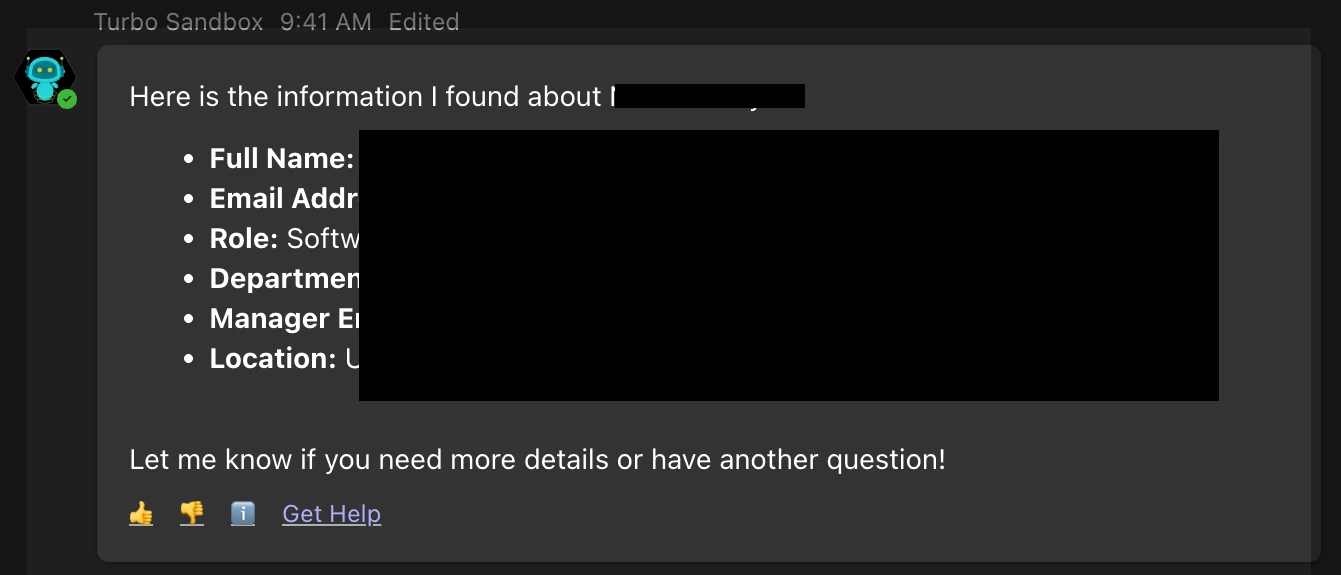
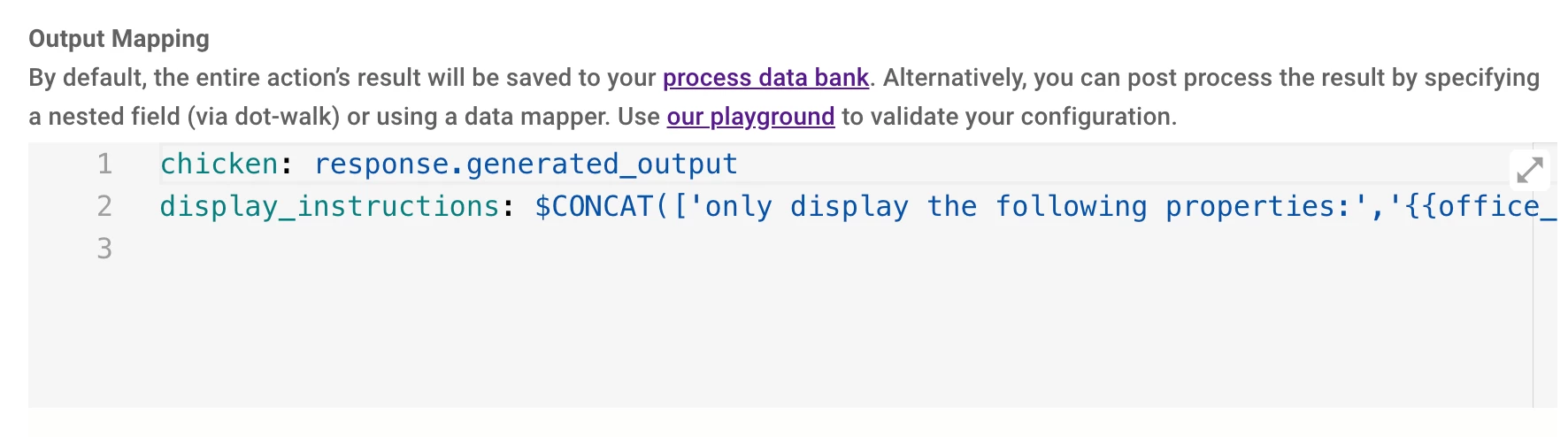
i have an agent studio plugin that uses the User object as a slot to get a user context. what i’m finding is the bot is responding with a default set of properties even though i’m not specifying which values from the user object to display. i’m using the built-in mw.generate_text_action and defining a slot in the conversation process as a User object type, which is grabbing the user context correctly. but the bot response message is showing the same default properties (full name, email, role, manager, dept, location) and i don’t want to display those, at least not like that. i tried using display_instructions property in the output mapping, but that doesn’t work. the default properties are still displayed.

where is the plugin getting this format from? and how do i override it or define my own template?
 

Best answer by Kevin Mok

I understand that, on your LAST action, your output mapper defines what is returned. You define the key-value pairs and that’s the only information that should be returned, so having display_instructions with “only show xyz key” is not going to work.

Your content activity workaround also works, but it will usually be summarized by the LLM and not render as you may want.


Oddly, it was showing more attributes, which you don’t want. Adding better descriptions and names to your plugin will also steer the Assistant to provide the correct response.


Your approach is correct, except the part where you used the display_instructions for two reasons:

  • As I mentioned earlier, only key-value pairs you set up will show
  • You are prompting to only display office_phone_number, but your LLM action response is only a string and has no knowledge of that field

5 replies

Kevin Mok
Forum|alt.badge.img+1
  • Community Manager
  • October 22, 2025

Hey ​@halshing - where does office_phone_number come from? is that the `generated_output`? So that’s probably confusing the assistant. Also, using the word “chicken” as the key value is not helpful for the assistant.

Assuming this is the last action of the Conversation Process, the mapper should just be:

phone_number: response.generated_output


Can you provide more context around your plugin?

  • What’s the plugin name and description? 
  • What is the purpose of the plugin?
  • What is the purpose of the LLM action?
  • Is this mapper you are showing us from the last action in the conversation process?

halshing
  • Author
  • Participating Frequently
  • October 23, 2025

Hi Ken. i don’t mean to confuse the assistant. i’m trying to understand how it works so i can better work with it. 

i was using the output mapping key “chicken” because my understanding is i can take the result of the action and map it to any property name i’d like. i didn’t think the property names had to closely represent the data being set to them. i also wanted to use a key name that was very different than action’s result key because i want to display a different set of properties to the user in a different order. so i wanted to see if/where the word “chicken” showed up and it doesn’t show up anywhere in the user response, just in the logs, which isn’t helpful to me since the output mappings don’t seem to be working.

the “office_phone_number” property is coming from the User slot. I’m defining a slot “person” which is the User slot type. Moveworks correctly populates that slot with the user object i’m asking about in the prompt. in that person slot object there’s a property called “office_phone_number”.


i actually tried using a second action with the Content Activity to explicitly define the text to be sent in the response message but that’s not working either. it’s like the bot is ignoring that activity entirely despite it being the last action in the plugin.

my goal is to control the format of the response along with the properties being displayed. if someone asks “who is john smith”, it should display fields i’m defining in the plugin. since i’m not specifying full name, email, location, etc anywhere, i’m not sure how to override that. i’m trying to just display the phone number to start but ultimately we want to have a different format and also be able to ask follow up questions about other user properties.


Kevin Mok
Forum|alt.badge.img+1
  • Community Manager
  • Answer
  • October 23, 2025

I understand that, on your LAST action, your output mapper defines what is returned. You define the key-value pairs and that’s the only information that should be returned, so having display_instructions with “only show xyz key” is not going to work.

Your content activity workaround also works, but it will usually be summarized by the LLM and not render as you may want.


Oddly, it was showing more attributes, which you don’t want. Adding better descriptions and names to your plugin will also steer the Assistant to provide the correct response.


Your approach is correct, except the part where you used the display_instructions for two reasons:

  • As I mentioned earlier, only key-value pairs you set up will show
  • You are prompting to only display office_phone_number, but your LLM action response is only a string and has no knowledge of that field

halshing
  • Author
  • Participating Frequently
  • October 28, 2025

i see. so the output mapper gives context for the response. i switched to using the built-in structured value action and that is giving me more consistent results. i can get the specific properties we want to display in the response now! :)

what i’m running into now though is when i add additional context in the output mapper, like the other employee properties in the user object, the assistant is including those as well in the response and not just what’s defined in the output schema. the idea is if someone asking “who is john smith” the assistant will give them basic info like name, location, phone, etc. but if the user then asks “now show me his tenure” or “what timezone is he in”, the assistant should be able to return just the value of that property. 

my attempts at giving instructions in the plugin description, the system prompt in the action, and using the display_instruction_for_model properties in the output mapper haven’t worked. that said, if i take out the “employee” property from the output mapper, the response is perfect, but it then lacks the context for follow up questions about the other properties in the user object and says it can’t find any info about it.


halshing
  • Author
  • Participating Frequently
  • October 28, 2025

i am having varying success though with the display instructions. i think my prompting needs work. your answer Ken puts me on the right track. thanks for your time.