


💡 ServiceNow Approvals via Agent Studio
Hello Community!
While Moveworks supports an Approvals skill out-of-the-box, I wanted to share a common architecture to create custom approvals via Agent Studio! Using Webhooks and Agent Studio, you can create a seamless, "in-channel" approval experience with full customizability that keeps workflows moving without forcing users to log into external portals.
The Solution: Webhook-Driven Approvals
By leveraging Agent Studio Webhooks, you can process external events to provide users with real-time notifications and actionable buttons to approve or deny requests. Common workflows requiring approvals include:
- Software Access Requests
- Hardware Procurement Requests
- Travel & Expense Requests
- Access to Sensitive Data Folders
In this example, ServiceNow serves as both the system of record and the webhook sender. Other platforms can be utilized by following a similar architecture.
Architecture Overview
-
The Triggering Webhook
-
When an approval record is generated in ServiceNow, a Business Rule—configured on the sysapproval_approver table (or a custom equivalent)—automatically triggers an outbound webhook. This event notifies Moveworks of the activity and transmits the necessary approval metadata.
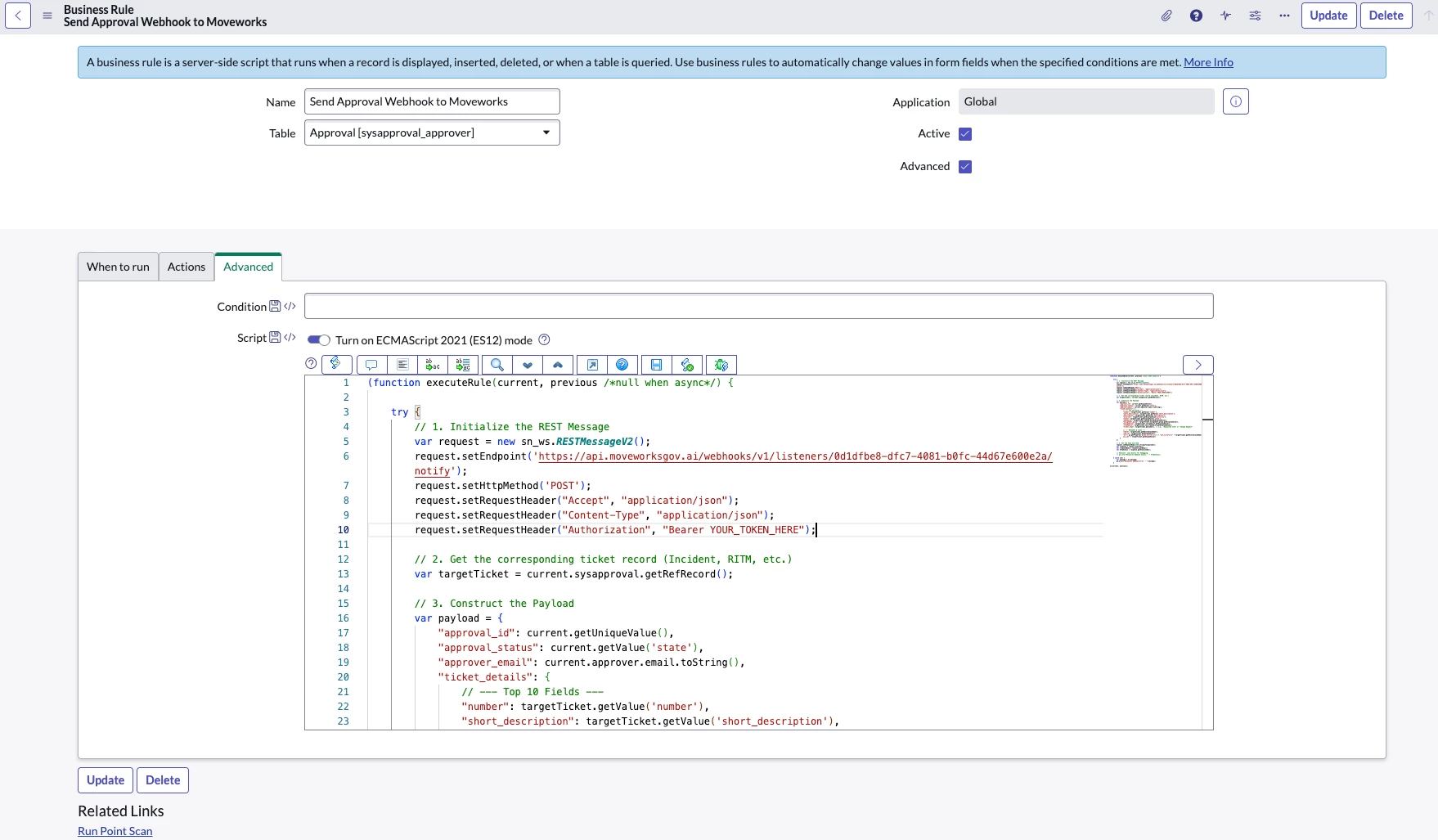
Example Business Rule -
- Agent Studio Ambient Agent
- Within Agent Studio, a plugin configured for System Triggers listens for these external webhook events using a Listener. Upon receipt, the Ambient Agent validates the incoming payload and initiates the corresponding automated workflow to process the request.
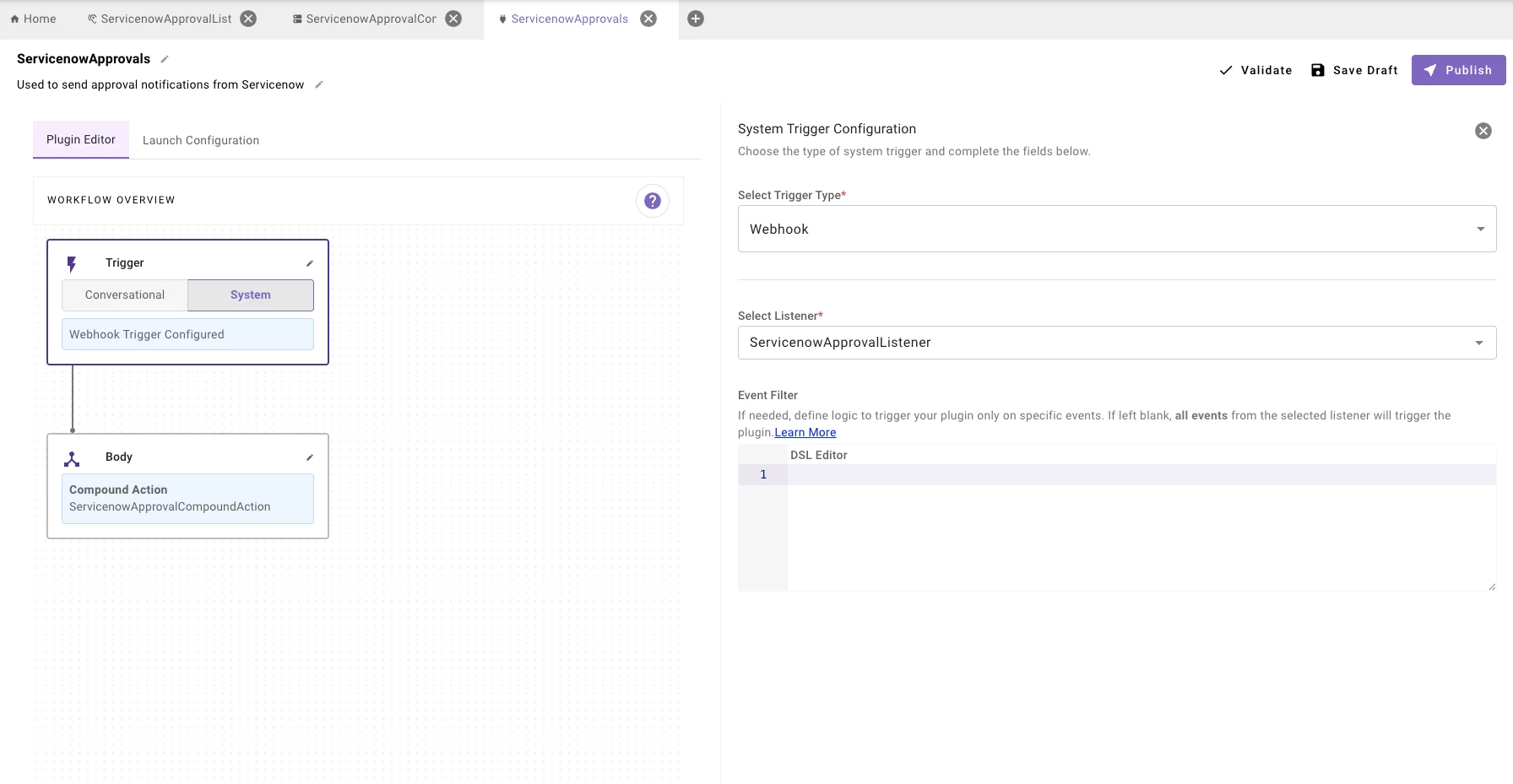
Plugin using System Trigger via Webhook Listener - Compound Action
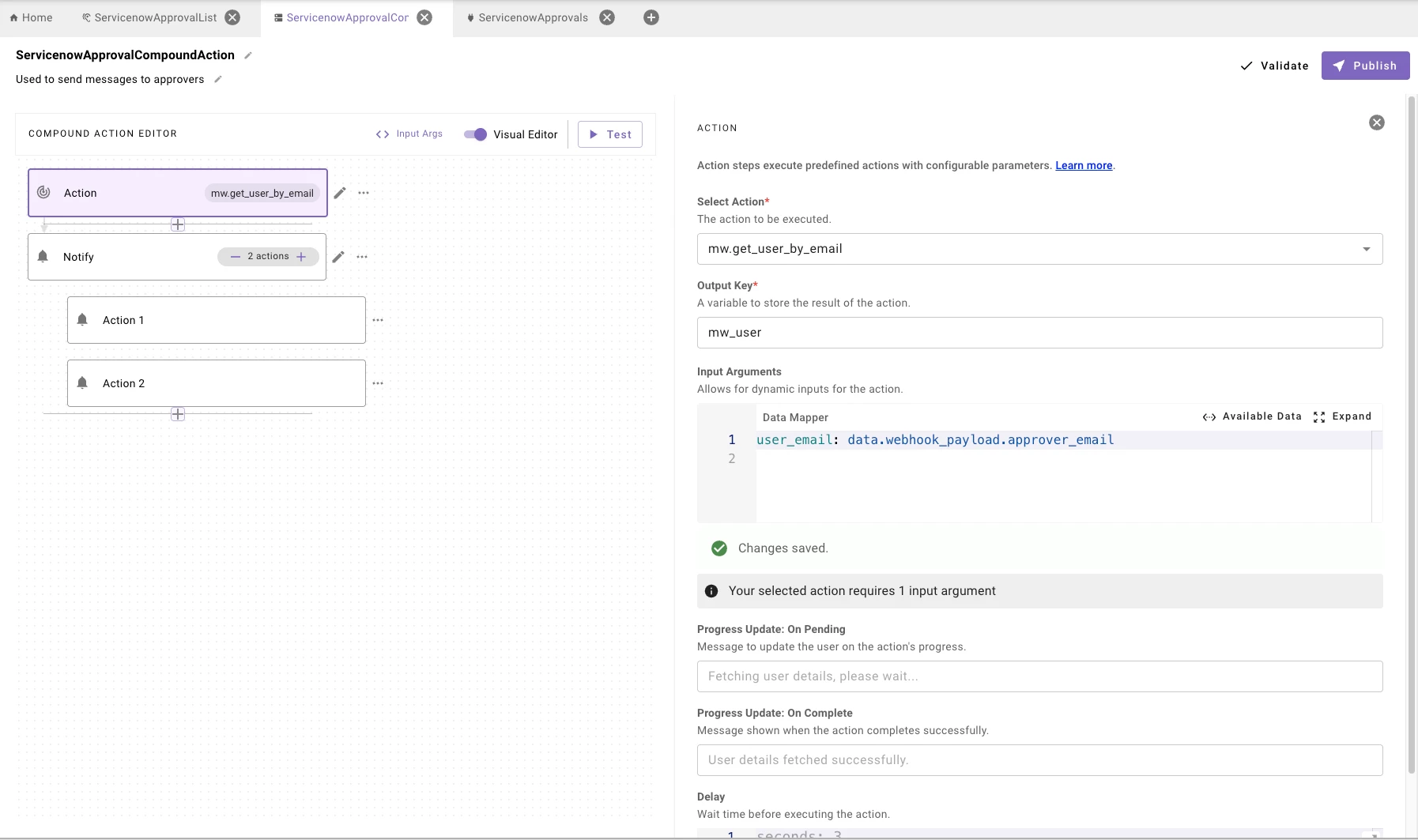
- The webhook payload is handled by a Compound Action, which executes three primary functions:
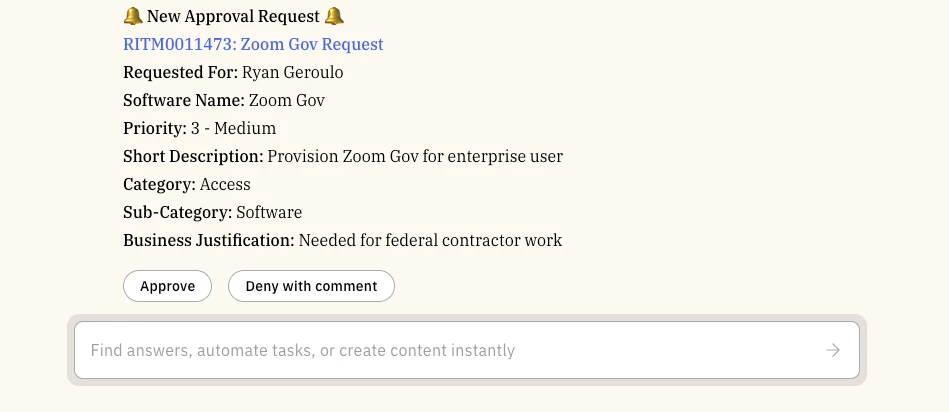
- Dynamic Card Generation: It parses the metadata to identify key fields and generates a structured, user-friendly approval card.
- Interactive Controls: It constructs "Approve" and "Deny" buttons, mapping them to the specific actions required to update the source record in ServiceNow.
- Message Delivery: It routes the actionable approval notification directly to the designated approver via their preferred chat interface.
- The webhook payload is handled by a Compound Action, which executes three primary functions:
Why This Works
This architecture eliminates the "waiting game" inherent in email-based approvals. By bringing the decision-making buttons directly into the chat interface, you reduce the Mean Time to Resolution (MTTR) for internal requests and provide users with real-time transparency.
This approach provides complete control over the delivery timing of approval notifications, the content of the approval cards, and the specific actions available to the user. Furthermore, this method ensures robust logging and audibility throughout the entire lifecycle of the request.
Pro-Tip: Include a "Reason for Denial" slot if the “Deny” button is chosen. If an approver denies a request, the Agent can immediately prompt them for a comment, which is then piped back to the approval record.