


Solved

Lookup with no data & showing default response for no data

  • November 7, 2025
  • 5 replies
  • 40 views

Guruprasad.Marathe
Forum|alt.badge.img+2

Hello Team,

I am working on a CMDB search skill, when there is no data i would like to show few default messages, somehow its now working.. but with data case is working well… below is my default  instruction

any tips and tricks would be appreciated. 


display_instructions: '"You must always respond with exactly one complete sentence in plain English.

  Do not use bullet points, line breaks, or labels under any circumstances.

  Do not explain the search process or mention that you looked for keywords.

  If there is application data available, combine the application name, owner,

  description, tower, and platform executive into a single user-friendly summary.

  If there are no results or data is missing, you must respond only with this text,

  \"No application information found based on exact keyword search.\"

  In all cases, after the sentence, you must append the following text exactly and without modification

  \"If you want to update this information please visit <a href=\"https://service-now.com/ithelp?id=sc_cat_item_guide&sys_id=283edec31b3425503ff68550cd4bcb7c&table=sc_cat_item\">CMDB Inventory Management</a>.\"

  Do not omit or modify this link under any circumstances.

  At the end of every response, include this note exactly,

  Note, The current search uses exact keyword matching, not AI-based search, so try using precise application names for better results."'

response.result:

  MAP():

    converter:

      Business_Application_Name: item.name

      Description: item.short_description

      application_owner: item.it_application_owner.display_value

      platform_executive: item.application_manager.display_value

    items: response.result


Best answer by Kevin Mok

I see, display_instructions are not heavily taken into account. Instead you need to handle this empty response through the data mappers instead. Do something such as:

CONDITIONAL():
condition: response.result.$LENGTH > 0
on_pass:
MAP():
converter:
Business_Application_Name: item.name
Description: item.short_description
application_owner: item.it_application_owner.display_value
platform_executive: item.application_manager.display_value
items: response.result
on_fail:
RENDER():
template: |
If you want to update this information please visit [CMDB Inventory Management](https://service-now.com/ithelp?id=sc_cat_item_guide&sys_id=283edec31b3425503ff68550cd4bcb7c&table=sc_cat_item).


5 replies

Kevin Mok
Forum|alt.badge.img+1
  • Community Manager
  • November 7, 2025

Hey ​@Guruprasad.Marathe Have you checked your logs? I think there might be an issue, and that’s why you are getting that response.


Guruprasad.Marathe
Forum|alt.badge.img+2

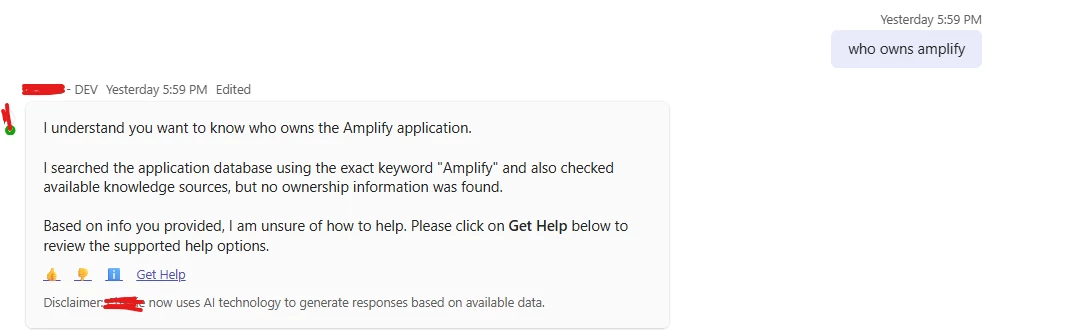
yes, no errors in the logs, but after the API execution next step is to summarize the display, There I do see result: NULL maybe because of NULL it does not understand “no data” word

Conversation ID: VN1RBwBbH7Nm


Kevin Mok
Forum|alt.badge.img+1
  • Community Manager
  • November 7, 2025

It shows that your result is NULL so no data is being returned, and that’s why the issue is happening


Guruprasad.Marathe
Forum|alt.badge.img+2

I know, thats why i have added special instructions to take care of that scenario.. but that else state part of the instruction is not working..


 If there are no results or data is missing, you must respond only with this text,

  \"No application information found based on exact keyword search.\"

  In all cases, after the sentence, you must append the following text exactly and without modification

  \"If you want to update this information please visit <a href=\"https://service-now.com/ithelp?id=sc_cat_item_guide&sys_id=283edec31b3425503ff68550cd4bcb7c&table=sc_cat_item\">CMDB Inventory Management</a>.\"


Kevin Mok
Forum|alt.badge.img+1
  • Community Manager
  • Answer
  • November 7, 2025

I see, display_instructions are not heavily taken into account. Instead you need to handle this empty response through the data mappers instead. Do something such as:

CONDITIONAL():
condition: response.result.$LENGTH > 0
on_pass:
MAP():
converter:
Business_Application_Name: item.name
Description: item.short_description
application_owner: item.it_application_owner.display_value
platform_executive: item.application_manager.display_value
items: response.result
on_fail:
RENDER():
template: |
If you want to update this information please visit [CMDB Inventory Management](https://service-now.com/ithelp?id=sc_cat_item_guide&sys_id=283edec31b3425503ff68550cd4bcb7c&table=sc_cat_item).