


💡 Easy Productivity Use Cases with OOTB LLM Actions
Hello Community!
One of the fastest ways to deliver some productivity use cases in Agent Studio is to pair a simple slot with the out-of-the-box generate_text_action. In a single plugin (or multiple plugins for more granular analytics), you can spin up productivity use cases like code generation, email drafting, content generation, brainstorming, or rewriting content — no custom LLM integration required, no API keys to manage, no prompt-engineering framework to stand up.
This post walks through the architecture we use to build these plugins quickly.
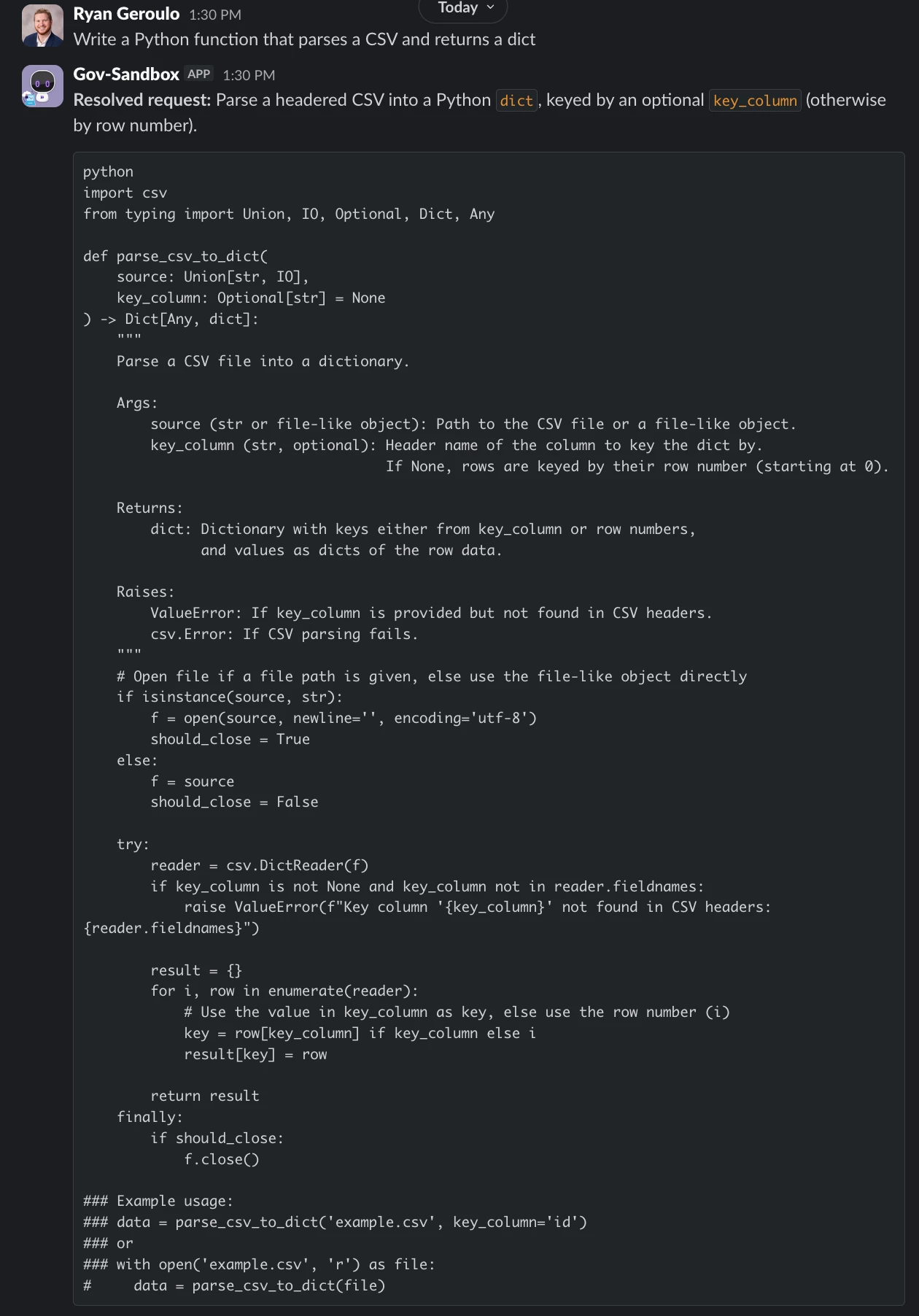
The Solution: slot → generate_text_action
The pattern is intentionally minimal. You collect the user's request through a slot, hand it to mw.generate_text_action with a purpose-built system_prompt, and return the result to the user. That's it.
Common workflows that fit this pattern:
- Code Generation — "Write a Python function that parses a CSV and returns a dict"
- Content Drafting — blog intros, release notes, Slack announcements
- Email Rewrites — "make this more concise" or "make this friendlier"
- Meeting Summaries — paste a transcript, get action items
- Brainstorming — naming, taglines, test case ideas
Architecture Overview
- Slot
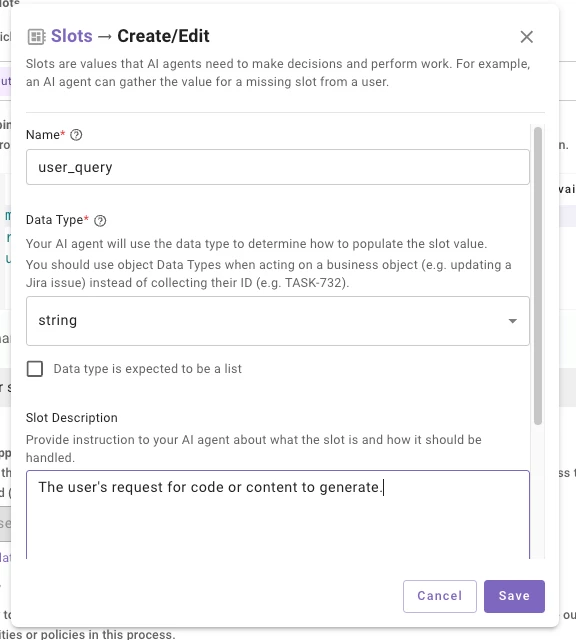
- Configure a single
stringslot on your Conversational Process — something likeuser_query— with a description that tells the reasoning engine what to capture (e.g., "The user's request for code or content to generate"). The slot description is what drives slot resolution, so be specific about what you want the user's full prompt to look like. -
- Configure a single
- Conversational Process
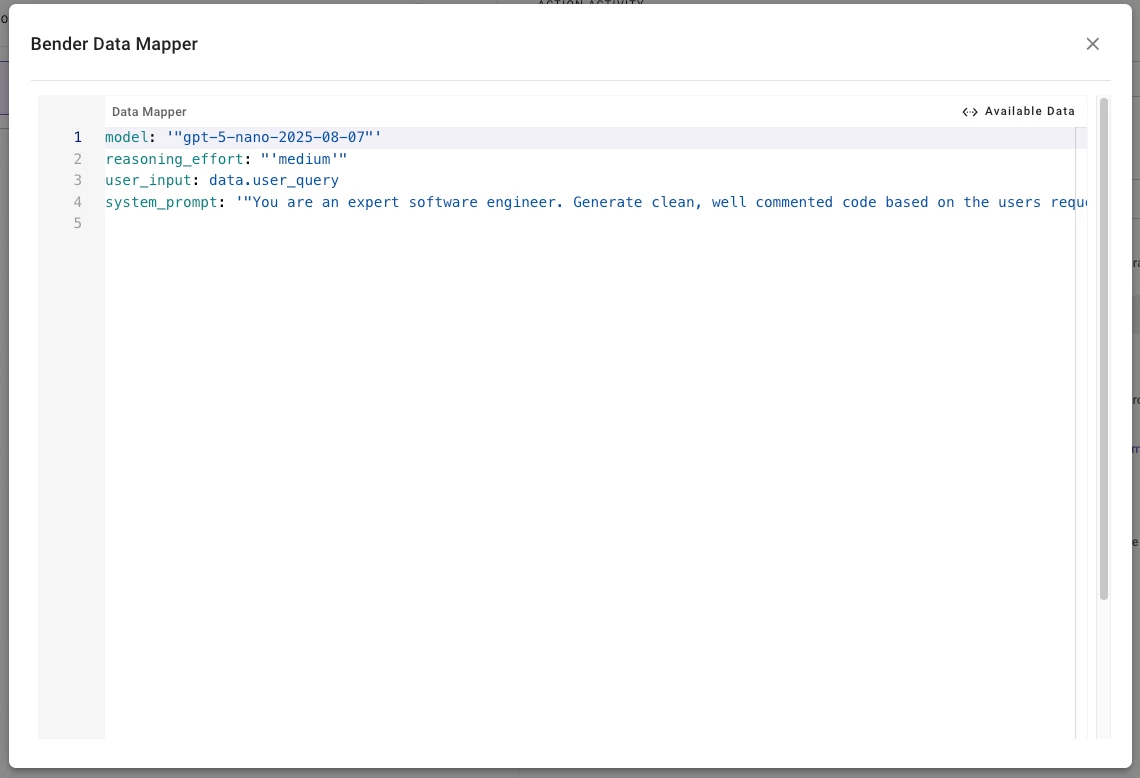
- Your plugin's Conversational Process takes the slot value and passes it straight into
mw.generate_text_actionas theuser_input. Thesystem_promptis where the magic happens — this is where you shape the persona, format, and constraints of the output. You can also choose your desired model, reasoning, and temperature. - An example system_prompt would be the following:
-
You are an expert software engineer. Generate clean, well commented code based on the users request. Wrap code in markdown code fences with the correct language identifier. If the request is ambiguous, make reasonable assumptions and note them briefly.
-
-
- Your plugin's Conversational Process takes the slot value and passes it straight into
- Output
- Return
data.generated_response.generated_outputto the user.
- Return
Why This Works
This pattern skips the infrastructure most teams assume they need for LLM features. There's no model hosting, no token management, no separate prompt registry — the system_prompt lives with the action. Because it's OOTB, it also inherits Moveworks' guardrails and enterprise controls automatically.
The other win is iteration speed. Tuning the output is just editing the system_prompt string — no redeploys, no retraining. You can go from idea to a working productivity plugin in an afternoon!
Pro-Tip: Lower the temperature (0.2–0.4) for deterministic tasks like code generation or data extraction, and raise it (0.7–0.9) for creative tasks like brainstorming or copywriting. For more complex reasoning tasks, switch to a gpt-5 model and set reasoning_effort: "high" — you'll get noticeably better multi-step outputs at the cost of a bit more latency.
Let me know if you have implemented anything similar!