


Say Goodbye to Orphaned Resources: Automating Cloud PC Cleanups with NAVI
Ever wondered how many unused resources are quietly eating into your IT budget? It’s time to save resources before waste becomes business as usual. 💰
Until now, tracking down orphaned cloud resources required a mountain of manual work. IT teams had to pull usage reports, match them to users, and send endless follow-up emails—only for those emails to get completely ignored while the bills kept piling up.
With NAVI’s new Cloud PC Lifecycle Assistant, that process is now entirely automated.
By pairing Nexthink with NAVI, we built a smart, proactive communication workflow that puts the decision directly into the user’s hands right through chat. Here is how the automated lifecycle works:
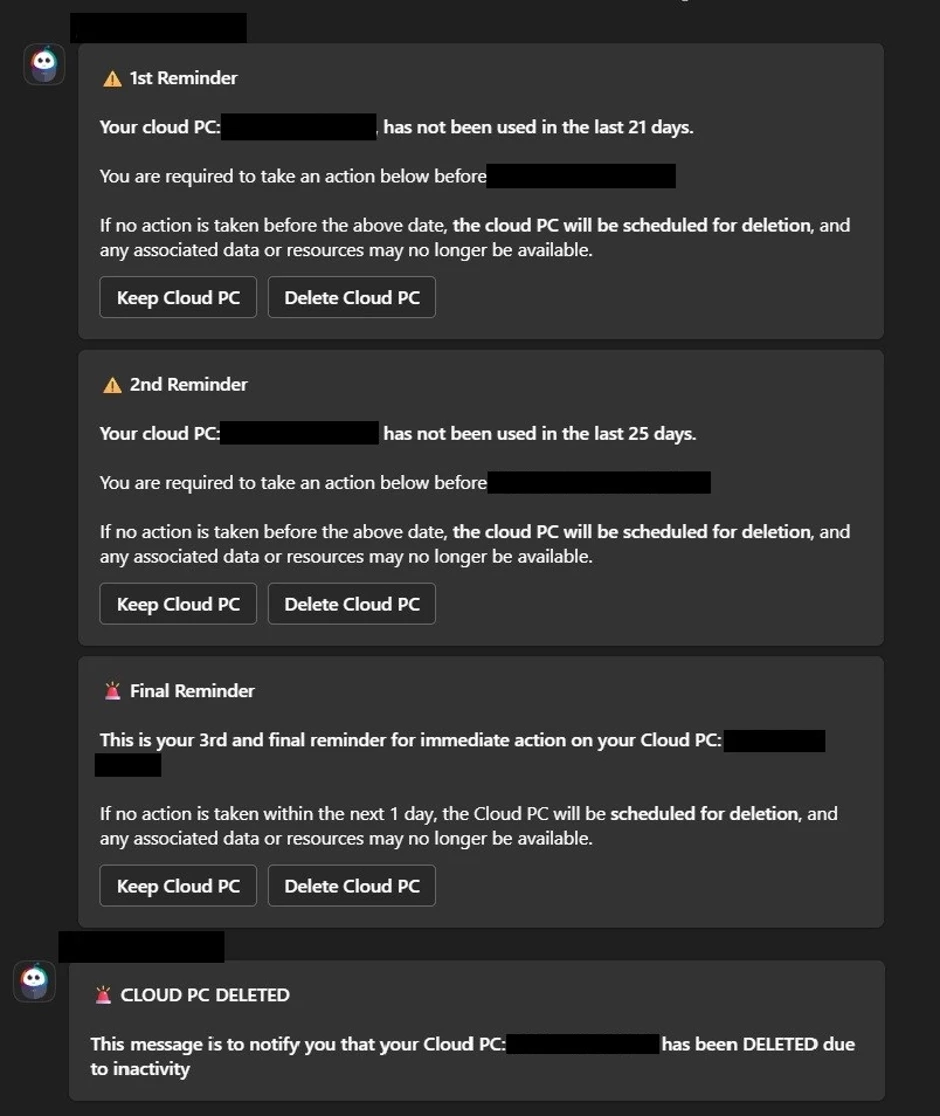
- 📅 Day 21 of Inactivity: NAVI drops a friendly message checking if the Cloud PC is still needed.
- 📅 Day 25 of Inactivity: NAVI sends a 2nd reminder if no activity is detected.
- ⚠️ Day 29 of Inactivity: NAVI delivers a 3rd and final warning.
- ⛔ Day 30: If the user hasn't responded or logged in, the Cloud PC is automatically and safely deleted.
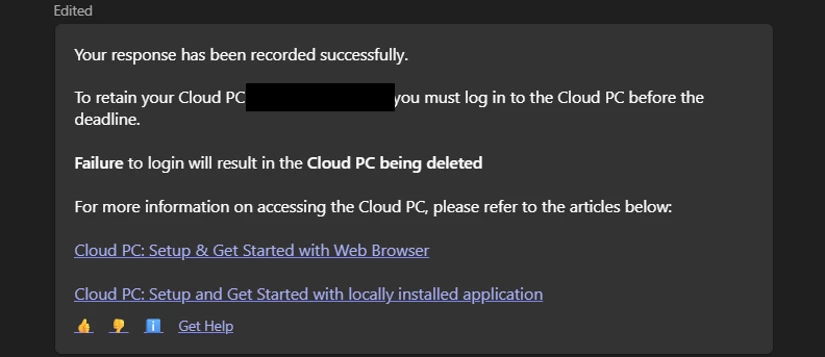
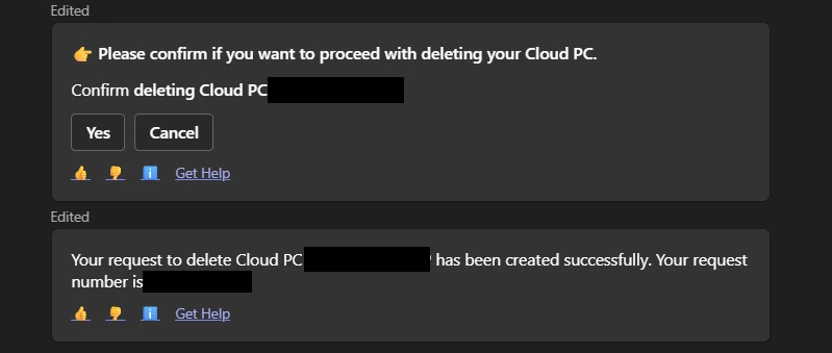
Best of all? NAVI gives users instant, interactive choices right inside the chat window. They can click "Keep Cloud PC" to confirm they still need it or click "Delete Cloud PC" to decommission it.
Why we love this workflow:
✅ Zero manual tracking for IT teams
✅ Drastic reduction in wasted cloud spends
✅ Instant, friction-free cleanup via chat
This enhancement is another step toward making NAVI a smarter digital workplace assistant, helping our organization optimize resources.
Check out the snapshots below to see the exact reminder formats and how NAVI handles the "Keep" and "Delete" user responses! 👇
1. The Automated Reminder Workflow
2. User decides to keep the Cloud PC
3. User decides to delete the Cloud PC
P.S. 📊 Stay tuned—we’ll be sharing the impact metrics once the data rolls in!