


Simplified Navigation & Connector Names in Moveworks Setup — Enterprise Search Section
Hi everyone,
We're making the Enterprise Search section of Moveworks Setup clearer and easier to navigate. Starting April 6, 2026, you'll notice updated labels, a restructured navigation, and renamed connectors. These are display-only changes — no functionality, URLs, configurations, or APIs are affected.
Why are we making this change?
As we expand Enterprise Search and its configuration journey in Setup, the existing navigation labels had become confusing:
- "Enterprise Search" serves as both a product SKU name and a Moveworks Setup configuration page name, causing ambiguity on whether this page is linked to the SKU or not
- "Max Capacity" has already been coined in our new SKUs, and "Next Gen" connector labels were adding to the confusion on which connector to use where
- The new ingestion journey for Max Capacity connectors doesn't differentiate between Files and KBs, while our classic ingestion configuration had this bifurcation — the restructuring makes this distinction clear
Navigation Changes
We've renamed several navigation labels and reorganized the structure:
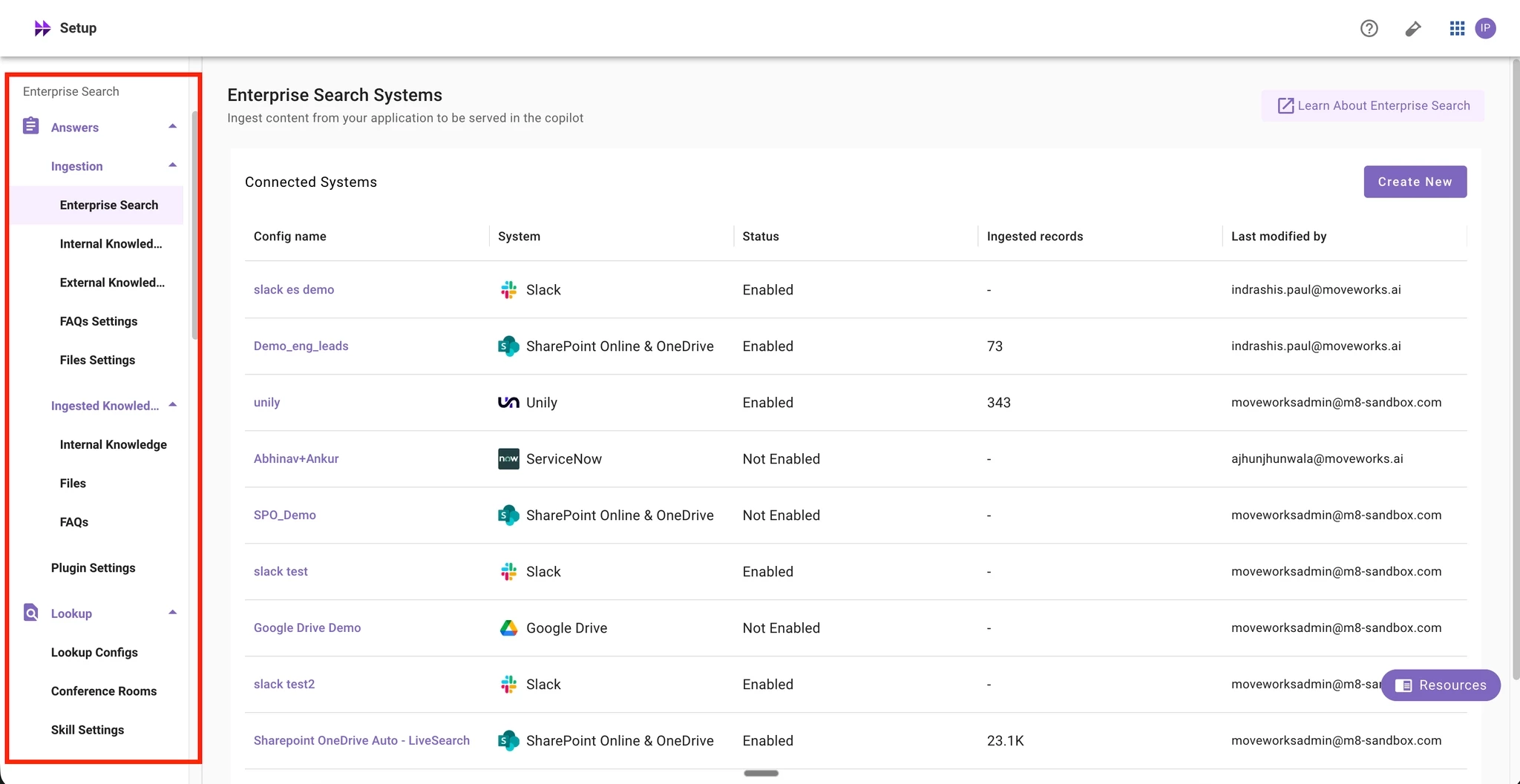
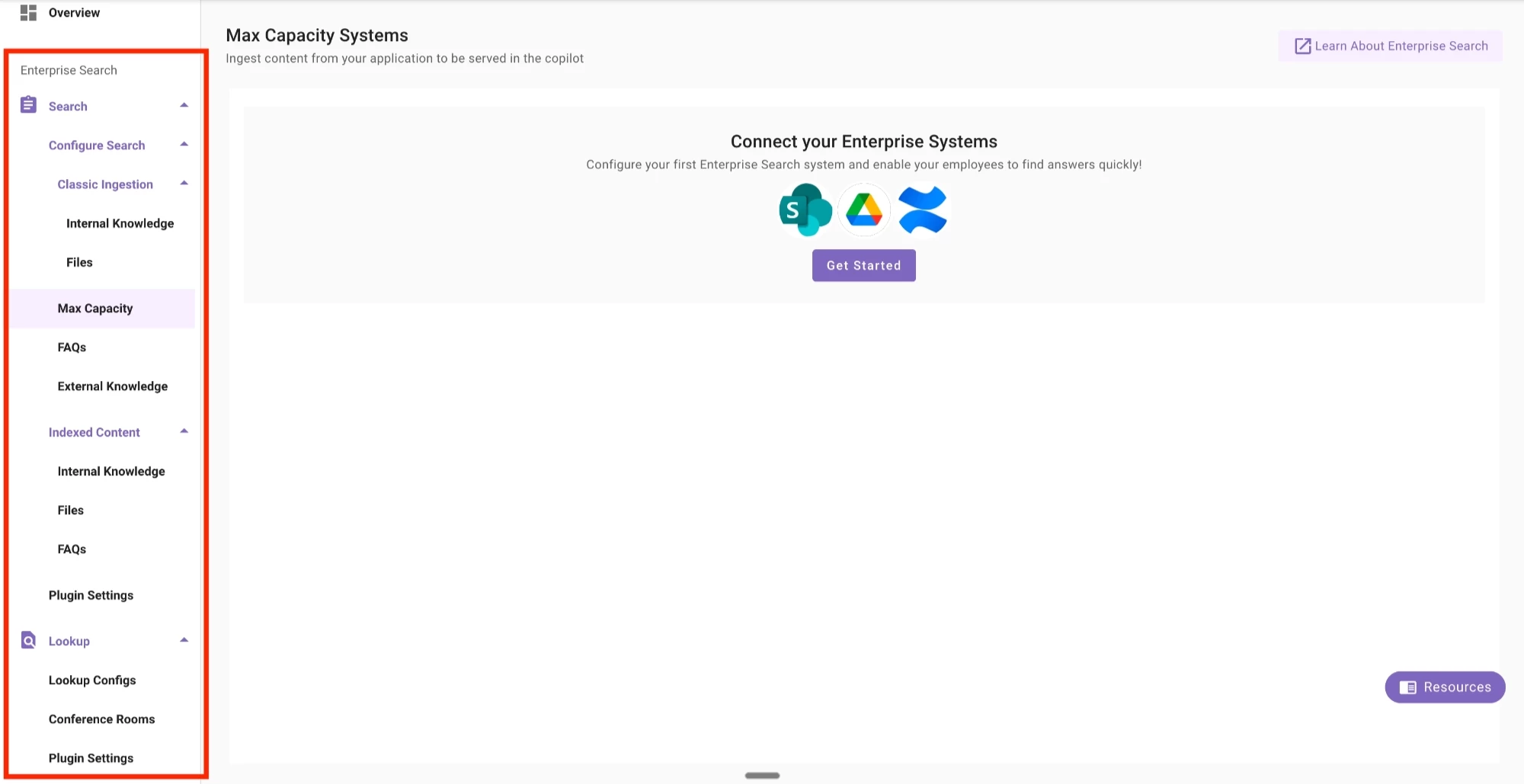
- Answers → Search
- Ingestion → Configure Search
- Enterprise Search (page) → Max Capacity
- Internal Knowledge Settings → Internal Knowledge (moved under new "Classic Ingestion" group)
- Files Settings → Files (moved under new "Classic Ingestion" group)
- FAQs Settings → FAQs
- External Knowledge Settings → External Knowledge
- Ingested Knowledge → Indexed Content
- Skill Settings (under Lookup) → Plugin Settings
A new collapsible "Classic Ingestion" group has been added under Configure Search, containing Internal Knowledge and Files. This clearly separates classic ingestion flows from Max Capacity connector configuration.
Current Left Nav
New Left Nav
Connector Display Name Changes
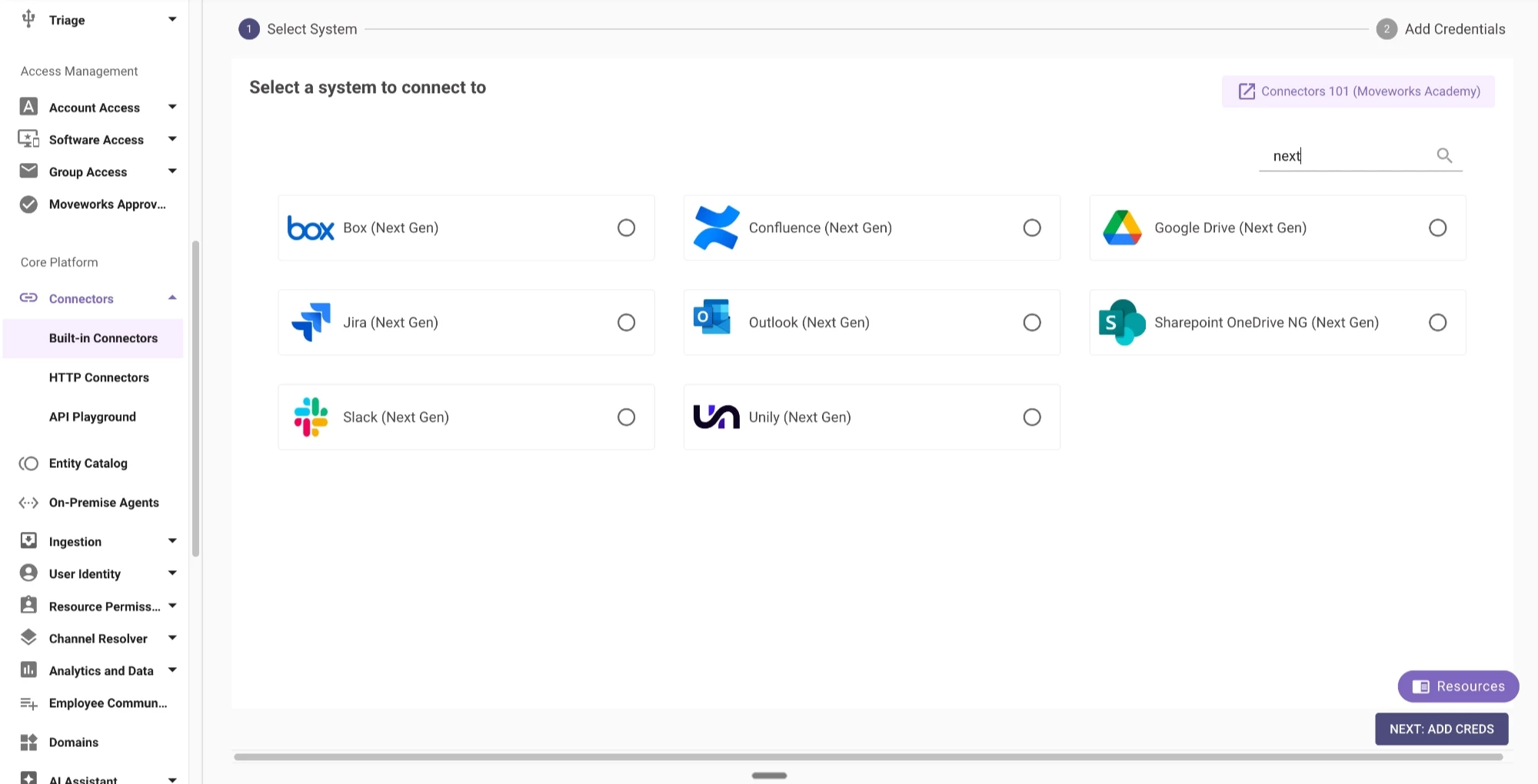
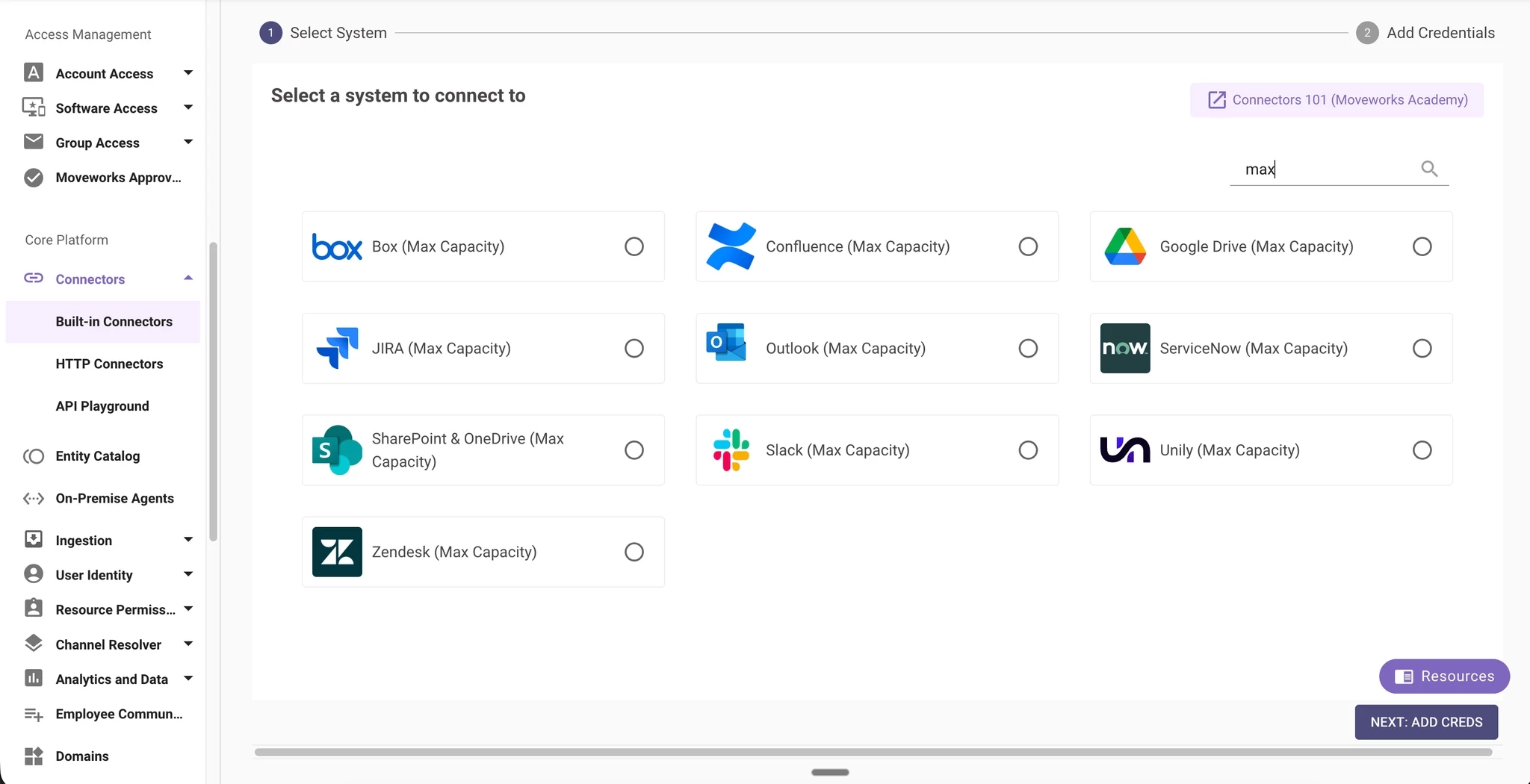
All Max Capacity connectors are renamed from "Next Gen" / "NG" to "Max Capacity":
- SharePoint OneDrive NG (Next Gen) → SharePoint & OneDrive (Max Capacity)
- Confluence (Next Gen) → Confluence (Max Capacity)
- Google Drive (Next Gen) → Google Drive (Max Capacity)
- Unily (Next Gen) → Unily (Max Capacity)
- Box (Next Gen) → Box (Max Capacity)
- Slack (Next Gen) → Slack (Max Capacity)
- Outlook (Next Gen) → Outlook (Max Capacity)
- JIRA (Next Gen) → JIRA (Max Capacity)
- ServiceNow → ServiceNow (Max Capacity)
- Zendesk → Zendesk (Max Capacity)
Current Connectors Page for Next Gen connectors
New Connectors Page with Max Capacity connectors
What stays the same?
- All URLs and bookmarks continue to work — no links will break
- All configurations remain exactly where they are — nothing has moved to a different page
- API endpoints and automation are unaffected — this is a UI label change only
- Connector functionality is identical — only display names changed
FAQs
Will my existing connector configurations be affected?
No. This is purely a display name and navigation label change. All your connector configurations, ingestion settings, and indexed content remain untouched.
I have internal documentation that references the old navigation paths. Do I need to update it?
The old URL paths still work, but we recommend updating any internal screenshots and step-by-step guides (if any) to reflect the new labels to avoid confusion for your team.
Where can I find the "Enterprise Search" page now?
It's been renamed to "Max Capacity" and is located under Search > Configure Search > Max Capacity.
What is the "Classic Ingestion" group?
Classic Ingestion is a new collapsible group under Configure Search that contains Internal Knowledge and Files — the connectors that use the classic ingestion pipeline. This helps distinguish them from Max Capacity connectors, which have a unified ingestion journey that doesn't differentiate between Files and KBs.
Why "Max Capacity" instead of "Next Gen"?
"Max Capacity" aligns with our current SKU naming.