


🚀 Introducing Upload AI Assistant Avatar Feature in Moveworks Setup
Hello Moveworks Admins,
We're excited to announce that Upload AI Assistant Avatar feature will be available in the Moveworks Setup on 23rd January 2026.
🎨 What's New?
You can now upload a custom AI Assistant avatar directly in Moveworks Setup without requiring external image hosting or public URLs. Your custom avatar will appear across all user-facing experiences, including chat applications, embedded assistant, web app, and popup forms.
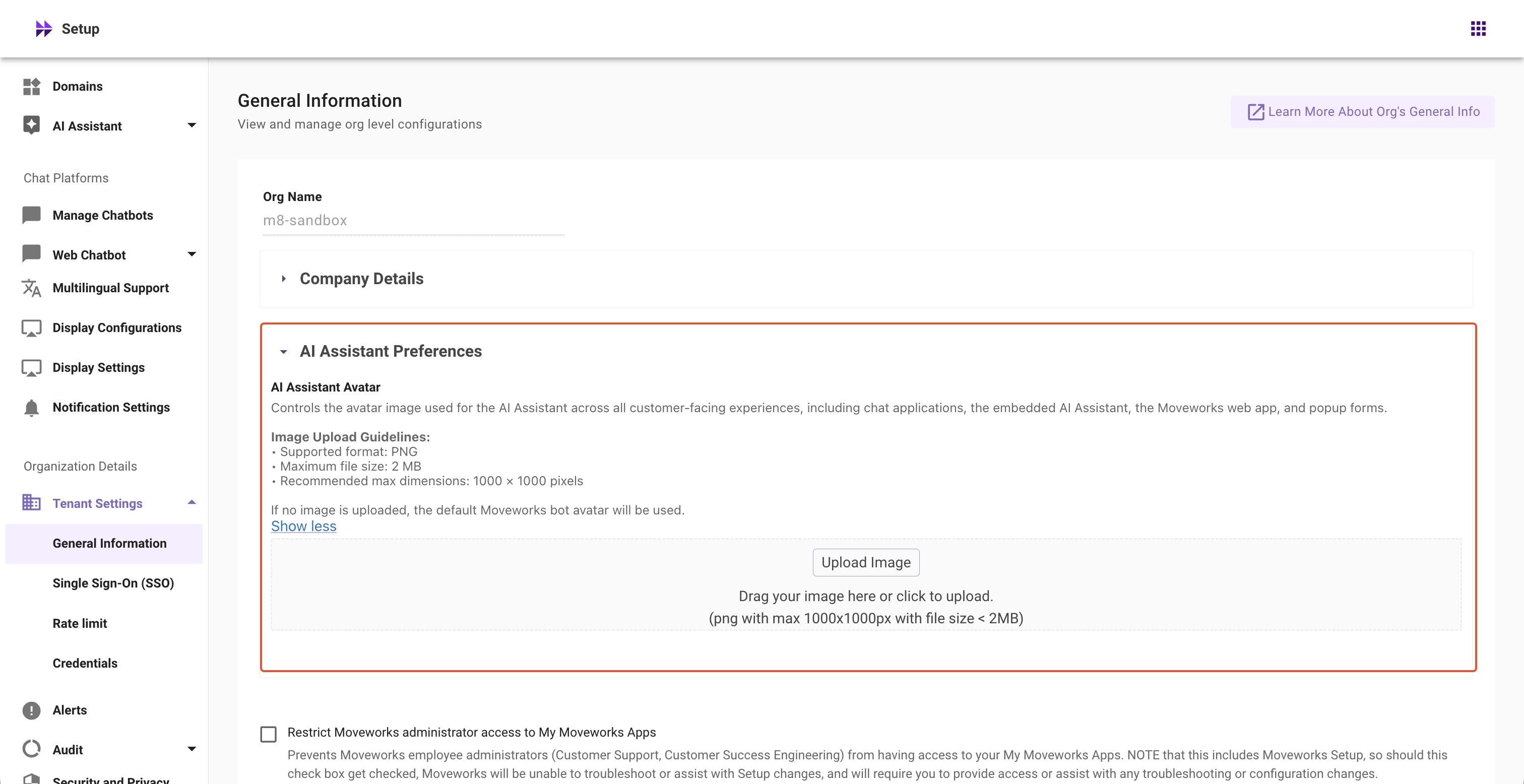
📋 Image Requirements:
- Format: PNG only
- File size: Maximum 2 MB
- Dimensions: Up to 1000 × 1000 pixels
If no image is uploaded, the default Moveworks AI Assistant avatar will be used.
🌟 How to upload AI Assistant Avatar?
- Navigate to Organization Details → Tenant Settings → General Information in the left navigation
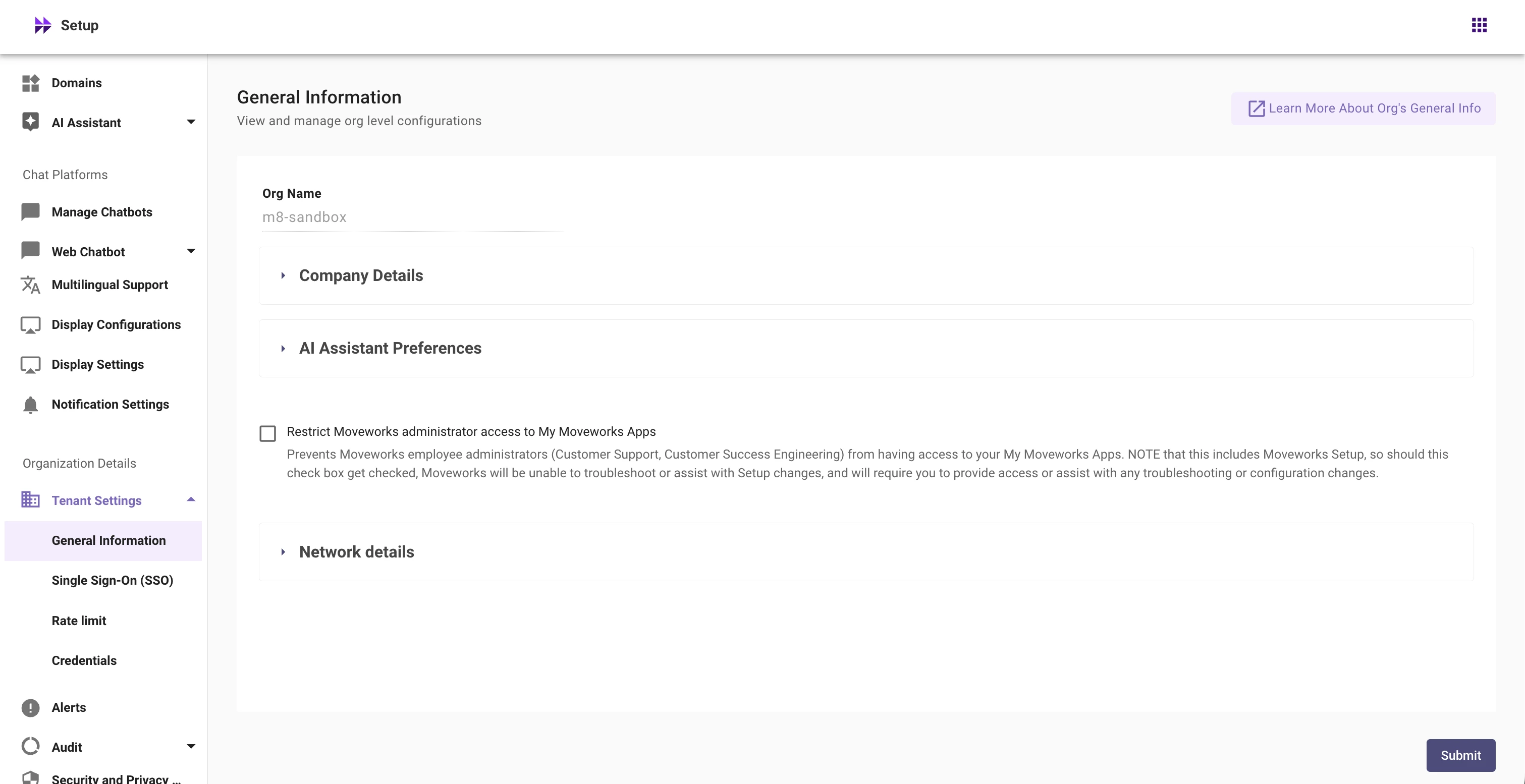
- Expand the AI Assistant Preferences section
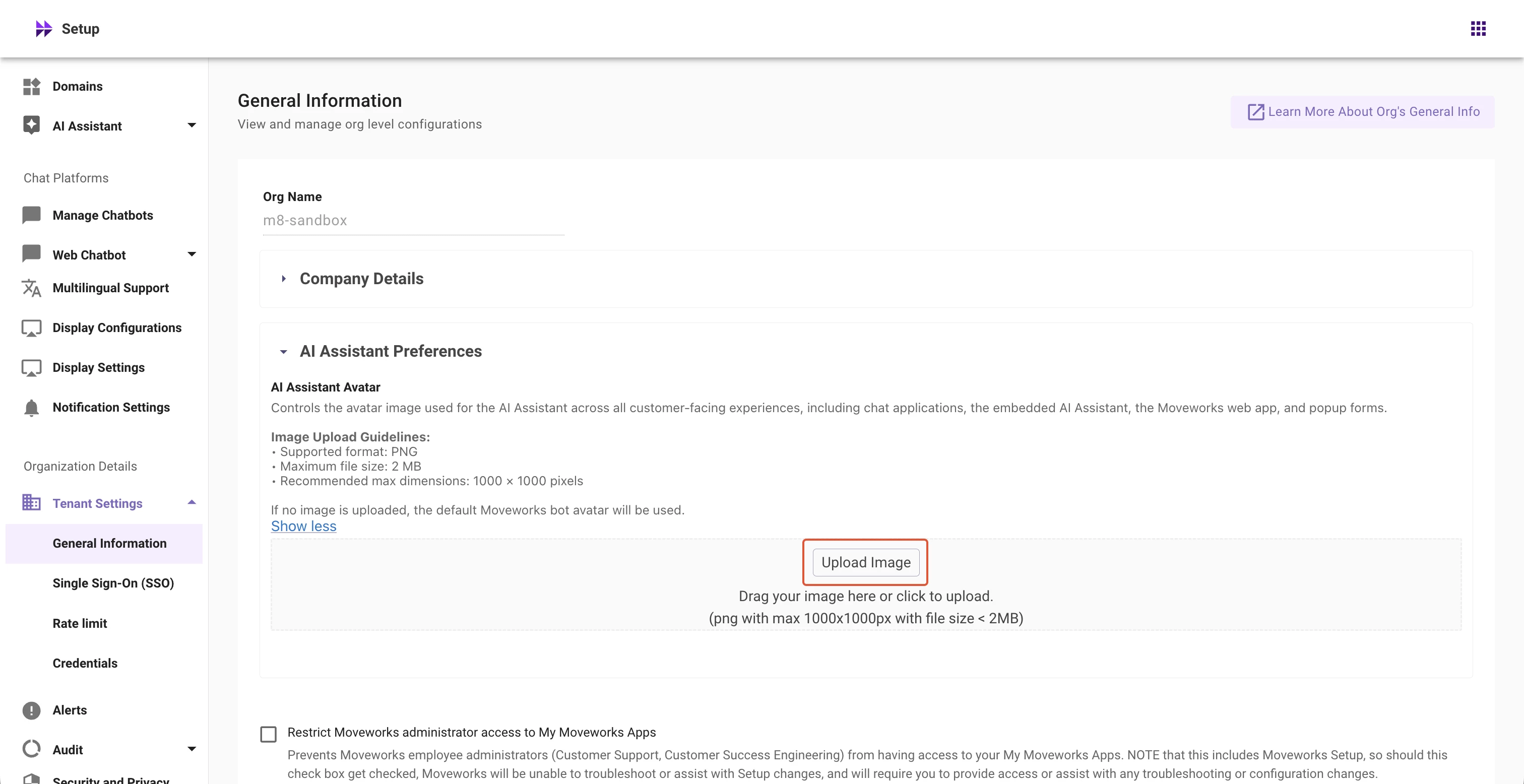
- Click Upload Image to upload your AI Assistant avatar
- Preview the uploaded image
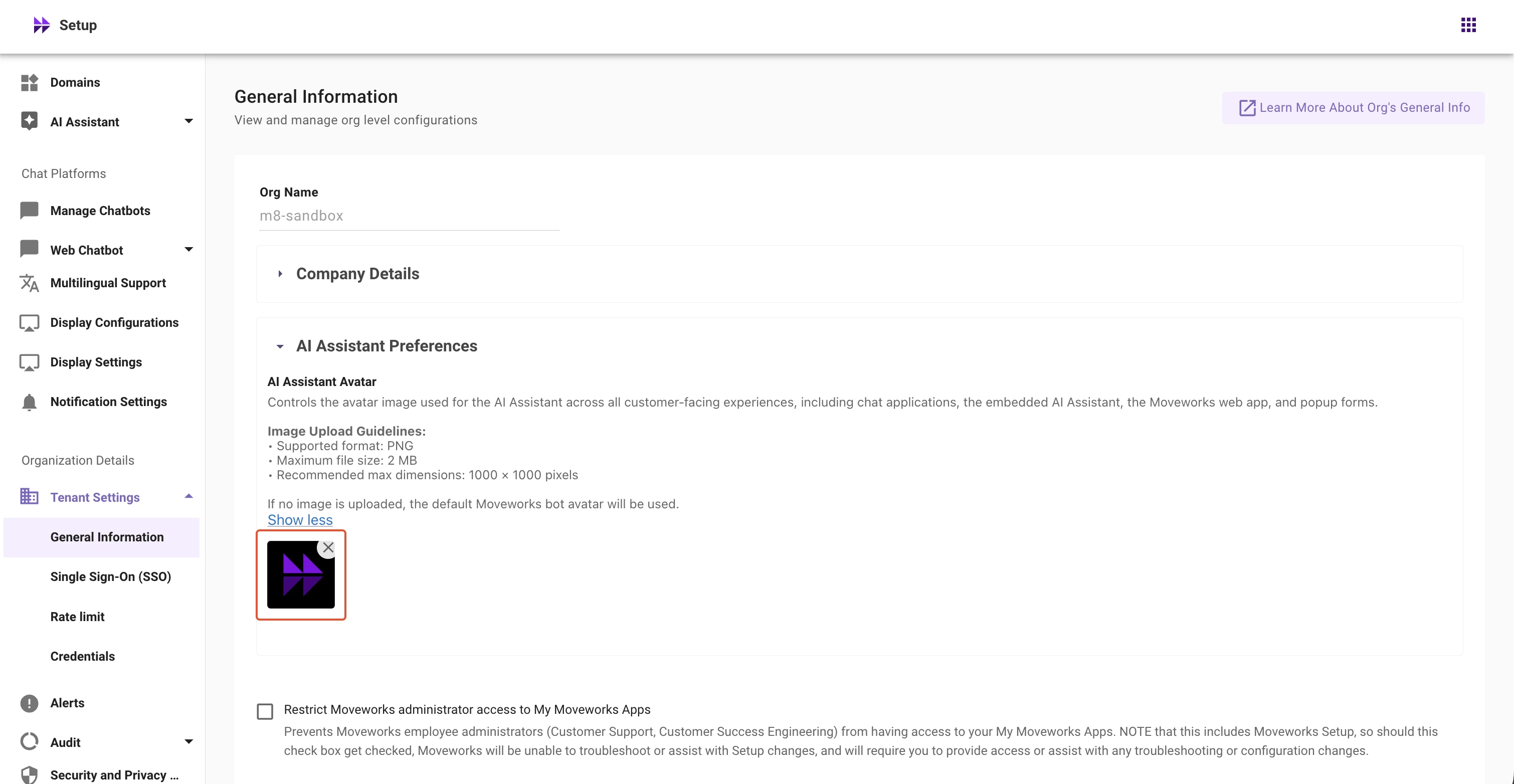
- Click Submit to save your new AI Assistant avatar
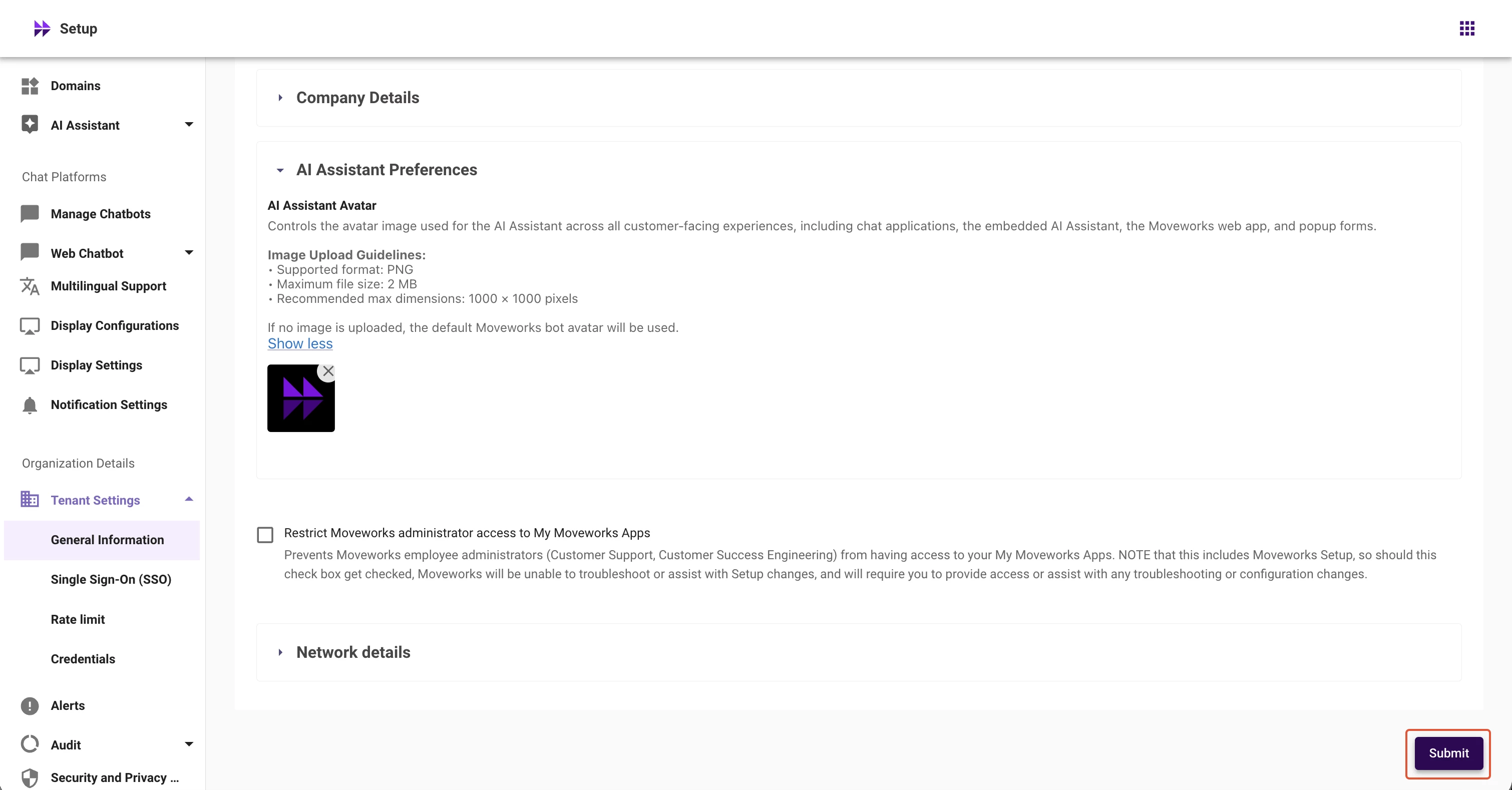
Important Note: Simply clicking 'X' and re-uploading won't update your avatar. You must click Submit to apply changes.
📘 Learn More
Please refer to the help documentation here: https://help.moveworks.com/docs/general-information
Have questions or feedback? Please post them on our community forum where our team will provide appropriate assistance.
Thank you,
Moveworks Setup Team