


🚀 Introducing Geocodes in User Identity
Hello Moveworks Admins,
We're excited to announce that User Geocodes will be available in the Imported Users screen on 7th January 2026. This new feature provides visibility into user location data, making it easier to troubleshoot location-based answers not getting served and validate identity configuration.
🌏 What are Geocodes?
Geocodes are structured location coordinates extracted from location-related fields (city, state, country, zip code) in your identity source during user ingestion. This allows Moveworks to know “where this user is”, which is then used in search and personalization—for example, boosting KB documents that match the user’s region when the user asks a generic question like “what are my benefits?”
Read more about Geocodes in User Identity.
🌟 Key Benefits
- Faster Troubleshooting: When users report unexpected answers, admins can quickly check if the user geocode is missing or incorrect to determine whether the fix is required in identity configuration (location fields, country codes, geocode processing) or content optimization (adding/renaming region‑specific KB docs).
- Identity Configuration Validation: Admins can verify that location fields from identity sources (Okta, Azure Directory, etc.) are mapped correctly, allowing them to self-diagnose identity ingestion issues.
👉🏻 How to access Geocodes in User Identity?
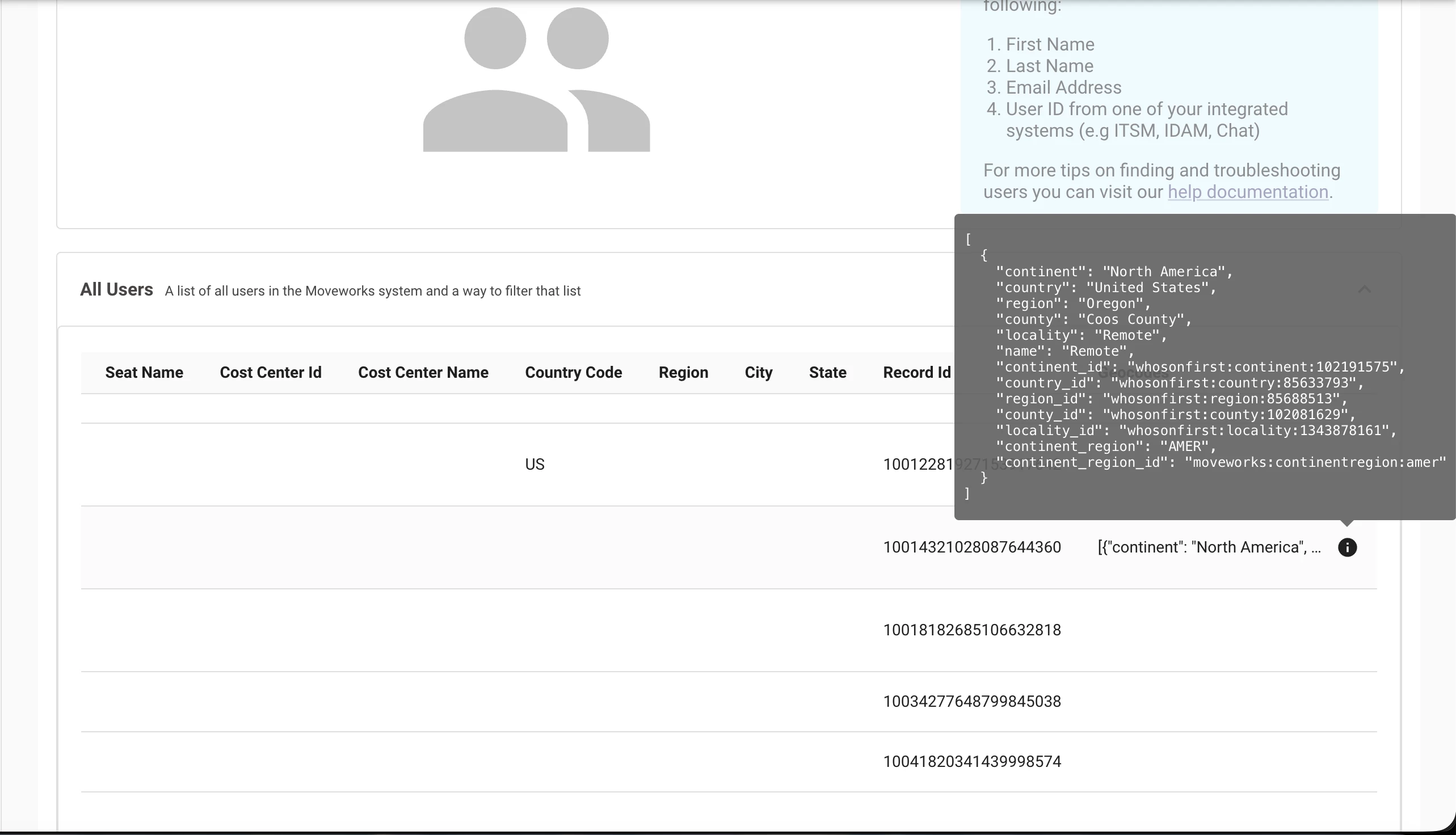
- Navigate to Imported Users Screen
- Click the All Users tab
- Scroll to find Geocodes column
- Hover on 'i' icon to view user geocodes
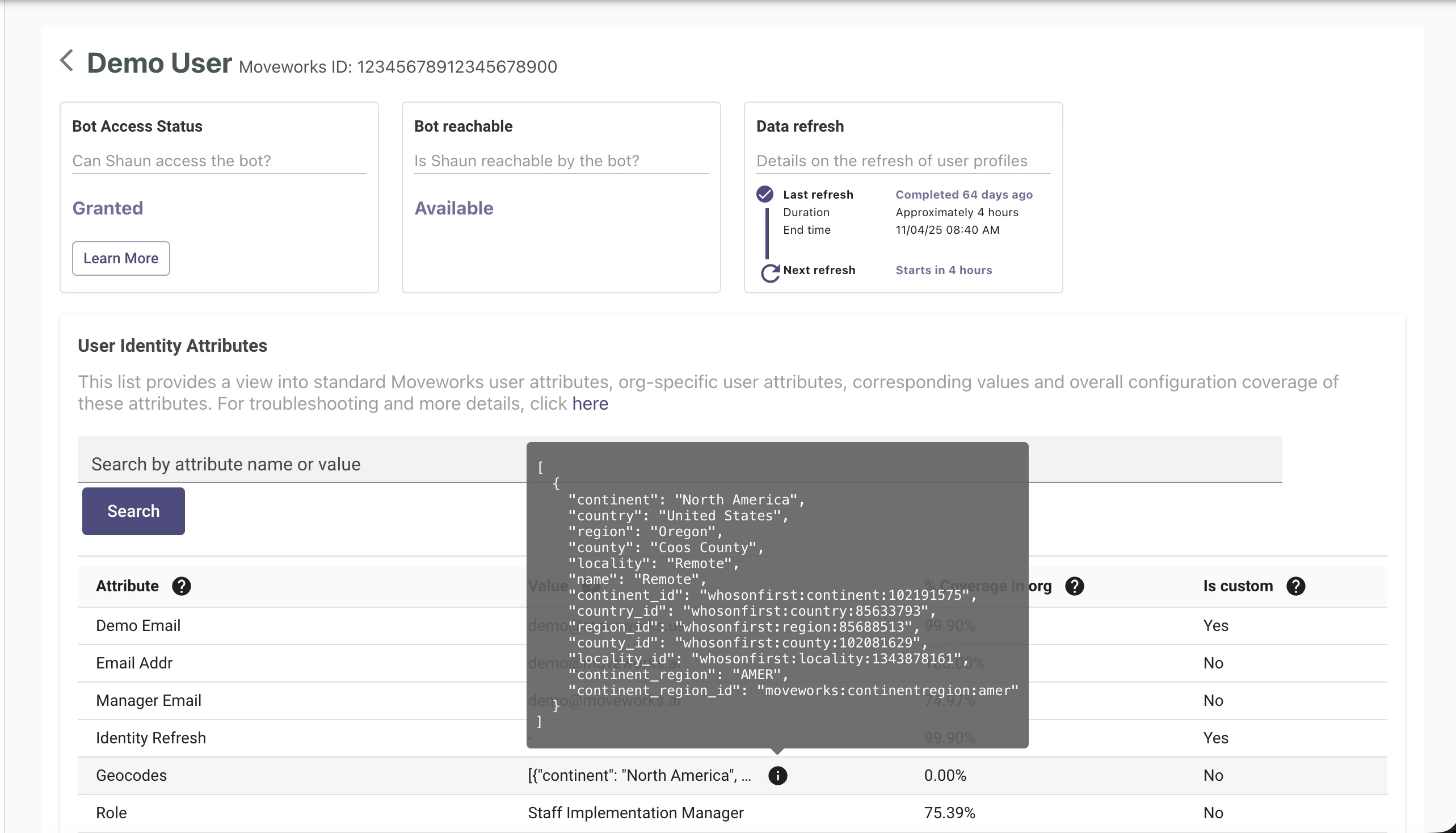
- Or, click on any row to open the full user profile
- In the User Identity Attributes section, you'll find Geocodes attribute
Geocodes will also be included in the downloaded CSVs.
Thank you,
Moveworks Setup Team