

🚀 Improvements made to the New User Identity Journey within Moveworks Setup!
Hi Moveworks Community! 👋
Effective 7th August 2026, we've fixed all issues and made improvements to the New User Identity Journey in Moveworks Setup. Here's what's now better:
Configure Source Mapping Screen
- You can now map internal fields using DSL mappings or JSON-based mappings (via the JSON editor)
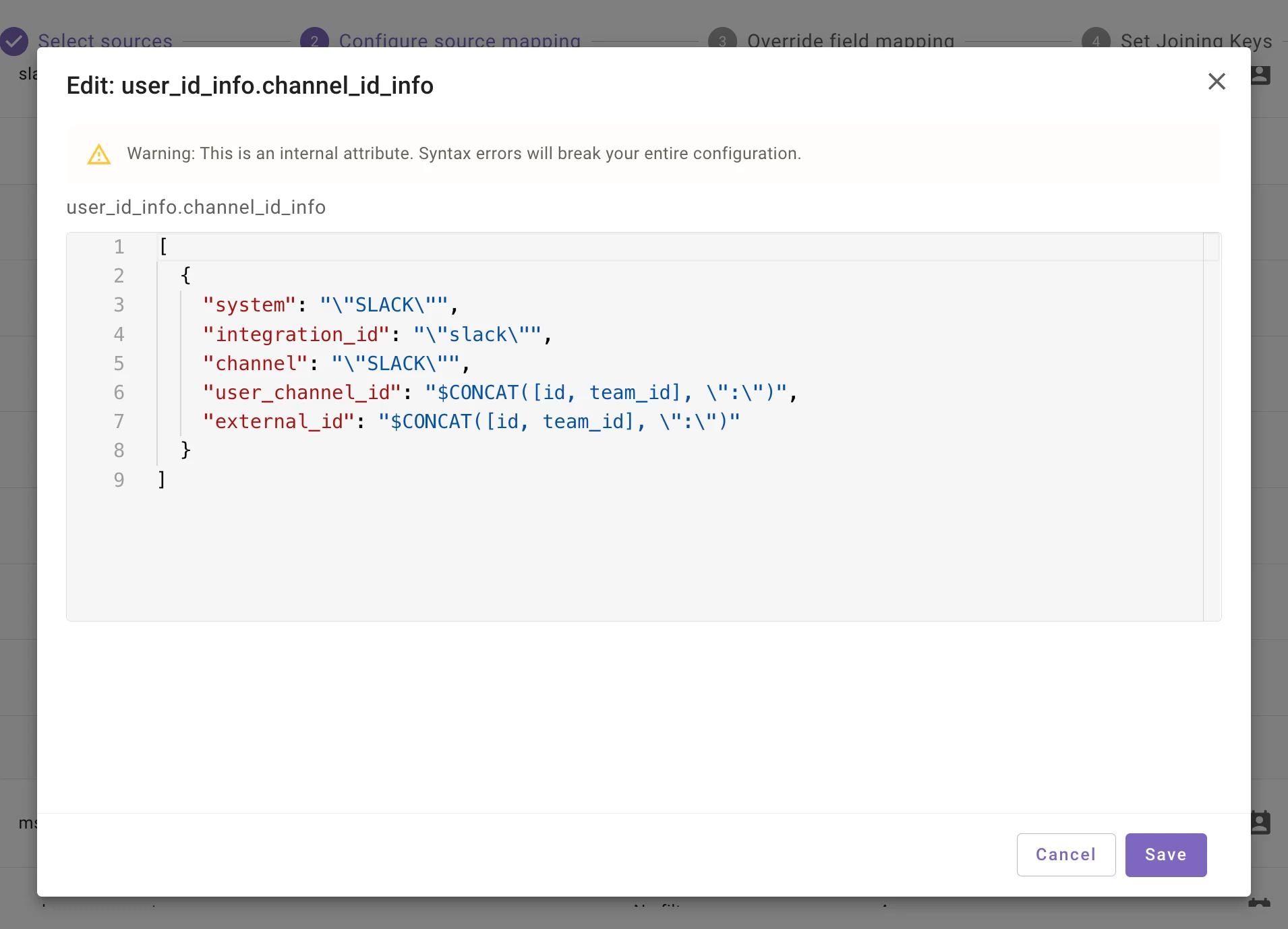
Edit pre-configured user_id_info fields (used for identity plumbing) 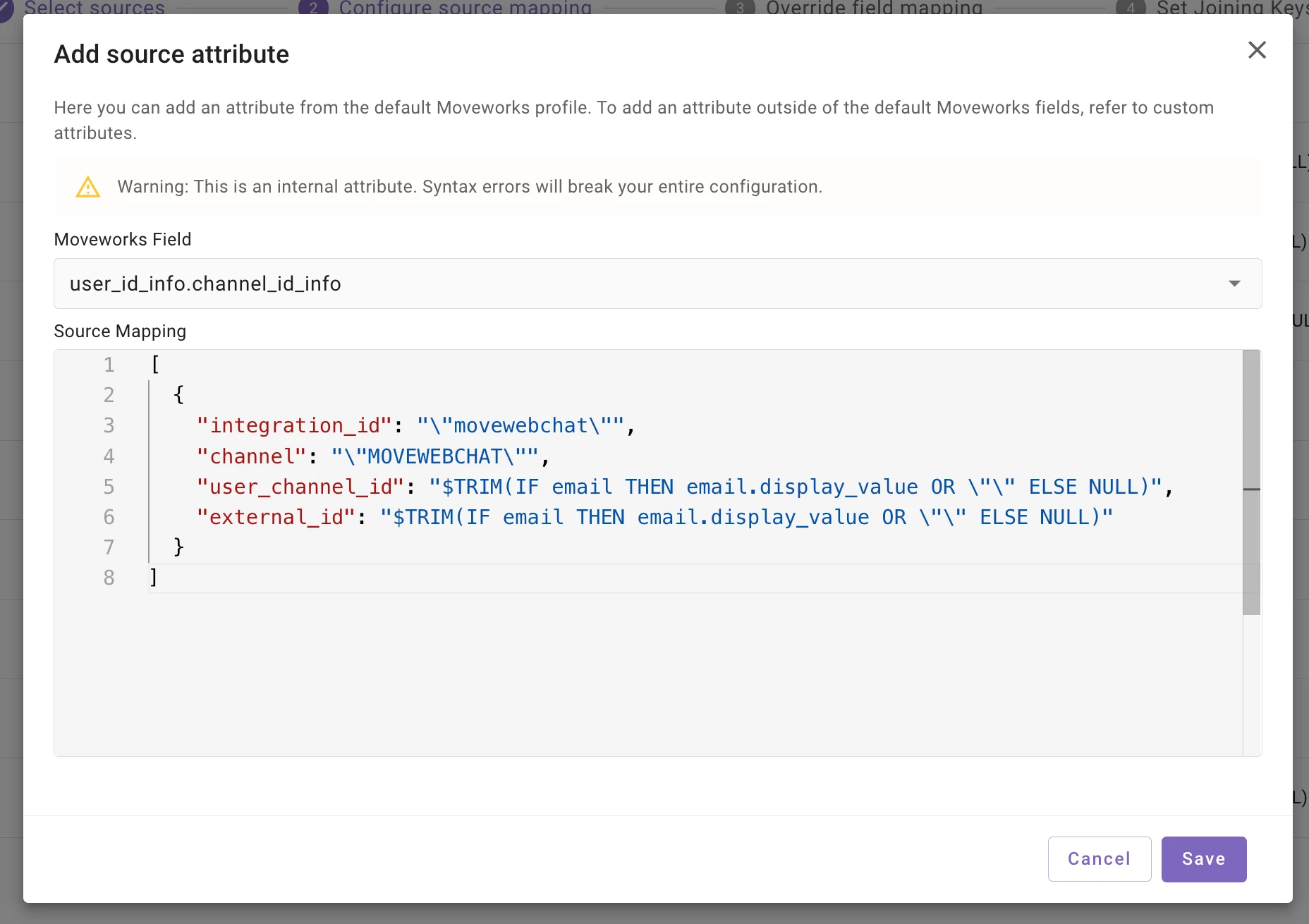
Add a new user_id_info field (used for identity plumbing) -- especially useful for cross-mapping usecases (ex: I want to set the chat platform as web assistant for all users that are ingested from ServiceNow) - MS Graph comes pre-configured with default filters and attribute lists — so you get the attributes you need without extra setup
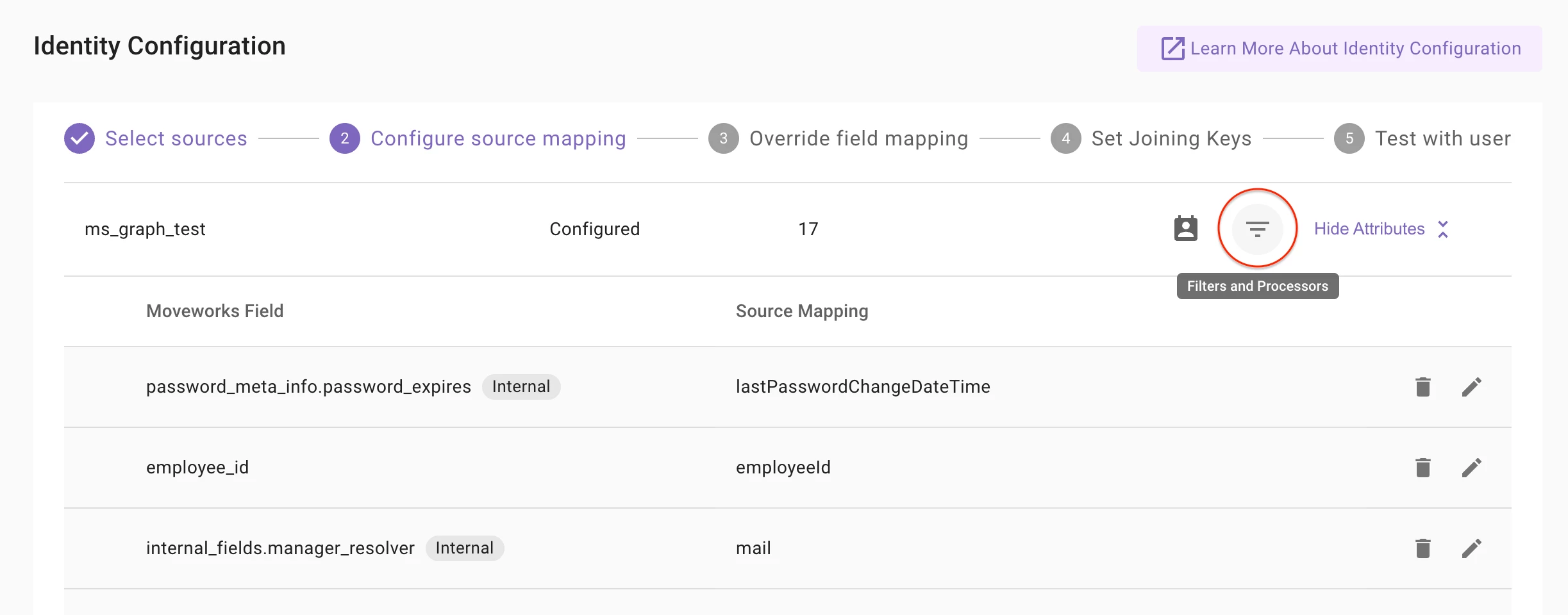
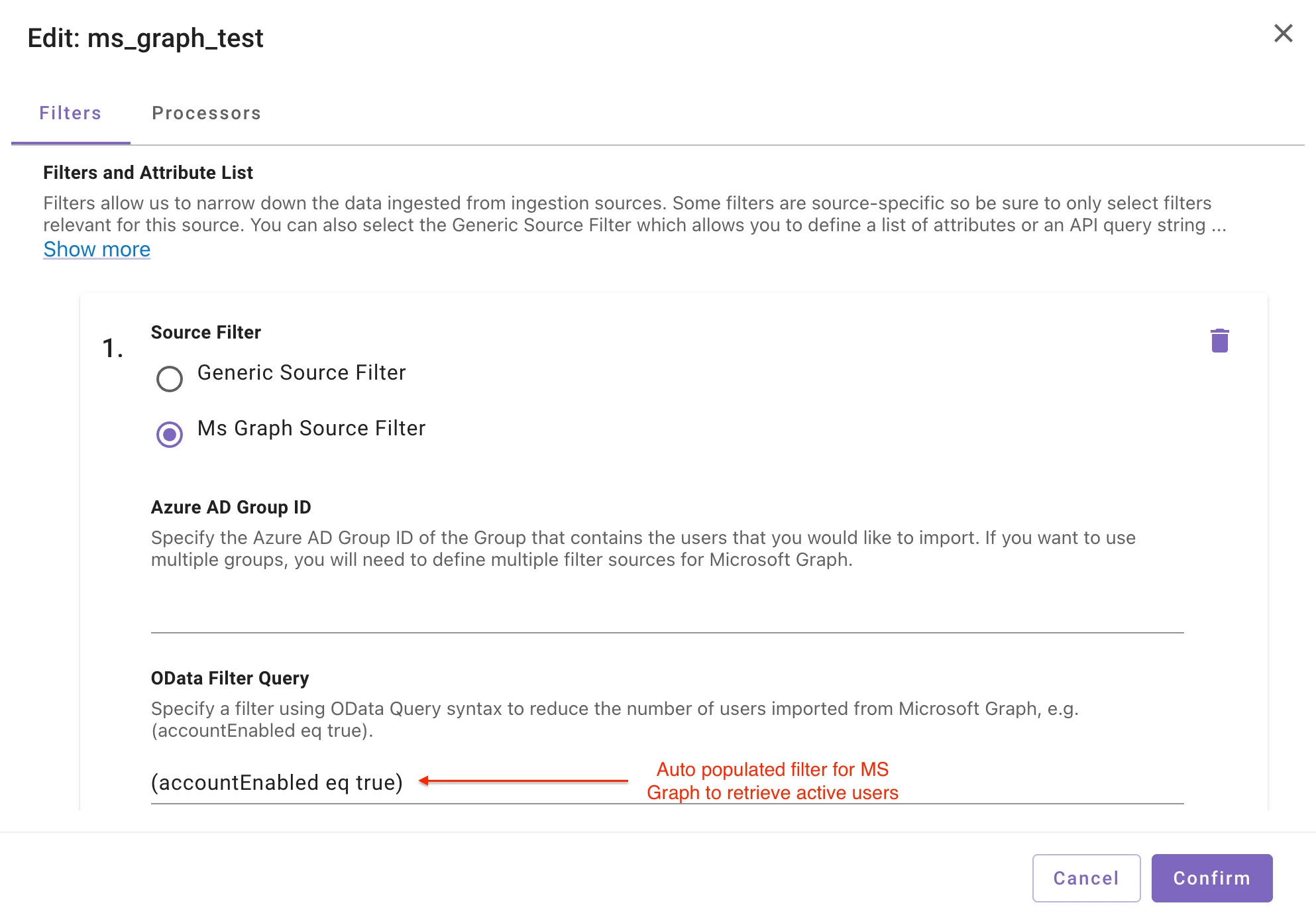
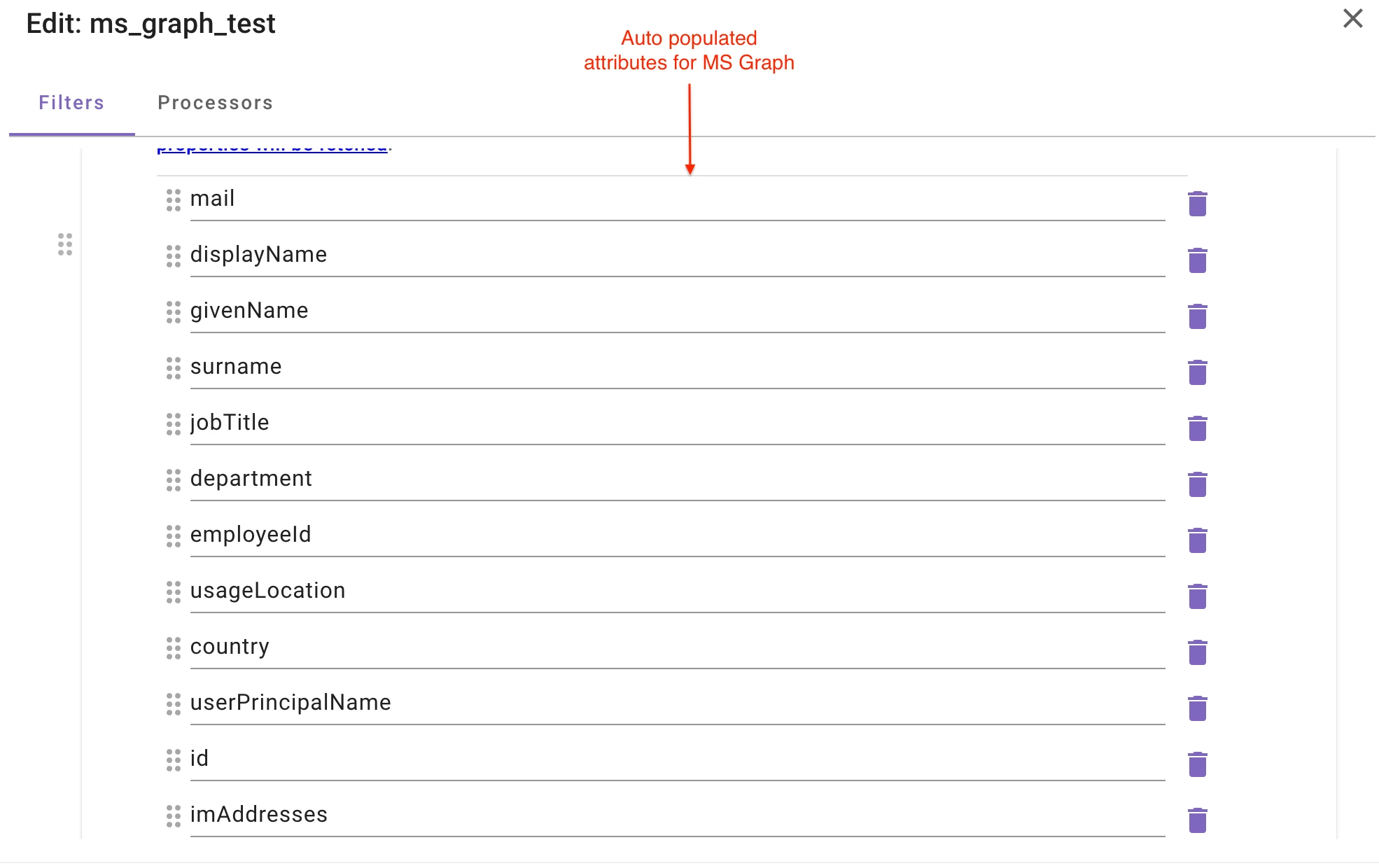
- More fields are available for mapping, including user_id_info fields (user_email), password metadata (password_meta_info), and others.
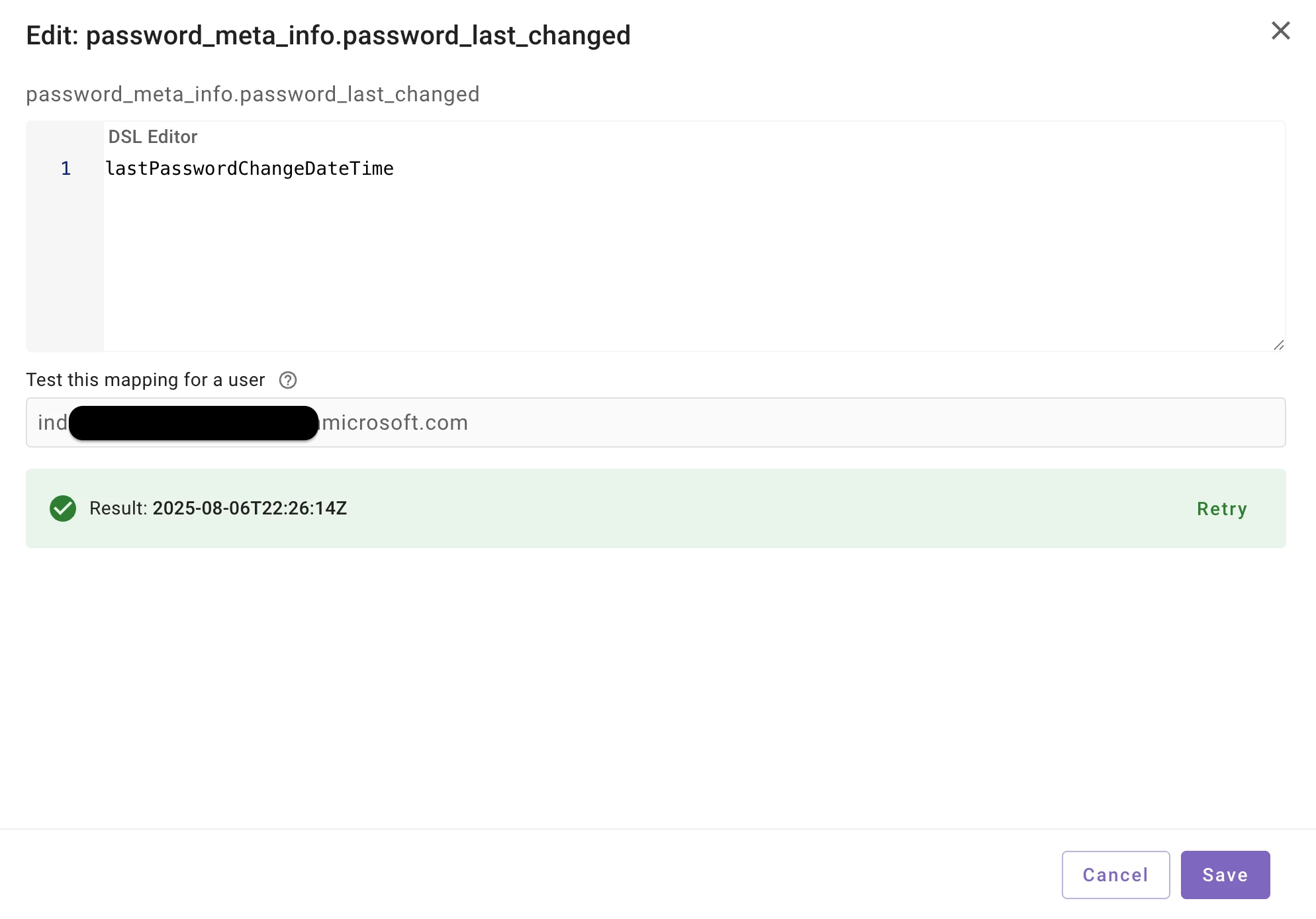
Override Mapping Screen
You can now map internal fields that weren't available before:
- user_id_info.user_email
- geocodes
- employment info field
- timezone
- password metadata
- manager resolver field
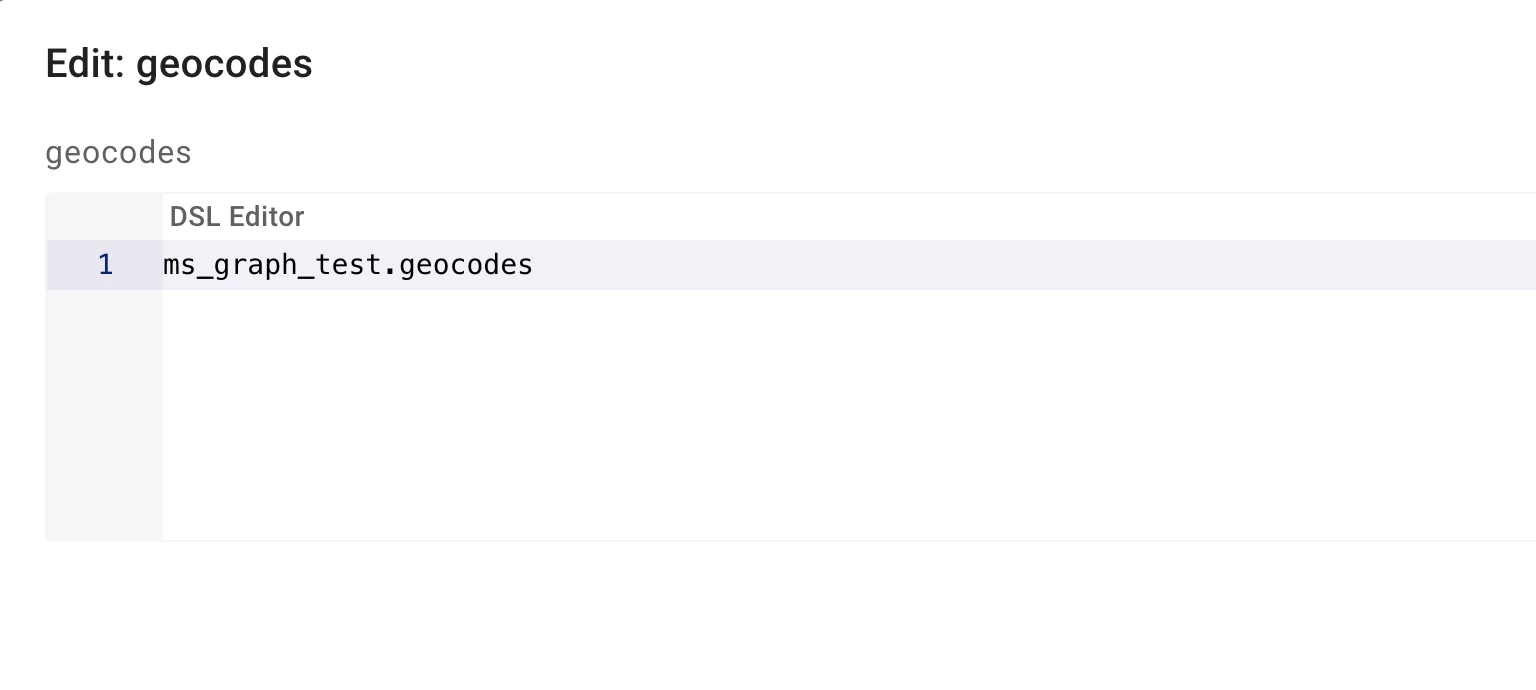
Test with User Screen
- All attributes now show in the final user profile — both system and custom attributes
- Geocodes now have a preview so you can see the data before your users are ingested
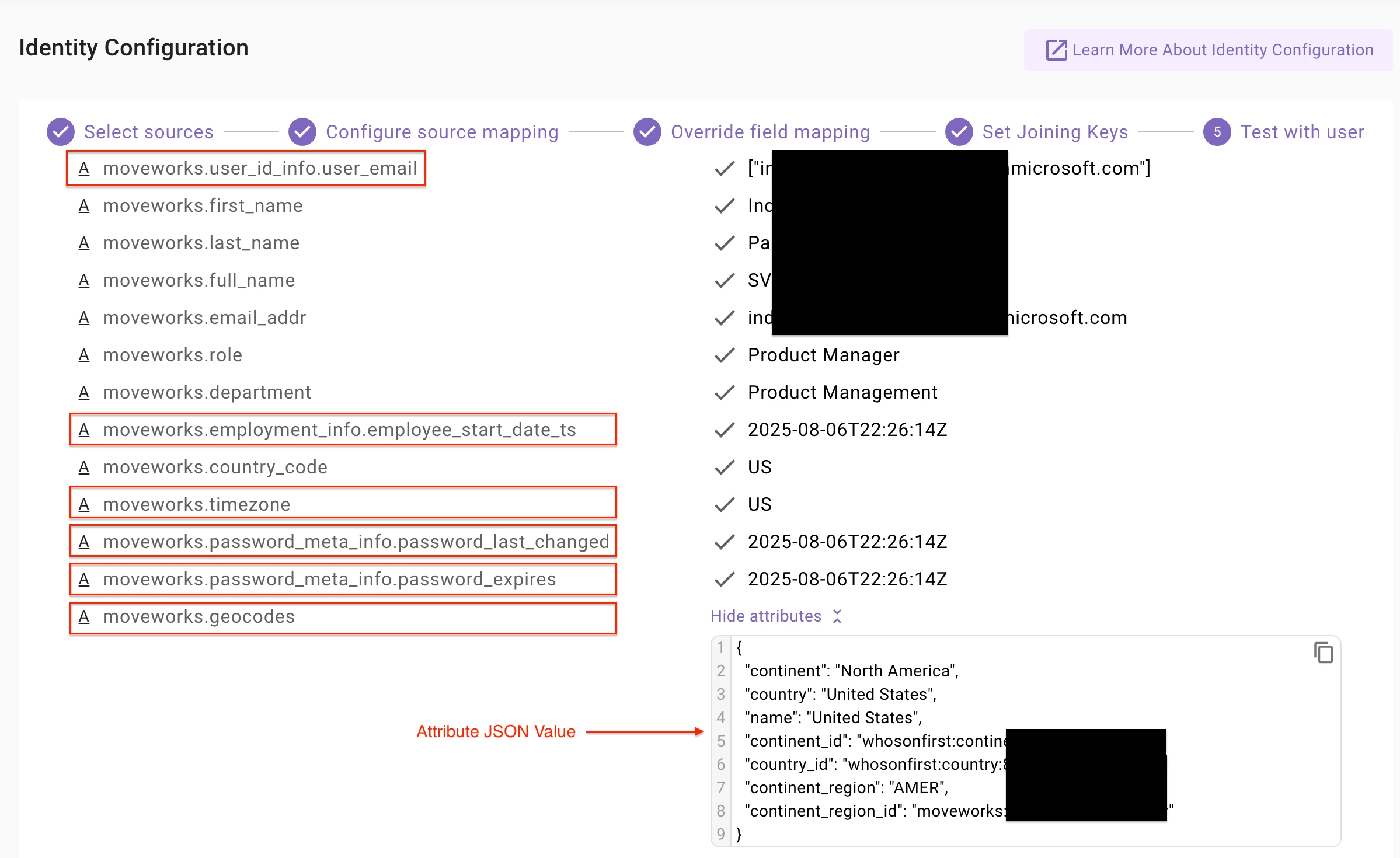
- System attributes are grouped by integration source, so you know where each piece of data comes from for a sample user
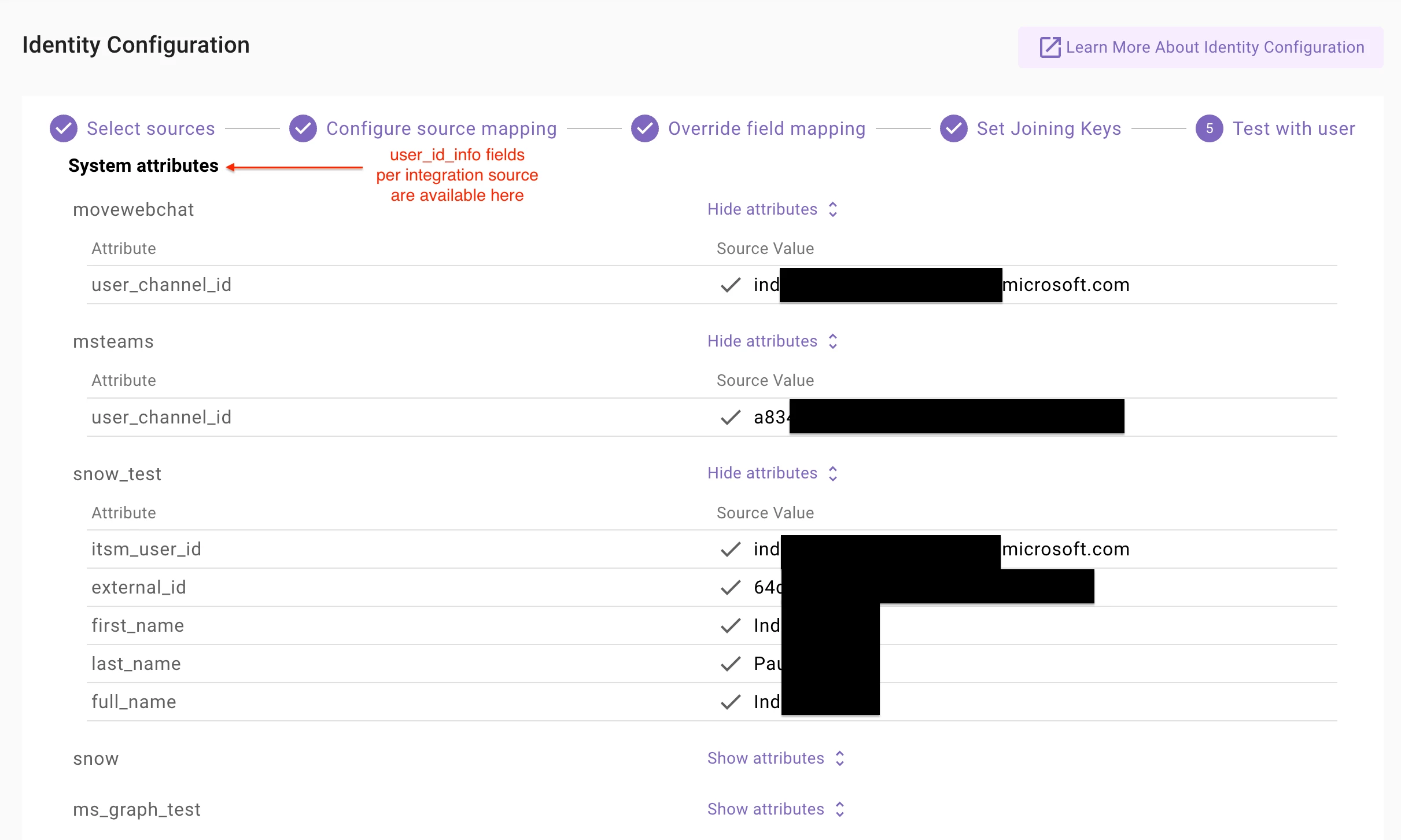
- All other internal fields are visible during testing, so you can verify everything works before going live
▶️ Learn more
- Detailed Help Doc here.
- DSL reference for mappings (used in Configure source mapping and Override field mapping screens)
Thanks,
The Moveworks Setup Team