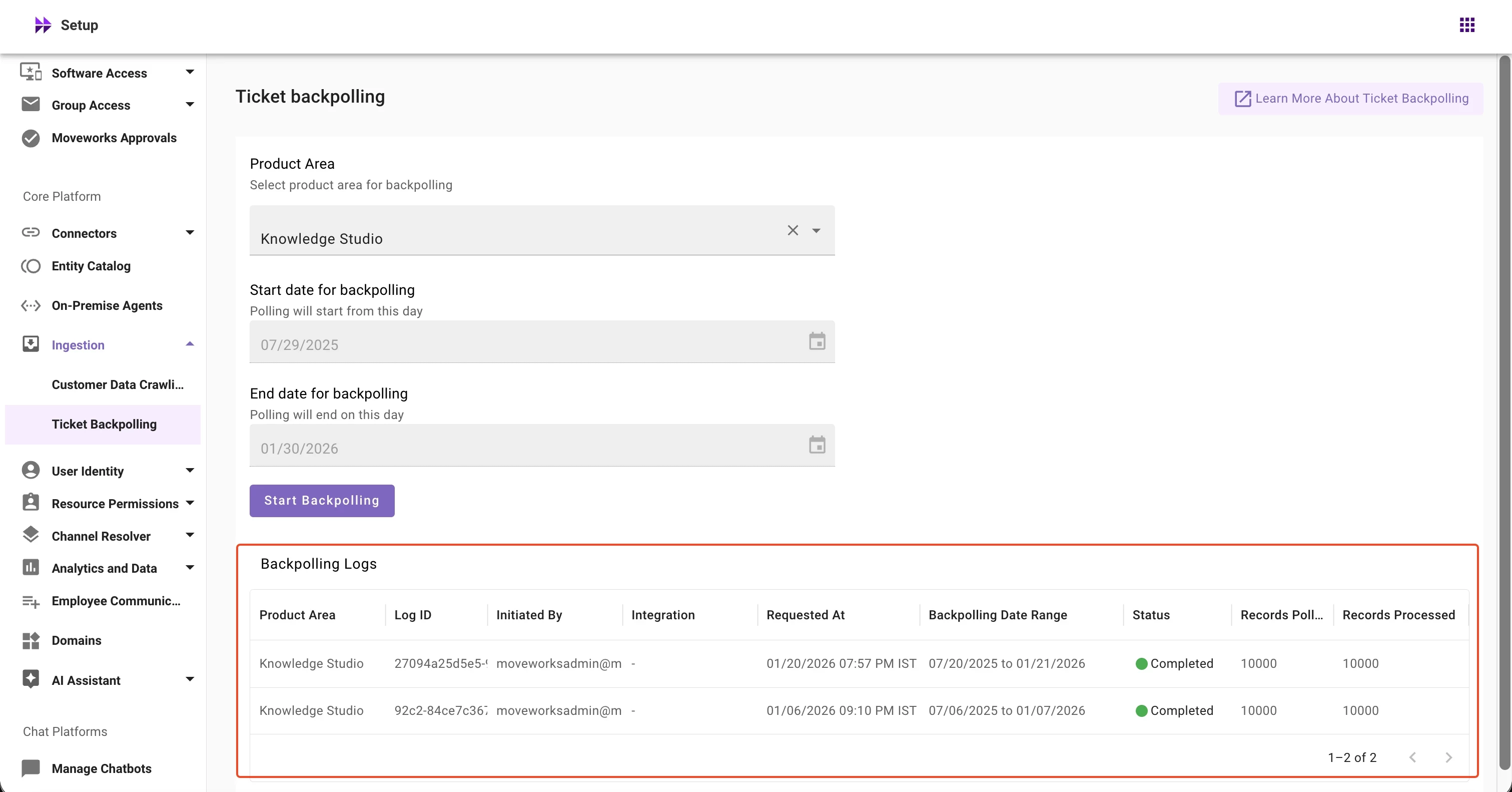
We're excited to announce that Ticket Backpolling for Knowledge Studio is now live in Moveworks Setup. This features allows customer admins to run Knowledge Studio ticketing backpolling directly from Moveworks Setup.
💡What is Knowledge Studio ticket backpolling?
Knowledge Studio ticket backpolling imports your organizations’ historical IT tickets from ITSM systems like ServiceNow or Jira over a specified time period.
During backpolling, Moveworks:
Retrieves historical tickets from ITSM systems
Processes and standardizes the ticket data
Makes this historical data available to Knowledge Studio for pattern analysis and article recommendations
Note: By default, backpolling covers the past 6 months of ticket history to provide Knowledge Studio with a comprehensive dataset.
🌟 How to run ticket backpolling for KS?
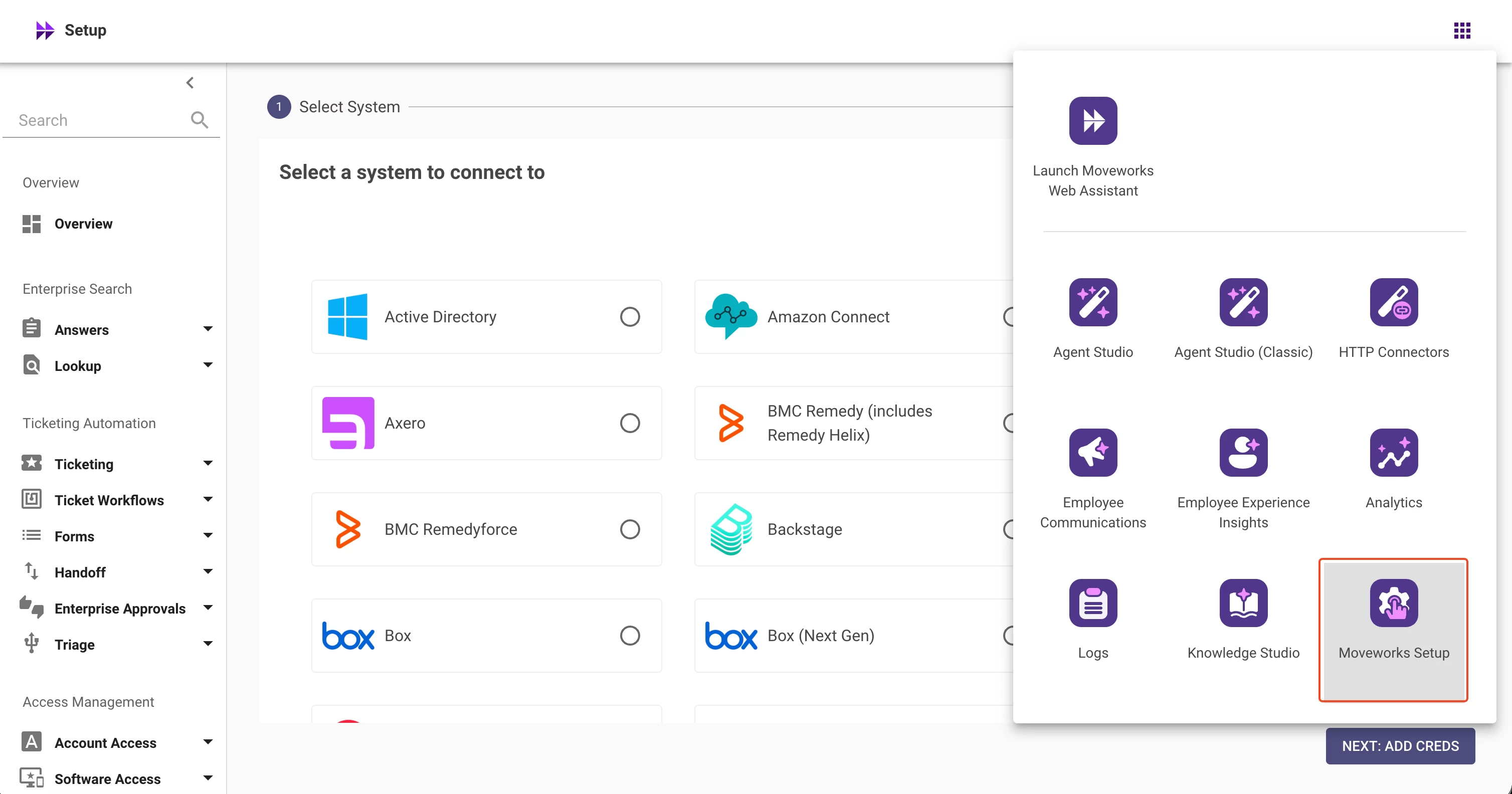
Navigate to Moveworks Setup from your org's MyMoveworks portal
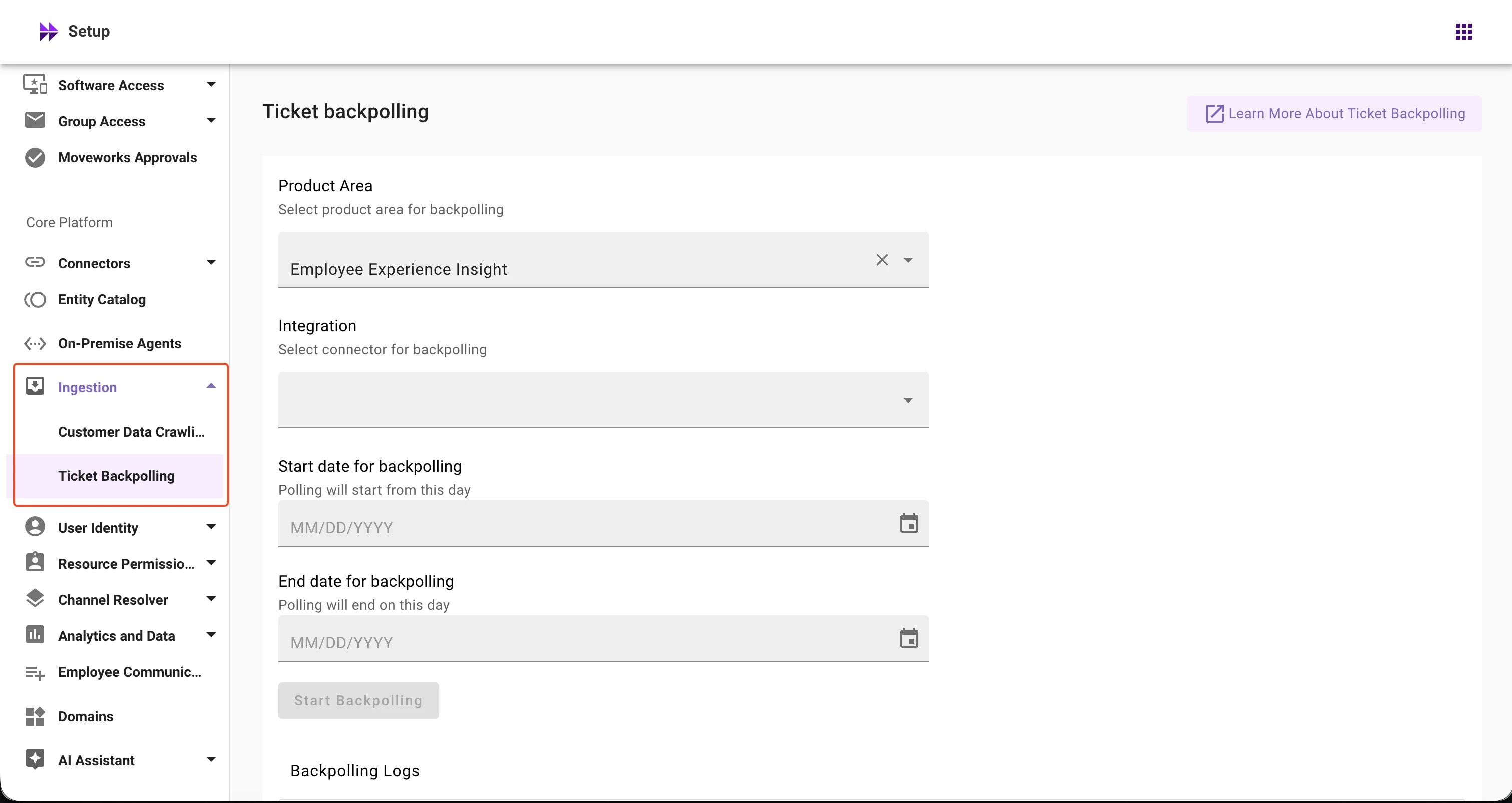
Navigate to Ingestion > Ticket Backpolling!-->
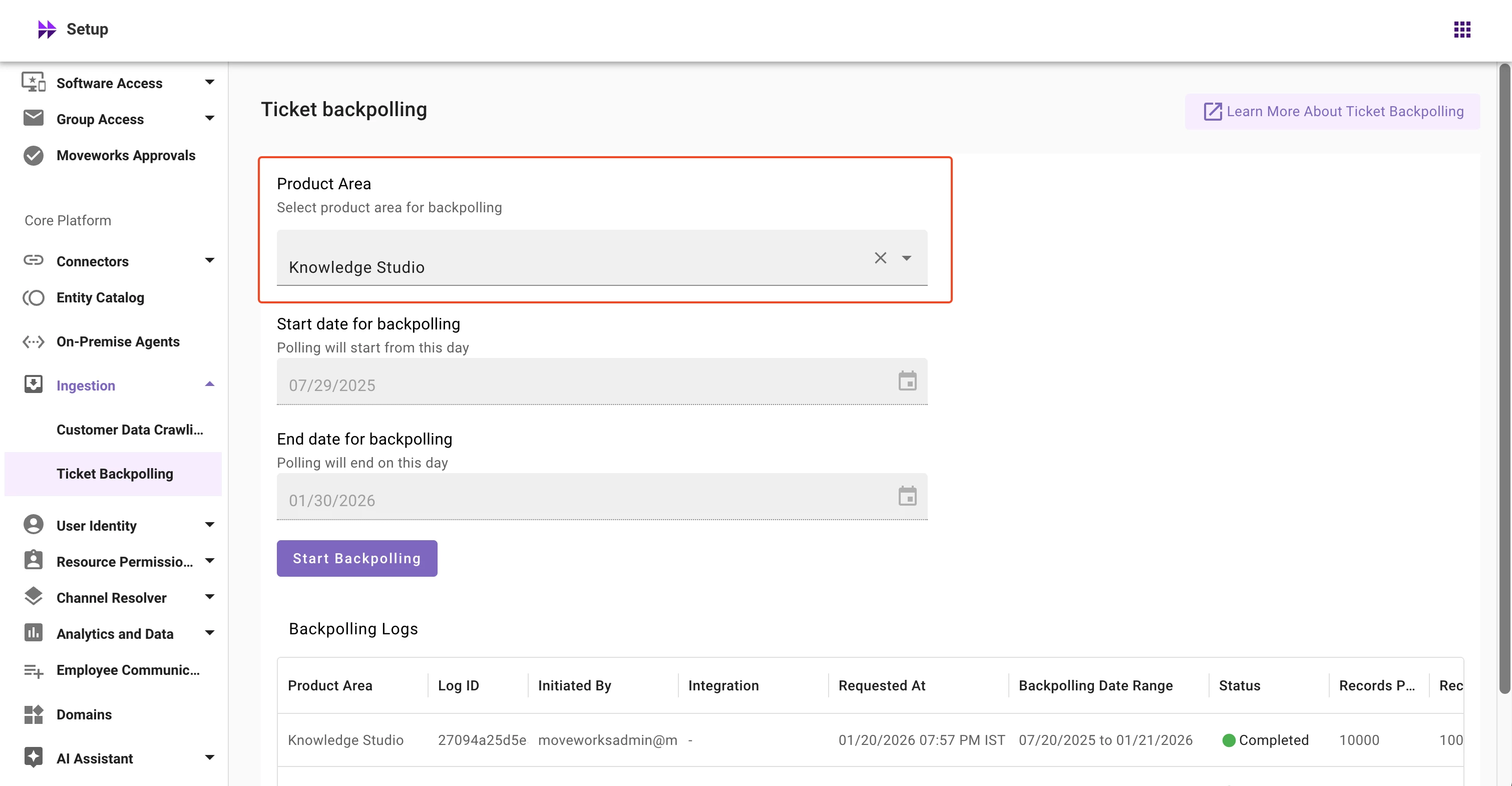
Select the product area as Knowledge Studio!-->!-->
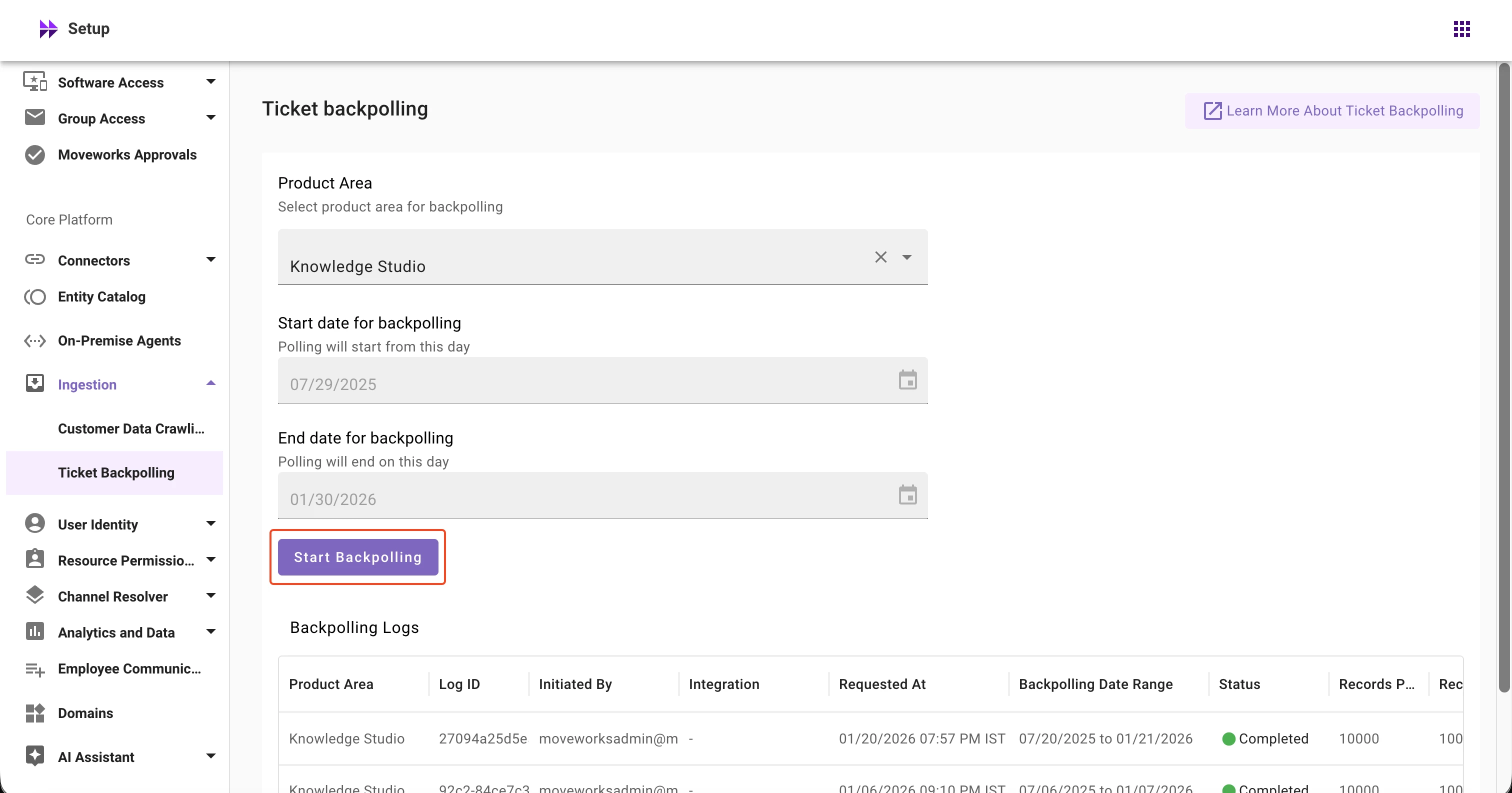
Click on Start Backpolling button
Once you initiate the back polling, the job will start in some time!-->
Once finished, you can view the status, records polled and records processed in the logs table
!-->
Once ticket backpolling finishes, please allow several hours to days for internal data processing to complete based on your organization's ticket volume.
⚠️ Please note:
Knowledge Studio ticket backpolling runs across all integrations. The integration selection field is not available for this product area
By default, Knowledge Studio ticket backpolling is configured to run for the past 6 months. Date ranges cannot be modified and the date selector is disabled
📘 Learn More
For detailed guidance on using Permission Checker, refer to our help documentation.
If you're a Moveworks customer, you can click the SSO button below to login-even if it's your first time. Everyone else can use email or click create an account above to register.
If you're a Moveworks customer, you can click the SSO button below to login-even if it's your first time. Everyone else can use email or click create an account above to register.