
4 replies

Known Participant
Jul 9, 2025 7:25 PM UTC

Can you confirm that the permissions are set correctly and that you have the correct ClientID and Secret. I havent done this connector but I did find this KBA Unily Access Setup Guide

Participating Frequently
Jan 9, 2026 6:54 AM UTC

Hi,

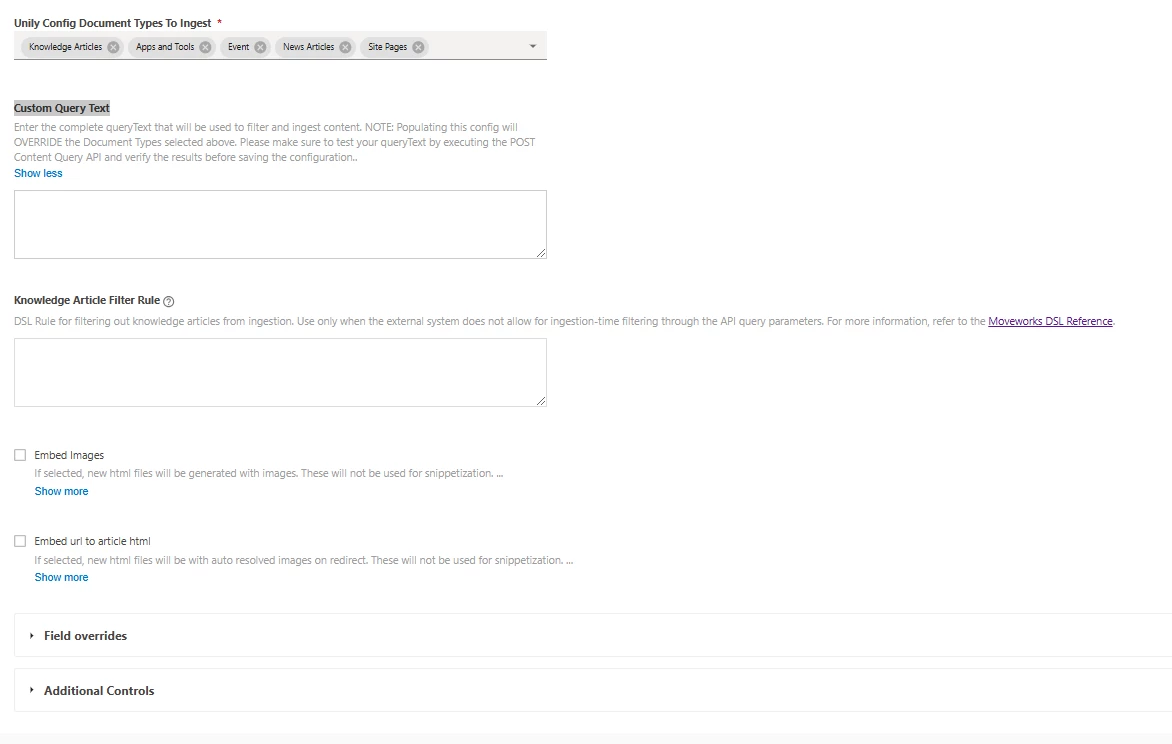
With Unily, the ingestion process doesn’t use a wizard like ServiceNow. After creating the connector (as per the documentation), you need to manually trigger the ingestion from the connector settings. Make sure your connector configuration, API keys, and permissions are correct, as this info is crucial to avoid errors. Then check the logs for any issues during ingestion. Once triggered, the content should start populating in the internal knowledge base.

New Participant
May 22, 2026 3:20 PM UTC

Hi,

With Unily, the ingestion process doesn’t use a wizard like ServiceNow. After creating the connector (as per the documentation), you need to manually trigger the ingestion from the connector settings. Make sure your connector configuration, API keys, and permissions are correct, as this çin takvimi is crucial to avoid errors. Then check the logs for any issues during ingestion. Once triggered, the content should start populating in the internal knowledge base.

These problems can stem from malformed files, API connection failures, permission mismatches, or incorrect configuration within your Unily tenant. When ingestion fails, dashboards, content feeds, user profiles, or analytics may not refresh as expected.

New Participant
Jun 24, 2026 9:24 AM UTC

Hi,

With Unily, the ingestion process doesn’t use a wizard like ServiceNow. After creating the connector (as per the documentation), you need to manually trigger the ingestion from the connector settings. Make sure your connector configuration, API keys, and permissions are correct, as this tomato apk is crucial to avoid errors. Then check the logs for any issues during ingestion. Once triggered, the content should start populating in the internal knowledge base.

A Unily ingestion issue occurs when content, data, or documents fail to sync correctly from connected systems into the Unily digital workplace platform. These problems can arise due to misconfigured connectors, authentication failures, API limitations, network interruptions, or incorrect data mapping rules.