


💡 Tip: Masking Agent Names in Concierge "Last Activity" Notifications
Hello Community!
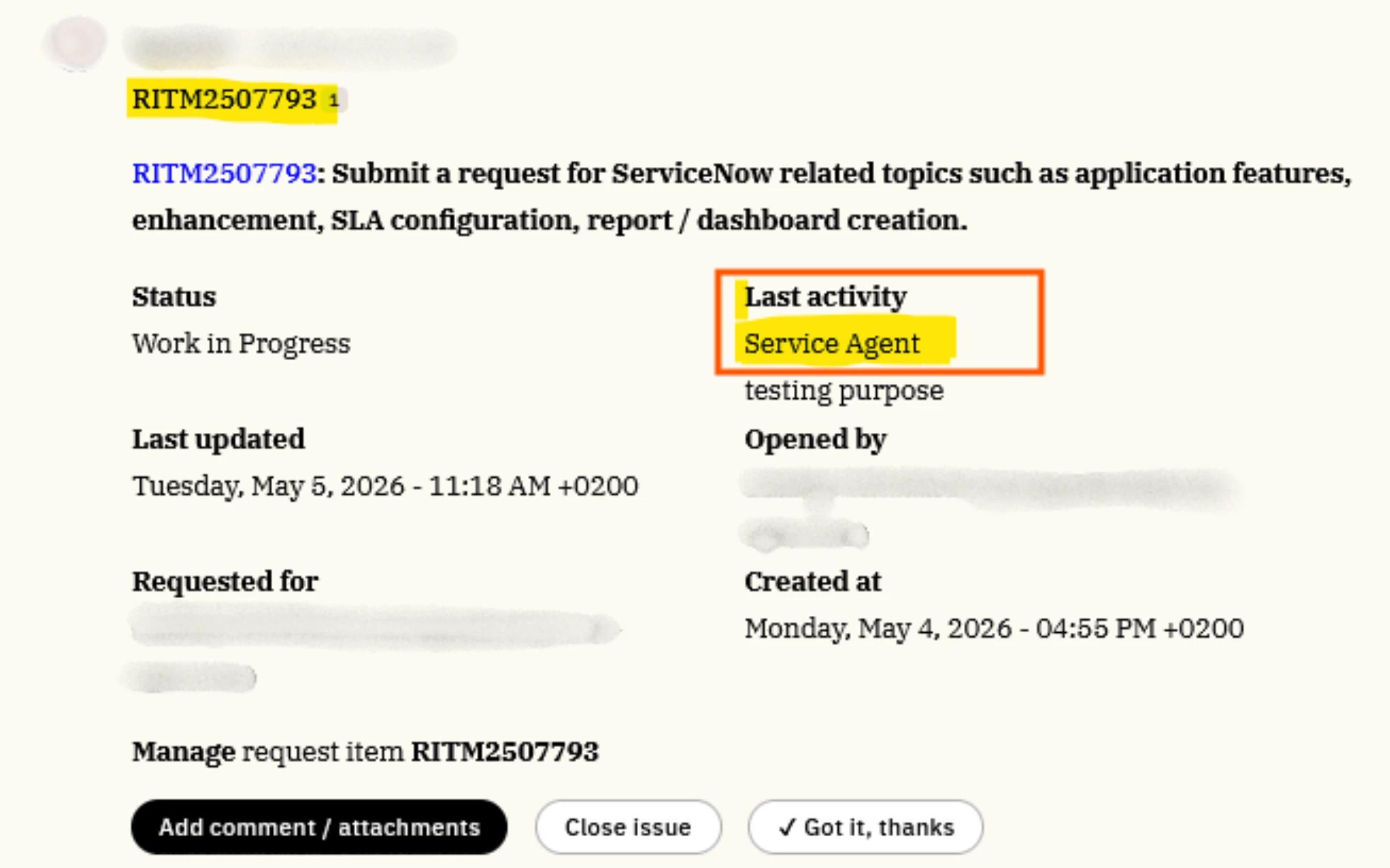
By default, Moveworks Concierge notifications often pull the specific agent's name into the "Last Activity" section. For many teams, privacy or a unified "Service Desk" brand is a priority. This solution allows you to mask individual agent names—replacing them with a generic "Service Agent" title—while keeping the actual activity log intact. Here’s how to build this -
Step-by-Step approach:
Part 1: ServiceNow Configuration
To start, we need to create a "sanitized" version of your comments within ServiceNow. Installing the update set attached to this post helps you achieve that.
What does this Update Set do?
- Creates a Custom Attribute: Navigate to System Definitions > Dictionary and create a new field (e.g.,
u_comments_sanitized). - Applies a Business Rule: Create a Business Rule that triggers on comment updates. Use a regex pattern to identify agent names, mask them as "Service Agent," and append the cleaned text to your new custom attribute.
Part 2: Moveworks Setup
Now, we tell Moveworks to look at our new masked field instead of the default log.
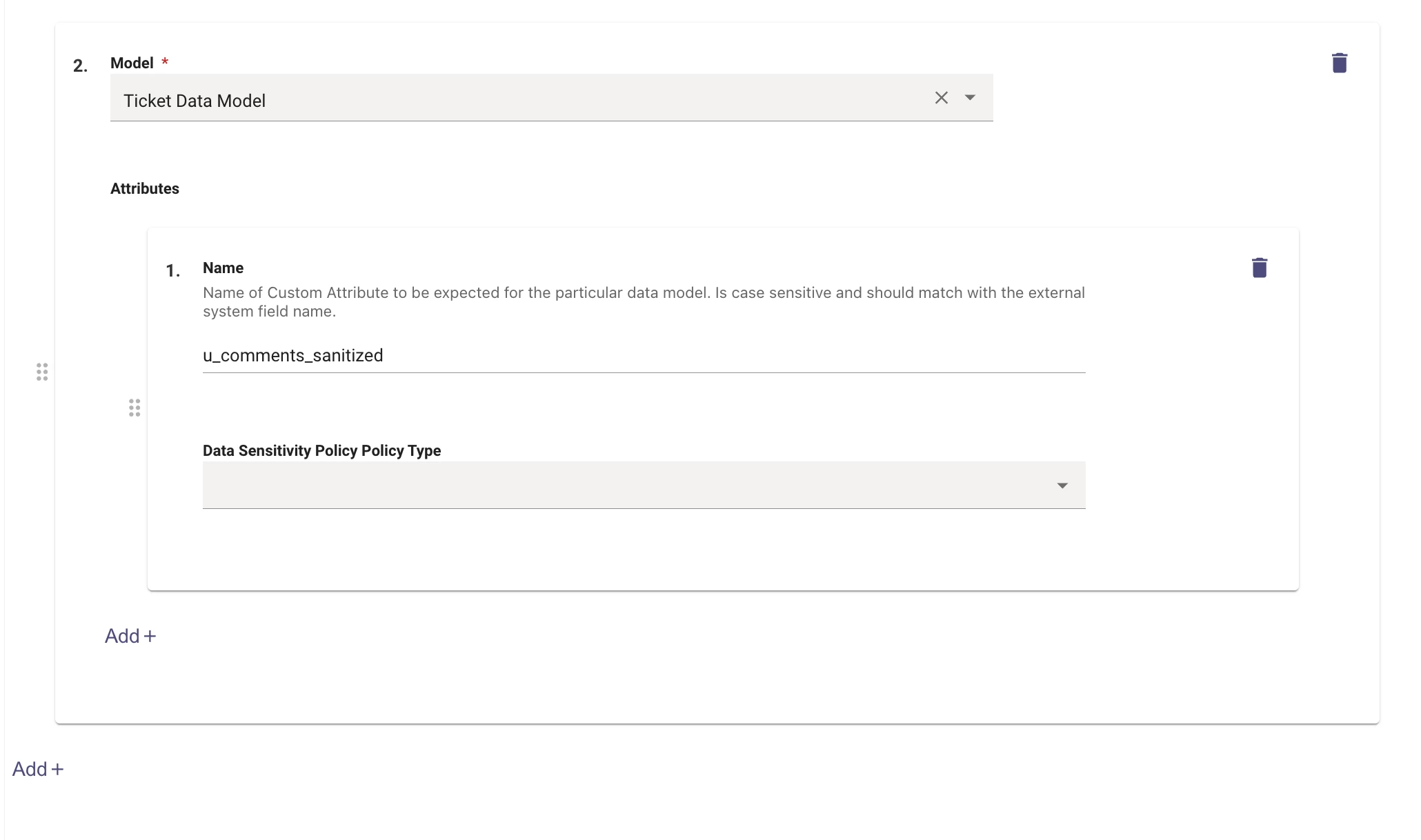
Step 1: Register the Attribute Navigate to Analytics & Data > Custom Attributes in Moveworks Setup.
- Model: Ticket Data Model
- Attribute:
u_comments_sanitized - Data Sensitivity Policy Type: (Leave empty)
Step 2: Update Ticket Mapping Navigate to Ticketing > Ticket Settings > Ticket Mapping.
- Select your Ticket Type and go to Add Destinations > Add Ticket Mappers.
- Edit your Ticket Attribute Mapping.
- Add the field
u_comment_sanitizeto the Input Fields in the mapper. - Find the
activity_logentry and update the field name fromcommentstou_comments_sanitizedwithin the Ticket JSON Mapper.
The Result
Voila! 🗣 Your Concierge notifications will now display the masked "Service Agent" name in the chat interface, ensuring privacy while keeping users informed.
Has anyone else implemented similar privacy masking for other notification types? Would love to hear your approach!