Known Participant
September 8, 2026
Question

HTTP Connector Console Question

  • September 8, 2026
  • 8 replies
  • 59 views

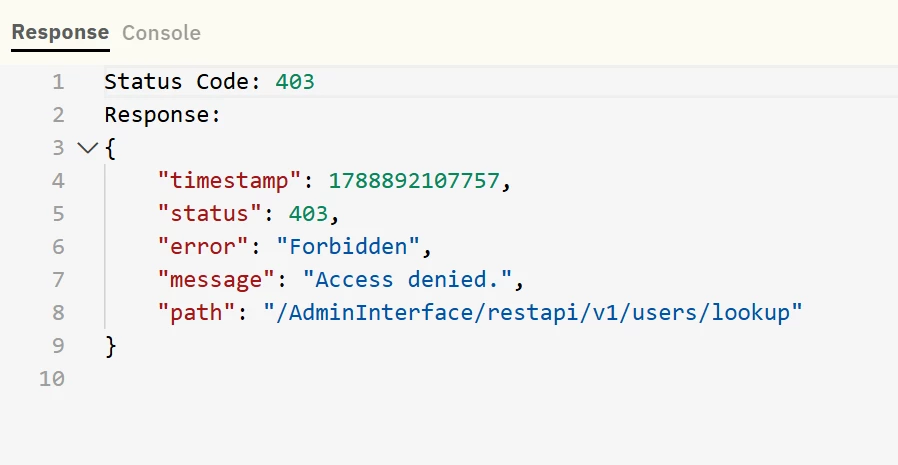
I am running into an issue with an HTTP connector. I had to update the private key for the JWT Auth. For some reason the API calls when testing in Agent Studio are not going through properly. It’s saying access denied but I have tested this new key via postman to confirm it was set up properly. It seems to be an issue with how the backend is sending the authorization/jwt. 

When I am in Agent Studio testing the API call I can see the response but nothing in Console even though the option is there. I am trying to troubleshoot this further. Is there any way to troubleshoot these API calls to see what is actually being sent to understand what could be going wrong. 


8 replies

Kevin Mok
Community Manager
September 9, 2026

@Joel.Matias was this connector working before you updated the private key? There may be a misconfiguration in your connector if postman works fine but Agent Studio does not.

What system are you trying to access? Do you have API docs that I can take a look at?

Known Participant
September 9, 2026

@Kevin Mok Yes this was working before but it stopped working so we updated the private key on the backend and then provided that to the http connector. This is for RSA API. In Prod I have the API pointing to our Prod RSA and its working. The issue is the one pointing to our UAT instance from sandbox. 


Here is the documentation: Authentication for the Cloud Administration APIs | RSA Community

We’re using the legacy API set up at the moment because we’ve been trying to get the OAuth working but running into issues there and the legacy has been working. 

The legacy API set up works in Prod going to our Prod RSA. 

Known Participant
September 9, 2026

Just to confirm, for the one working (prod), everything is set up exactly the same, all that is different are the URLs and the private key. it seems that the JWT being created is somehow not correct.