Known Participant
July 2, 2025
Solved

Ability to edit slots for decision policies

  • July 2, 2025
  • 3 replies
  • 136 views

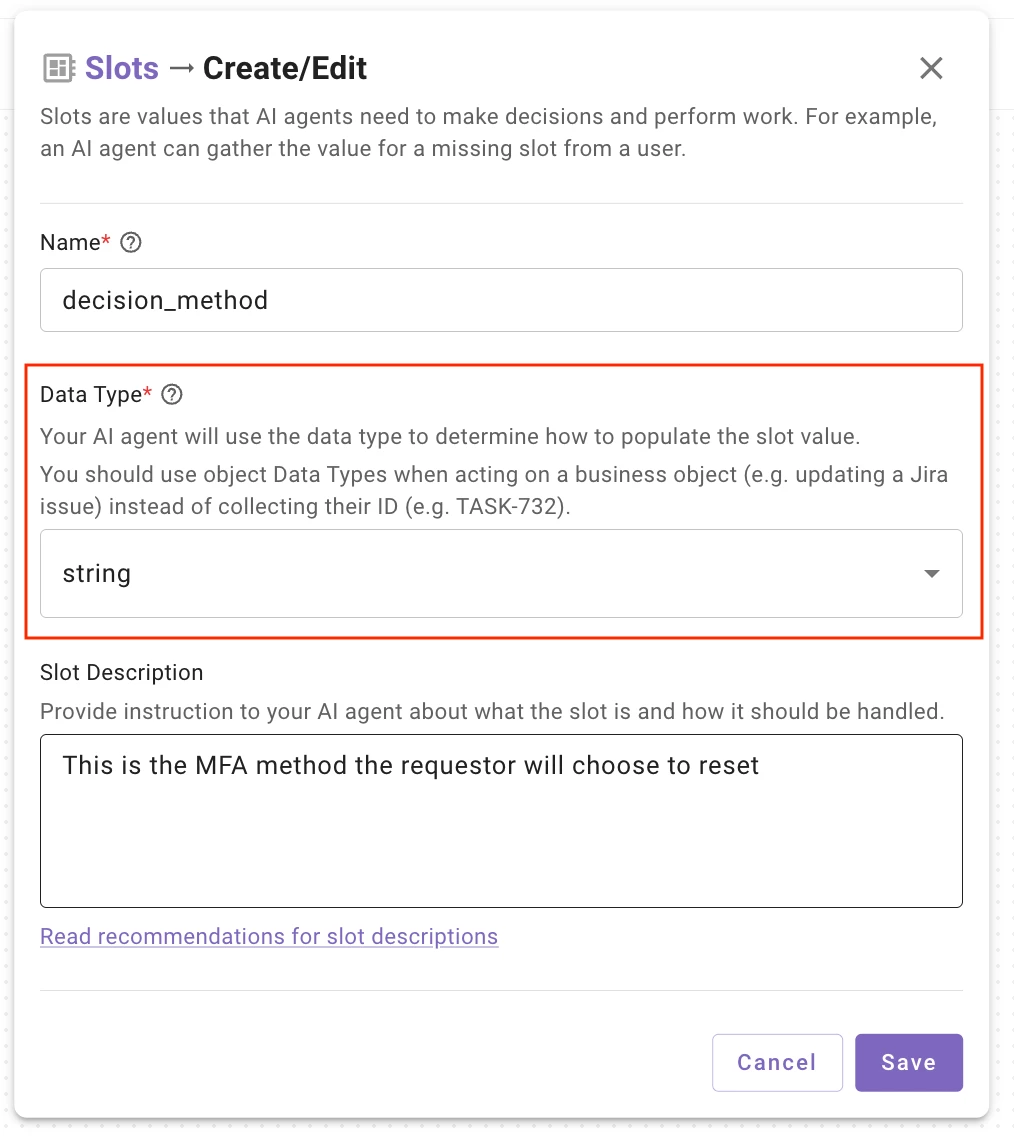
When working with the Agent Studio 2.0 and I find that I am unable to edit slots after they are created when building decision policies. I am not sure if I am missing something or this is just a limitation of the new Agent Studio. I find that once the slot has been created, I cannot go back and adjust the data type, slot retrieval details, etc. This would be a hinderance when building plugins as a new slot would have to be created any time a necessary change is needed. 


This topic has been closed for replies.
Best answer by chaney.zimmerman

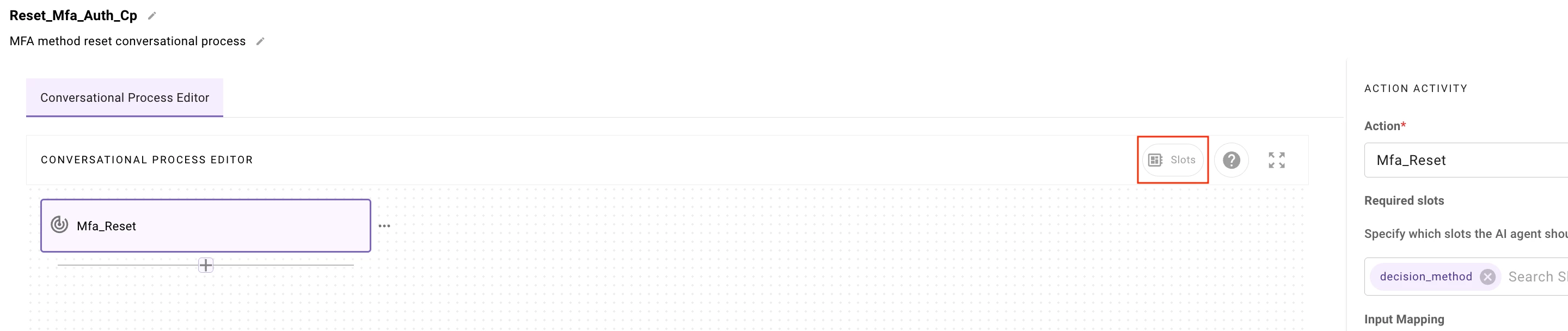
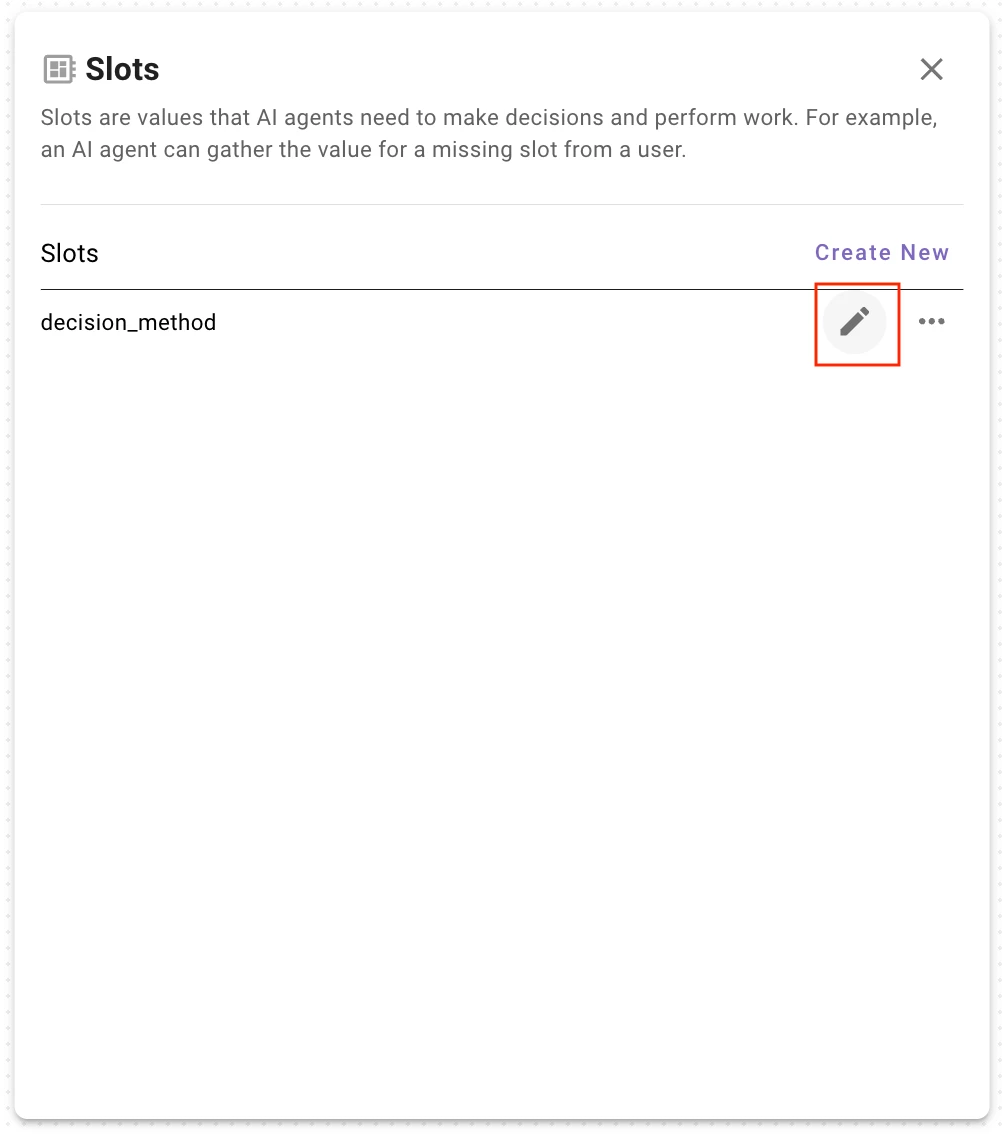
hey ​@justinrous ! have you tried clicking the “Slots” button near the top right of the Conversational Process interface? i attached some screenshots that hopefully help lead to the right place, i’ve been able to edit Slots i’ve previously created using this interface…


3 replies

chaney.zimmerman
Employee
July 2, 2025

hey ​@justinrous ! have you tried clicking the “Slots” button near the top right of the Conversational Process interface? i attached some screenshots that hopefully help lead to the right place, i’ve been able to edit Slots i’ve previously created using this interface…


chaney.zimmerman
Employee
July 2, 2025

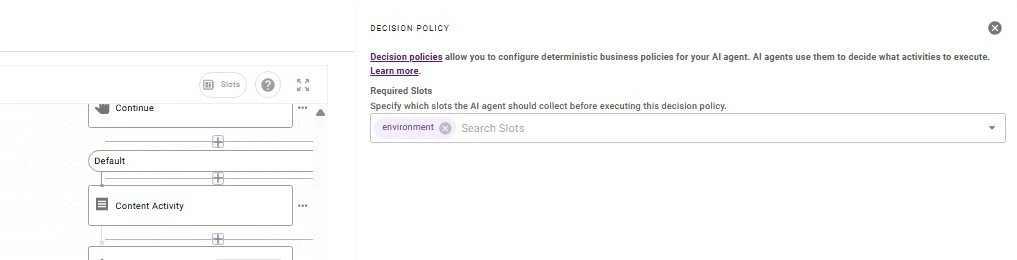
the same is true for me if you have added a Decision Policy and select that module in the CP, then click the “Slots” button 


Known Participant
July 2, 2025

Ahh okay, I was able to find the slots button. Thank you ​@chaney.zimmerman